
Audio CAPTCHAs are a vital component of inclusive security, enabling users with visual impairments to verify themselves easily. If you’re searching for “audio captcha GitHub” to find open source implementations or code examples for adding audio challenges to your bot defense, you’ll find various projects ranging from simple proof-of-concept scripts to more mature libraries. These can be integrated into web or mobile applications to complement or replace visual CAPTCHAs.
This post breaks down how audio CAPTCHAs function, explores common GitHub repositories and libraries, compares popular bot defenses supporting audio CAPTCHA, and highlights how providers like CaptchaLa simplify deployment with accessible audio challenges.
What Exactly Is an Audio CAPTCHA?
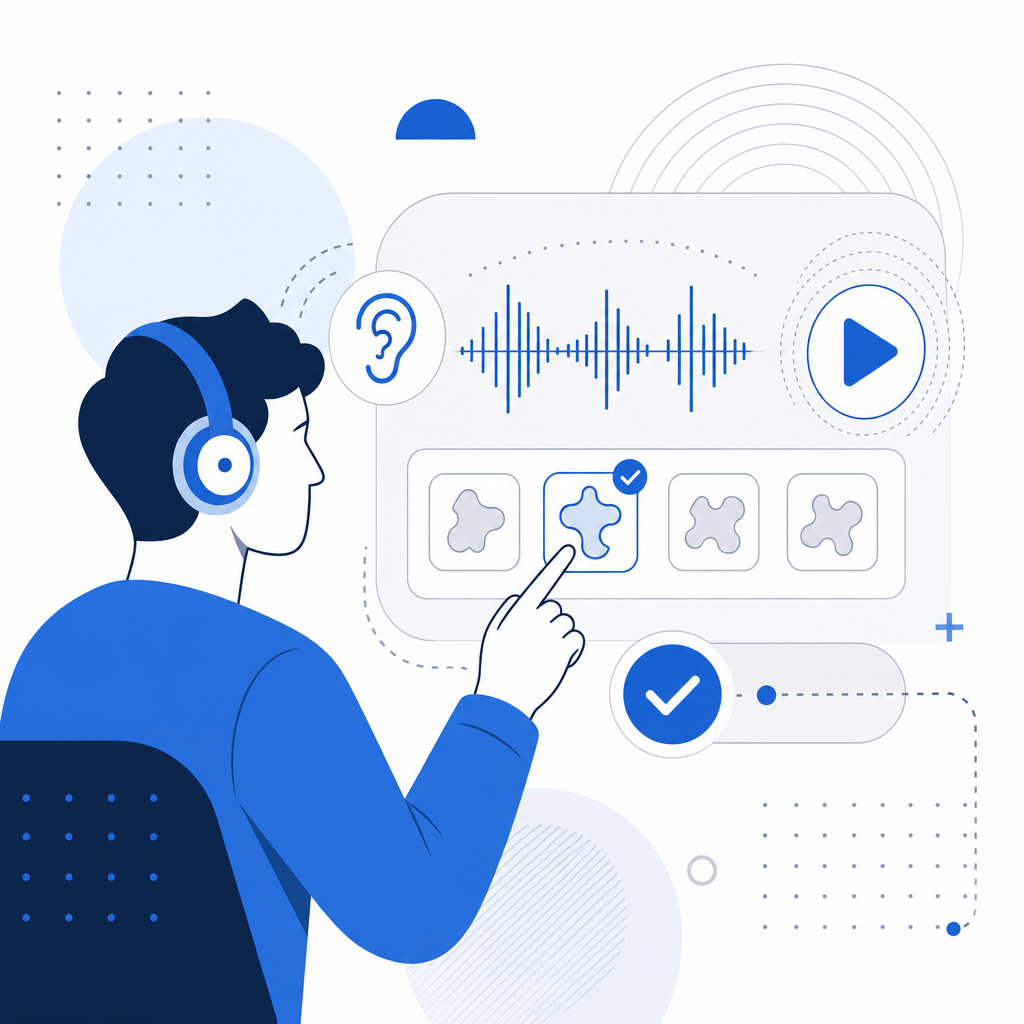
An audio CAPTCHA presents a distorted or manipulated spoken phrase or sequence of numbers that a user must listen to and transcribe correctly to prove they aren’t a bot. Unlike visual CAPTCHAs, which rely on distorted characters or images, audio CAPTCHA addresses the needs of users who cannot see or have difficulty with visual content.
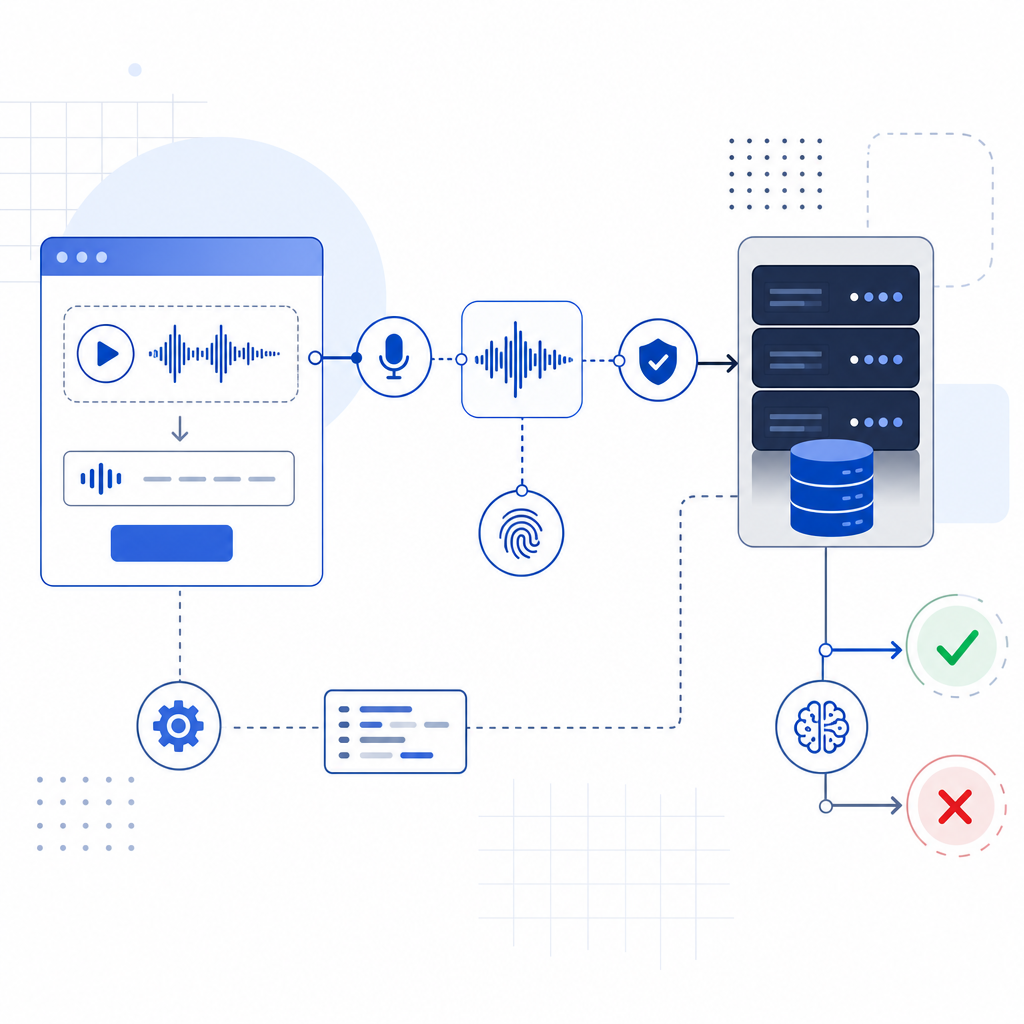
The typical workflow:
- Server generates an audio challenge (usually numbers or letters spoken with background noise or distortion).
- The user listens to the audio clip.
- The user inputs the characters they hear.
- The server validates if the answer is correct.
This process ensures accessibility compliance (e.g., WCAG standards) while maintaining a layered defense against automated abuse.
Key Features of a Good Audio CAPTCHA
- Clear but distorted enough to confuse bots
- Multiple language/localization options
- Adjustable difficulty
- Short duration for usability
- Integration hooks with your backend verification logic
Overview of Audio CAPTCHA GitHub Projects
GitHub is home to several open source projects focusing on audio CAPTCHA generation or integration for web apps. Here are some categories and notable examples:
| Project Name | Language | Features | Status |
|---|---|---|---|
| audio-captcha-js | JavaScript | Simple audio challenge generator using Web Audio API; customizable noise | Active |
| captcha-sound | Python | Generates audio CAPTCHA using TTS + noise overlay; server-side use | Moderately Maintained |
| botd-audio-challenge | Node.js | Adds audio challenge as part of bot detection toolkit | Experimental |
| SpeechCaptcha | Java | Android library for audio-based CAPTCHA prompts | Maintained |
While many repos showcase prototype audio CAPTCHA generation, few handle the full verification pipeline or production-level anti-fraud measures found in commercial SaaS solutions.
A sample snippet from a basic JavaScript generator might look like this:
// Generate audio CAPTCHA with random digits and white noise overlay
function generateAudioCaptcha() {
  const digits = Array.from({length: 5}, () => Math.floor(Math.random() * 10)).join('');
  const utterance = new SpeechSynthesisUtterance(digits);

  // Customize voice parameters here for distortion
  utterance.rate = 0.8;
  speechSynthesis.speak(utterance);

  // Store 'digits' server-side for verification
  return digits;
}
Comparison of Popular Bot Defense Services Supporting Audio CAPTCHA
If you want a turnkey solution with audio CAPTCHA support, here’s how some well-known bot defense SaaS platforms stack up:
| Service | Audio CAPTCHA Support | SDKs / Integrations | Notes |
|---|---|---|---|
| CaptchaLa | Yes, native audio challenges, multi-language support | Web (JS/React/Vue), Android, iOS, Flutter, Electron | First-party data focused, generous free tier |
| Google reCAPTCHA | Yes, audio alternative to visual reCAPTCHA v2 | Web (JS) | Widely used but collects user data |
| hCaptcha | Supports audio challenges | Web (JS) | Privacy-focused, configurable |
| Cloudflare Turnstile | No official audio CAPTCHA feature | Web | Invisible CAPTCHA, lacks audio challenge |
Audio CAPTCHAs are essential for accessibility and regulatory compliance, and selecting a platform that provides clear documentation, native SDKs, and strong support for audio challenges—like CaptchaLa—can simplify integration.
How to Integrate Audio CAPTCHA Using CaptchaLa and GitHub Code
For developers looking to implement audio CAPTCHA with some open source code and a backend validation API, here’s a general approach:
Frontend: Use CaptchaLa’s JavaScript loader or SDK to display an audio challenge widget:
html<script src="https://cdn.captcha-cdn.net/captchala-loader.js"></script> <div id="captchala-widget"></div> <script> CaptchaLa.render('captchala-widget', { siteKey: 'your-site-key', theme: 'light', accessibleAudio: true }); </script>User Interaction: User clicks “play audio” button to listen to the CAPTCHA, then enters what they hear.
Verification: On form submission, send the token returned by CaptchaLa to your backend:
php// PHP example for server-side verification using captchala-php SDK $captcha = new CaptchaLa\Client('APP_KEY', 'APP_SECRET'); $isValid = $captcha->validate($_POST['pass_token'], $_SERVER['REMOTE_ADDR']); if ($isValid) { // Proceed with user request } else { // Reject/flag suspicious }Fallback: Optionally integrate open source audio generation scripts like audio-captcha-js for custom challenges or layering.
This hybrid approach—leveraging an established SaaS for validation and optionally open repos for UI customization—provides a balanced tradeoff between control, ease of maintenance, and security.
Best Practices for Audio CAPTCHA Implementation
Ensuring your audio CAPTCHA effectively deters bots but remains user-friendly takes careful tuning and monitoring. Here are important technical considerations:
Accessibility Compliance:
- Provide clear instructions for audio CAPTCHA use.
- Support multiple audio formats and playback controls.
- Offer language options matching your audience.
Security Enhancements:
- Use server-generated random challenges, not client-side only.
- Limit attempts and monitor for repeated failure patterns.
- Combine with invisible bot detection signals.
User Experience:
- Keep audio length short (ideally 5-8 seconds).
- Avoid overly distorted sound that frustrates users.
- Provide a refresh button for new challenges and volume controls.
Scalability and Performance:
- Cache or pre-generate audio snippets to reduce latency.
- Use CDN-hosted assets (such as CaptchaLa’s loader script).
- Monitor failure rates and adapt difficulty dynamically.
By following these guidelines and leveraging tools like CaptchaLa, development teams can balance robust bot defense with inclusivity.
Conclusion
Searching for “audio captcha GitHub” often leads developers to a mix of standalone audio CAPTCHA generators and partial libraries. While these can be useful for experimentation or partial implementations, deploying production-ready, accessible audio CAPTCHA features usually benefits from established bot defense platforms—and CaptchaLa offers a solid combination of multi-language audio challenges, native SDKs, and straightforward backend validation APIs.
To explore how audio CAPTCHA fits into your overall bot defense strategy, you can start by reviewing CaptchaLa’s documentation and checking real usage examples in their SDKs. If you’re planning a launch or need scalable verification volume, their pricing plans provide transparent options for growth.
With accessible audio CAPTCHA, you not only block automated abuse more effectively but also make your service usable by a wider audience—an important step in inclusive and secure digital experiences.
Ready to get started? Check out CaptchaLa’s docs for detailed setup guides and integration examples, or review pricing options tailored for projects of all sizes.