
An audio captcha gateway is a fallback verification path that lets users prove they’re human by solving an audio challenge instead of a visual one. It’s most useful when accessibility matters, when image-based challenges fail, or when you need an alternate route for users on devices or networks that make visual CAPTCHA difficult.
The important part is that an audio gateway should be treated as a controlled fallback, not a primary security control on its own. If you design it well, it can improve accessibility and completion rates without turning your verification flow into a usability tax.
What an audio captcha gateway actually does
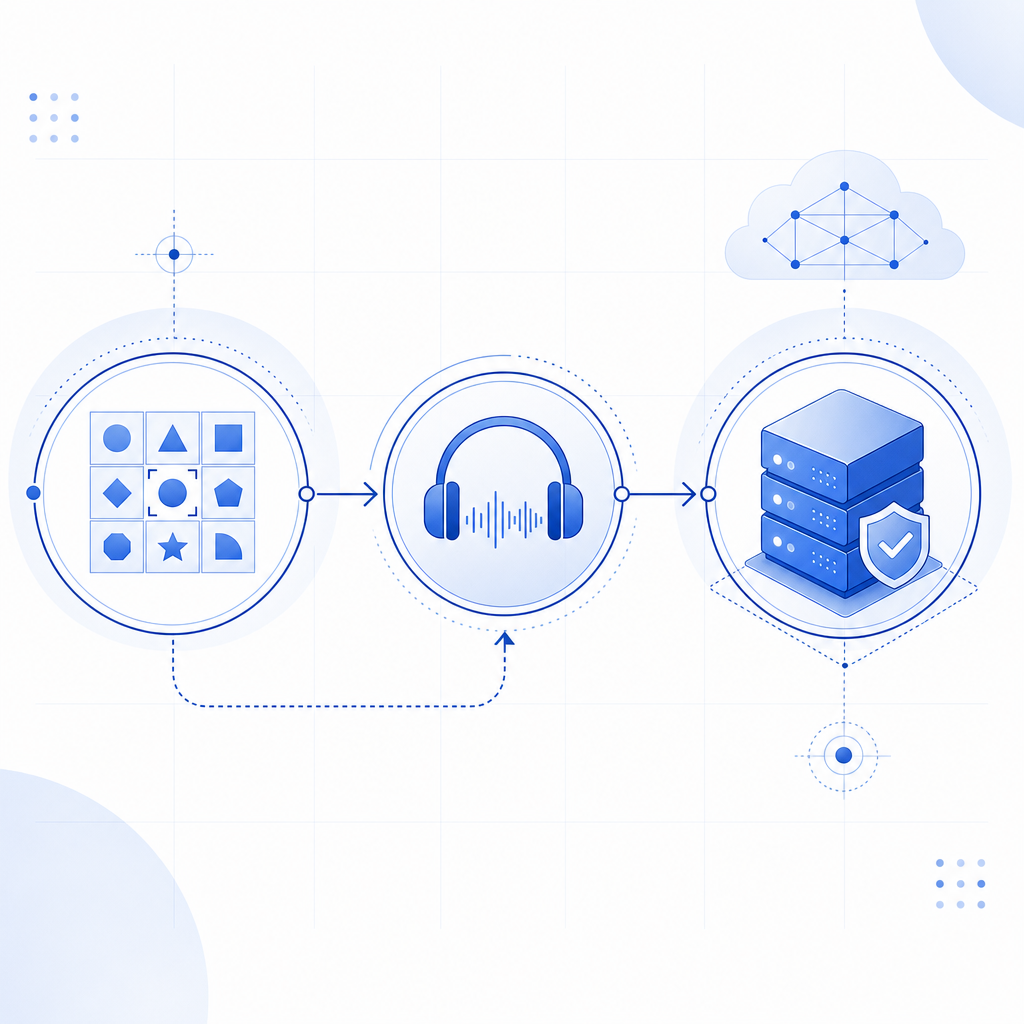
At a high level, the gateway sits between your application and the challenge system. A user enters the normal flow, and if the visual challenge cannot be completed, the system offers an audio option. The audio prompt is then processed like any other challenge: the client completes the interaction, receives a pass token, and your backend validates that token before granting access.
That means the gateway is not just “playing a recording.” It is part of the trust boundary. The client-side challenge, the token exchange, and the server-side validation all matter.
A practical way to think about it is this:
- The browser or app loads the challenge widget.
- The user gets a visual challenge first, if appropriate.
- If needed, they switch to audio.
- The app returns a pass token.
- Your backend validates the token with the verification API.
- Only then do you allow the form submission, login, or transaction to continue.
If you use CaptchaLa, the flow can be integrated across web and mobile clients with native SDKs and a separate server validation step. The same underlying pattern also fits other bot-defense products, including reCAPTCHA, hCaptcha, and Cloudflare Turnstile, though each one handles UX and risk signals a bit differently.
Why teams add an audio fallback
Audio fallback exists because accessibility, localization, and device constraints are real. A visual-only challenge can frustrate users with low vision, color-vision differences, screen readers, or unstable connections. It can also fail in environments where images don’t render cleanly, overlays are blocked, or the user simply needs an alternate modality.
A well-designed audio path helps in three ways:
- It supports accessibility without forcing a separate account-level accommodation.
- It reduces abandonment when the visual challenge is unreadable or unavailable.
- It preserves a second step for human verification without removing friction entirely.
That said, audio challenges can also create their own issues. Background noise, poor speakers, and accent or language mismatches can make them harder than expected. They can also be abused if the audio is too predictable. So the goal is not to make audio “easy”; the goal is to make it dependable for legitimate users while still resisting automation.
Good uses vs poor uses
| Scenario | Audio gateway fit | Notes |
|---|---|---|
| Login fallback for accessibility | Good | Common and defensible use case |
| Signup on low-bandwidth devices | Good | Helps users who can’t load visual assets reliably |
| High-risk payment step | Mixed | Better as one signal in a broader risk policy |
| Primary challenge for all users | Poor | Usually worse UX and weaker security posture |
| Human review replacement | Poor | Not a substitute for strong backend checks |
How to implement it without weakening your defenses
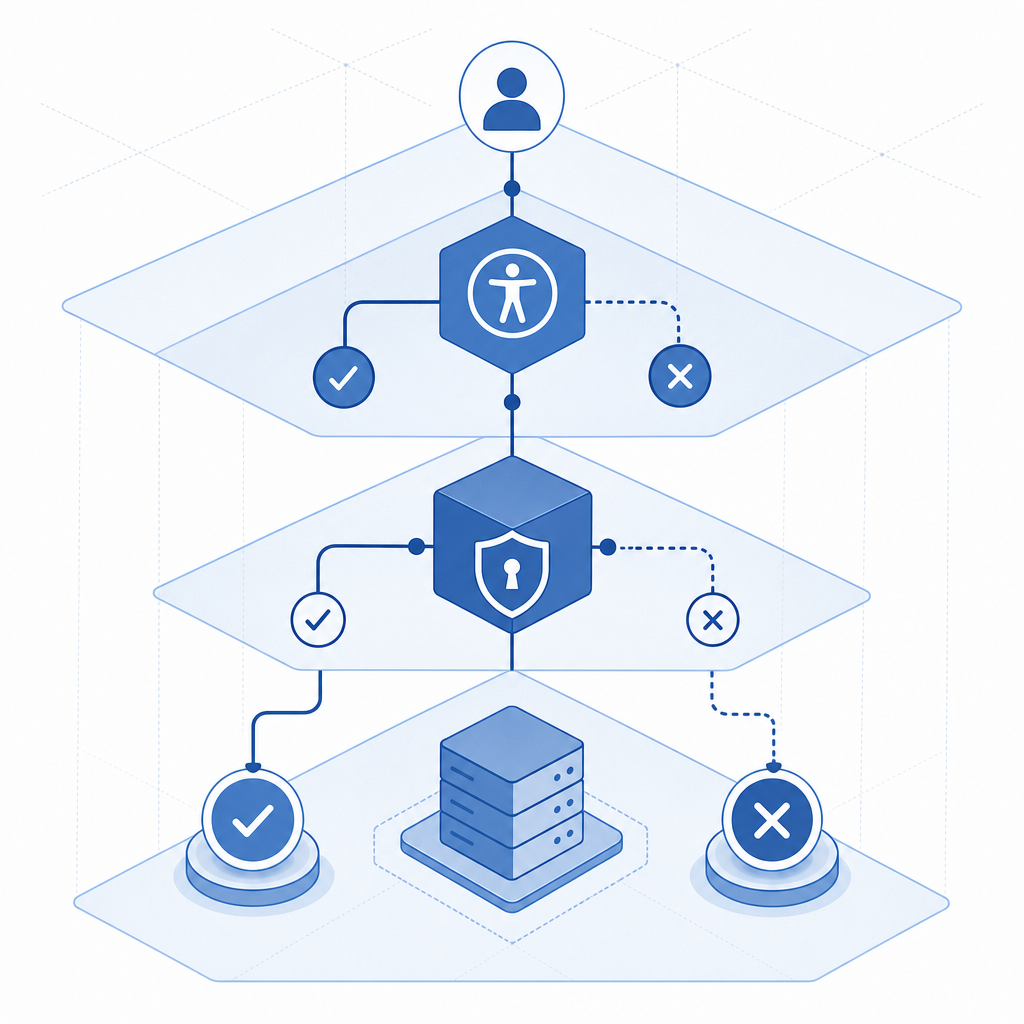
The mistake teams make is treating the audio challenge as the whole defense. The better pattern is to combine a client-side challenge with server-side validation and basic request context checks. That way, the audio gateway is just one branch in a larger decision tree.
If you’re building with CaptchaLa, the verification model is straightforward: the client receives a pass_token, and your server validates it with your application credentials. A typical backend check looks like this:
// Example only: validate the pass token on your server
// Send the token and client IP to your backend verification endpoint
async function verifyCaptcha(passToken, clientIp) {
  const response = await fetch("https://apiv1.captcha.la/v1/validate", {
    method: "POST",
    headers: {
      "Content-Type": "application/json",
      "X-App-Key": process.env.CAPTCHALA_APP_KEY,
      "X-App-Secret": process.env.CAPTCHALA_APP_SECRET
    },
    body: JSON.stringify({
      pass_token: passToken,
      client_ip: clientIp
    })
  });

  return response.json();
}
A few implementation details matter more than people expect:
- Keep the secret key server-side only. Never expose it in frontend code.
- Pass the client IP when possible, because it gives the validator additional request context.
- Validate the token immediately after the user completes the challenge.
- Tie the verification result to a single action, such as login or signup.
- Expire or reject reused tokens according to your application policy.
For client integration, CaptchaLa supports Web SDKs for JS, Vue, and React, plus native options for iOS, Android, Flutter, and Electron. On the server side, there are SDKs for PHP and Go, and mobile packaging options include Maven la.captcha:captchala:1.0.2, CocoaPods Captchala 1.0.2, and pub.dev captchala 1.3.2. That gives teams a practical path whether they ship a browser app, a mobile app, or a hybrid stack.
Choosing between audio fallback and other bot defenses
An audio gateway is not automatically the right answer for every environment. The best option depends on what you’re defending, what your users can tolerate, and how much risk you need to absorb.
Here’s a simple way to compare common approaches:
| Solution | Strengths | Tradeoffs |
|---|---|---|
| reCAPTCHA | Broad familiarity, widely deployed | Can feel opaque; UX varies by risk score and challenge type |
| hCaptcha | Strong bot-defense focus, flexible deployment | Still may create challenge friction |
| Cloudflare Turnstile | Low-friction experience in many cases | Best when you already use Cloudflare’s broader stack |
| Audio captcha gateway | Accessibility fallback, alternate modality | Can be harder to solve in noisy environments |
The right question is not “Which one is strongest?” It’s “Which one gives us acceptable risk reduction with the least user harm?” For some teams, that means a passive or low-friction challenge most of the time, with audio only when needed. For others, it means a stricter challenge flow for high-risk events and a simpler fallback for accessibility.
If you’re already evaluating a provider, check whether it supports first-party data handling, clear token validation APIs, and reasonable plan tiers for your traffic volume. CaptchaLa’s public tiers, for example, start with a free tier at 1,000 monthly requests and scale into Pro and Business ranges for higher traffic. You can review details on pricing and implementation notes in the docs.
Operational details that matter in production
Once the audio path is live, the real work is operational. You want to know whether users are actually succeeding, whether the fallback is overused, and whether bots are learning to trigger the audio path intentionally.
A few metrics are worth watching:
- Audio fallback rate by device class and locale
- Completion time for visual vs audio challenges
- Validation success rate by app version
- Reuse or replay attempts on pass tokens
- Drop-off after challenge presentation
If the audio path is heavily used on one browser or one region, that can point to an accessibility gap or a localization issue. If challenge completion spikes on one endpoint, it may indicate targeted abuse. And if the audio path has a much lower completion rate than visual, you may need to revisit audio clarity, pacing, or challenge length.
Deployment checklist
- Load the client loader from the official CDN only:
https://cdn.captcha-cdn.net/captchala-loader.js - Render the challenge where the user already expects verification, not as a surprise interstitial.
- Use audio as a fallback or accessible alternative, not as the only path.
- Validate the pass token on the backend before any sensitive action.
- Log outcomes without storing unnecessary personal data.
- Review device, locale, and failure trends after launch.
Where this fits in a modern verification stack
An audio captcha gateway works best when it is part of a broader verification strategy: challenge when needed, validate on the server, and keep user friction proportional to risk. That approach helps you support accessibility while still defending the parts of your product that matter most.
If you’re planning a rollout, start with one high-value flow such as signup or password reset, measure completion and abandonment, and then expand if the data supports it. For implementation specifics, see the docs; for plan selection, see pricing.