
If you’re looking for an audio captcha download, you’re usually trying to solve one of two problems: access for users who need an audio challenge, or protection for a form that’s being abused by bots. The important distinction is this: audio CAPTCHA should be treated as an accessibility fallback or an attack surface to defend, not as a file people should casually distribute or reuse.
That matters because “download” can mean very different things in practice. Some teams want an auditable, self-hosted asset for compliance. Others are asking for a way to obtain audio challenges from a provider’s system. From a defender’s perspective, the right answer is to integrate a CAPTCHA flow that already supports accessibility, validate it server-side, and avoid shipping reusable challenge media around as loose files.
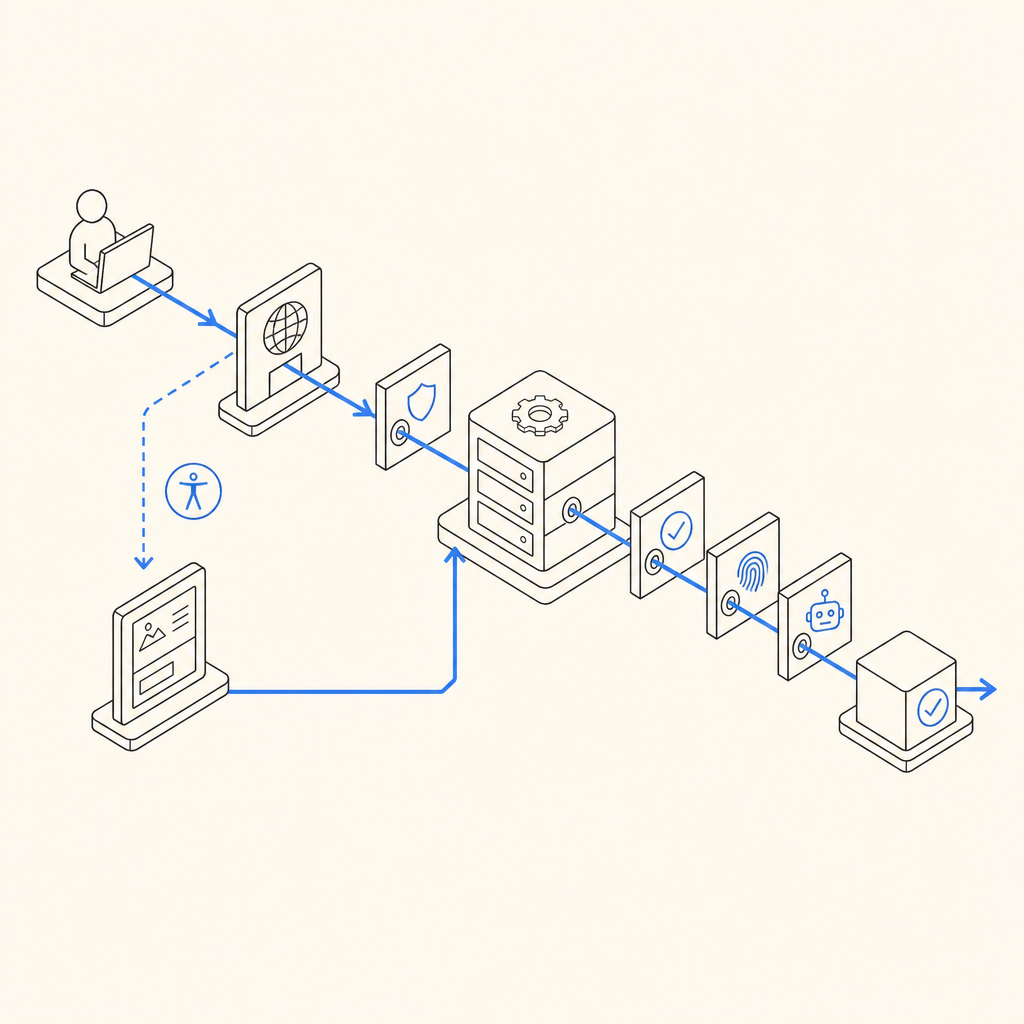
What people usually mean by “audio captcha download”
The phrase gets used in a few different ways:
Accessibility fallback for CAPTCHA
- A user can’t complete a visual challenge.
- The system offers an audio alternative.
- The audio is generated or delivered as part of the challenge session, not as a permanent public download.
Internal testing or QA asset
- Teams want to inspect how the audio challenge behaves.
- They may need sample flows for testing screen readers, latency, or localization.
A red-team or bot-operator target
- Some actors look for downloadable audio challenges because they are easier to automate than visual ones.
- That’s exactly why a modern defense should avoid static, reusable assets.
For legitimate product teams, the useful question is not “How do I download an audio captcha?” but “How do I support accessibility without creating a weak point?” That shifts the conversation from a file-centric mindset to a session-centric one. Good implementations bind the challenge to a token, verify it server-side, and expire it quickly.
If your app needs accessibility support, look for providers that make the challenge flow part of the session rather than a standalone asset. CaptchaLa, for example, is designed around challenge tokens and server validation, which keeps the audio or visual step tied to one interaction instead of turning it into a static download.
Why downloadable audio is a security concern
Audio challenges are useful, but they also come with tradeoffs. The more portable the asset, the easier it is to automate. That doesn’t mean audio should disappear; it means it should be handled carefully.
Main risks to watch
- Replay attacks: If the same audio can be reused, bots can cache and retry it.
- Transcript scraping: Automated speech-to-text pipelines can reduce the challenge to text.
- Session drift: If the front end and backend aren’t aligned, a bot may reuse a valid-looking response across requests.
- Leakage through logs or storage: Storing challenge media in public buckets or plain logs invites trouble.
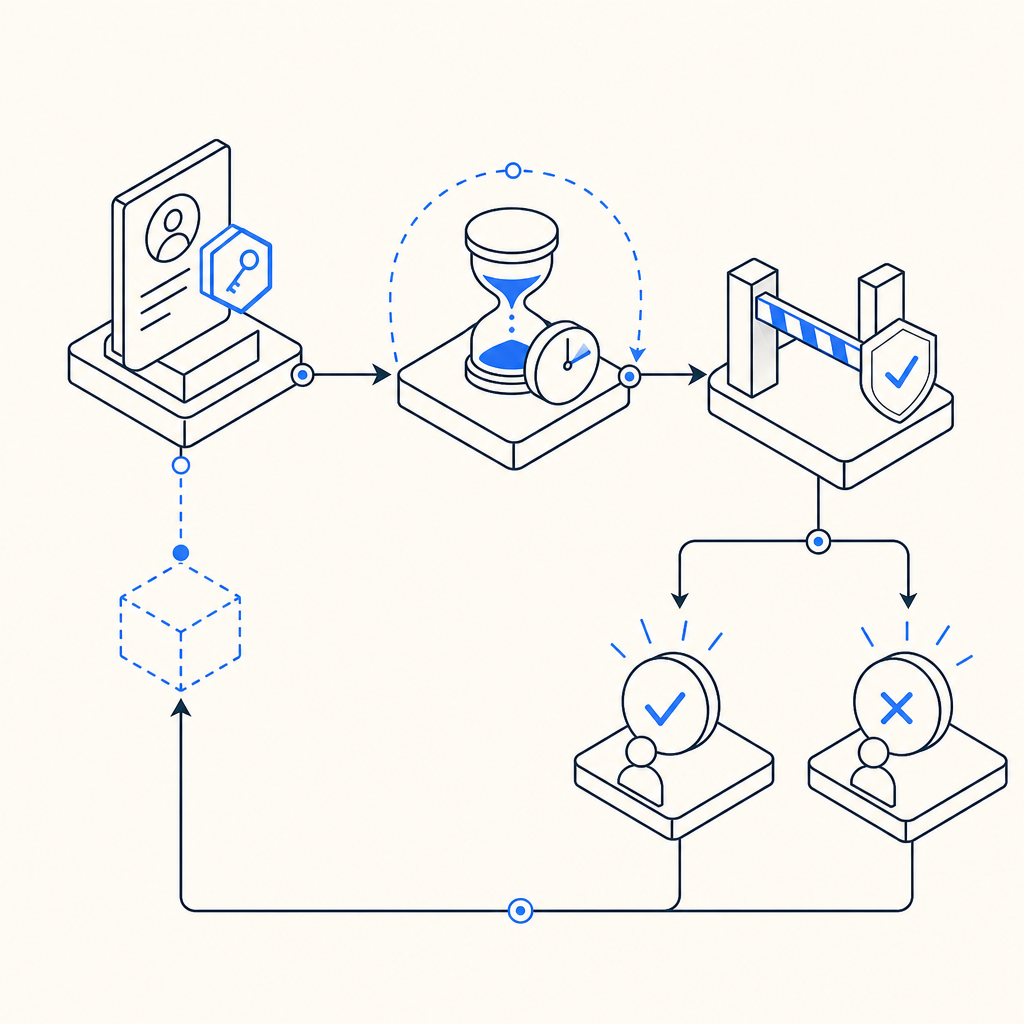
A secure design makes the audio just one transient part of a larger verification flow. The challenge should be tied to a short-lived token, and the server should decide whether the pass is valid. That way, even if someone extracts a challenge audio file, it’s not broadly reusable.
Here’s the practical defender mindset:
1. Issue a challenge token for one session only.
2. Deliver audio or visual challenge linked to that token.
3. Collect the user response from the client.
4. Validate on the server with IP and token context.
5. Expire the token immediately after success or timeout.
That sequence sounds simple, but it prevents many common forms of abuse. It also supports accessibility more cleanly than a “download and reuse” model.
How modern CAPTCHA systems handle accessibility without file downloads
A well-designed CAPTCHA system doesn’t force you to choose between accessibility and safety. Instead, it offers a challenge flow that works across devices and input modes, then verifies outcomes securely on the backend.
Here’s a useful comparison:
| Approach | Accessibility | Reusability risk | Server-side control | Notes |
|---|---|---|---|---|
| Static audio file download | Medium | High | Low | Easy to cache and replay |
| Session-bound audio challenge | High | Low | High | Better for real verification |
| Visual-only challenge | Low to medium | Medium | High | May exclude some users |
| Invisible risk scoring only | Variable | Low | High | Not always enough for high-risk forms |
For teams comparing vendors, this is also where the details matter. reCAPTCHA, hCaptcha, and Cloudflare Turnstile all approach bot defense a bit differently, and the right choice often depends on your traffic profile, compliance constraints, and accessibility needs. Some teams prefer a visible challenge as a fallback; others prefer an invisible step plus conditional escalation.
CaptchaLa supports web and mobile SDKs across JavaScript, Vue, React, iOS, Android, Flutter, and Electron, plus server SDKs like captchala-php and captchala-go. That makes it easier to keep the user experience consistent while still validating on the backend. The product also supports 8 UI languages, which matters if your users are not all reading the same locale.
For implementation, the key is to validate the pass token on your server after the client completes the challenge. The documented validation flow uses:
POST https://apiv1.captcha.la/v1/validate- Body:
{pass_token, client_ip} - Headers:
X-App-KeyandX-App-Secret
That pattern avoids trusting the client alone. It also means the “audio captcha download” idea becomes less relevant; you’re not distributing a standalone asset, you’re verifying a challenge result.
What to do if you need an audio-friendly flow
If your users benefit from audio support, focus on the experience around the challenge, not on downloadable media. A few technical practices help a lot:
Keep challenge lifetimes short
- Expire tokens quickly.
- Prevent delayed reuse.
Bind validation to context
- Include
client_ipwhen appropriate. - Check that the token matches the issued session.
- Include
Offer language-aware UI
- Audio prompts should match the user’s locale when possible.
- Clear labeling helps assistive technology users.
Log outcomes, not secrets
- Store pass/fail events and timing.
- Avoid retaining raw challenge media unless there is a strong operational need.
Test with real assistive workflows
- Screen readers, keyboard-only navigation, and mobile accessibility features should all be part of QA.
If you’re integrating a CAPTCHA into a form with sensitive abuse exposure, it’s also worth looking at where the challenge is triggered. Signup, password reset, coupon redemption, and contact forms are common targets. A challenge can be conditionally applied only when risk is elevated, which helps reduce friction for normal users.
CaptchaLa’s loader is delivered from https://cdn.captcha-cdn.net/captchala-loader.js, and server-token issuance is available via POST https://apiv1.captcha.la/v1/server/challenge/issue when you need to initiate the challenge from your backend. That division of responsibilities keeps the browser lightweight while preserving server control.
Choosing the right plan and rollout path
If you’re evaluating bot defense for a small product, a free tier can be enough to prove the integration and observe how users respond. CaptchaLa’s free tier covers 1000 monthly checks, while paid plans scale from Pro volumes in the 50K-200K range and Business at 1M. The right plan depends less on vanity metrics and more on where abuse starts to hurt: signup fraud, credential stuffing, spam submissions, or API misuse.
A few rollout tips:
- Start with one high-risk endpoint rather than every form.
- Measure completion rate, false positives, and abandonment.
- Add a fallback path for accessibility and support cases.
- Review server validation logs for failed or repeated attempts.
- Reassess whether a visual challenge, audio fallback, or invisible check is the best fit for each flow.
This is where the “download” framing fades away. The real decision is about architecture: do you want a portable file, or do you want a verifiable trust step? For most production systems, the second option is the one that scales better and creates fewer headaches.
Where to go next: read the docs for integration details, or check pricing if you’re deciding how much traffic you need to cover.