
Arkose Captcha integration involves embedding Arkose Labs’ challenge-response system into your application to identify and block fraudulent or automated traffic. By incorporating Arkose Captcha, you add a sophisticated layer of bot mitigation designed to adaptively verify users through interactive challenges that deter malicious scripts and automated abuse.
This post covers the essentials of implementing Arkose Captcha, its comparative strengths, and practical considerations for developers looking to secure apps or websites from automated abuse. We’ll also highlight related tools like CaptchaLa, which delivers complementary CAPTCHA and bot-defense solutions to help meet diverse application needs.
Understanding Arkose Captcha: How It Works and Why It’s Used
Arkose Captcha differs from traditional CAPTCHA systems by focusing on adaptive, game-like challenges that dynamically adjust based on risk assessment of the user interaction. Unlike simpler text or image recognition CAPTCHAs, Arkose Labs’ approach seeks to:
- Make bypassing automated scripts costly and time-consuming
- Provide diverse challenge types to avoid common solver methods
- Utilize risk scoring and behavioral analysis for context-aware verification
This design targets ever-evolving automated threats like credential stuffing, fake account creation, and scraping attacks. The adaptive model helps balance user friction with security, presenting more difficult challenges only when the system detects suspicious activity.
Step-by-Step Arkose Captcha Integration Guide
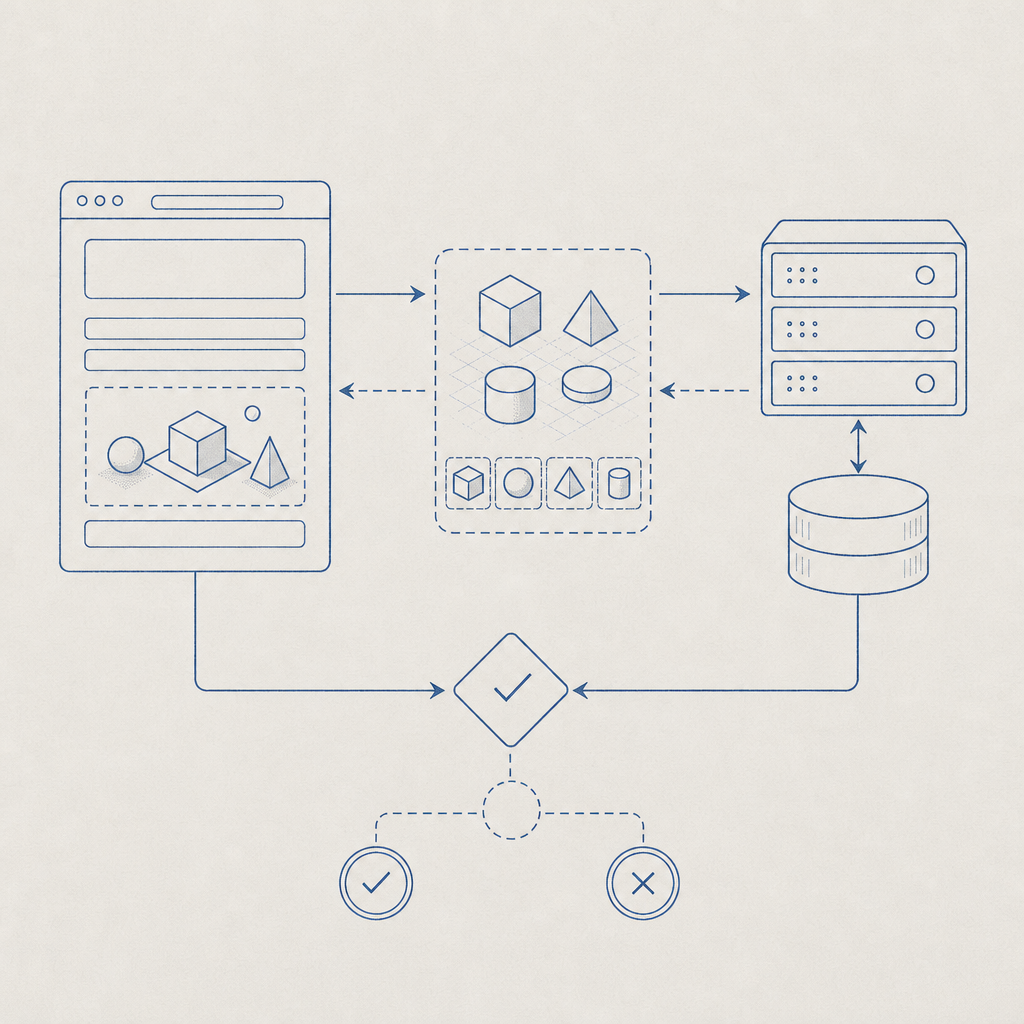
Integrating Arkose Captcha involves a sequence of client and server-side configurations. Here’s a technical overview to help developers get started.
Create an Arkose Labs Account and Configure Your Site
Sign up on Arkose Labs’ portal and register your web domain or mobile platform for API keys.Add the Arkose Captcha Widget on the Client
Insert Arkose’s JavaScript library and initialize the widget on your forms or key user flow points, typically by running:javascript// Load Arkose Captcha widget asynchronously loadArkoseWidget({ publicKey: 'your-public-api-key', // Provided by Arkose Labs onVerify: function(token) { // Send this token to your server for validation verifyArkoseToken(token); } });Validate the Challenge Token Server-Side
Upon completion, the client submits a token to your backend, which must then call Arkose’s validation API to confirm the challenge’s authenticity:python# Python example of server-side validation import requests def verify_arkose_token(token, user_ip): response = requests.post( "https://api.arkoselabs.com/v2/verify", json={"token": token, "ip": user_ip}, headers={"Authorization": "Bearer your-secret-key"} ) result = response.json() return result.get("success", False)Make Access Decisions Based on Validation
If the server confirms the token is valid, proceed with user request processing; otherwise, block or flag suspicious attempts.Monitor and Tune
Adjust challenge difficulty and risk thresholds in the Arkose Labs dashboard over time based on traffic patterns and false-positive rates.
This flow ensures that only legitimate human users can pass through while automated bots fail the adaptive challenges or get flagged by the platform.
Comparing Arkose Captcha with Other Popular CAPTCHA Services
When selecting a CAPTCHA or bot defense mechanism, understanding key differences helps align needs with each solution’s capabilities:
| Feature | Arkose Captcha | reCAPTCHA v3/v2 | hCaptcha | Cloudflare Turnstile |
|---|---|---|---|---|
| Challenge Type | Interactive puzzles, adaptive | Image/text recognition, invisible risk scoring | Image-based puzzles | Invisible, passive challenge |
| Risk Scoring | Yes, with behavioral analysis | Yes (v3) | Yes | Yes |
| Integration Complexity | Moderate (client + server API) | Simple to moderate | Similar to reCAPTCHA | Very simple (JavaScript only) |
| User Friction | Medium — challenge-based | Low to medium (depends on config) | Medium | Low |
| Privacy Focus | Strong enterprise controls | Google data collection concerns | Privacy-focused alternative | Privacy-focused design |
| Target Use Cases | Fraud prevention, high-risk flows | Broad general web forms | Broad, privacy-conscious sites | General bot defense |
Arkose Captcha tends to suit sites needing stricter challenge enforcement combined with adaptive threat intelligence. In contrast, reCAPTCHA and hCaptcha serve general validation needs with varying tradeoffs on user friction and privacy. Cloudflare Turnstile prioritizes seamless user experience with invisible validation.
Considerations for Arkose Captcha Integration
- Latency Impact: More interactive challenges can increase user wait times, so place Captchas strategically where risk justifies friction.
- Localization: Arkose supports multiple languages, but verify coverage for your audience.
- SDK availability: Arkose provides native SDKs for web and mobile platforms, supporting seamless integration.
- Cost Structure: Pricing may scale with challenge volume and usage tiers; review provider rates in early budgeting.
- Data Privacy: Evaluate compliance implications, especially with GDPR or CCPA, given data shared with third parties.
Complementing Arkose Captcha with Other Tools like CaptchaLa
While Arkose Labs focuses on adaptive puzzle challenges with behavioral risk scoring, tools like CaptchaLa provide flexible bot defense via lightweight CAPTCHA challenges powered by first-party data and multiple UI languages. CaptchaLa’s native SDKs cover a broad gamut of platforms including Web (JS/Vue/React), iOS, Android, Flutter, and Electron, offering developers a versatile option for:
- Rapid CAPTCHA deployment across diverse apps
- Seamless validation endpoints (
POST https://apiv1.captcha.la/v1/validate) - Free and scalable pricing tiers ideal for startups and enterprise alike
By integrating CaptchaLa alongside Arkose Captcha, organizations can create layered defenses that balance user experience and security for various threat profiles.

Final Thoughts on Arkose Captcha Integration
Adding Arkose Captcha to your security stack helps mitigate bot attacks with adaptive, interactive puzzles tailored to your risk environment. Its client-server integration pattern is straightforward but requires close alignment between frontend challenge issuance and backend token validation.
When evaluating options, consider how Arkose Captcha compares with solutions like reCAPTCHA, hCaptcha, Cloudflare Turnstile, and alternatives like CaptchaLa that complement multi-layer defenses.
Where to go next? Check out CaptchaLa’s docs for integration examples and explore their pricing to understand how layered bot defense tools can enhance your security posture without compromising user experience.