
Anti-captcha Java solutions are essential for protecting web applications from automated abuse such as bots and spam. They combine Java-based SDKs and APIs that verify whether a user is human by generating and validating challenges like CAPTCHAs. This post explains how anti-captcha Java tools work, compares popular methods, and walks through key integration concepts to help developers secure their applications.
What Is Anti-Captcha Java and Why It Matters
At its core, anti-captcha Java refers to libraries and services that enable Java applications to deploy challenges that distinguish humans from bots. These solutions integrate with Java backend servers and sometimes frontend Java-based frameworks to implement CAPTCHA challenges, verify user responses, and allow legitimate access while blocking automation.
CAPTCHA defenses are critical because bots can scrape content, submit fraudulent forms, or launch denial-of-service attacks. By leveraging Java SDKs that connect seamlessly to anti-captcha providers, developers can automate these checks without sacrificing user experience or introducing security weaknesses.
Choosing the Right Java Anti-Captcha Solution
When selecting an anti-captcha Java approach, consider:
| Feature | CaptchaLa | reCAPTCHA | hCaptcha | Cloudflare Turnstile |
|---|---|---|---|---|
| SDK Languages | Java, PHP, Go, JS | JS only | JS only | JS only |
| Native Java SDK | Yes (Maven package) | No | No | No |
| Integration Modes | Server + Frontend | Frontend + Server API | Frontend + Server API | Frontend + Server API |
| Challenge Types | Puzzle, Image, Text | Image/text, invisible | Image/text, invisible | Invisible checks |
| UI Languages Support | 8 (including English, FR) | Multiple | Multiple | Limited |
| Pricing | Free tier + Pro/business | Free with limits | Free + enterprise plans | Free with bandwidth limits |
Unlike Google’s reCAPTCHA or hCaptcha, CaptchaLa offers full server and frontend Java SDKs, making it easier to embed in Java backends. Its multi-language UI support also helps reach wider audiences globally.
How to Integrate Anti-Captcha Java by CaptchaLa
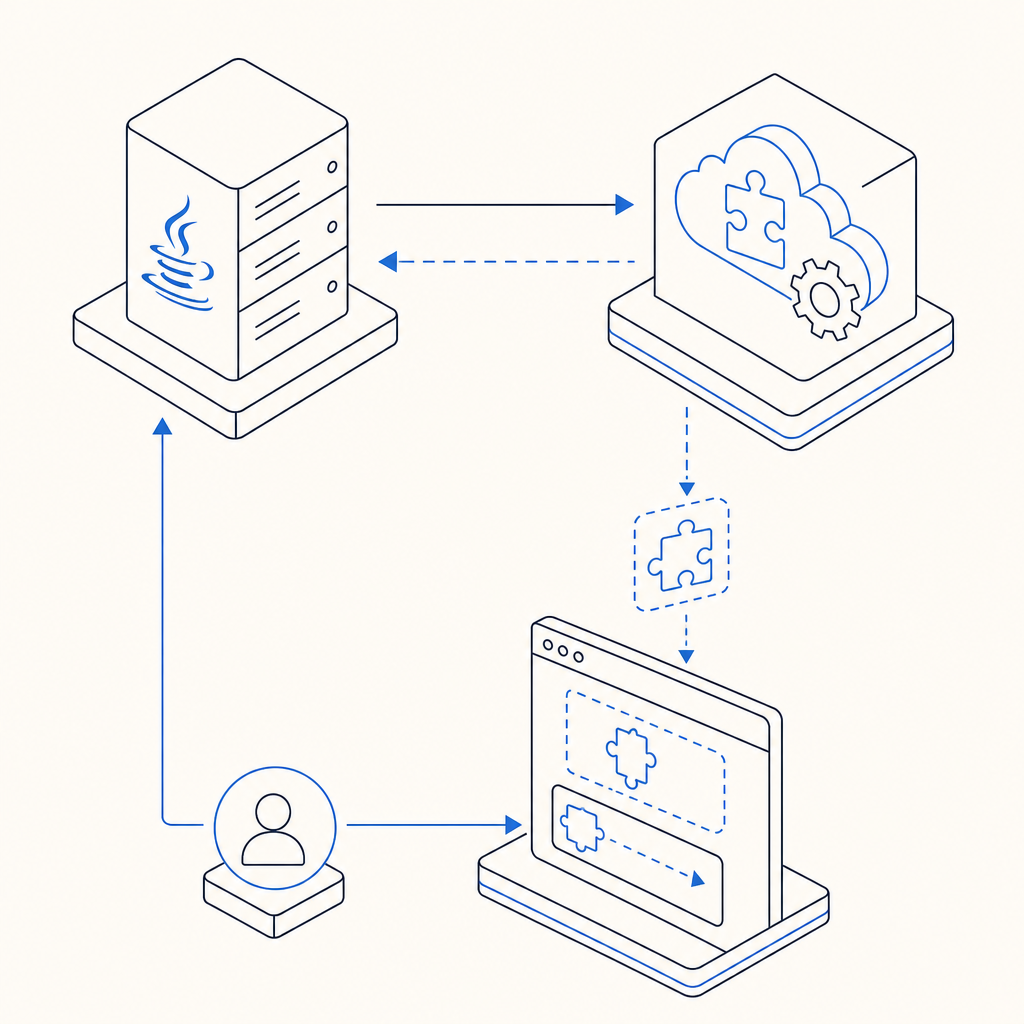
Integrating an anti-captcha solution in a Java application involves a few technical steps. Below is an overview of the process using CaptchaLa’s Java SDK (la.captcha:captchala:1.0.2):
1. Include CaptchaLa SDK in Your Project
Add the Maven dependency to your pom.xml to start integrating easily:
<dependency>
  <groupId>la.captcha</groupId>
  <artifactId>captchala</artifactId>
  <version>1.0.2</version>
</dependency>
2. Request a Challenge from Server
Your backend requests a challenge token from CaptchaLa’s API to serve to the client:
// Pseudocode: Request challenge token from CaptchaLa API
String apiEndpoint = "https://apiv1.captcha.la/v1/server/challenge/issue";
HttpPost request = new HttpPost(apiEndpoint);
request.addHeader("X-App-Key", "YOUR_APP_KEY");
request.addHeader("X-App-Secret", "YOUR_APP_SECRET");

// Send request and retrieve the challenge token for frontend use
3. Embed CaptchaLa Loader in Frontend
Use CaptchaLa’s JS loader script to render the challenge on the frontend:
<script src="https://cdn.captcha-cdn.net/captchala-loader.js"></script>
<div id="captcha-container"></div>
<script>
  Captchala.render('captcha-container', {
    passToken: 'TOKEN_FROM_BACKEND',
    // additional options
  });
</script>
4. Validate the User Response
When a user completes the CAPTCHA, the client sends back a token for validation:
// Validate token received from client
String validationUrl = "https://apiv1.captcha.la/v1/validate";
Map<String, String> bodyParams = Map.of(
  "pass_token", userToken,
  "client_ip", clientIp
);

// Make POST request with headers X-App-Key and X-App-Secret
// Check response for success/failure
5. Enforce Bot-Defense Logic
Based on validation results, allow access or reject suspicious activity.
Technical Tips and Best Practices
- Use Server-Side Validation Always: Never trust client-side verification alone; always validate tokens server-side for security.
- Rotate API Keys and Secrets: Regularly update your CaptchaLa keys to reduce risk of compromise.
- Monitor Usage: Track monthly usage against your plan limits (free tier is 1,000 validations/month) to avoid service interruptions.
- Handle Failures Gracefully: Inform users when CAPTCHA fails to load or validate instead of blocking outright.
- Customize UI Language: Leverage CaptchaLa’s 8 UI language options to localize challenges efficiently.
Comparing CaptchaLa to Other Java Compatible CAPTCHA Services
While reCAPTCHA and hCaptcha dominate the market, they primarily offer JavaScript-based frontend SDKs without first-party Java backend libraries. This means developers must manually handle the server-side token verification with separate HTTP requests, increasing complexity.
CaptchaLa streamlines this by providing native Java SDK support and comprehensive server APIs. Its usage-based pricing enables scaling from free tiers to business levels with up to 1 million validations, suitable for growing Java applications. This can be particularly advantageous if your project is Java-heavy and needs streamlined integration.

Wrapping Up
Anti-captcha Java tools like CaptchaLa let developers embed robust bot defense mechanisms directly into their Java applications through native SDKs and secure APIs. By combining frontend challenge presentation and server-side validation, these solutions provide effective protection from automated threats while maintaining user accessibility.
For Java projects seeking native integration and multi-language UI options, CaptchaLa presents a compelling choice to consider alongside established competitors like reCAPTCHA and hCaptcha.
Where to go next? Explore CaptchaLa pricing and check out our documentation to get started with anti-captcha Java integration today.