
An anti-bot browser is a browser or browser layer that helps distinguish real user activity from automated traffic by observing client behavior, environment signals, and challenge outcomes before risky requests reach your application. In practice, it sits between the user and your protected flow to reduce scripted signups, credential stuffing, scraping, and abuse without forcing every visitor through the same heavy-handed friction.
That definition sounds simple, but the implementation choices matter. Some teams mean a full managed browser experience, others mean an anti-automation layer inside a normal web app, and many combine it with CAPTCHA, server-side validation, and rate limits. The right setup depends on whether you need to protect login, registration, checkout, contact forms, or API endpoints. If you’re designing that stack now, think of the anti-bot browser as one signal source, not the whole defense.
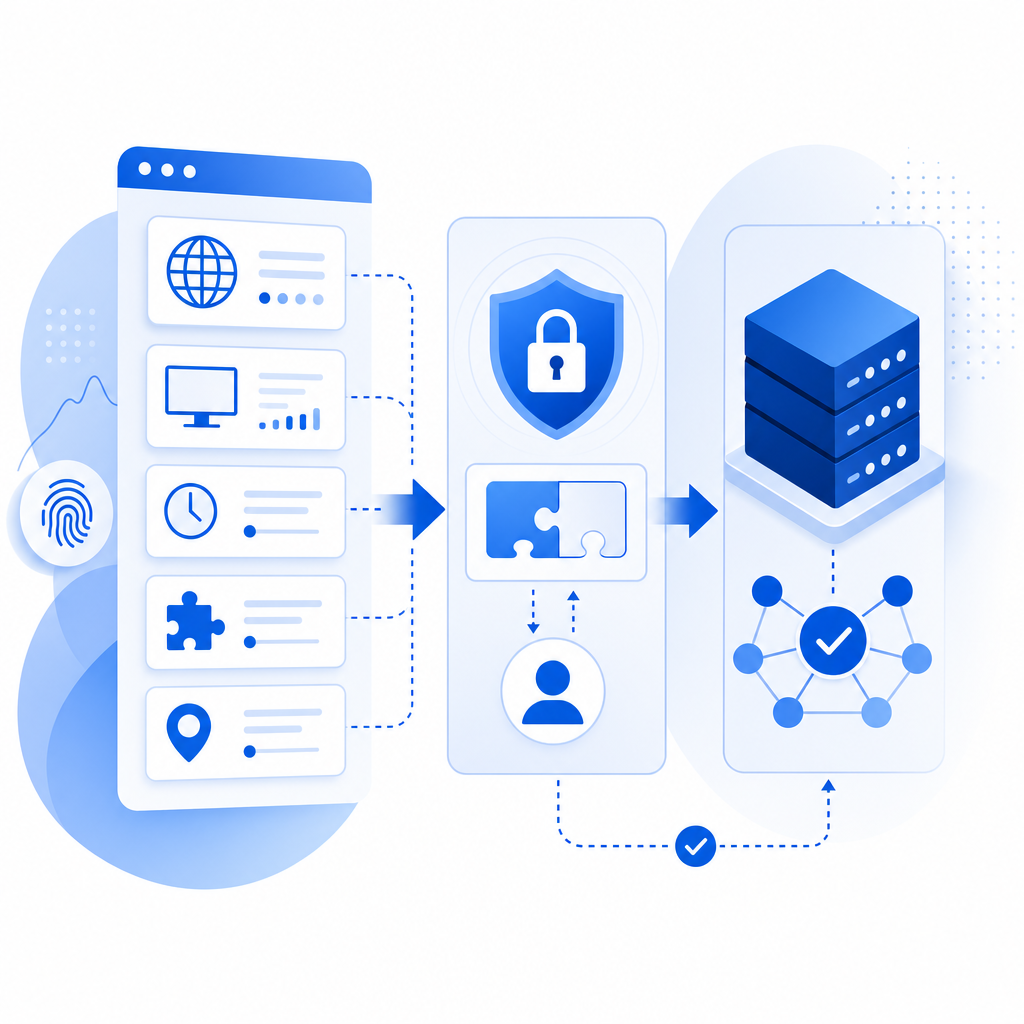
What an anti-bot browser actually checks
At a high level, an anti-bot browser tries to answer a practical question: does this client behave like a human using a real browser, or like automation trying to blend in? It does that by collecting and correlating signals such as timing patterns, interaction cadence, browser integrity, session continuity, and request consistency.
Common signal categories
Behavioral timing
- Keystroke cadence
- Mouse movement entropy
- Focus/blur patterns
- Navigation timing between steps
Client environment
- Browser feature support
- Headless or automation artifacts
- Cookie and storage persistence
- User-agent consistency across the session
Session and network consistency
- IP changes within a short flow
- Impossible geo/timezone combinations
- Token reuse across devices
- Sudden bursts from the same client fingerprint
Challenge outcomes
- Whether a challenge was solved
- How often a token is reused
- Whether a session completes protected actions after passing validation
The useful part is not any single signal. It’s the combination. A bot can mimic one or two traits, but it is harder to imitate a coherent, long-lived browser session across page loads, forms, and backend validation.
Anti-bot browser vs CAPTCHA vs server validation
People often use these terms interchangeably, but they solve different parts of the problem.
| Layer | What it does | Strength | Tradeoff |
|---|---|---|---|
| Anti-bot browser | Observes and scores client behavior in-browser | Early detection, low-friction | Needs good tuning and telemetry |
| CAPTCHA challenge | Asks the user to prove liveness/human interaction | Clear user checkpoint | Adds visible friction |
| Server validation | Confirms the client’s proof is legitimate before allowing action | Strong control point | Requires backend integration |
| Rate limiting / WAF rules | Caps abusive volume | Good for burst control | Can miss low-and-slow abuse |
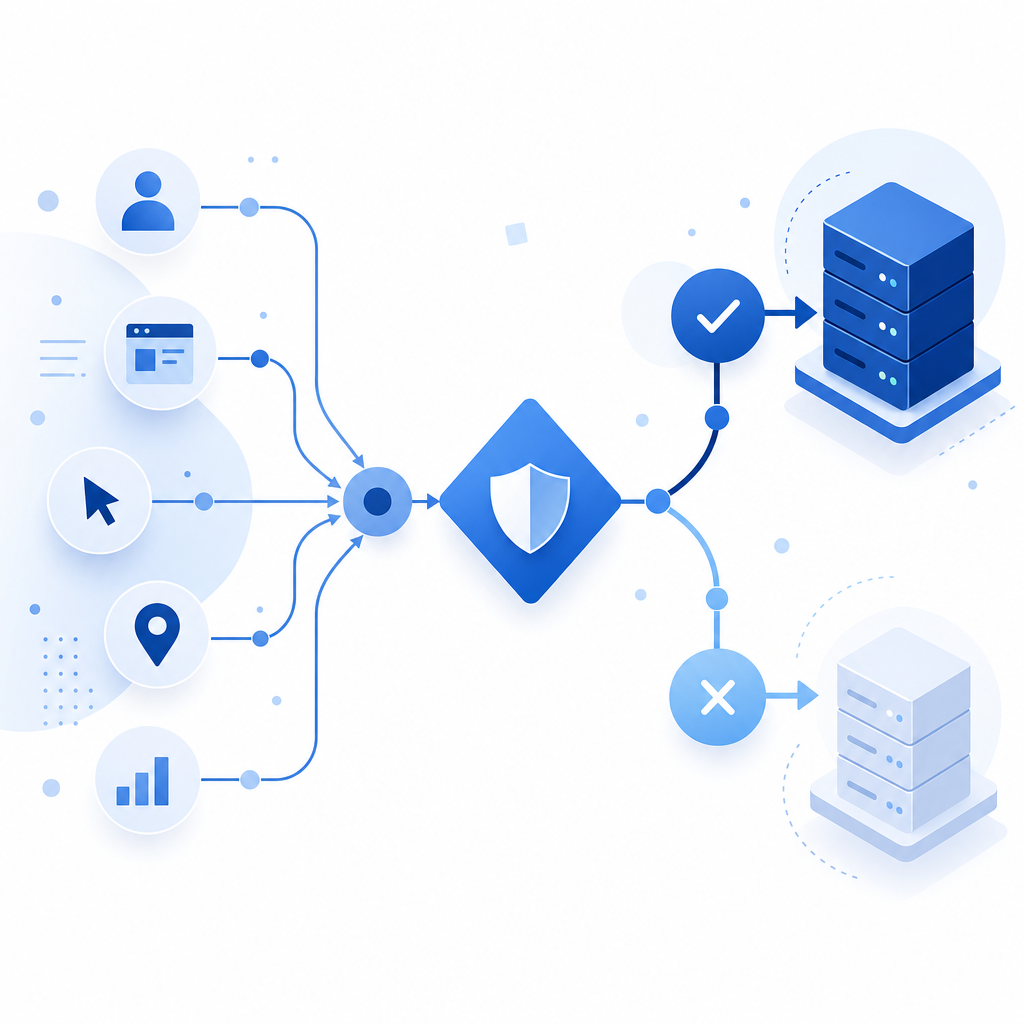
A modern setup usually combines all four. The browser layer can reduce obvious automation before it reaches your backend. The challenge layer can step up only when risk is high. Server validation then confirms the result before you accept a login, sign-up, or form submission.
That separation matters because a challenge alone does not guarantee protection if the backend trusts the client too early. Likewise, a browser-only score without server enforcement can be bypassed by replay, token leakage, or request tampering. The safest pattern is to treat the browser as evidence, not authority.
When you actually need one
Not every site needs an aggressive anti-bot browser. If your traffic is low risk and your forms are not attractive to abuse, simple rate limits and a lightweight challenge may be enough. But the need rises quickly when automation has a clear economic incentive.
You should consider stronger browser-based defenses if you see any of the following:
- Account creation abuse or email bombing
- Credential stuffing against login forms
- Promo or coupon abuse
- Scraping of pricing, inventory, or lead data
- Fake signups that pollute your CRM
- Automated checkout attempts or carding patterns
- API abuse behind a web frontend
For these cases, the goal is not to block all automation. Some automation is legitimate, including accessibility tools, QA, monitoring, and partner integrations. The goal is to separate acceptable automation from hostile automation with enough confidence that your backend can make good decisions.
Where teams often overdo it
The most common mistake is making every visitor solve a hard challenge immediately. That creates avoidable friction for real users and often pushes abuse elsewhere. A better model is progressive enforcement:
- Start with passive signals.
- Score the session risk.
- Challenge only when the score crosses a threshold.
- Validate the result server-side.
- Escalate to rate limiting or temporary blocks only when abuse continues.
How CaptchaLa fits into the stack
If you’re evaluating an anti-bot browser strategy, it helps to choose a system that works across web and mobile without forcing separate logic for each client. CaptchaLa is one option built around that idea: it supports 8 UI languages and provides native SDKs for Web (JS, Vue, React), iOS, Android, Flutter, and Electron, plus server SDKs for captchala-php and captchala-go.
The integration model is straightforward:
- Load the client script from
https://cdn.captcha-cdn.net/captchala-loader.js - Issue or display a challenge when your risk logic says to
- Validate the returned
pass_tokenfrom your server - Send the client IP alongside the token when validating
- Sign the request with
X-App-KeyandX-App-Secret
For server-side verification, the validation endpoint is:
POST https://apiv1.captcha.la/v1/validate
Body: { pass_token, client_ip }
Headers: X-App-Key, X-App-Secret
If you want to generate a server-side challenge token first, there is also:
POST https://apiv1.captcha.la/v1/server/challenge/issueA minimal backend flow looks like this:
// Receive a protected form submission
// Check whether a pass token was provided
// Validate the token with the CAPTCHA provider
// Accept only if validation succeeds and the token matches this session
// Apply normal fraud and rate-limit rules afterward
That ordering is important. You want the protected action to depend on a validated proof, not merely on a client-side success event.
CaptchaLa also publishes clear documentation at docs, which is useful if you’re wiring the client and server pieces together in a staged rollout rather than flipping protection on all at once.
How it compares to other common options
For most teams, the question is not “which product is perfect?” but “which tradeoffs fit our risk profile?”
- Google reCAPTCHA is widely recognized and has a long track record, but some teams find the UX and privacy posture less aligned with their needs.
- hCaptcha is often chosen for strong abuse resistance and configurable challenge behavior.
- Cloudflare Turnstile emphasizes low-friction verification and works well where Cloudflare is already part of the stack.
- CaptchaLa is worth evaluating if you want first-party data only, multi-platform SDKs, and a simple validation flow that can be integrated into your own application logic.
The most important criterion is operational fit. If your engineering team wants a lightweight backend verification flow and a client layer you can adapt across web, mobile, and desktop, your choice may be different than a team that only needs a drop-in widget on a single site.
Practical deployment tips
A few technical choices make anti-bot browser deployments much easier to maintain:
Bind tokens to the session
- Don’t accept a pass token out of context.
- Tie it to the action, user session, and expiration window.
Validate close to the action
- Login, signup, and checkout should each have their own verification checkpoint.
- Avoid validating once and reusing the result for unrelated actions.
Log risk outcomes, not just pass/fail
- Record the request type, timestamp, source IP, and challenge status.
- Use that data to tune thresholds and detect abuse patterns.
Keep fallback paths humane
- If a challenge fails, offer a retry or alternate verification path.
- Don’t trap real users in dead ends.
Measure friction
- Track completion rate, drop-off, and false positives.
- If your protection increases abandonment, adjust thresholds before adding more friction.
CaptchaLa’s pricing tiers are also straightforward to map onto traffic scale: Free covers 1,000 monthly interactions, Pro spans 50K–200K, and Business supports 1M. That makes it easier to pilot a defense on one workflow before rolling it out across the rest of your product. You can review pricing if you need to estimate fit before implementation.
Conclusion
An anti-bot browser is most useful when you treat it as part of a layered defense: observe behavior in the client, challenge selectively, and verify everything server-side before accepting the action. That approach protects against obvious automation without assuming every visitor is suspicious.
Where to go next: read the docs for the integration flow, or check pricing if you’re planning a rollout across multiple protected endpoints.