
Anti web scraping techniques work best when they slow automated collection without punishing real users. That usually means combining layered signals: rate limits, challenge flows, browser and device attestation, request validation, and careful endpoint design. The goal is not to “stop bots forever” — it’s to make bulk extraction expensive, unreliable, and easy to detect.
If you only rely on one control, attackers adapt around it. If you combine several controls, especially around high-value pages, login endpoints, pricing data, inventory, and search, you get a much stronger defense with fewer false positives.
What scraping defense needs to do
Web scraping is not one problem. Some traffic is harmless indexing, some is competitive intelligence, and some is outright abuse like credential stuffing or mass content harvesting. Your defense should distinguish between those cases rather than blocking everything that moves.
A practical anti-scraping program has four jobs:
Identify automation early
Look for signals such as unnatural request cadence, missing browser APIs, inconsistent headers, abnormal navigation paths, and repeated low-entropy patterns.Increase attacker cost
Add friction where it matters: dynamic challenges, token validation, per-route quotas, and short-lived session proofs.Preserve legitimate flow
Real users should not feel punished. Progressive friction is better than blanket blocking.Keep evidence
Log request fingerprints, challenge outcomes, and origin patterns so your rules can improve over time.
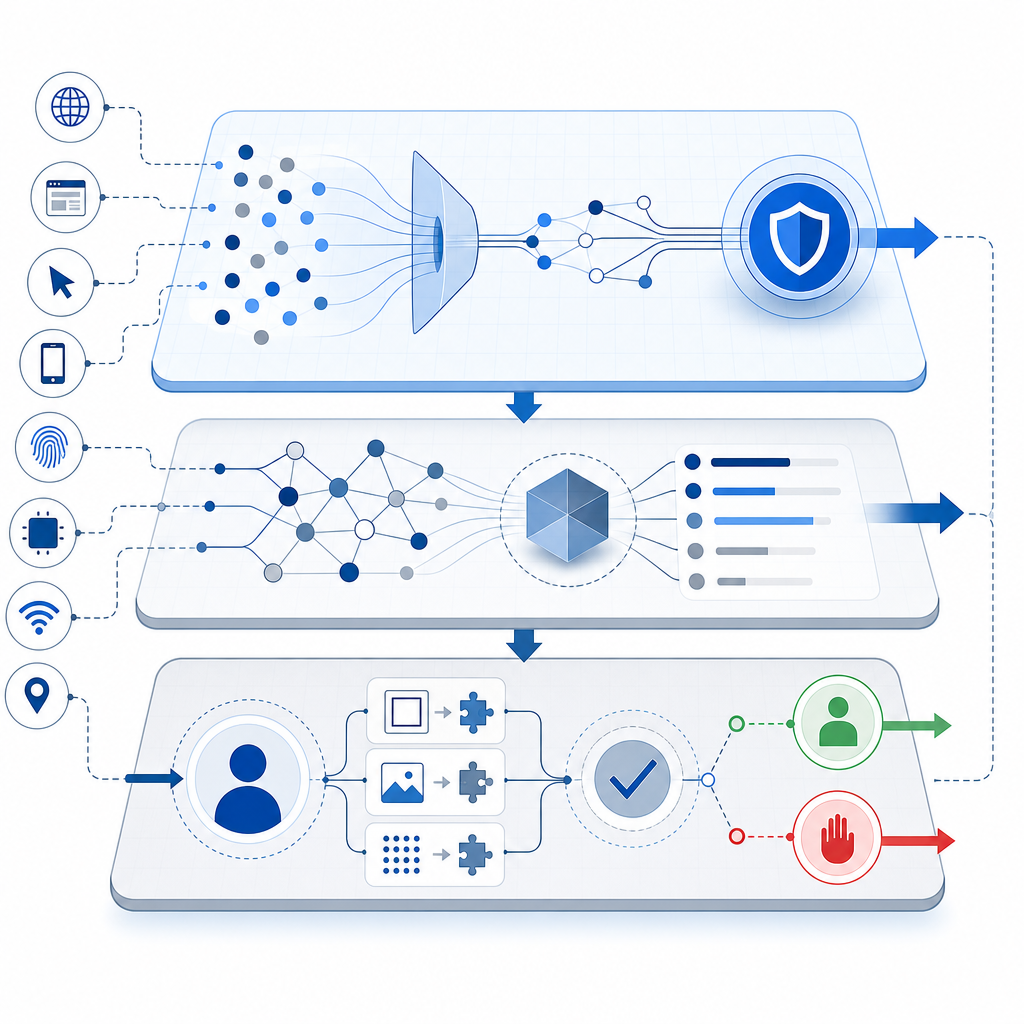
One mistake teams make is treating scraping like a static blacklist problem. It is more useful to think of it as a continuous trust decision made per request, per session, and per route.
The anti web scraping techniques that work in practice
Below are the controls that most often matter, especially when you defend pages that expose first-party data, customer-specific content, or rate-sensitive resources.
1) Rate limit by behavior, not just IP
IP throttling is a useful baseline, but it is rarely enough on its own. Attackers can distribute requests across proxies, residential networks, or cloud ranges. Instead, combine IP limits with:
- user account identity
- device/session fingerprint
- route sensitivity
- ASN or geolocation risk
- burst patterns over rolling windows
For example, 50 requests per minute may be fine for one authenticated user on a product page, but suspicious on a search endpoint if each query is unique and never followed by normal navigation.
2) Challenge only when risk rises
Human users do not need a CAPTCHA on every page. Challenge flows are most effective when they appear after suspicious behavior is detected or before a high-value action.
Common trigger points include:
- repeated requests to listing pages
- form submissions with unusual velocity
- login attempts from fresh devices
- enumeration behavior across IDs or slugs
- scraping-like traversal of pagination or search
This is where a product like CaptchaLa can fit naturally: issue a challenge when your own risk logic decides the request needs proof of humanity, then validate the resulting pass token server-side. That keeps the decision under your control instead of outsourcing the entire policy.
3) Validate on the server, not the client
A client-side “success” flag is not enough. The server should verify that a challenge was actually solved and that the token is fresh, bound to the current session, and relevant to the request.
A typical validation flow looks like this:
Client solves challenge
→ client receives pass_token
→ client submits pass_token with request
→ server POSTs to validate endpoint
→ server allows or denies action
For CaptchaLa, the validation endpoint is:
POST https://apiv1.captcha.la/v1/validateSend pass_token and client_ip in the body, and authenticate the request with X-App-Key and X-App-Secret.
4) Protect the highest-value endpoints first
Not every route deserves the same level of defense. Start with endpoints that are expensive to serve or easy to mine:
- search
- pricing and plan comparison pages
- product listing APIs
- review and inventory feeds
- login, signup, password reset
- download or export endpoints
If you defend these first, you reduce the value of automated collection quickly, even if some low-value scraping continues elsewhere.
5) Add response shaping and content partitioning
Not all defenses are active blocks. Sometimes the right move is to reduce the usefulness of scraped data:
- paginate aggressively
- delay full data disclosure until after a verified interaction
- return partial results for anonymous traffic
- separate public and authenticated data sources
- avoid exposing unnecessary identifiers in HTML or JSON
This is especially important for first-party data. If your site already knows a user is authenticated or qualified, it can safely show more. If not, keep the response lean.
Comparing common approaches
Here is a simple way to think about the major options.
| Technique | Strengths | Weaknesses | Best use |
|---|---|---|---|
| Rate limiting | Easy to deploy, good baseline | Weak against distributed bots | Early filtering |
| Static CAPTCHA | Familiar, simple to understand | Can be noisy if overused | High-risk forms |
| reCAPTCHA | Widely recognized, mature ecosystem | UX and privacy tradeoffs can vary by use case | Public web forms |
| hCaptcha | Strong bot friction, flexible deployment | Still needs careful tuning | Abuse-prone forms |
| Cloudflare Turnstile | Low-friction experience | Works best inside Cloudflare-centric stacks | General challenge flows |
| Risk-based validation | Adaptive and user-friendly | Requires telemetry and tuning | High-value routes |
| Server-side token checks | Harder to spoof | Needs backend integration | Any real enforcement |
The important takeaway is that no single method covers all abuse patterns. Most teams end up with a layered stack: behavioral controls, challenge issuance, and server verification.
A practical implementation pattern
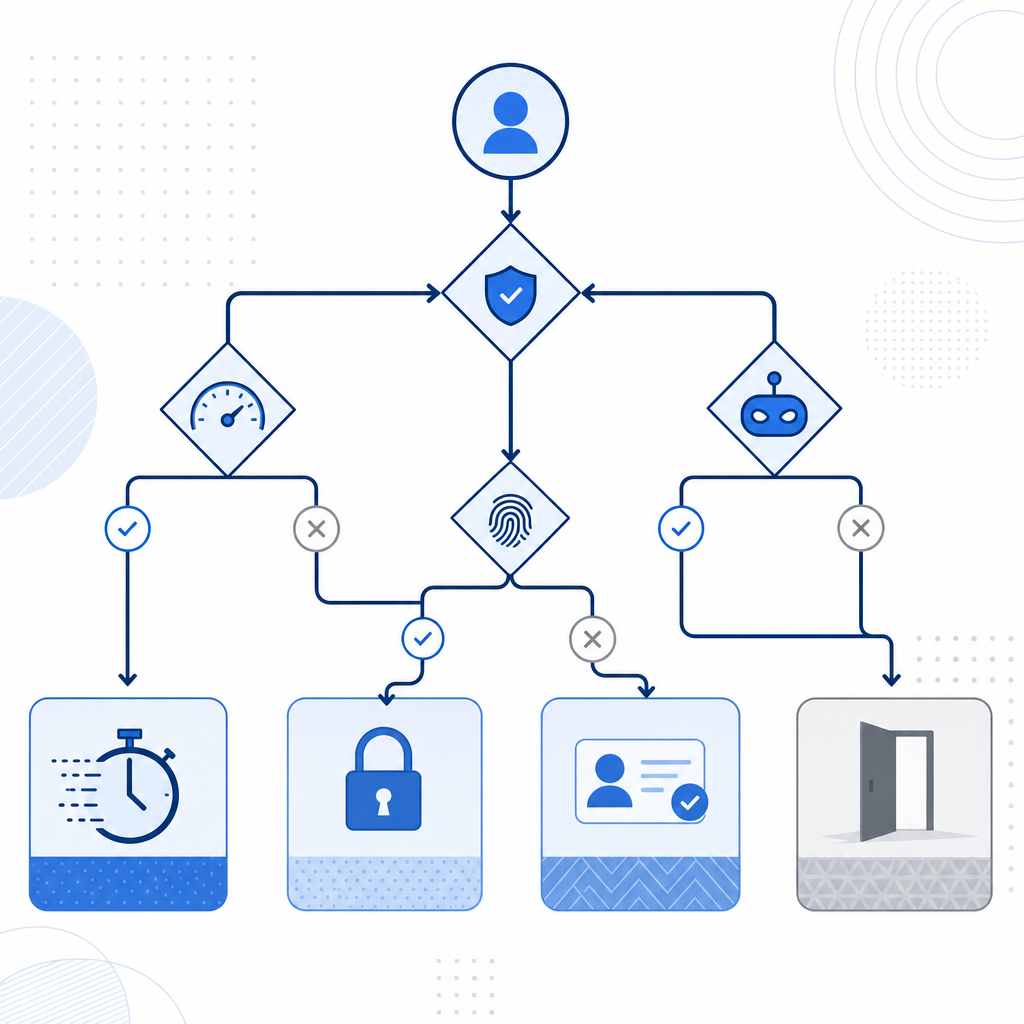
If you are building your own enforcement, think in terms of signals, score, and response. A simple policy engine can be enough to get started.
if request.route in high_value_routes:
    risk = score_request(request)

    if risk >= challenge_threshold:
        issue_challenge()
        stop_request()

    if request.has_pass_token:
        valid = validate_token(
            pass_token=request.pass_token,
            client_ip=request.ip
        )
        if not valid:
            deny_request()
        else:
            allow_request()
else:
    apply_basic_rate_limits()
A few implementation details matter a lot:
- Keep tokens short-lived. A token should be useful for the current session or request window, not reusable indefinitely.
- Bind to context. At minimum, verify the client IP and request timing. If possible, also consider session state.
- Log outcomes. Record whether a request was challenged, solved, or blocked.
- Separate policy from enforcement. That makes it easier to tune rules without code churn.
For teams using native apps or multi-platform front ends, support breadth matters too. CaptchaLa supports Web via JS, Vue, and React; mobile via iOS and Android; and also Flutter and Electron. It also ships server SDKs such as captchala-php and captchala-go, plus package options like Maven la.captcha:captchala:1.0.2, CocoaPods Captchala 1.0.2, and pub.dev captchala 1.3.2. That combination is useful when you need the same anti-scraping logic across web and app surfaces.
Make the defense easy to maintain
The best controls are the ones your team can keep tuning. If a defense is too brittle, it gets disabled the first time support tickets spike. A maintainable setup usually has these properties:
- clear thresholds for when challenges appear
- visible logs for security and product teams
- a fallback path for accessibility and legitimate edge cases
- gradual rollout by route or cohort
- metrics for false positives, challenge pass rate, and blocked automation
If you need a starting point for architecture or integration details, the docs are the right place to map the API flow to your stack. You can also review pricing if you are planning for traffic tiers, since the available plans span Free at 1,000 requests per month, Pro at 50K–200K, and Business at 1M. CaptchaLa also emphasizes first-party data only, which matters for teams that want to minimize unnecessary data sharing while still enforcing bot checks.
Where to go next
If you are building or tuning anti web scraping techniques, start by defending your highest-value routes, validating challenge tokens on the server, and measuring what gets through. Then expand from there, one policy at a time.
For implementation details, see the docs. If you are mapping expected traffic to a plan, check pricing.