
Anti scraping meta is the set of page-level signals and metadata you use to tell well-behaved crawlers what they can or cannot do, while making it harder for automated scrapers to quietly ignore your intent. In practice, it is helpful for search indexing and crawl control, but it is not a standalone defense: serious scraping prevention still needs server-side verification, request analysis, and token-based challenge flows.
That distinction matters because bots do not all behave the same way. Some respect robots directives, some fetch only public content, and some mimic browsers closely enough that metadata alone is invisible to them. If you want to protect pricing pages, catalog data, account flows, or content APIs, anti scraping meta should be treated as one layer in a broader defense plan, not the whole plan.
What anti scraping meta actually does
The phrase “anti scraping meta” usually refers to metadata and headers that influence how pages are crawled or indexed. The most familiar examples are meta robots tags and HTTP robots headers. These are useful for signaling intent, but they are advisory for compliant bots, not enforcement.
Common uses include:
- Preventing search engines from indexing sensitive pages.
- Reducing duplicate content in public-facing areas.
- Directing crawlers away from low-value or private URLs.
- Setting expectations for previews, snippets, and archives.
A typical meta robots tag might look like this:
<!-- Tell compliant crawlers not to index or follow links -->
<meta name="robots" content="noindex, nofollow">
And for non-HTML assets or response-level control, you may send a robots header instead:
# Apply crawler directives at the HTTP layer
X-Robots-Tag: noindex, nofollow
These directives are straightforward and useful, but they do not authenticate a visitor. A scraper can still request your page, extract content, and ignore the instruction entirely. That is why anti scraping meta is best understood as policy signaling, not protection by itself.
Where metadata helps, and where it stops
Metadata is strongest when your goal is crawl hygiene, not abuse prevention. If your team wants search engines to avoid indexing internal pages, or if you need to keep staging environments out of public search, meta directives are the right place to start.
They are weaker in these scenarios:
- High-volume scraping of product data.
- Credential stuffing against login pages.
- Automated form abuse.
- Content theft by headless browsers.
- API harvesting from public endpoints.
Search engine crawlers generally respect robots directives. Scrapers used for competitive intelligence, resale, or spam often do not. That is why anti scraping meta can reduce accidental exposure and make your site easier to manage, but it cannot be your only control.
A practical way to think about it:
| Control | What it helps with | What it does not stop |
|---|---|---|
| meta robots / X-Robots-Tag | indexing, crawl hints | direct scraping, bot replay |
| rate limiting | volume control | distributed low-rate scraping |
| JS challenge | browser-based automation | advanced emulation or token reuse |
| server-side token validation | request authenticity | content already exposed publicly |
If you are already using tools like reCAPTCHA, hCaptcha, or Cloudflare Turnstile, you are likely familiar with this layered approach. Each of those products solves a different part of the problem, and each can fit into a broader anti-abuse strategy depending on your stack and user experience requirements.
Building a layered defense around anti scraping meta
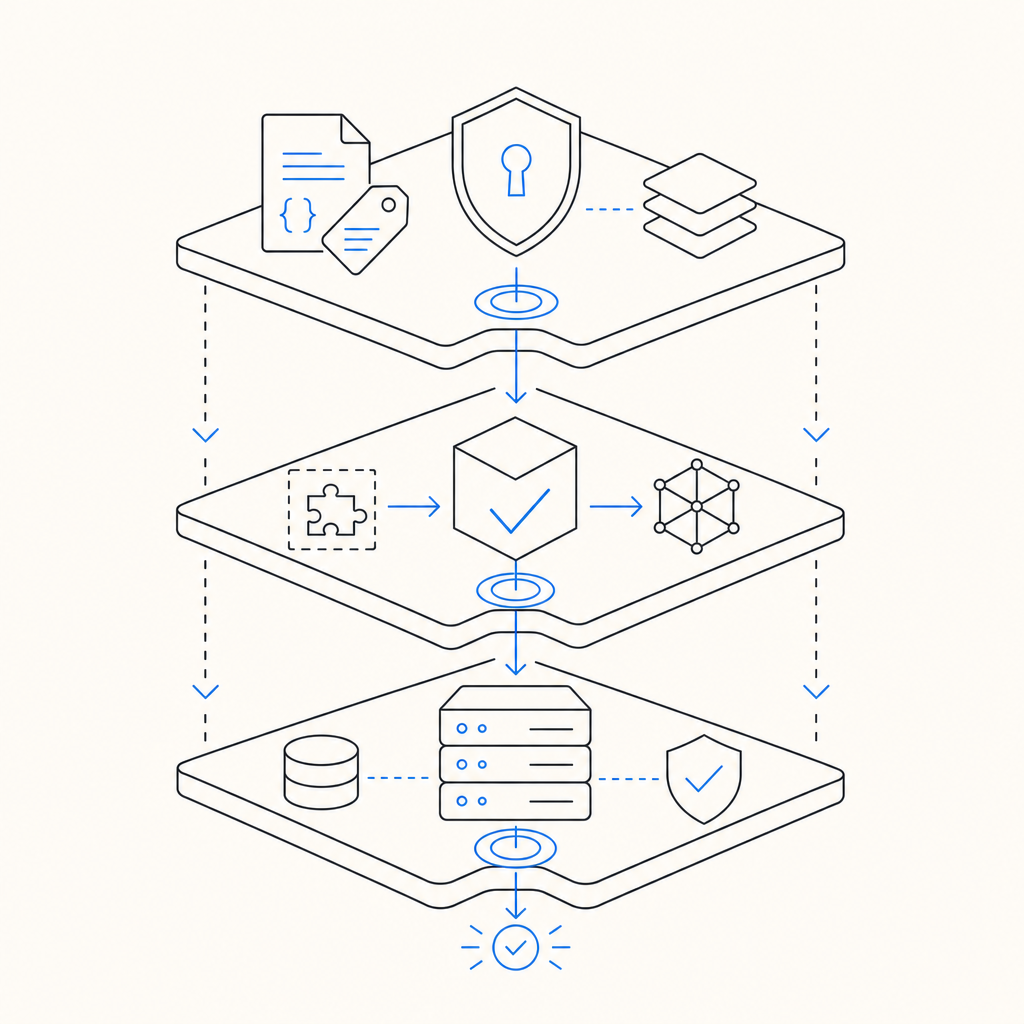
A useful architecture starts with metadata and ends with validation. The metadata narrows crawler behavior. The challenge confirms the visitor is interactive. The backend validates the token before serving sensitive actions or higher-value content.
Here is a clean pattern:
- Mark non-public pages with
noindexorX-Robots-Tag. - Gate sensitive interactions with a challenge widget or loader.
- Send the resulting pass token to your backend.
- Validate that token server-side before accepting the request.
- Log failures, replay attempts, and unusual IP patterns.
With CaptchaLa, the flow is intentionally simple: the client obtains a pass token, and your server validates it with POST https://apiv1.captcha.la/v1/validate using X-App-Key and X-App-Secret. The validate body includes pass_token and client_ip, which gives your backend a clear authenticity check before it processes the request. If you need to issue a server token for challenge handling, there is also POST https://apiv1.captcha.la/v1/server/challenge/issue.
The loader is served from https://cdn.captcha-cdn.net/captchala-loader.js, and the product supports 8 UI languages plus native SDKs for Web (JS/Vue/React), iOS, Android, Flutter, and Electron. On the server side, there are SDKs for captchala-php and captchala-go, which makes it easier to wire validation into existing applications without inventing a custom protocol.
A few implementation notes that matter in real systems:
- Validate on the server, never only in the browser.
- Bind validation to the request IP when possible.
- Prefer short-lived tokens.
- Treat validation failures as signals, not just errors.
- Keep metadata and challenge logic consistent across templates, APIs, and edge rules.
Example server-side flow
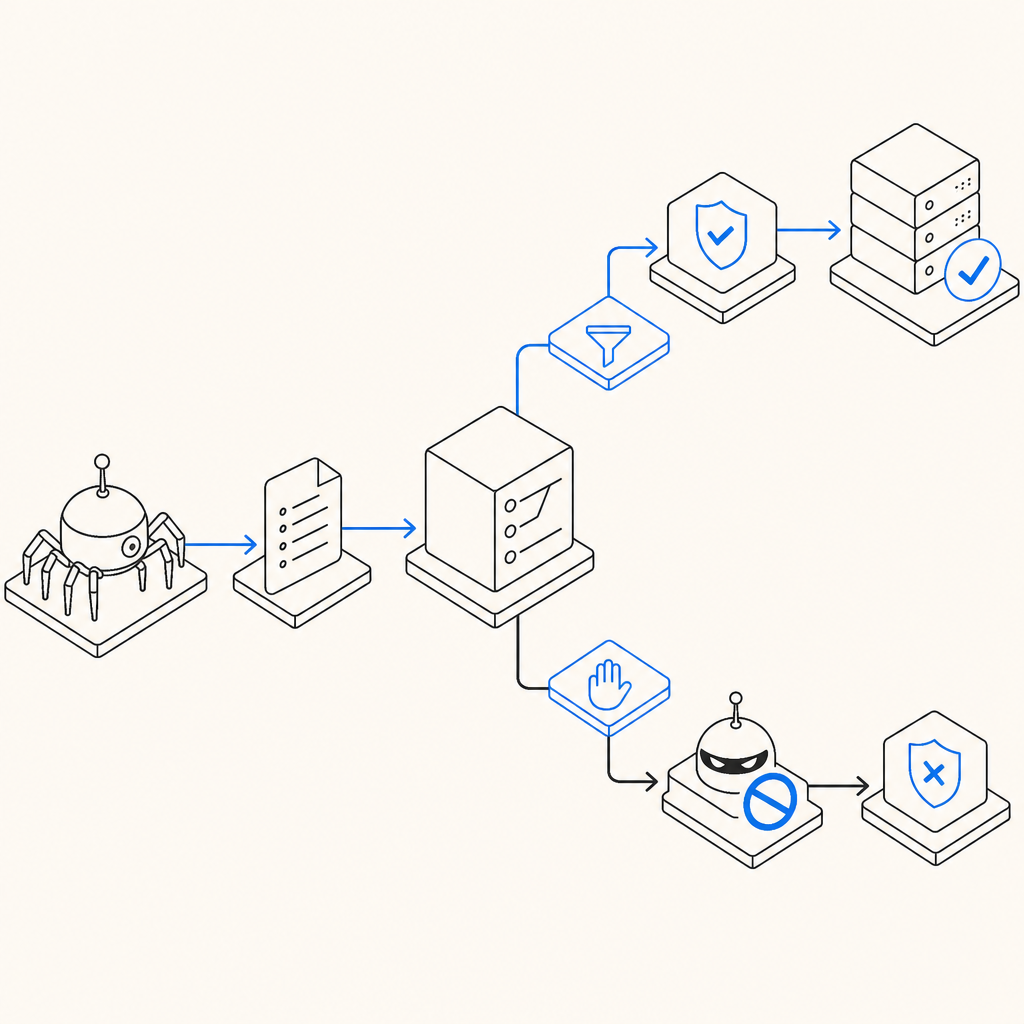
1. Browser loads page with crawl directives and challenge loader.
2. User completes challenge and receives pass_token.
3. Browser submits form or API request with pass_token.
4. Server calls validation endpoint with pass_token and client_ip.
5. Server accepts or rejects the action based on validation result.
This pattern keeps anti scraping meta in its proper role: it helps define intent for crawlers, while the actual enforcement happens where the decision matters, on the server.
Choosing the right controls for your use case
Not every page needs the same treatment. Public content, account actions, and API endpoints should be handled differently. The more sensitive the surface, the more you should rely on authentication, validation, and traffic analysis rather than metadata alone.
A simple decision guide:
- Public marketing pages: use meta robots for indexing control, minimal challengeing.
- Logged-in dashboards: add challenge protection on risky actions.
- Product catalogs: combine crawl directives with rate controls and anomaly detection.
- Search endpoints and APIs: require server-side token validation for expensive or sensitive queries.
- Staging or admin subdomains: block indexing at the metadata and access-control layers.
If you are deciding between different CAPTCHA or bot-defense providers, compare how they integrate with your stack, how validation works, and whether the product supports your users’ devices and languages. docs are the fastest way to see the exact request/response flow, and pricing is useful if you are matching volume tiers to your traffic profile. CaptchaLa offers a free tier of 1,000 validations per month, with Pro ranges around 50K–200K and Business around 1M, which can help teams start small and scale without redesigning the integration.
How to avoid common mistakes
The most common mistake is assuming metadata blocks scraping. It does not. It only tells compliant crawlers what you prefer. The second mistake is hiding content in the front end while leaving APIs open. If the data can be fetched directly, metadata will not save it.
A few guardrails help:
- Do not rely on
noindexfor private data. - Do not expose sensitive data in rendered HTML if it can be fetched repeatedly.
- Do not trust client-side-only checks.
- Do not assume a challenge token is valid forever.
- Do not forget to monitor repeated access from the same IP, ASN, or session pattern.
Think of anti scraping meta as a courtesy layer that keeps your crawl surface tidy, while your real defense stack does the work of deciding who gets access and when. That combination is what keeps your site manageable without making legitimate users jump through unnecessary hoops.
Where to go next: if you want to implement a lightweight validation flow alongside your crawl directives, start with the docs or review pricing to match your traffic needs.