
Anti scraping jobs are defender-side automation controls that keep recruiting workflows usable by reducing bulk data harvesting, fake applications, and credential abuse. The goal is not to block legitimate candidates; it’s to make automated collection and submission expensive, noisy, and hard to scale.
Hiring sites are attractive targets because they expose high-value data: job descriptions, compensation clues, recruiter contact paths, application forms, and account flows. If you defend those paths well, you preserve data quality, reduce fraud, and keep your ATS or career site from becoming a free export endpoint.
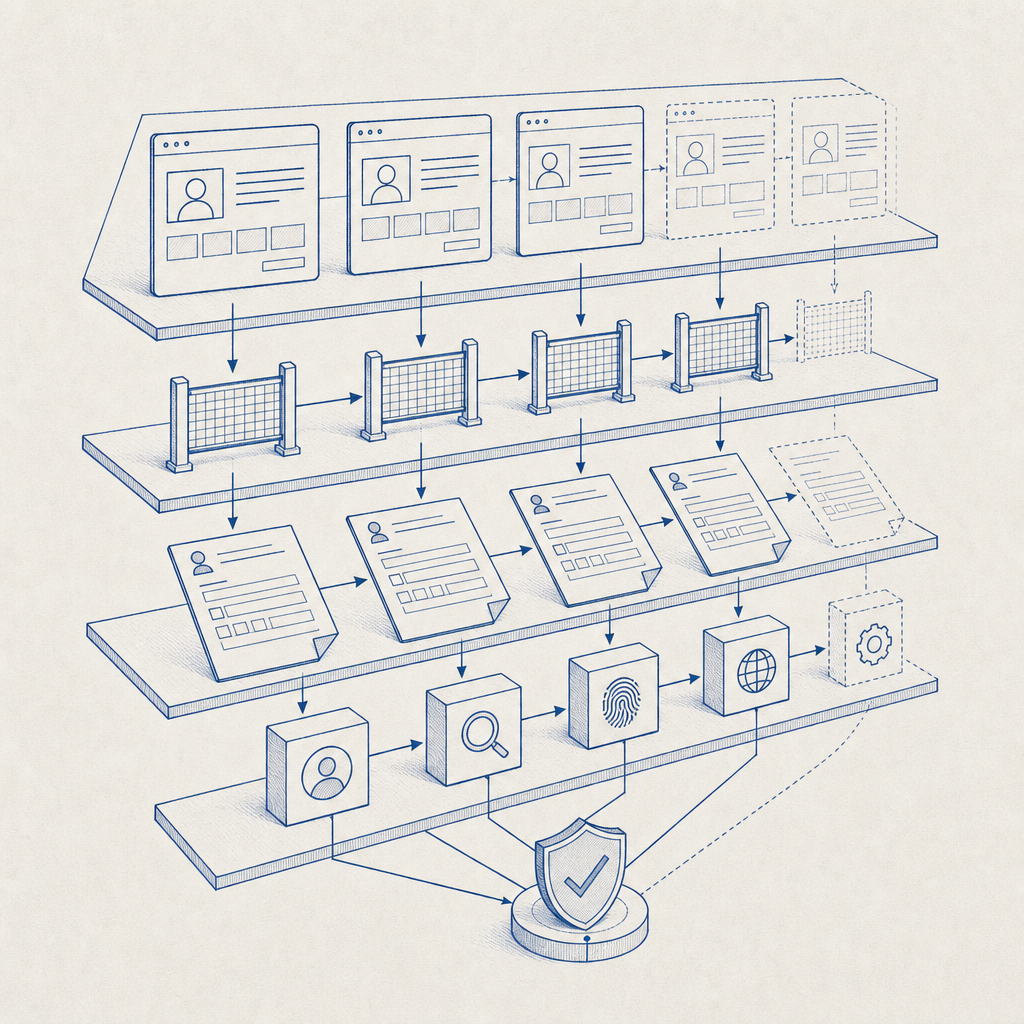
What anti scraping jobs actually protect
When people say “anti scraping jobs,” they often mean one of two things:
- Protecting job listings and company data from automated harvesting.
- Protecting application and hiring workflows from abuse at scale.
Those are related, but the defense strategy differs.
For public job pages, scraping usually looks like repeated high-rate requests, headless browser sessions, rotation across IPs, or structured extraction from listing pages and search filters. For application flows, abuse can include mass account creation, duplicate submissions, credential stuffing against candidate portals, or bot-driven form spam that pollutes pipelines.
A good defense stack starts with risk-based friction rather than hard blocks everywhere. That usually means:
- rate limits at the edge and per route
- token validation on sensitive actions
- bot challenges only when behavior looks suspicious
- session and device continuity checks
- server-side correlation of IP, token, and request context
- strict validation of form submission patterns
The key is to protect value-bearing endpoints, not just the homepage.
How defenders usually layer controls
The most effective anti-scraping setup for hiring sites uses layered controls. No single control is enough, especially because scraping toolchains adapt quickly.
| Layer | What it does | Example use in hiring flows |
|---|---|---|
| Edge filtering | Drops obvious abuse early | Excessive listing fetches or noisy IP ranges |
| Challenge step | Separates humans from automation | Before viewing a protected search page or submitting a form |
| Token validation | Confirms a completed challenge is genuine | Server checks the pass token before accepting an application |
| Behavioral checks | Detects abnormal patterns | Same device posting many applications in minutes |
| Data hygiene | Reduces useful harvested output | Hide sensitive fields until the user is verified |
If you already use a bot-defense provider like reCAPTCHA, hCaptcha, or Cloudflare Turnstile, the core design is the same: issue a client-side signal, validate it on the server, and decide whether the request should proceed. The main differences are usually developer experience, UX, and deployment fit.
Where validation belongs
Validation should happen on your backend, not only in the browser. A client-side challenge can be bypassed if the server trusts the front end too much.
A practical flow looks like this:
- The page loads a challenge widget or loader.
- The user completes the challenge.
- The frontend receives a pass token.
- The frontend submits the token along with the form.
- The backend validates the token with your bot-defense service.
- The backend only accepts the request if validation succeeds.
This is especially important for:
- job alerts and search subscriptions
- resume uploads
- recruiter contact forms
- login and password reset flows
- “apply now” actions on high-volume postings
You can see this pattern in most modern bot-defense systems, including CaptchaLa, where the server-side validate endpoint is used to confirm that a token is real before the request is accepted.
A defender-first implementation pattern
If you’re designing anti scraping jobs protections, think in terms of signals, not assumptions. A single request doesn’t prove much. A sequence of requests, repeated across routes, with odd timing and impossible navigation patterns, tells a better story.
Here’s a simple policy pattern you can adapt:
# English comments only
IF route is public job listing:
  allow anonymous access
  rate limit by IP + subnet + ASN
  log repeated pagination and filter abuse

IF route is protected application submit:
  require challenge token
  validate token server-side
  reject on expired or missing token
  score request with IP reputation and session age

IF route is recruiter or candidate account:
  require stronger friction on login
  flag multiple failed attempts
  step up verification when risk increases
A few technical specifics matter here:
- Token validation should happen immediately after submission, before writing records.
- Tie validation to the request context, including
client_ipwhen your provider supports it. - Make replay harder by enforcing short token lifetimes.
- Add per-route thresholds instead of one global limit.
- Store abuse telemetry separately from application data so security tuning doesn’t pollute recruiting records.
CaptchaLa’s server-side validation endpoint is designed for this kind of flow: POST https://apiv1.captcha.la/v1/validate with {pass_token, client_ip} and your X-App-Key / X-App-Secret. For cases where you need to generate a challenge token from the backend, there is also POST https://apiv1.captcha.la/v1/server/challenge/issue.
Choosing the right challenge and SDK path
Not every hiring flow needs the same friction. A static job board with low abuse may only need lightweight rate controls and occasional challenge prompts. A high-volume recruiting platform with resume uploads, login, and recruiter tools needs a more deliberate setup.
Here’s a simple comparison of common options:
| Product | Typical fit | Notes |
|---|---|---|
| reCAPTCHA | Broad general-purpose protection | Familiar, widely deployed, but UX and privacy tradeoffs vary by implementation |
| hCaptcha | Often used where stronger challenge friction is acceptable | Common in public-facing forms |
| Cloudflare Turnstile | Low-friction challenge flows | Useful when you already use Cloudflare and want a smoother candidate experience |
| CaptchaLa | App and workflow protection across web and mobile | Supports Web JS/Vue/React, iOS, Android, Flutter, Electron, plus server SDKs |
If your hiring experience spans multiple platforms, SDK coverage matters. CaptchaLa supports 8 UI languages and native SDKs for Web, iOS, Android, Flutter, and Electron. On the server side, there are SDKs for captchala-php and captchala-go, which can simplify validation in common stacks.
For mobile-heavy recruiting products, that cross-platform support can reduce implementation drift. For example, a candidate might browse jobs on web, finish the application in a Flutter app, and later sign in on iOS. You want the same policy logic to apply everywhere.
If you’re evaluating implementation cost, it’s worth checking documentation and pricing early. The public docs at docs are useful for integration details, and the pricing page shows the free and paid tiers, including the free 1,000/month option and higher-volume plans.

Operational habits that keep scraping pressure down
The most durable anti-scraping strategy is operational, not just technical. Scrapers adapt to static controls, so you want a system that improves as abuse patterns evolve.
A few habits help a lot:
- Review logs for repeated path enumeration, filter cycling, and abnormal pagination depth.
- Measure challenge pass rates by route so you know where legitimate users are dropping off.
- Separate public job browsing from candidate actions that actually create cost or risk.
- Rotate challenge thresholds based on seasonality, such as major hiring campaigns.
- Treat abuse telemetry as a product input, not just a security alert.
It also helps to think about what data you expose by default. If a job page doesn’t need recruiter emails, internal requisition IDs, or hidden metadata, don’t send them. Removing unnecessary data reduces the value of scraped output and makes automation less rewarding.
For teams with larger traffic, a tiered approach works well:
- free tier for early-stage or low-volume sites
- policy-based challenge for moderate abuse
- stronger server-side checks for login, posting, and application submission
- escalation paths for repeated offenders
That’s where a service like CaptchaLa can fit without overcomplicating the app. The point is not to “win” against every scraper forever; it’s to make harvesting and spam uneconomical while keeping the legitimate hiring experience smooth.
Where to go next
If you’re hardening a recruiting product, start with the pages and actions that create the most abuse value: job search, application submit, login, and recruiter contact flows. Then add server-side validation, rate limits, and telemetry so you can tune the system over time. For setup details, see the docs and review pricing to match your traffic needs.