
An anti humor bot is a system that reacts to jokes, irony, or playful prompts as if they were literal, suspicious, or policy-violating. In practice, that usually means it ignores context, strips nuance, and behaves with mechanical consistency that’s easy to spot once you know what to look for.
That definition matters because “anti humor bot” can describe two different things: a moderation or support system that takes humor too seriously, or an attacker-controlled bot that tries to blend in by sounding casual, witty, or human. If you’re defending a site, the second case is the one to care about. Humor is often used as camouflage, but the underlying bot still leaves patterns in timing, interaction flow, and challenge behavior.

What people usually mean by “anti humor bot”
The phrase gets used loosely, so it helps to separate intent from behavior.
1) Over-literal moderation or support bots
These are systems that misread sarcasm, memes, or playful phrasing. They’re not “anti-humor” on purpose; they just lack enough context modeling. The result is a poor user experience:
- false flags on harmless messages
- repetitive, canned responses
- refusal to process ambiguous language
- inconsistent handling of obvious jokes
2) Bots that use humor as cover
These are the ones defenders need to identify. They may:
- vary sentence structure to look casual
- insert slang, emojis, or jokes
- imitate human small talk before submitting a form
- pace requests to resemble organic browsing
That doesn’t make them human. A bot can be witty and still produce machine-like signals under the hood.
3) Defensive systems that resist manipulation
A good anti-bot stack doesn’t “hate humor”; it simply ignores it as a trust signal. Whether a visitor says “I’m not a robot, I’m a delightful cucumber” or fills out a form in perfect grammar, the system should rely on stronger evidence.
A useful mental model: humor is content, not proof of humanity.
Behavioral signs that a “funny” bot is still a bot
If a bot is trying to look charming, it often overcorrects. The defense side should focus on measurable behavior, not tone.
Here are the most reliable signals:
Request timing
- Interactions arrive in tight, regular intervals.
- Pauses are too consistent or oddly uniform across sessions.
- Form fill time is faster than a typical human path, especially on first visit.
Navigation coherence
- The session skips obvious waypoints.
- A visitor lands on a deep page and submits a form without normal browsing.
- Mouse, touch, and scroll patterns don’t match the claimed device type.
Challenge behavior
- Challenge initiation happens immediately after page load with no user intent.
- Tokens are reused, expired, or validated from inconsistent IPs.
- The same behavioral sequence repeats across many sessions.
Text and input patterns
- Jokes are inserted, but field order is still unnaturally perfect.
- Copy-paste behavior is excessive.
- Input cadence is too regular, especially in multi-step workflows.
A key point: none of these signals alone proves automation. The strongest systems score multiple weak signals together.
How to defend without punishing real users
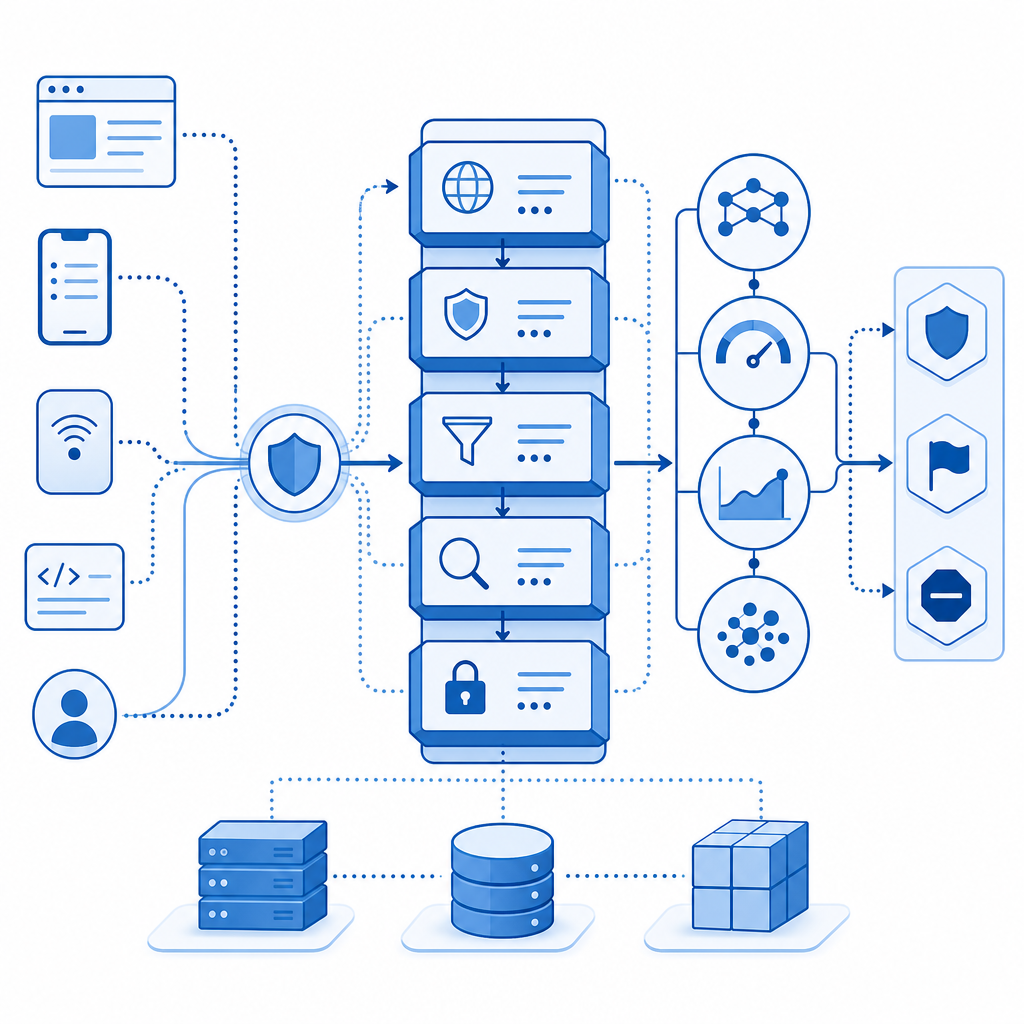
The best defense is layered. Don’t make “sounding human” a requirement; make trust accumulation a requirement.
A practical defensive checklist
Use a challenge only when needed
- Start with passive risk scoring if available.
- Escalate to a challenge when behavior is anomalous.
- Avoid punishing low-risk users with friction on every visit.
Validate on the server
- Treat client-side signals as hints, not authority.
- Tie challenge results to your backend session logic.
- Reject tokens that don’t match the expected request context.
Correlate identity and transport
- Compare the submission IP with the validation IP.
- Watch for repeated pass tokens across different sessions.
- Flag sudden shifts in device fingerprint or geolocation.
Log interaction metadata
- Keep timestamps, request paths, and validation outcomes.
- Track challenge issue/validate pairs per session.
- Review false positives separately from confirmed abuse.
Tune thresholds by route
- Login, signup, password reset, and checkout need different risk levels.
- A comment form may tolerate more flexibility than account creation.
- Measure drop-off before and after adding friction.
If you’re using CaptchaLa, those checks fit a straightforward flow: issue a server token, validate the pass_token on your backend, and use first-party data to make the decision based on your own risk policy rather than someone else’s defaults.
# Defender-side validation flow
# 1. User completes challenge in the browser
# 2. Browser receives pass_token
# 3. Backend posts to validation endpoint
# 4. Backend decides whether to allow the request

POST https://apiv1.captcha.la/v1/validate
Headers:
  X-App-Key: your_app_key
  X-App-Secret: your_app_secret

Body:
  {
    "pass_token": "token_from_client",
    "client_ip": "203.0.113.10"
  }

# If the response is valid, continue the session.
# If not, deny, rate limit, or require additional verification.
Comparing common CAPTCHA and bot-defense options
Different tools solve different problems. The right choice depends on your traffic, UX tolerance, and implementation surface.
| Tool | Strengths | Tradeoffs | Good fit |
|---|---|---|---|
| reCAPTCHA | Widely recognized, broad ecosystem | Can add friction; some teams prefer more control | General web protection |
| hCaptcha | Strong abuse resistance, common alternative | Some users may still hit friction depending on setup | High-abuse public forms |
| Cloudflare Turnstile | Low-friction experience in many cases | Best if you already use Cloudflare; less direct control in some stacks | Sites prioritizing seamless UX |
| CaptchaLa | Multi-platform SDKs, server validation, first-party data focus | Requires integrating your own policy logic | Teams wanting flexible, app-native bot defense |
The point of the table isn’t to crown a winner. It’s to show that “anti humor bot” behavior is a policy issue, not a brand issue. Any of these systems can help if they’re wired into proper server-side validation and risk handling.
Platform coverage details that matter
A defender often needs more than a web widget:
- 8 UI languages
- native SDKs for Web: JS, Vue, React
- mobile support: iOS, Android, Flutter
- desktop support: Electron
- server SDKs:
captchala-php,captchala-go - package options such as Maven
la.captcha:captchala:1.0.2, CocoaPodsCaptchala 1.0.2, and pub.devcaptchala 1.3.2
That breadth helps when the same abuse pattern appears across web and app surfaces.
A better way to think about “humor” in bot detection
Humor can be a signal of intent, but it is not a trust primitive. A real user can joke. A bot can joke. A scammer can joke. So can a test automation script that was trained on conversational patterns.
What actually helps is combining content with context:
- Does the session behave like a real visitor?
- Does the validation token check out?
- Does the request align with prior actions?
- Is the traffic pattern consistent with normal usage for that endpoint?
That’s why the strongest anti-bot setups are boring in the best possible way. They don’t get distracted by tone. They look at timing, sequencing, validation, and abuse history.
For teams that want a simple rollout path, docs is the right next stop for implementation details, while pricing is useful if you’re estimating traffic at the free tier 1000/mo, Pro 50K-200K, or Business 1M. The important part is matching the protection level to your actual risk, not your loudest edge case.
Where to go next
If you’re dealing with an anti humor bot problem, focus on behavior over wording and keep the trust decision on your server. Start with the integration guide in the docs, then choose a plan that matches your volume on pricing.