
If you’ve ever encountered a "captcha failed to load" message on your website, you know how frustrating it can be. This error typically means the CAPTCHA challenge—an essential step in verifying human users and blocking bots—did not display correctly and thus cannot be completed. Without a properly loaded CAPTCHA, your site risks security holes and accessibility issues. Understanding why this happens and how to troubleshoot it can save you time and protect your user experience.
Why Does a Captcha Fail to Load?
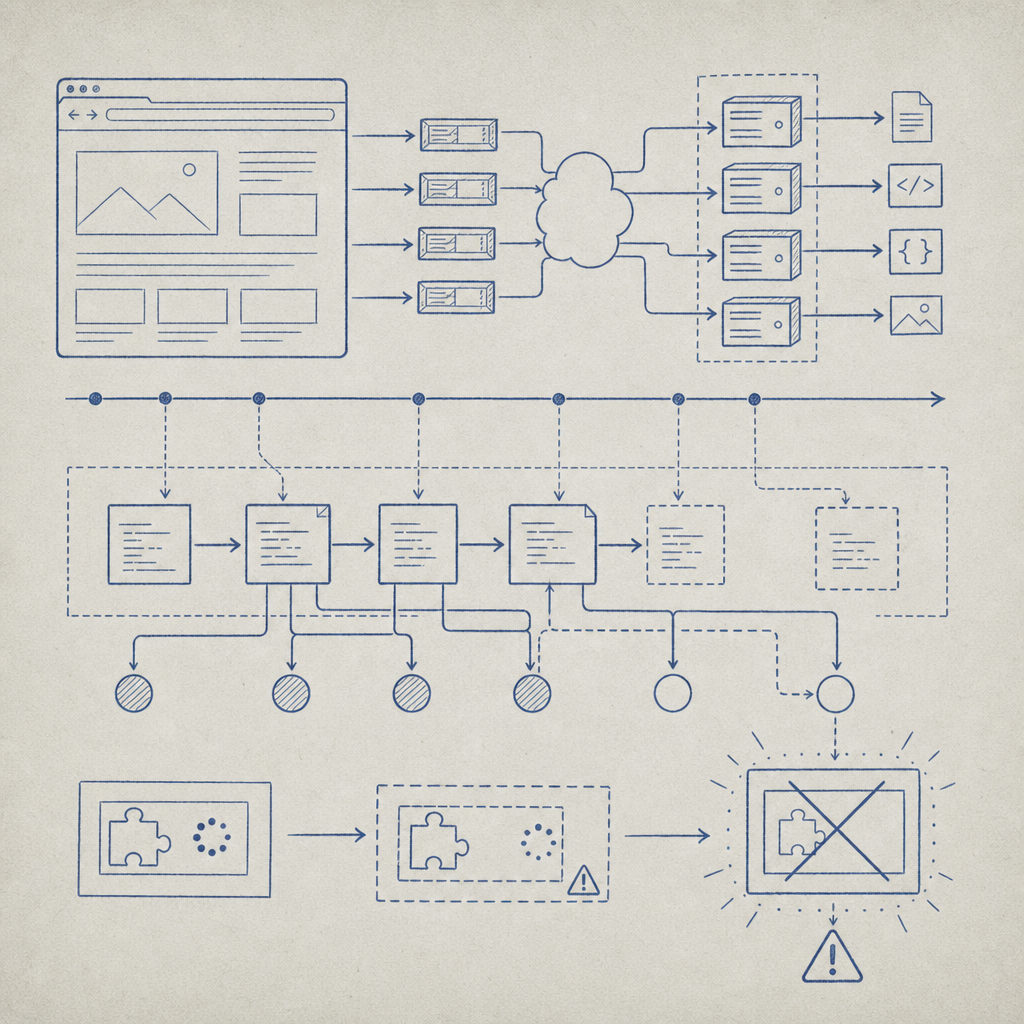
There are several common reasons why a CAPTCHA component fails to load on a web page:
- Network or CDN issues: The CAPTCHA assets (JavaScript, CSS, or images) are often delivered via content delivery networks (CDNs). Problems like server outages, DNS errors, or CORS misconfigurations can block these resources.
- JavaScript errors or conflicts: Since most CAPTCHAs rely on client-side scripts, any JS errors on the page or conflicts with other libraries can break the CAPTCHA’s loading process.
- Ad blockers or browser extensions: Some users have extensions that block known CAPTCHA domains or scripts, causing the widget not to render.
- Incorrect implementation: Missing or mistyped keys, outdated SDK versions, or forgotten configuration parameters can prevent the CAPTCHA from initializing properly.
- Cross-origin or security policy restrictions: Modern browsers enforce strict Cross-Origin Resource Sharing (CORS) and Content Security Policies (CSP). If these aren’t configured to allow the CAPTCHA domains, the challenge won’t load.
In many scenarios, the error message may be generic, or the CAPTCHA placeholder might be blank. Checking browser developer tools for failed network requests or JS console errors often reveals the culprit.
Troubleshooting Steps for “Captcha Failed to Load”
To fix failed CAPTCHA loading, start with these practical steps:
Verify Network Requests
- Use browser DevTools (Network tab) to check if CAPTCHA resources like
captchala-loader.jsor others are loading successfully without 403/404 errors. - Confirm CDN or hosting service status for outages. CaptchaLa’s loader URL is
https://cdn.captcha-cdn.net/captchala-loader.js—if this fails, the CAPTCHA won’t display.
- Use browser DevTools (Network tab) to check if CAPTCHA resources like
Check JavaScript Console
- Look for errors indicating missing variables, initialization failures, or security issues. Sometimes conflicts with other JavaScript code prevent rendering.
Review Implementation Code
- Double-check your site’s CAPTCHA integration for typos in site keys, correct use of server-side validation endpoints, and that you are calling the loader script appropriately.
- Here’s a minimal example to load CaptchaLa’s widget properly:
javascript// Load loader script first // <script src="https://cdn.captcha-cdn.net/captchala-loader.js"></script> // Initialize challenge using CaptchaLa SDK (example) CaptchaLa.init({ siteKey: 'your-site-key', // replace with actual key container: '#captcha-container' // ID of div to render CAPTCHA });Test Without Browser Extensions
- Disable ad blockers, privacy extensions, or anything that could block CAPTCHA requests to verify if those are the root cause.
Examine Content Security Policy (CSP)
- Ensure your site’s CSP allows scripts and frames from CAPTCHA provider domains.
- Example CSP directive may need updating:
script-src 'self' https://cdn.captcha-cdn.net;
frame-src https://challenge.captcha.la;
Cross-Origin and CORS Configuration
- If integrating via API or server-initiated challenges, make sure the server-side tokens and headers are correctly set up and allowed by the CAPTCHA provider’s expected CORS policy.
Comparing Popular CAPTCHA Providers on Load Reliability
Here’s a quick comparison of some common CAPTCHA solutions and their typical loading characteristics:
| Feature | CaptchaLa | reCAPTCHA (Google) | hCaptcha | Cloudflare Turnstile |
|---|---|---|---|---|
| CDN Availability | Reliable global CDN with fallback | Google-owned, highly robust CDN | Third-party CDN with occasional issues | Integrated with Cloudflare network |
| SDK Support | Web, iOS, Android, Flutter, Electron | Web, mobile SDKs | Web, mobile SDKs | Web-focused with easy JS init |
| Impact of Ad Blockers | Some blocking possible; transparent domain | Frequently blocked by ad/privacy extensions | Often blocked similar to reCAPTCHA | Minimal blocks due to Cloudflare’s network |
Each provider balances load speed, reliability, and privacy considerations differently. CaptchaLa favors first-party data and offers native SDKs with clear documentation to minimize integration errors, available at CaptchaLa docs.
Best Practices to Avoid CAPTCHA Loading Issues
To prevent “captcha failed to load” errors proactively, consider these technical best practices:
- Keep CAPTCHA provider SDKs and scripts updated regularly to benefit from fixes and improvements.
- Monitor CDN status pages if applicable, so you are alerted to outages early.
- Validate your integration thoroughly, including server-side validation calls and security headers.
- Test CAPTCHA loading with various browsers, in incognito/private mode, and with common blockers enabled.
- Use graceful fallback UI and error messages to instruct users when CAPTCHA cannot load.
- Consider provider choice carefully; Cloudflare Turnstile may integrate best for Cloudflare sites, while CaptchaLa offers strong multi-platform SDK support.
If you provide APIs with CAPTCHA validation calls (such as to https://apiv1.captcha.la/v1/validate for CaptchaLa), ensure your server environment handles all request headers and parameters properly, including X-App-Key and X-App-Secret.

Conclusion: Diagnosing and Fixing CAPTCHA Failures
A “captcha failed to load” error is commonly caused by network resource failures, JavaScript conflicts, or security restrictions like CSP and CORS. Systematic troubleshooting—checking network loads, console errors, and implementation code—is the quickest path to resolution.
Providers like CaptchaLa offer detailed documentation and developer support to help avoid these problems. CaptchaLa’s support for multiple SDKs across web and mobile platforms, plus a flexible free tier, makes it an accessible and reliable option for protecting forms against bot attacks.
If you want to learn more about integrating a reliable CAPTCHA solution or explore pricing tiers that fit your scale, visit CaptchaLa pricing. Keeping your CAPTCHA robust and loading smoothly is key to maintaining website security and user trust.