
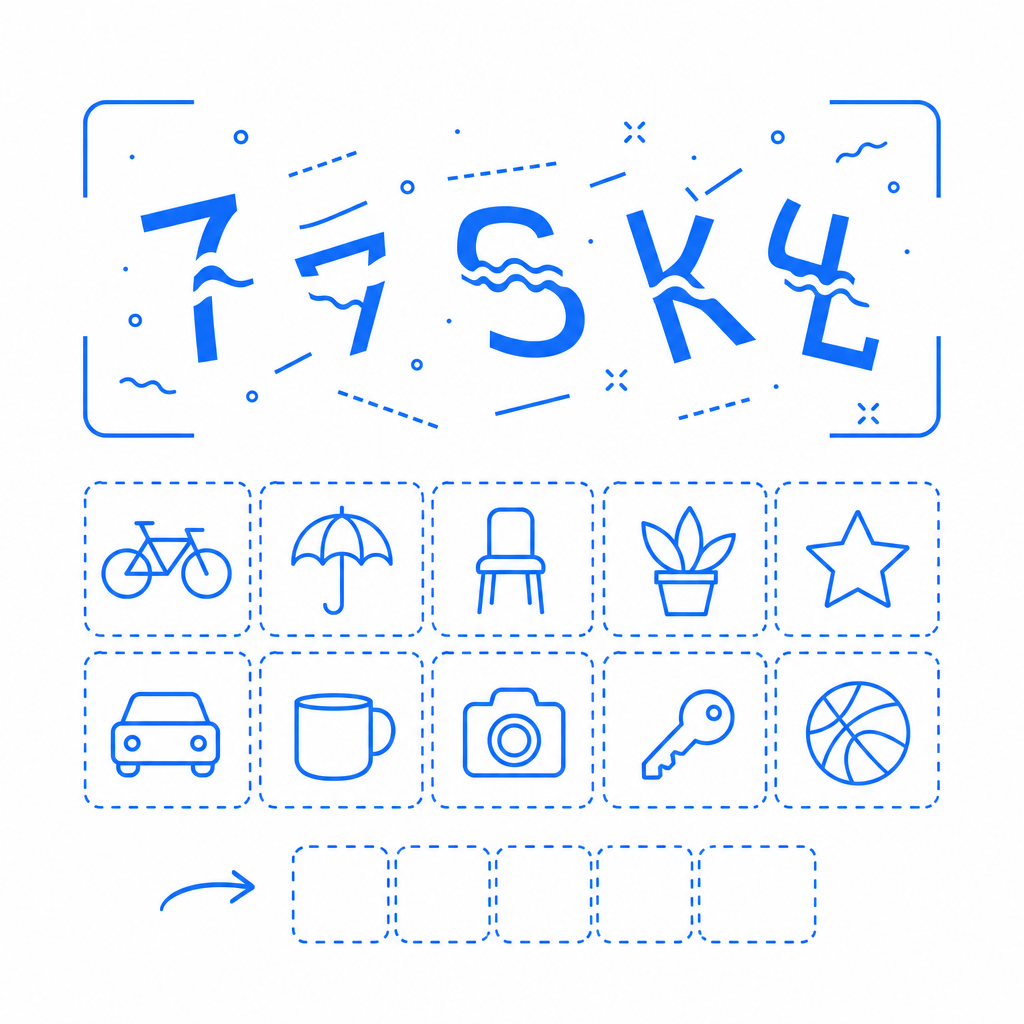
A captcha example image is a visual challenge presented to users designed to distinguish humans from automated bots. It typically contains distorted text, numbers, or objects that are easy for humans to recognize but difficult for machines to interpret. When you see a box asking you to type letters from a fuzzy image or select pictures containing a particular object, you're interacting with captcha example images. These serve as gatekeepers to protect websites from spam, brute force attacks, and fraudulent automated activity.
Understanding Captcha Example Images: What They Are and How They Work
A captcha example image is a form of challenge-response test implemented on websites during actions like form submissions, registrations, or logins. The core idea is to present information that humans can quickly recognize but that automated bots—scripts programmed to mimic human interaction—find extremely difficult or resource-intensive to solve accurately.
Common captcha example images contain:
- Distorted characters: Letters and numbers warped, rotated, or twisted.
- Visual noise: Background patterns, lines, dots, or color gradients to confuse OCR (Optical Character Recognition) software.
- Object identification: Images where users select all pictures containing a certain item (cars, traffic lights, etc.).
When users correctly identify the content in the captcha image, the system infers the user is likely human and allows the action to continue.
Types of Captcha Example Images and How They Differ
While the classic distorted text image remains widespread, many modern captcha systems combine various challenge modes to improve both usability and security:
1. Distorted Text Captchas
These show scrambled characters with distortion, curves, or background noise. They challenge traditional OCR programs. However, sophisticated machine learning models have made purely text-based captchas less secure over time.
2. Image Recognition Captchas
Users must identify objects in several labeled images (e.g., "Select all squares with bicycles"). These captchas rely on visual semantic understanding and require more advanced bot-solving strategies.
3. Interactive Captchas
Some captchas require dragging sliders, solving puzzles, or analyzing multiple images with custom logic, combining user engagement with challenge difficulty.
Comparison Table: Popular Captcha Providers and Their Image Approaches
| Provider | Captcha Type | Example Image Usage | Usability Notes |
|---|---|---|---|
| CaptchaLa | Distorted text + image | Supports multiple UI languages, native SDKs for various platforms | Lightweight, privacy-respecting, easy integration |
| reCAPTCHA v2/v3 | Image selection + behavioral | Uses photos for object identification, invisible options | Popular, backed by Google, heavy on user tracking |
| hCaptcha | Image classification | Shows multiple image tiles for selection | Focus on privacy and anti-bot, competitive pricing |
| Cloudflare Turnstile | Invisible, behavioral | No direct image challenges; analyzes signals | Frictionless UX, minimal user interaction |
Why Use Captcha Example Images in Bot Defense?
Bots automate malicious activities like spam submission, scalping, credential stuffing, and content scraping. Relying solely on IP filters or behavioral analysis can miss sophisticated threats. Captcha image challenges provide an additional, direct test that bots struggle to pass without advanced AI.
Unlike invisible captchas, image-based captchas offer visual evidence for users regarding legitimacy checks, though sometimes at a slight usability cost. Correct design balances security with user-friendly presentation.
Implementing CaptchaLa’s Image Captchas: Features and Best Practices
CaptchaLa offers a flexible captcha solution featuring example images for verification, along with server and client SDKs for easy integration:
- Multiple UI languages: English, Spanish, French, etc., enhancing global usability.
- Native SDKs: JavaScript, React, Vue for web; iOS, Android, Flutter for mobile.
- Lightweight loader: Integrated with a small JavaScript CDN loader easing deployment.
- Server validation: Secure backend validation via API endpoints.
- Free tier: Up to 1000 checks per month, scaling to business needs.
- Focus on privacy: First-party data usage without heavy tracking.
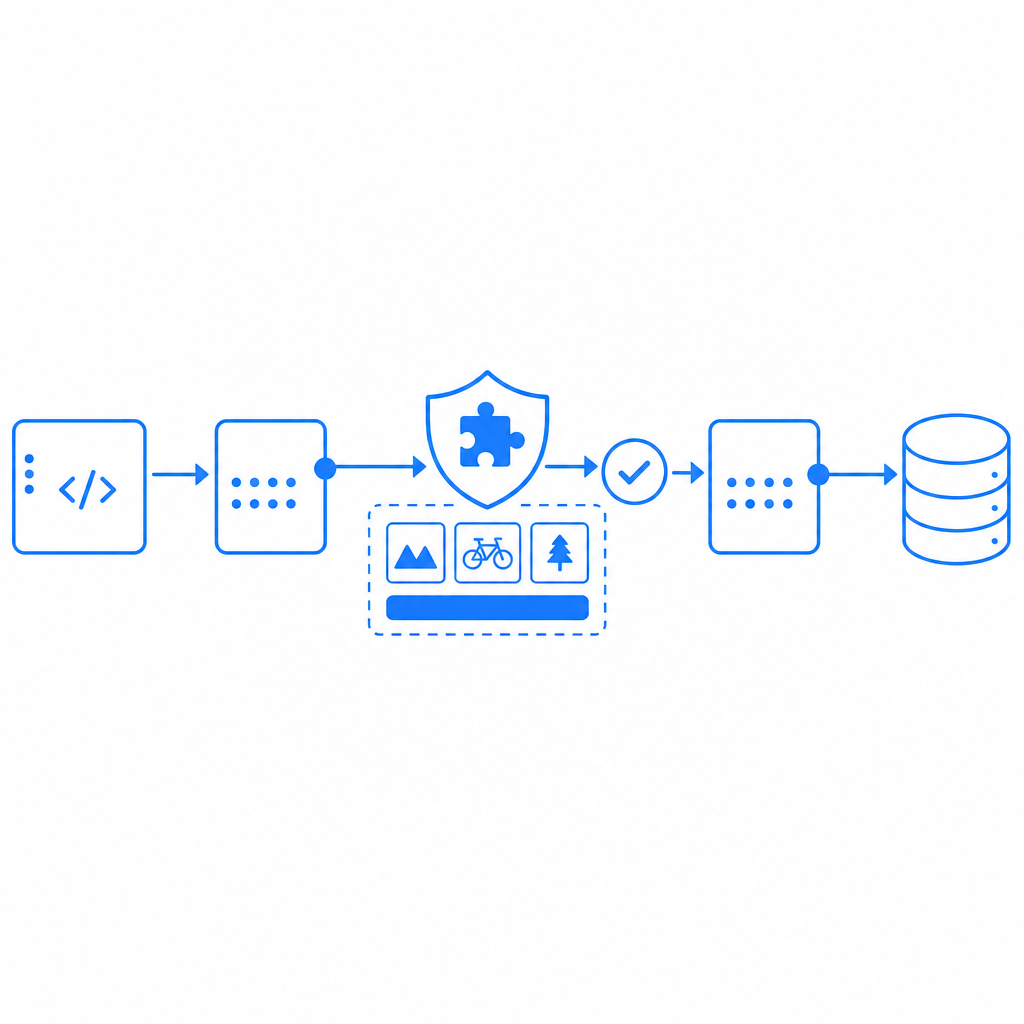
Example Validation Process (Pseudocode)
// client side: receive captcha challenge and display image
challenge = fetchChallenge()

// user inputs captcha response
userInput = getUserInput()

// server side: validate captcha submission
POST https://apiv1.captcha.la/v1/validate
Body: {
  pass_token: challenge.token,
  client_ip: userIp
}
// Headers: X-App-Key, X-App-Secret

// response: success or failure
if (response.success) {
  proceedWithRequest()
} else {
  blockOrRetry()
}
Developers can explore CaptchaLa’s extensive docs for detailed integration steps and platform-specific guides.
Comparing Captcha Example Images to Alternative Bot Defense Methods
While image captchas remain effective, they're part of a broader ecosystem of defensive tools:
- Behavioral Analysis: Tracks mouse movement, typing patterns to detect bots silently.
- Invisible Captchas: Require no user interaction for most, activating only on suspicious traffic.
- Rate Limiting / IP Filtering: Block unusual request patterns or known malicious IPs.
Image captchas are often combined with these measures to form multi-layer defenses, offering a balanced approach to security and user experience.
Conclusion: Choosing and Implementing Captcha Example Images Wisely
A captcha example image is a foundational tool to mitigate automated bot attacks by leveraging human visual recognition. While some solutions rely heavily on extensive image libraries or invisible signals, CaptchaLa delivers a straightforward, composable captcha service that supports various platforms and languages with a privacy-conscious approach.
For technical teams, understanding the nuances of captcha example images and balancing security with usability is key. Leveraging modern SDKs and APIs simplifies integration, ensuring bot defense complements your overall security posture.
Where to go next? Explore CaptchaLa’s pricing or dive into the developer documentation to start securing your users effectively.