
Anti captcha open source usually means one of two things: open-source tools used to stop bots, or open-source projects built to defeat CAPTCHA systems. If you’re defending a product, the useful question is how to evaluate those tools from the defender’s side without getting distracted by bypass tactics. The short answer: open source can be great for transparency, testing, and integration, but it rarely replaces a real verification and risk-scoring layer on its own.
Open-source bot defense is attractive for good reasons. You can inspect the code, self-host it, customize it, and avoid a black-box dependency for part of your stack. But CAPTCHA and bot defense are not just about “challenging a browser.” You also need token validation, server-side checks, abuse monitoring, and a plan for automation that evolves over time. That is where a layered approach matters more than the license model.
What anti captcha open source usually covers
The phrase gets used loosely, so it helps to separate the categories.
1) Open-source CAPTCHA libraries
These are projects you can embed into a site or app to present a challenge. They may generate image puzzles, logic prompts, or other verification steps. They’re useful when you want something simple, self-contained, or fully inspectable.
Strengths:
- easy to audit
- easy to customize
- can be self-hosted
- useful for prototypes or niche workflows
Limitations:
- challenge quality is often uneven
- accessibility can suffer if the UI is not designed well
- no built-in fraud intelligence
- easy to overestimate their protection value
2) Open-source anti-bot middleware
These projects focus less on the challenge itself and more on filtering suspicious traffic. They may score requests, rate-limit patterns, or flag automation based on behavior and headers.
Strengths:
- better fit for APIs and backends
- can complement CAPTCHA
- integrates well with logs and observability
Limitations:
- signal quality depends on your traffic
- static rules can drift quickly
- false positives can impact legitimate users
3) Open-source “solver” ecosystems
These are the parts defenders should study, not copy. They reveal how automation evolves, what signals get targeted, and where a weak implementation can be abused. From a defense standpoint, they are threat intelligence, not a roadmap.
The takeaway is simple: “open source” does not automatically mean “secure,” and “proprietary” does not automatically mean “opaque.” What matters is whether the system resists automation under real traffic conditions and whether you can verify its claims server-side.
Where open source fits and where it doesn’t
If your product only needs a lightweight gate for low-risk actions, an open-source CAPTCHA may be enough. For example, a newsletter signup or a low-value contact form can often be protected with a simple challenge plus rate limiting.
But once the action matters financially or operationally, you need more than a puzzle. Password reset, account creation, ticketing, checkout abuse, inventory scraping, and credential-stuffing adjacent workflows require stronger controls.
Here’s a practical comparison:
| Approach | Good for | Weak spots | Defender note |
|---|---|---|---|
| Open-source CAPTCHA | low-risk forms, prototypes | limited fraud insight, accessibility variance | pair with server checks |
| reCAPTCHA | broad general use, familiar UX | privacy considerations, user friction in some flows | strong ecosystem, but not a full defense |
| hCaptcha | publisher monetization, bot mitigation | can still be friction-heavy depending on tuning | useful where challenge economics matter |
| Cloudflare Turnstile | low-friction verification | tied to Cloudflare ecosystem | good UX if your stack already uses Cloudflare |
| Custom open-source bot middleware | API risk scoring, rate limits | needs tuning and maintenance | best as a layer, not a single control |
The right choice depends on the abuse pattern. A login page facing credential stuffing needs different controls than a public form facing spam. A checkout flow needs stronger server-side token validation than a content gate. One-size-fits-all almost always becomes one-size-fails-somewhere.
What a defender-friendly architecture looks like
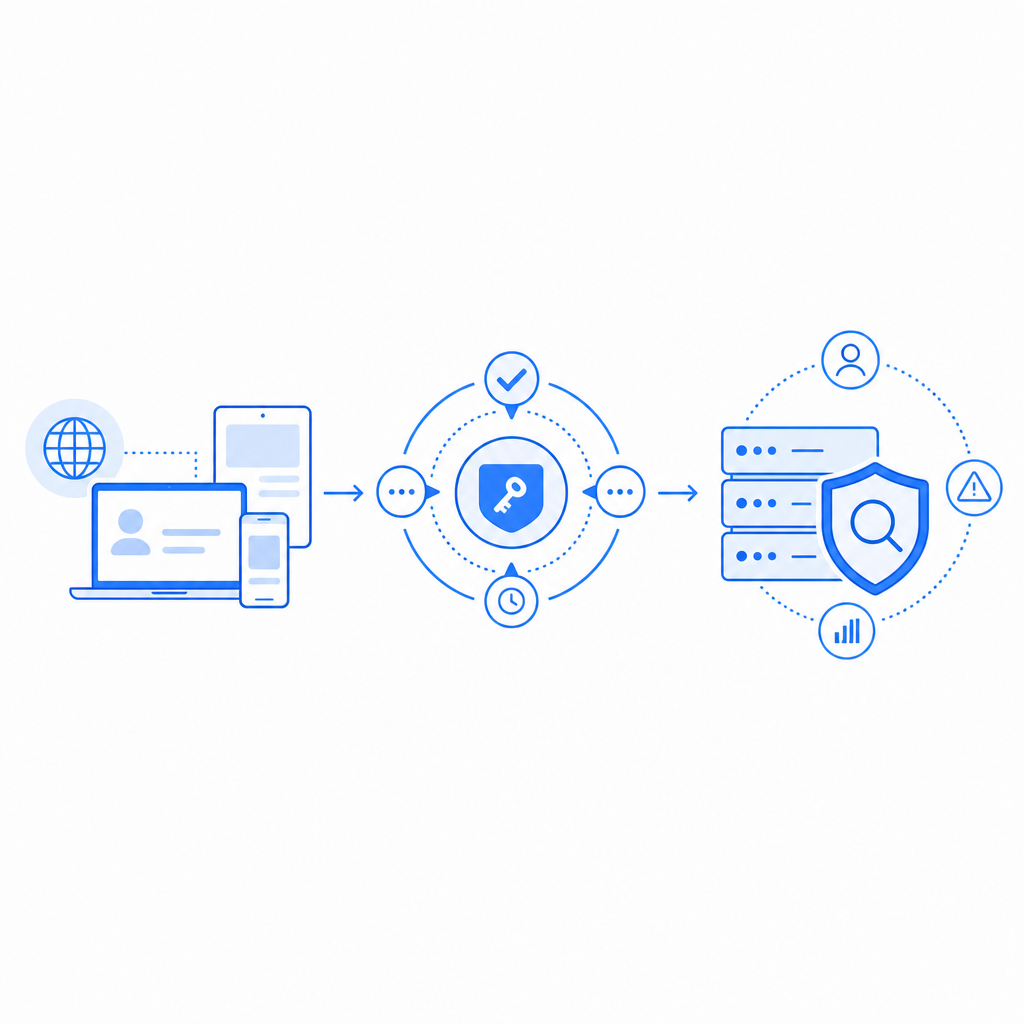
A robust setup usually has three layers:
Client challenge or friction point
This can be a CAPTCHA widget, a silent risk check, or a lightweight challenge. The point is not to “block all bots” but to increase attacker cost.Server-side validation
Do not trust the client alone. Validate the pass token on your backend, bind it to the request context, and check whether the token came from the expected origin/session.Behavioral and policy checks
Add rate limits, IP reputation, velocity limits, account-age checks, device or browser consistency checks, and anomaly detection.
A minimal backend flow often looks like this:
// Example validation flow
// 1. Receive pass_token from the client
// 2. Attach client IP from the request
// 3. Validate token on the server
// 4. Allow or deny the protected action

async function validateCaptcha(pass_token, client_ip) {
  const response = await fetch("https://apiv1.captcha.la/v1/validate", {
    method: "POST",
    headers: {
      "Content-Type": "application/json",
      "X-App-Key": process.env.CAPTCHA_APP_KEY,
      "X-App-Secret": process.env.CAPTCHA_APP_SECRET
    },
    body: JSON.stringify({ pass_token, client_ip })
  });

  const result = await response.json();
  return result;
}
That pattern matters because many abuse attempts exploit weak trust boundaries. If the front end decides whether a user is human, the defense is fragile. If the backend verifies a token, binds it to request metadata, and still applies policy checks, the attacker has to beat multiple layers.
CaptchaLa follows that model with first-party data only, which can matter if you want tighter control over what gets collected and how it’s used. You can also integrate through native SDKs for Web, iOS, Android, Flutter, and Electron, plus server SDKs like captchala-php and captchala-go. Documentation is available at docs.
Choosing tools by threat model, not ideology
It’s easy to get ideological about open source, but bot defense works better when you start with the abuse case.
If the problem is form spam
Consider a lightweight CAPTCHA, email verification, and rate limiting. Open-source tools can be a fine starting point if your traffic is modest.If the problem is automated signups
Add device and request consistency checks, token validation, and account-throttle policies. A challenge alone is not enough.If the problem is scraping or scraping-adjacent abuse
Focus on anomaly detection, session binding, and response shaping. Static challenges get adapted to quickly.If the problem is checkout or high-value abuse
Use a layered approach with backend validation, velocity rules, and stronger step-up checks. This is where the difference between “looks secure” and “is secure” becomes obvious.If you need a mix of control and convenience
Look for a system that is easy to audit, easy to integrate, and easy to tune. That often beats a purely open-source or purely managed argument.
Managed tools are not the enemy of transparency. For example, CaptchaLa provides a hosted loader, server validation, and platform SDKs that help teams add friction without turning the product into a maintenance project. If you want to compare usage tiers or deployment fit, the pricing page is the quickest place to start.
A note on integration details
A few implementation details can make or break the result:
- Use the loader from
https://cdn.captcha-cdn.net/captchala-loader.js - Validate tokens server-side with
POST https://apiv1.captcha.la/v1/validate - Include
pass_tokenandclient_ipin validation - Send
X-App-KeyandX-App-Secretfrom the backend only - If your flow needs a server-generated challenge, use
POST https://apiv1.captcha.la/v1/server/challenge/issue - Match the SDK to the platform: Web, iOS, Android, Flutter, or Electron
- Plan for localization; CaptchaLa supports 8 UI languages
For mobile and backend teams, that kind of specificity saves a lot of time. For example, Maven users can reference la.captcha:captchala:1.0.2, CocoaPods users can use Captchala 1.0.2, and Flutter teams can use captchala 1.3.2 from pub.dev. Those details matter less than the architecture, but they make deployment much smoother.
Bottom line
If you’re searching for anti captcha open source, the best answer is usually not “pick one project and hope.” Open source is valuable for transparency and customization, but defenders still need server-side validation, request context, and policy enforcement. That’s true whether you use a self-hosted library, reCAPTCHA, hCaptcha, Cloudflare Turnstile, or a managed layer like CaptchaLa.
The practical goal is not to make automation impossible. It is to make abuse expensive, noisy, and unscalable while keeping legitimate users moving smoothly.
Where to go next: if you’re evaluating a bot-defense stack, start with the docs for integration details or review pricing to see which plan matches your traffic profile.