
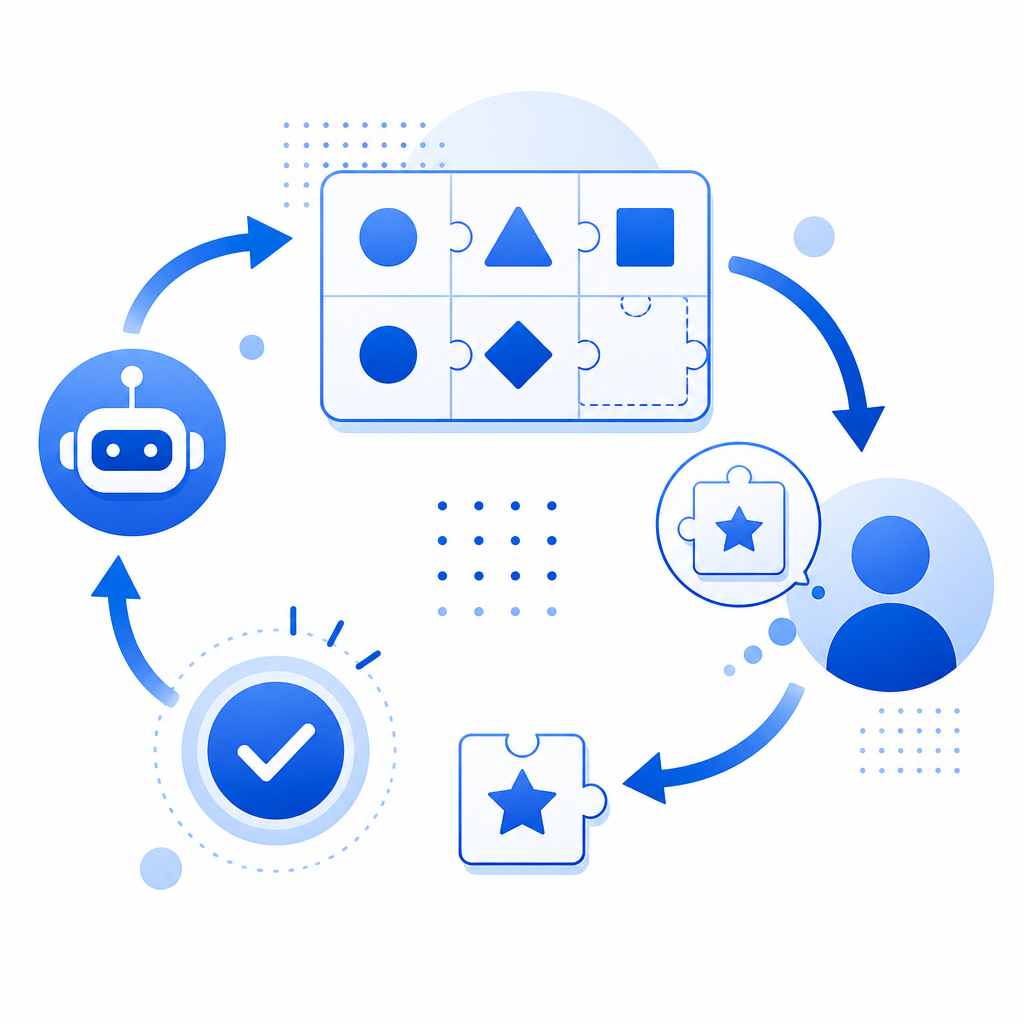
A captcha example is essentially a test or challenge presented to website visitors that distinguishes human users from automated bots. These challenges, varying from distorted text entry to interactive puzzles, serve as gatekeepers to prevent malicious bot activity such as spam, fake account creation, or scraping. By requiring human-like perception or interaction, captchas protect online services from automated abuse without significantly inconveniencing genuine users.
What Does a Captcha Example Look Like?
The term “captcha” derives from “Completely Automated Public Turing test to tell Computers and Humans Apart.” Typical captcha examples include:
- Text-based captchas: Users read distorted or obscured text characters, then enter them in a field.
- Image selection captchas: Users select images matching a prompt, such as “Select all squares with crosswalks.”
- Checkbox captchas: A simple “I’m not a robot” checkbox often combined with behavioral analysis.
- Invisible or risk-based captchas: Run assessments in the background, only challenging suspect visitors.
Each of these examples aims to present tasks easily solvable by humans but difficult or inefficient for bots to automate programmatically.
Common Characteristics in Captcha Examples
- Human readability: Even if distorted, text or images should be recognizable to people.
- Bot difficulty: Challenges that exploit weak bot vision or interaction capabilities.
- Accessibility: Support for users with disabilities, offering audio or alternative modes.
Here's a minimal conceptual example of a text-based captcha workflow in JavaScript comments:
// Load captcha challenge from server
fetch('/captcha-challenge').then(response => response.json())
  .then(challenge => {
    // Display distorted text image from challenge.imageUrl
    // User enters the text they see
    // On form submit, send user input and challenge ID back for validation
  });
Comparing Popular Captcha Solutions by Type and Features
| Feature | CaptchaLa | Google reCAPTCHA | hCaptcha | Cloudflare Turnstile |
|---|---|---|---|---|
| Types | Text, image, checkbox, invisible | Checkbox, invisible | Image-based, checkbox | Invisible, minimal-interaction |
| SDKs and integrations | Native Web, iOS, Android, Flutter, Electron, PHP, Go | Web, Android, iOS | Web, mobile SDKs | Web |
| Supported languages | 8 UI languages | Multiple | Multiple | Multiple |
| Data privacy | First-party data only | Google backend | Third-party | Cloudflare network-wide |
| Free tier | 1000/month | Unlimited, with usage limits | Free tier available | Included with Cloudflare plan |
| Pricing tiers | Pro and Business options | Free with branding | Paid tiers | Included in Cloudflare bundles |
Each provider takes a slightly different approach. For example, Cloudflare Turnstile focuses on minimal user friction while hCaptcha promotes privacy and monetization through data. CaptchaLa emphasizes straightforward server and client SDKs with a focus on developer-friendly integration and first-party data use.
How Captchas Work Behind the Scenes
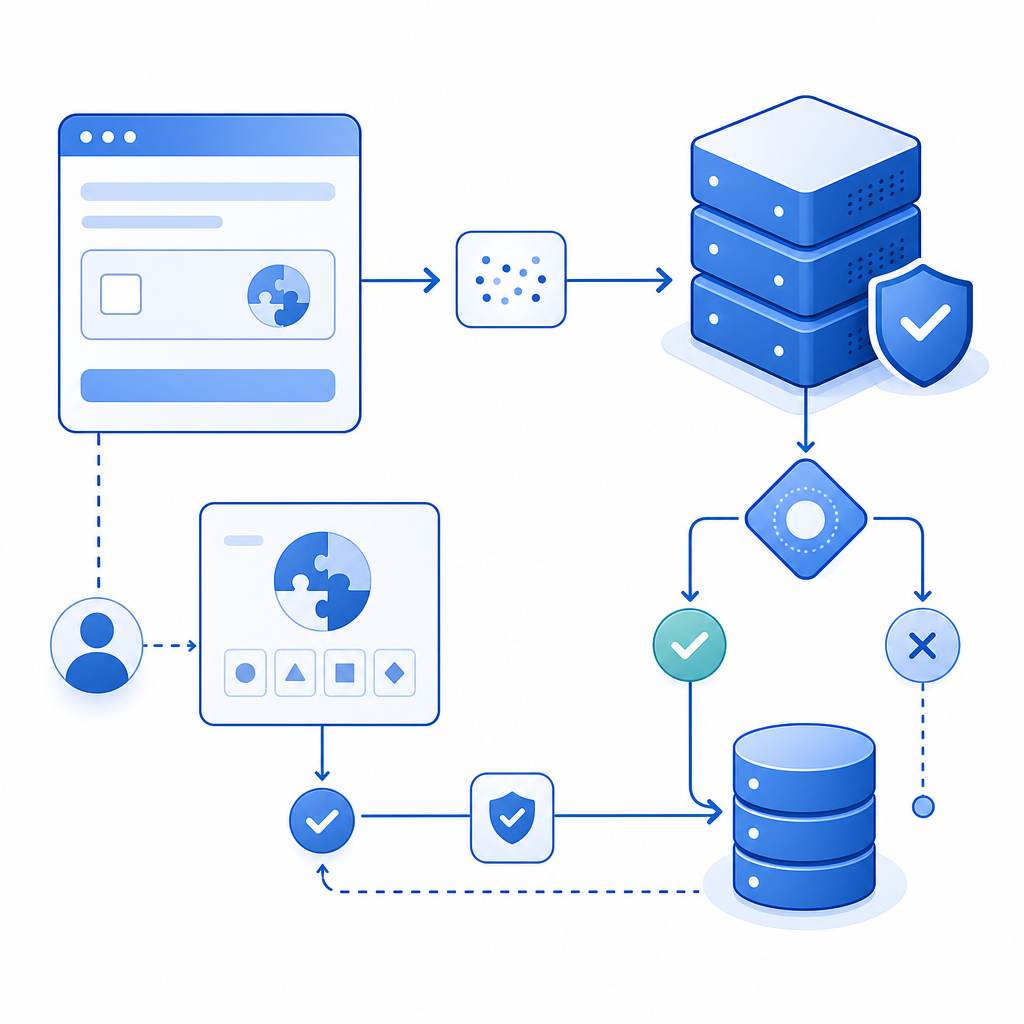
To provide a captcha example like those above, the system follows these core steps:
Challenge Issuance:
The server issues a challenge token—often associating it with the user session or IP—via an API call (e.g., CaptchaLa’s server token endpoint:POST https://apiv1.captcha.la/v1/server/challenge/issue).Challenge Presentation:
The frontend uses SDKs or JS loaders (CaptchaLa’s loader:https://cdn.captcha-cdn.net/captchala-loader.js) to present a challenge UI in a site-compatible way.User Interaction:
The user completes the challenge by typing, clicking, or otherwise interacting.Validation:
Upon submission, the client sends the user’s solution token along with parameters (likeclient_ip) to a server endpoint (POST https://apiv1.captcha.la/v1/validate) including authentication headers (X-App-Key,X-App-Secret) for verification.Decision:
The server evaluates the answer and returns pass/fail status to allow or block further processing.
Why Server-Side Validation Is Crucial
Performing validation on the server ensures bots cannot easily bypass captcha verification by manipulating client-side code. Secure tokens, cross-checks for IP consistency, and secret keys all help maintain integrity.
Implementing a Captcha Example in Your Application
When adding captcha protection, keep in mind:
- Balance usability and security: Avoid overly complex challenges that frustrate legitimate users.
- Localization: Use UI languages supported by your captcha provider; CaptchaLa supports 8 languages natively.
- SDK compatibility: Choose a provider whose SDKs integrate smoothly with your tech stack (web frameworks, mobile apps).
Step-by-Step Integration Checklist
- Register for API keys or credentials with your captcha provider (such as CaptchaLa).
- Integrate frontend SDK or JS loader into your website or app.
- Invoke the captcha challenge issuance endpoint on your server when needed.
- Render the captcha widget using client SDKs or scripts.
- Send user responses to your backend for validation.
- Use the validation response to allow or deny form submission or access.
Why Choose CaptchaLa for Your Captcha Needs?
While Google reCAPTCHA is default for many, alternatives like CaptchaLa offer benefits such as:
- First-party data only: CaptchaLa avoids sending user data to third parties, reducing privacy concerns.
- Wide native SDK support: With Web (JS, Vue, React), mobile (iOS, Android, Flutter), and server SDKs like PHP and Go, developers can use CaptchaLa across platforms with ease.
- Flexible pricing: Free tier up to 1000 monthly validations, scaling to business volumes with simple pricing options.
- Developer documentation: Clear docs make implementation straightforward.
Captchas remain a foundational tool for safeguarding digital services. Choosing the right captcha solution and offering a balanced challenge enhances security without alienating legitimate users.
To explore detailed implementation guides or compare pricing plans, visit CaptchaLa documentation and pricing page. Whether you need a simple captcha example for form protection or robust bot-defense across apps, CaptchaLa provides flexible tools to fit your needs.