
If you’re looking for an anti captcha api python approach, the practical answer is: use Python on your server to validate challenge results, issue tokens when needed, and keep the browser-side widget lightweight. That gives you a defense layer that checks pass tokens server-side, ties verification to the client IP when appropriate, and avoids putting trust in the frontend alone.
For most teams, the goal is not to “beat bots” in a dramatic sense. It’s to reduce automated abuse without turning signups, logins, checkout, or forms into a pain point for real users. In a Python stack, that usually means your app receives a token from the client, sends it to your CAPTCHA provider’s validation endpoint, and only then lets the request proceed.
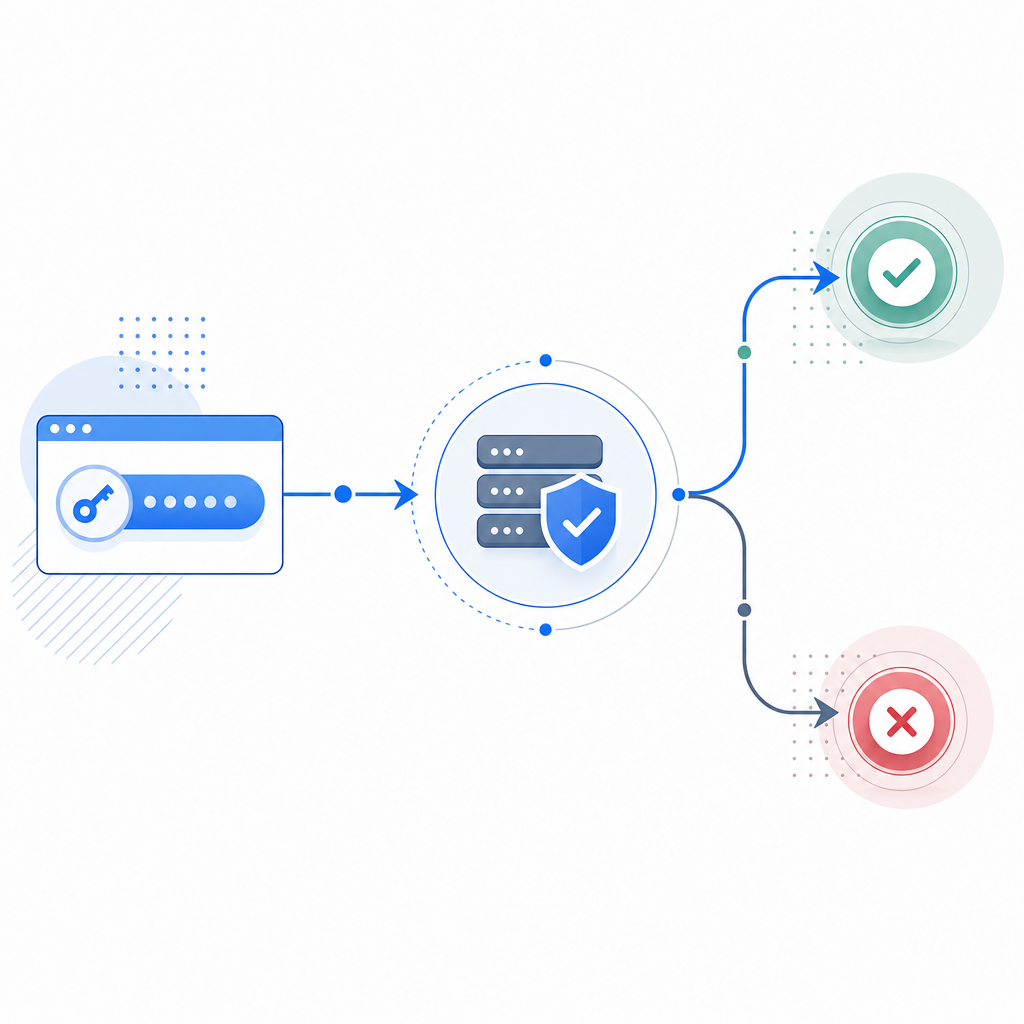
What an anti captcha API means in a Python stack
When people say “anti captcha API,” they often mean one of two things:
- A verification API your backend calls after a challenge is completed.
- A challenge issuance API your backend uses to trigger or rotate challenges for suspicious traffic.
In Python, both fit naturally into request handling code. A login endpoint can check risk signals, prompt a challenge, then validate the returned token before creating a session. A checkout flow can do the same only for high-risk events, which keeps friction low for ordinary users.
A good implementation also keeps the trust boundary clear:
- The browser renders the challenge and returns a pass token.
- Your Python backend verifies that token with your CAPTCHA provider.
- Sensitive actions only happen after a successful server-side check.
- Client IP can be included when the provider supports it, which helps correlate the request context.
That pattern is common across providers, whether you use reCAPTCHA, hCaptcha, Cloudflare Turnstile, or a newer option such as CaptchaLa. The mechanics are similar; the main differences are in SDK support, validation shape, deployment flexibility, and pricing.
A Python validation flow you can actually ship
For CaptchaLa, validation is straightforward: your backend sends a POST request to https://apiv1.captcha.la/v1/validate with pass_token and client_ip, authenticated using X-App-Key and X-App-Secret. On the client side, the loader script is served from https://cdn.captcha-cdn.net/captchala-loader.js, and the platform supports 8 UI languages plus native SDKs for Web (JS, Vue, React), iOS, Android, Flutter, and Electron.
Here’s a minimal Python example using requests:
import requests

def verify_captcha(pass_token: str, client_ip: str) -> bool:
    # Send the token and client IP to the validation endpoint
    url = "https://apiv1.captcha.la/v1/validate"
    headers = {
        "X-App-Key": "YOUR_APP_KEY",
        "X-App-Secret": "YOUR_APP_SECRET",
        "Content-Type": "application/json",
    }
    payload = {
        "pass_token": pass_token,
        "client_ip": client_ip,
    }

    response = requests.post(url, json=payload, headers=headers, timeout=5)
    response.raise_for_status()

    data = response.json()
    # Check the provider's success flag before allowing the request
    return bool(data.get("success"))
A few technical details matter here:
- Use a short timeout, typically 3 to 5 seconds, so CAPTCHA verification never becomes a major bottleneck.
- Validate on the server only; do not trust a “passed” flag coming directly from the browser.
- Pass the client IP from your request context if your provider recommends it.
- Treat validation failures as normal control flow, not exceptional crashes.
- Log outcomes carefully, but avoid storing unnecessary personal data.
If you prefer a more explicit architecture, issue or rotate server tokens when your risk engine decides a challenge is warranted. CaptchaLa supports a server-token endpoint at POST https://apiv1.captcha.la/v1/server/challenge/issue, which can fit workflows where your backend decides when to trigger a challenge rather than relying only on client-side rendering.
Choosing the right provider for Python-backed apps
There isn’t one universal CAPTCHA setup that fits every app. The best choice depends on your stack, traffic profile, and how much operational complexity you want to own.
| Provider | Strengths | Tradeoffs | Good fit for |
|---|---|---|---|
| reCAPTCHA | Familiar ecosystem, widely recognized | Can feel opaque; UX and privacy considerations vary by setup | Teams already invested in Google tooling |
| hCaptcha | Strong abuse controls, common alternative | Integration and UX tuning still required | Sites wanting a non-Google option |
| Cloudflare Turnstile | Low-friction experience, strong edge integration | Best if you already use Cloudflare heavily | Cloudflare-centric deployments |
| CaptchaLa | Python-friendly validation flow, multiple SDKs, first-party data only | Smaller ecosystem than legacy incumbents | Teams wanting a focused SaaS with straightforward integration |
For Python teams, “easy to integrate” is only part of the story. You also want:
- Clear server-side validation docs
- SDKs for the platforms you actually ship on
- Sensible pricing as traffic grows
- Language support for global products
- A model that avoids unnecessary third-party data exposure
CaptchaLa’s published tiers make capacity planning simpler: a free tier at 1,000 monthly requests, Pro at 50K–200K, and Business at 1M. If you’re testing a proof of concept, the free tier is enough to wire up the full flow. If you’re scaling a production app, you can map expected traffic to a tier without guessing.
Implementation patterns that reduce friction
A solid anti-bot design in Python usually blends CAPTCHA with other signals instead of treating CAPTCHA as the only gate. The challenge should be selective, not universal.
1. Gate only risky actions
Use CAPTCHA for:
- account creation
- password reset
- checkout or coupon abuse
- repeated failed logins
- suspicious form submissions
Do not place it on every page load if you can avoid it. That usually adds friction without much benefit.
2. Pair it with server-side rate limiting
CAPTCHA works well alongside:
- IP-based throttling
- per-account attempt limits
- device or session heuristics
- temporary cooldowns after repeated failures
Python frameworks like Django and Flask can enforce these controls cleanly. CAPTCHA should be one layer in the stack, not the entire stack.
3. Keep the validation path short
The token should move from browser to backend to validation API with as few hops as possible. The more places you store or transform it, the more you increase operational risk.
4. Make failure responses consistent
Return a simple “verification failed” response rather than explaining your internal checks. That keeps your user experience predictable and reduces signal leakage to automated traffic.
5. Monitor both pass rate and challenge rate
A low challenge pass rate might mean a bot problem, but it can also mean your UX is too strict. Track both the percentage of requests challenged and the percentage verified successfully. That tells you whether your balance is right.
What a production rollout looks like
A rollout plan for an anti captcha api python deployment usually works best in stages:
- Start in observe mode and collect metrics.
- Challenge only a small slice of risky traffic.
- Add validation to the backend path for a single endpoint first.
- Expand to other endpoints after confirming normal users are not blocked.
- Tune thresholds by route, not globally.
- Review error logs for timeouts, invalid tokens, and misconfigured secrets.
- Revisit challenge placement after major traffic or product changes.
If your application is multi-platform, it helps to keep the challenge logic consistent across web and mobile. CaptchaLa’s SDK coverage for Web, iOS, Android, Flutter, and Electron can simplify that, while server-side validation in Python keeps the final decision centralized. Its docs are the best place to confirm endpoint details and SDK usage before you wire anything into production.

Where this fits in your stack
For many teams, the right architecture is:
- frontend renders the challenge when needed
- Python backend receives the token
- backend validates with the CAPTCHA API
- backend allows or rejects the protected action
- logs and rate limits provide a second line of defense
That pattern works whether your app is a SaaS signup flow, a marketplace form, a support portal, or an internal tool exposed to the internet. It also scales cleanly because the Python app remains the source of truth, rather than the browser.
If you’re evaluating options, it can help to compare setup effort, platform support, and pricing before committing. You can review pricing and see whether your expected volume fits the free, Pro, or Business tier. For teams that want a clean server-verified CAPTCHA flow without adding unnecessary complexity, that’s often enough to move from evaluation to implementation quickly.
Where to go next: read the docs for endpoint and SDK details, then map the validation flow into your Python app before rolling it out route by route.