
A captcha error for site owner usually means the challenge is failing somewhere in the chain between the browser, your frontend integration, and your server-side validation. The fix is usually not “turn CAPTCHA off”; it’s to identify whether the failure is caused by a bad key, a blocked script, a mismatched origin, stale tokens, or a validation request that never reaches your backend.
Most site owners only see the symptom: users report they can’t submit a form, or every request returns “invalid challenge.” The real issue is often one of a few predictable integration problems, and you can narrow them down quickly if you check the client loader, the token exchange, and the server validation response in order.
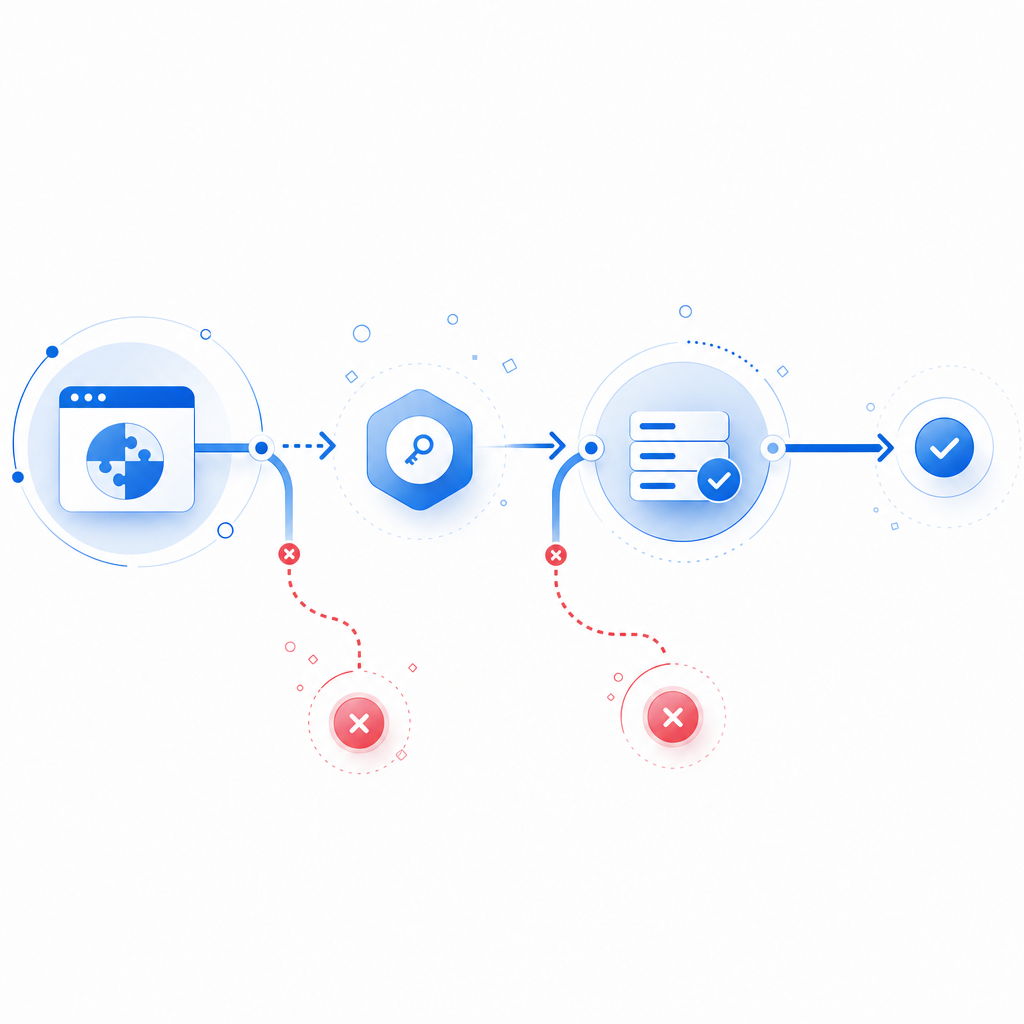
What a captcha error usually means
A CAPTCHA is a small trust pipeline. The browser loads the widget or script, the user completes or is assigned a challenge, a pass token is issued, and your server validates that token before accepting the action. A “captcha error” for a site owner is any break in that pipeline.
Common user-facing symptoms include:
- The widget never appears.
- The challenge loads but cannot be completed.
- The token is issued but rejected by your backend.
- Validation works in staging but fails in production.
- Only some browsers, regions, or devices are affected.
That last point matters. If the failure is intermittent, it is often not a single broken config but a combination of CSP rules, ad blockers, mixed-content issues, or a server mismatch. If the failure is consistent, focus first on keys, endpoints, and environment variables.
A useful mental model is:
- Frontend failure: script blocked, SDK mismatch, origin issue
- Challenge failure: token not issued, expired, or overwritten
- Backend failure: validation endpoint not reached or rejected
- Policy failure: your own rules reject the request after CAPTCHA succeeds

The most common causes and how to confirm them
1) The loader script is blocked or missing
If the CAPTCHA never renders, inspect the browser console and network tab. For CaptchaLa, the loader is served from https://cdn.captcha-cdn.net/captchala-loader.js. If your CSP blocks third-party scripts, the widget will fail before a token can ever be created.
Check for:
script-srcrestrictions in Content Security Policy- ad blockers or privacy extensions
- mixed-content issues on HTTPS pages
- incorrect script placement in the DOM
A fast test is to load the page in a clean browser profile and watch whether the loader returns HTTP 200. If it doesn’t, you likely have a network or CSP problem rather than a CAPTCHA logic problem.
2) The site key or app secret does not match the environment
A surprisingly common captcha error for site owner is using staging credentials in production or vice versa. That can create a confusing pattern where the widget appears to work, but validation fails every time.
Validate these items:
- The frontend is using the correct public site configuration for that domain.
- The backend has the matching
X-App-KeyandX-App-Secret. - The environment variables are deployed to the correct service.
- Rotated credentials are not partially applied across multiple instances.
If you support multiple domains, verify that each allowed origin is registered correctly. A token generated on app.example.com may be rejected if your backend expects a different host pattern or tenant ID.
3) The validation request is malformed or never sent
Server-side validation is where many implementations break. With CaptchaLa, validation is performed by posting to:
POST https://apiv1.captcha.la/v1/validate
The body should include:
{
  "pass_token": "token-from-client",
  "client_ip": "203.0.113.10"
}
And the request should include:
X-App-KeyX-App-Secret
If you are proxying requests through a backend service, make sure the token is forwarded exactly once and not accidentally sanitized, truncated, or converted by your framework. Tokens should be treated as opaque strings.
A good debugging checklist:
- Log the outbound validation request status code.
- Log the upstream response body for non-200 results.
- Confirm the token arrives intact from the client.
- Compare
client_ipwith the IP actually seen by your app, especially behind load balancers or reverse proxies. - Confirm the validation call is made synchronously before final form acceptance.
4) The token expired or was reused
Many CAPTCHA systems reject stale or replayed tokens. If your form allows users to sit on a page for a long time before submitting, the token may expire before the backend validates it. Likewise, if users double-submit or if your frontend reuses the same token across multiple requests, you can see repeated failures.
Treat the pass token as single-use unless your provider explicitly documents otherwise. If users frequently leave forms open, refresh the challenge when the page becomes active again or just before submission.
5) A server-side rule is failing after CAPTCHA passes
Sometimes the CAPTCHA is working correctly, but your app responds with a generic error afterward. That feels like a CAPTCHA failure to users, but the real issue may be validation logic downstream: rate limits, CSRF checks, form validation, or account policy enforcement.
If you return a combined error message, separate the stages in your logs so you can distinguish:
- CAPTCHA validation failed
- CAPTCHA passed, but form validation failed
- CAPTCHA passed, but business rule failed
That separation saves a lot of guesswork.
A practical troubleshooting workflow
Use this sequence to isolate the problem quickly:
- Open developer tools and check whether the loader script loads successfully.
- Verify challenge generation and confirm a token is returned to the frontend.
- Inspect the validation request from your server to
/v1/validate. - Check response codes and bodies for auth errors, malformed payloads, or expired tokens.
- Test on a clean browser and mobile network to rule out extension or caching issues.
- Review deployment config to ensure the correct keys are live in every environment.
- Compare failing and working traffic by browser, region, device, and route.
For teams that prefer a structured rollout, this is one place where a documented integration path helps. CaptchaLa’s docs include the server-side validation flow, and the pricing page is useful if you’re planning around traffic tiers rather than guessing capacity.
Example server validation flow
# Receive form submission
token = request.body.pass_token
client_ip = request.ip

# Send validation request to CAPTCHA provider
response = POST "https://apiv1.captcha.la/v1/validate"
  headers:
    X-App-Key: APP_KEY
    X-App-Secret: APP_SECRET
  body:
    pass_token: token
    client_ip: client_ip

# Accept only if validation succeeds
if response.status == 200 and response.body.valid == true:
  continue_processing()
else:
  reject_request("CAPTCHA validation failed")
The exact implementation will vary by stack, but the logic should stay the same: validate before side effects, and fail closed if validation cannot be confirmed.
Comparing providers and choosing the right failure model
Different CAPTCHA providers fail differently, and that affects how easy they are to debug.
| Provider | Typical integration style | Common failure mode to watch | Notes for site owners |
|---|---|---|---|
| reCAPTCHA | Google script + token verification | Script blocking, hostname mismatch, scoring confusion | Widely used; can be harder to interpret when scoring is involved |
| hCaptcha | Challenge widget + server verification | Token expiry, sitekey misconfig, CSP issues | Often chosen as an alternative with similar operational concerns |
| Cloudflare Turnstile | Managed challenge with low-friction UX | Script policy, origin/config mismatch | Useful where Cloudflare fits the architecture |
| CaptchaLa | Loader + server validation with first-party data only | Loader blocked, token/secret mismatch, validation payload issues | Native SDKs for Web, iOS, Android, Flutter, and Electron; server SDKs in PHP and Go |
The important point is not that one provider never fails. All of them can fail if the browser can’t load the client code or the server can’t validate the token. The best choice is the one whose logs, SDKs, and workflow fit your stack. CaptchaLa supports 8 UI languages and has native SDKs for Web (JS/Vue/React), iOS, Android, Flutter, and Electron, which can reduce integration drift across platforms.
If you are building one flow for web and mobile, consistency matters more than vendor branding. A shared validation pattern across platforms makes outages easier to diagnose.
Preventing repeat captcha errors
Once you fix the immediate issue, put a few guardrails in place so it doesn’t return on the next deploy.
- Add observability. Log client token issuance, server validation attempts, and validation outcomes separately.
- Pin your endpoints. Keep the validation URL and loader URL in config, not scattered constants.
- Test in staging with production-like CSP. Many CAPTCHA failures only appear when security headers are turned on.
- Rotate secrets carefully. Roll one environment at a time and verify that every instance picked up the new credentials.
- Handle expiry gracefully. Refresh tokens on long-lived forms or after significant idle time.
- Fail closed, but clearly. Give users a retry path and give your team an error code in logs.
- Watch proxy headers. If your backend relies on
client_ip, ensure your real client IP extraction logic is correct.
If you’re planning for scale, CaptchaLa’s free tier covers 1000 validations per month, with Pro at 50K–200K and Business at 1M. The pricing bands are useful mainly because they encourage you to size the validation path before traffic spikes force you into guesswork.
Where to go next: if you want the integration details, start with the docs; if you’re checking whether your traffic fits a tier, review the pricing.