
If you need anti bot WordPress protection, the goal is simple: stop automated abuse without making signups, logins, comments, or checkout harder for real people. The most reliable approach is layered defense—rate limits, behavioral checks, server-side validation, and a CAPTCHA or challenge only when risk is high.
WordPress sites attract bots for many reasons: credential stuffing on wp-login.php, fake account creation, spam form submissions, checkout abuse, and scraping. A good anti-bot setup should reduce those attacks while keeping the experience fast for humans. That usually means choosing controls that are hard for scripts to mimic and easy for your stack to verify.

What “anti bot WordPress” really means
Anti-bot protection for WordPress is not just “add a CAPTCHA to the login page.” That helps, but it’s only one layer. A stronger setup looks at where abuse happens and applies the least disruptive control that still blocks automation.
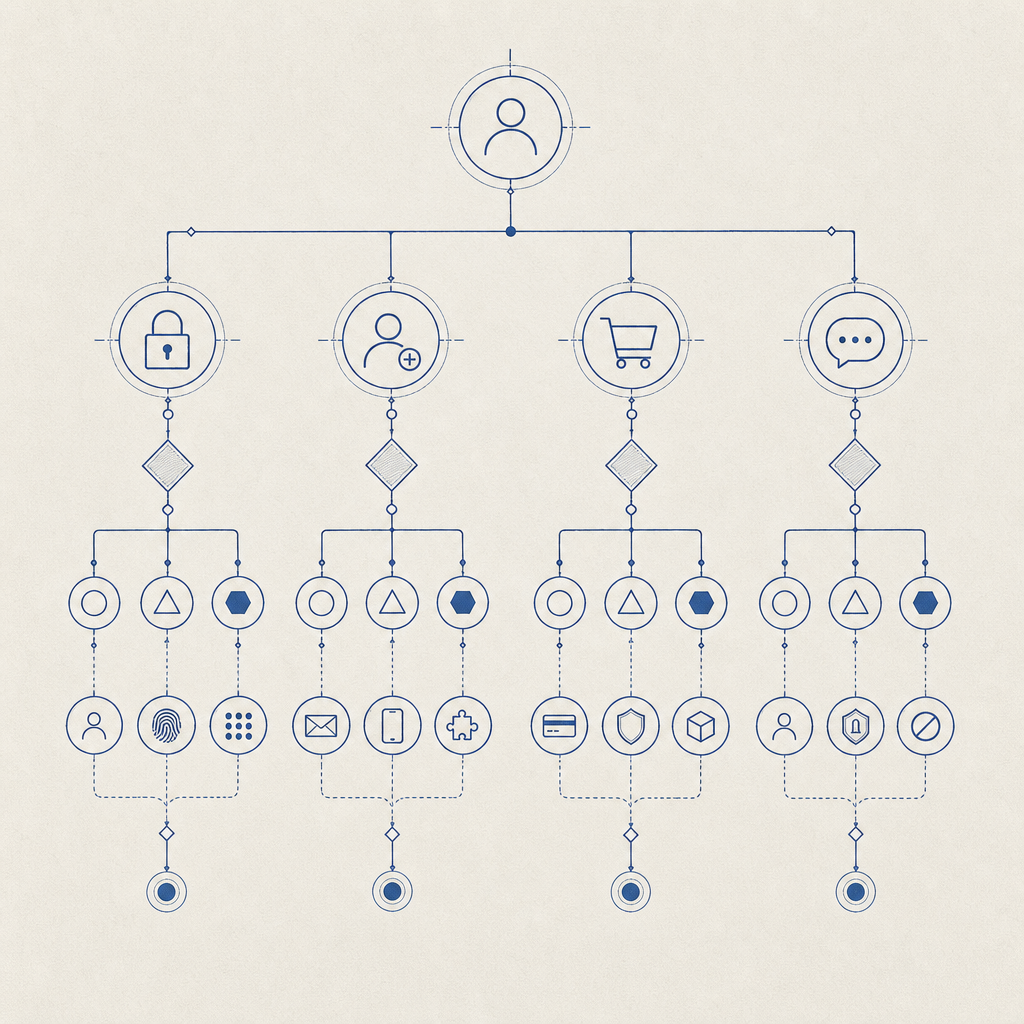
Common WordPress attack surfaces:
- Login attempts — credential stuffing, password spraying, brute force.
- Registration forms — fake accounts, referral fraud, list contamination.
- Comments and contact forms — spam, link injection, form flooding.
- Password reset flows — enumeration and abuse of recovery emails.
- WooCommerce flows — coupon abuse, checkout spam, inventory hoarding.
A practical defense model usually combines:
- IP and ASN rate limiting
- per-session and per-account throttles
- form field timing checks
- bot challenges for suspicious traffic
- server-side token verification
That last point matters. If a challenge only runs in the browser, sophisticated bots can sometimes replay or fake the result. Server-side validation makes the outcome verifiable by your own backend.
Which anti-bot methods work best on WordPress?
Different tools solve different problems. Here’s a quick comparison of the most common options:
| Method | Good for | Tradeoffs | Notes |
|---|---|---|---|
| Honeypot fields | Simple spam | Weak against smarter bots | Easy to add, easy to bypass |
| Rate limiting | Abuse spikes | Can affect shared IPs | Useful as a baseline |
| Email verification | Fake signups | Adds friction | Better for account quality than login defense |
| reCAPTCHA | Broad bot filtering | Can add friction, privacy concerns for some teams | Common, familiar to users |
| hCaptcha | Similar to reCAPTCHA | Can still interrupt flow | Often chosen as an alternative |
| Cloudflare Turnstile | Low-friction challenge | Depends on Cloudflare setup | Good fit when you already use Cloudflare |
| Server-validated CAPTCHA | Stronger assurance | Needs integration | Best when paired with backend checks |
For WordPress, the most useful question is not “Which CAPTCHA is popular?” but “Which control fits this specific endpoint?” A checkout form may need a different policy than a password reset form. For login, you may want step-up checks only after repeated failures. For public forms, a challenge on submission may be enough.
CaptchaLa supports this kind of layered setup with native SDKs across Web (JS, Vue, React), iOS, Android, Flutter, and Electron, plus server SDKs for PHP and Go. It also supports 8 UI languages, which matters if your WordPress audience is international and you want the challenge to feel native rather than bolted on. If you want implementation details, the docs are the best place to start.
How to add stronger protection without hurting UX
A good anti-bot strategy on WordPress should be selective. You do not need to challenge every visitor. In many cases, you only need to challenge suspicious requests, repeated attempts, or high-value actions.
A practical implementation plan:
Protect the highest-risk forms first
wp-login.php- user registration
- password reset
- contact forms
- WooCommerce checkout and coupon submission
Use a challenge only when risk increases
- multiple failed logins from the same IP or fingerprint
- rapid form submissions
- unusual geolocation or ASN patterns
- requests with inconsistent headers or missing client behavior
Validate on the server
- never trust a browser-only “passed” signal
- verify the pass token before completing the action
- tie validation to the client IP when appropriate
Log and monitor
- challenge rate
- pass/fail ratio
- false positive rate
- endpoint-specific abuse patterns
Tune by endpoint
- login: stricter
- comment forms: moderate
- newsletter signup: lighter
- checkout: context-dependent
Here’s a simple server-side validation pattern you can adapt for a WordPress plugin or custom endpoint:
<?php
// Validate a challenge result on your server before allowing the action.

$payload = [
    'pass_token' => $_POST['pass_token'],
    'client_ip'  => $_SERVER['REMOTE_ADDR'],
];

$ch = curl_init('https://apiv1.captcha.la/v1/validate');
curl_setopt($ch, CURLOPT_POST, true);
curl_setopt($ch, CURLOPT_POSTFIELDS, json_encode($payload));
curl_setopt($ch, CURLOPT_HTTPHEADER, [
    'Content-Type: application/json',
    'X-App-Key: YOUR_APP_KEY',
    'X-App-Secret: YOUR_APP_SECRET',
]);
curl_setopt($ch, CURLOPT_RETURNTRANSFER, true);

$response = curl_exec($ch);
curl_close($ch);

// Parse response and allow or deny the request based on validation status.
The important design choice is not the exact code snippet; it’s the verification boundary. The browser collects the challenge result, but your backend decides whether the request proceeds. CaptchaLa’s validate endpoint is designed for that pattern, and the server-token flow is available when you need to issue a challenge from your own backend via POST https://apiv1.captcha.la/v1/server/challenge/issue.
WordPress-specific deployment patterns
WordPress gives you several places to enforce anti-bot rules, and the right one depends on how your site is built.
Plugin-based sites
If you use a form plugin, membership plugin, or WooCommerce add-on, the easiest route is usually to hook into its submit or authentication flow. Add the challenge widget or loader on the client side, then validate the token before processing the request.
For the client, the loader is served from:
https://cdn.captcha-cdn.net/captchala-loader.js
That setup keeps the integration lightweight and avoids extra asset management in WordPress themes. If your site is multilingual, the 8 UI languages help reduce friction for non-English users.
Custom themes and headless WordPress
If your WordPress front end is more custom, you can place the challenge where it makes the most sense:
- on a login modal
- before form submission
- on a gated API route
- after a suspicious event threshold is reached
In headless setups, the browser challenge and server validation can sit outside WordPress entirely while still protecting WordPress-backed APIs. That is useful when WordPress is serving content but a separate app handles auth or forms.
When to choose a softer or harder control
- Soft control: comments, newsletter signup, low-risk contact forms
- Medium control: new registrations, password reset, coupon claims
- Hard control: login bursts, admin endpoints, checkout abuse
The main objective is to avoid challenging everyone all the time. A well-tuned anti-bot system should feel invisible to normal users and noticeable only to automated traffic.
CaptchaLa also offers straightforward pricing tiers for different traffic levels, including a free tier for 1,000 monthly requests, Pro for 50K–200K, and Business for 1M. If you are testing on a staging WordPress site first, start small and measure challenge rates before widening enforcement. You can review pricing if you need to estimate volume.
Choosing between reCAPTCHA, hCaptcha, Turnstile, and a server-validated flow
There is no universal winner, because the “right” choice depends on your stack, privacy preferences, and user experience goals.
- reCAPTCHA is familiar and widely recognized, which can reduce implementation uncertainty.
- hCaptcha is often used as an alternative when teams want a different vendor or challenge style.
- Cloudflare Turnstile is attractive for sites already inside Cloudflare’s ecosystem and aiming for low friction.
- Server-validated challenge systems are strongest when you want your backend to make the final trust decision.
For WordPress teams, the biggest operational question is whether the protection is easy to maintain. If your developers can add the widget quickly, verify tokens in the backend, and keep challenge rates sane, adoption is much more likely to stick. If a solution requires constant tuning, users tend to feel the pain first.
A sensible path is to start with one protected endpoint, compare false positives, then expand. That avoids over-engineering and gives you real data on how bots are behaving on your site.
Where to go next
If you’re setting up anti bot WordPress protection, start with your highest-risk forms, validate server-side, and expand only where abuse justifies it. For implementation details, check the docs, or review pricing if you want to estimate traffic at scale.