
An anti bot WAF is a web application firewall configured to detect, challenge, rate-limit, or block automated traffic before it reaches sensitive parts of your app. It is useful, but it is not a complete bot-defense strategy by itself: the strongest setup combines request filtering, session signals, challenge flows, and server-side verification.
If you’re deciding whether you need one, the short answer is yes for almost any public-facing login, signup, checkout, or API surface. Bots do not just scrape content anymore; they probe credentials, exhaust promo codes, spam forms, and hammer password reset flows. A WAF can stop a lot of that at the edge, but it works best when it can distinguish ordinary browser behavior from automation with enough confidence to avoid punishing real users.
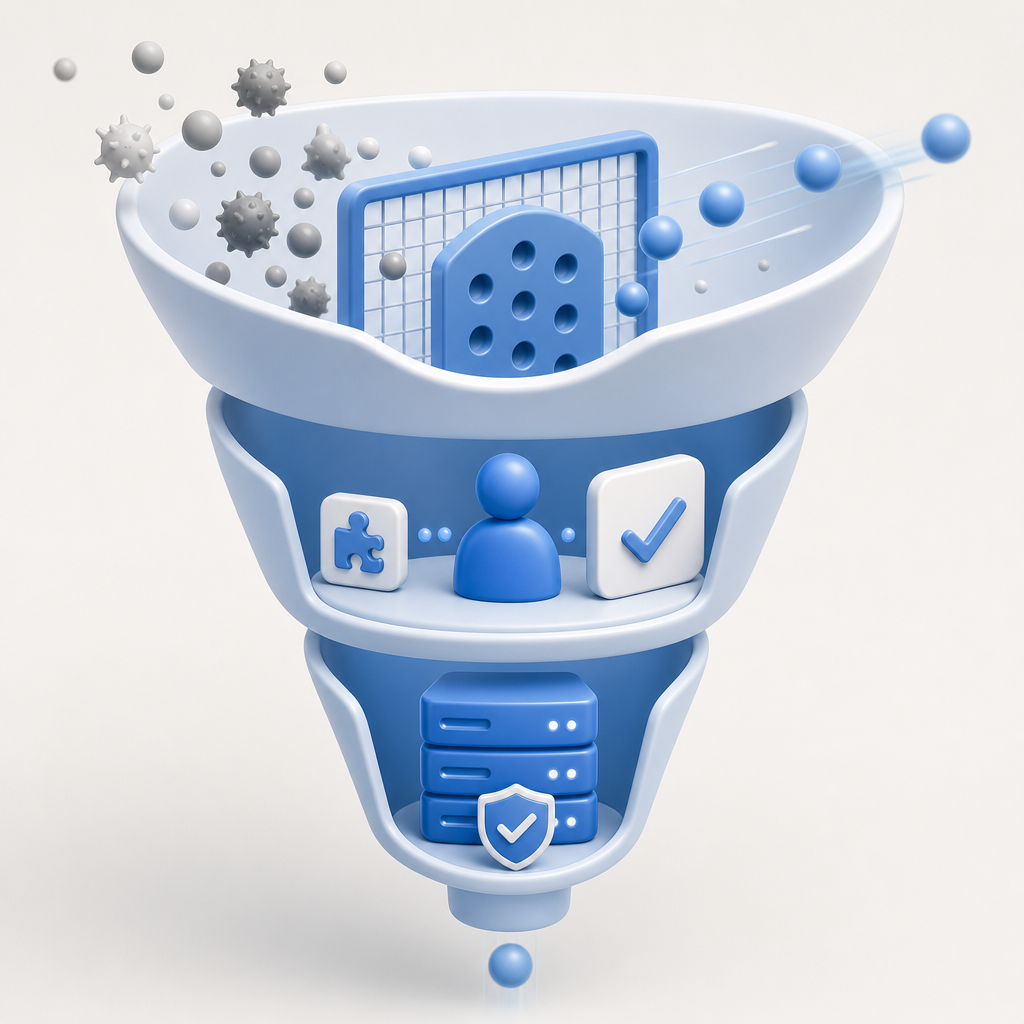
What an anti bot WAF actually does
A normal WAF primarily protects your application from malicious requests: injection attempts, protocol abuse, malformed payloads, and obvious attack patterns. An anti bot WAF adds bot-specific logic on top of that. Instead of asking only “is this request dangerous?”, it also asks:
- Does this traffic look like a scripted client or headless browser?
- Is the request rate abnormal for this endpoint or session?
- Are the same patterns repeated across IPs, ASNs, user agents, or device fingerprints?
- Should this request be blocked, challenged, throttled, or allowed?
That response choice matters. A login endpoint may deserve a stronger challenge than a marketing page. A password reset endpoint may need tighter limits than a read-only API. A good anti bot WAF therefore works as a policy engine, not just a blacklist.
Common signals a WAF can use
A mature anti bot setup often blends several signals rather than relying on one “magic” score:
- IP reputation and geo anomalies
- Request rate and burst patterns
- Header consistency and browser entropy
- Cookie continuity and session age
- TLS / fingerprint characteristics
- Navigation flow: did the client actually load the page before posting the form?
- Challenge pass history and validation status
The important part is correlation. One suspicious header is rarely enough. Multiple weak signals together can justify a challenge with much lower false-positive risk.
Where an anti bot WAF is strong, and where it falls short
An anti bot WAF is excellent at filtering out commodity automation and reducing volume before traffic reaches your app. It is especially helpful when bots are noisy, repetitive, or obviously off-pattern. But it can miss more adaptive abuse, and it can also be too blunt if you treat every anomalous request as malicious.
Here is a practical comparison:
| Control | Best for | Strengths | Limitations |
|---|---|---|---|
| Anti bot WAF | Edge filtering, abuse reduction | Centralized policies, fast blocking, rate-based defenses | Can be bypassed by more human-like automation if signals are weak |
| CAPTCHA challenge | Proving human interaction | Strong friction for bots, easy to place on sensitive actions | Adds user friction; needs good accessibility handling |
| Rate limiting | Volume control | Simple and effective for burst abuse | Doesn’t identify intent or distinguish humans from bots |
| Device/session risk scoring | Adaptive trust decisions | More nuanced than IP-only rules | Requires careful tuning and ongoing maintenance |
| Server-side token validation | Prevents client-side spoofing | Verifies challenge completion on your backend | Needs integration and secret management |
The best takeaway: a WAF is not a replacement for a challenge system. It is the outer layer. For high-value actions, you usually want the WAF to decide whether to let a request through, then a CAPTCHA or token-based proof to validate that the client is behaving like a real browser.

How to design a practical bot-defense stack
The cleanest architecture is usually layered. You want cheap checks first, stronger checks only when needed, and server verification for anything sensitive.
1) Filter obvious abuse at the edge
Start with the WAF and CDN layer:
- Block obviously invalid requests
- Apply endpoint-specific rate limits
- Deny impossible method/header combinations
- Watch for repeated failures on login, signup, and reset routes
If you run a public API, treat each endpoint separately. A search route and an authentication route should not share the same thresholds.
2) Challenge suspicious but uncertain traffic
This is where CAPTCHA-style verification helps. When the WAF sees borderline behavior, it can require a challenge instead of making a hard block. That keeps friction proportional to risk.
Tools like reCAPTCHA, hCaptcha, and Cloudflare Turnstile are often used here, and each has its own trade-offs around UX, privacy posture, and integration style. The right choice depends less on brand and more on what signals you want to trust, how much friction you can tolerate, and what data you’re comfortable sharing.
If you want to keep first-party data in the loop, CaptchaLa is built around that model. It supports 8 UI languages and native SDKs for Web (JS/Vue/React), iOS, Android, Flutter, and Electron, which makes it easier to place proof-of-human checks where the risk actually appears.
3) Verify on the server, not just in the browser
Client-side completion is not enough on its own. Your backend should validate the pass token before granting access to protected actions.
A simple verification flow looks like this:
1. User completes challenge in the browser
2. Frontend receives a pass_token
3. Frontend submits pass_token with client_ip to your server
4. Server calls the validation endpoint with secret credentials
5. Server accepts or rejects the action based on the response
In CaptchaLa’s case, validation happens with:
POST https://apiv1.captcha.la/v1/validate
Headers:
  X-App-Key: your_app_key
  X-App-Secret: your_app_secret
Body:
  {
    "pass_token": "...",
    "client_ip": "203.0.113.10"
  }
For server-issued challenge flows, there is also:
POST https://apiv1.captcha.la/v1/server/challenge/issueThat separation is useful: the browser handles presentation, your backend handles trust.
4) Keep policies endpoint-aware
A mistake I see often is applying one universal policy to the whole site. Better is to tier the policies:
- Public content: observe and lightly rate-limit
- Signup and login: challenge suspicious behavior
- Password reset and OTP endpoints: stronger checks
- Checkout and payout actions: strict verification plus fraud review
- Admin surfaces: allowlist, MFA, and challenge fallback
This is where an anti bot WAF really earns its keep. It reduces noise, but you still get to choose the right level of friction for each path.
Implementation details that matter more than people expect
The technology is only half the story; the integration details decide whether the system is easy to maintain.
First, keep the frontend and backend responsibilities separate. The browser should render the challenge and collect the token. The server should own the secret key and decide whether the token is valid. That avoids client-side trust leaks.
Second, make sure your logs include enough context to tune your rules later: endpoint, outcome, request rate, token validation success, and any WAF rule that triggered. Without that, you are guessing.
Third, treat accessibility and latency as first-class requirements. A challenge that works in English but not in other locales, or one that fails on mobile browsers, will create support overhead. CaptchaLa supports multiple UI languages and mobile/native SDKs, which helps when you need consistency across web and app flows.
For implementation, it’s also helpful that CaptchaLa publishes server SDKs like captchala-php and captchala-go, plus mobile package options such as Maven la.captcha:captchala:1.0.2, CocoaPods Captchala 1.0.2, and pub.dev captchala 1.3.2. That makes it easier to keep verification logic close to the systems that enforce it.
When teams are evaluating deployment cost, the pricing shape matters too: a free tier for 1,000 monthly requests, Pro at 50K–200K, and Business at 1M can be enough to test a layered setup before expanding it. If you’re mapping this into an existing stack, the docs at docs are the fastest place to start.
When to use a WAF, when to add CAPTCHA, and when to do both
Use just the WAF when the risk is broad, low-stakes, and mostly volumetric. Add CAPTCHA when the action matters and you need proof that the client can complete a human challenge. Use both when the endpoint is high-value and public.
A simple rule of thumb:
- If the cost of a false positive is low, challenge more aggressively.
- If the cost of a false positive is high, prefer layered scoring and server verification.
- If bots are causing measurable abuse, do not rely on client-side checks alone.
For many teams, the right answer is not “WAF or CAPTCHA?” but “Which layer should decide first, and which layer should confirm?” That sequence keeps the experience smoother for legitimate users while making automation much harder to scale.
Where to go next: review the implementation details in the docs or compare plans at pricing if you want to estimate traffic coverage before rollout.