
If you need anti bot TikTok protection, the short answer is: defend the points where automated traffic creates the most damage—logins, signups, password resets, content actions, and API endpoints—while keeping the human flow as frictionless as possible. TikTok-style abuse usually shows up as account creation abuse, credential stuffing, scraping, referral abuse, and spammy engagement, so the right defense is less about blocking everything and more about risk-based checks at the right moments.
For teams building TikTok-like apps, creator tools, ad tooling, analytics dashboards, or moderation workflows around TikTok content, the same rule applies: don’t make every user prove they’re human on every request. Put verification only where automation is likely to create cost, fraud, or operational noise. A good CAPTCHA/bot-defense layer helps separate real users from scripted traffic without turning onboarding into a maze.

What anti bot TikTok actually needs to stop
The phrase “anti bot TikTok” can mean two different things. If you’re defending your own product that integrates with TikTok workflows, you’re probably fighting bots around authentication, scraping, and abuse. If you’re protecting a social experience similar to TikTok, you’re dealing with fake accounts, engagement spam, and automated content abuse.
The main attack patterns are usually predictable:
Credential stuffing on logins
Bots try known email/password pairs at scale. Even a low success rate can cause account takeovers.Mass signups and disposable identities
Automated registrations pollute user metrics, abuse referral programs, and make moderation harder.Rate abuse on public or semi-public APIs
Scraping profile data, feed data, or analytics endpoints can inflate costs and expose proprietary information.Spam actions
Likes, follows, comments, reports, and invites are often targeted because they’re cheap to automate.Workflow abuse
Password reset, SMS/OTP request, invite sending, and webhook-triggering endpoints can be used to generate fraud or operational noise.
The defender’s goal is not “block all bots forever.” It’s to make abuse uneconomical while keeping latency, completion rate, and false positives under control.
Where to place verification so users don’t feel punished
A common mistake is treating bot defense like a wall at the front door. That’s rarely enough. Automation often slips through because the most sensitive actions happen later.
A more effective approach is to apply checks based on risk and intent. For example:
- Signup: verify when registration velocity spikes, the device/IP looks suspicious, or the same client repeats form submissions.
- Login: trigger a challenge after failed attempts, unusual geolocation, or session anomalies.
- Password reset: require stronger validation because the blast radius is high.
- Posting or commenting: challenge bursts, copied text patterns, or new accounts with unusual cadence.
- API requests: rate-limit and verify requests that show scraping signatures or abnormal volume.
Here’s a simple decision model you can adapt:
# English comments only
if endpoint in ["signup", "login", "password_reset"]:
    risk = score_ip(client_ip) + score_device(fingerprint) + score_velocity(user_id, client_ip)

    if risk >= high_risk_threshold:
        require_challenge()
    elif risk >= medium_risk_threshold:
        step_up_verification()
    else:
        allow_request()

elif endpoint in ["feed", "profile", "search"]:
    if request_rate_exceeds_baseline(client_ip) or pattern_matches_scraper():
        require_challenge_or_throttle()
    else:
        allow_request()
This is the core idea behind modern bot defense: challenge only when signals indicate probable automation.
Comparing common bot-defense options
Different products fit different architecture and user experience goals. A practical comparison:
| Tool | Strengths | Tradeoffs | Good fit |
|---|---|---|---|
| reCAPTCHA | Widely recognized, easy to add | Can add user friction; UX varies by mode | Basic web forms and legacy stacks |
| hCaptcha | Strong bot-defense focus, flexible challenge options | Can feel heavier depending on configuration | Abuse-prone forms and high-risk flows |
| Cloudflare Turnstile | Low-friction checks, simple deployment in Cloudflare ecosystems | Best when your stack already aligns with Cloudflare | Sites already using Cloudflare tooling |
| CaptchaLa | Native SDKs across web and mobile, first-party data only, clear server validation flow | Requires integration work like any dedicated bot-defense layer | Products needing coordinated app + API protection |
This isn’t about one tool “winning.” It’s about matching the system to your traffic, stack, and risk tolerance.
CaptchaLa is worth considering if you want a bot-defense layer that works across Web (JS, Vue, React), iOS, Android, Flutter, and Electron, with server SDKs like captchala-php and captchala-go. It also supports 8 UI languages, which matters if your audience is global and you don’t want challenge text becoming a conversion bottleneck.
A practical implementation pattern for TikTok-like flows
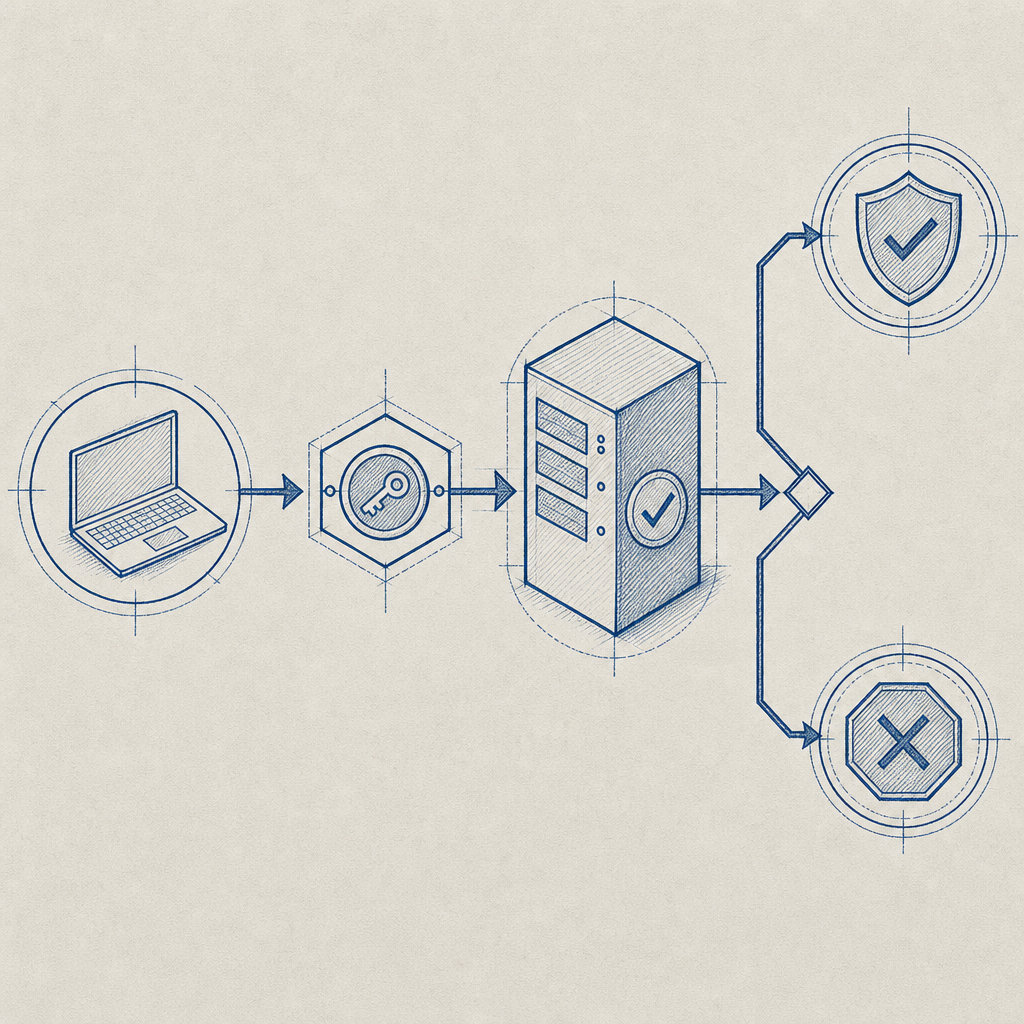
A clean implementation usually has three parts: a client loader, a token exchange, and a server-side validation step.
CaptchaLa’s loader is served from:
https://cdn.captcha-cdn.net/captchala-loader.js
On the server side, you validate tokens with:
POST https://apiv1.captcha.la/v1/validate
with a body like:
{
  "pass_token": "token_from_client",
  "client_ip": "203.0.113.42"
}
and headers:
X-App-KeyX-App-Secret
That means the browser or app gets a token after the challenge, and your backend verifies it before allowing the sensitive action to proceed.
For higher-risk flows, you can also issue server-side challenge tokens using:
POST https://apiv1.captcha.la/v1/server/challenge/issue
That’s useful when your backend decides a request needs stronger proof of interaction before continuing.
A few implementation details matter more than people expect:
Validate close to the action
Don’t validate at page load and assume the token stays meaningful forever. Re-check at submission or action time.Bind checks to the endpoint and context
A token that was valid for signup should not be treated as a universal pass for password reset or posting.Use client IP when available
IP alone is not enough, but it helps with rate correlation and replay resistance.Keep first-party data only
Collect only what you need to assess risk and verify legitimacy. That reduces privacy exposure and compliance overhead.Measure false positives
If real users are being challenged too often, the defense is costing you growth even when it blocks bots.
If you want to see how the integration pieces fit together, the docs are the best place to start.
How to tune friction without losing real users
The best anti bot TikTok setup is one your users barely notice. That sounds obvious, but many teams overcorrect and place a challenge on every sensitive click. That usually harms conversion more than it helps security.
A better tuning strategy is to combine bot-defense with other signals:
- Velocity: requests per IP, per account, per device, per minute
- Behavior: repeated identical form timings, impossible navigation patterns, high-frequency retries
- Reputation: known bad IP ranges, disposable email domains, proxy-like behavior
- Session context: new device, unusual browser state, stale session, failed MFA
- Business context: new account posting too quickly, referral abuse, promo abuse, or suspicious ad spend patterns
You can also tier the response:
- Low risk: allow silently
- Medium risk: lightweight challenge
- High risk: stronger challenge plus throttling or temporary lockout
- Extreme risk: block and log for review
That tiering approach works better than a one-size-fits-all wall because it lets normal users move quickly while making automation expensive. For product teams, that usually means better completion rates, fewer support tickets, and cleaner analytics.
If you’re comparing rollout costs, pricing can help you map expected volume to plan fit. CaptchaLa’s free tier covers 1,000 validations per month, with Pro ranges around 50K-200K and Business around 1M, so it’s straightforward to start small and scale based on actual abuse patterns.
Closing thought
Anti bot TikTok protection works best when it’s targeted, measurable, and boring in the best possible way: real users get through, scripts get stuck, and your team gets cleaner data. Focus on the few flows that matter most, validate server-side, and keep the challenge invisible unless risk says otherwise. If you’re planning an implementation, start with the docs or review pricing to see which tier fits your traffic profile.