
A “captcha costume” is the visible form your challenge takes: the puzzle, prompt, or interaction users see before they can continue. In practice, it is not just a visual skin. It is the human-facing layer of a bot-defense system, and the quality of that layer affects fraud resistance, conversion, and user trust.
The mistake is thinking a captcha costume is only about appearance. A sleek widget that feels familiar but relies on weak checks can still be easy to automate. A harsher challenge may deter bots, but it can also frustrate legitimate users. The right approach is to treat the costume as the presentation of a deeper verification flow: one that balances accessibility, friction, and signal quality.
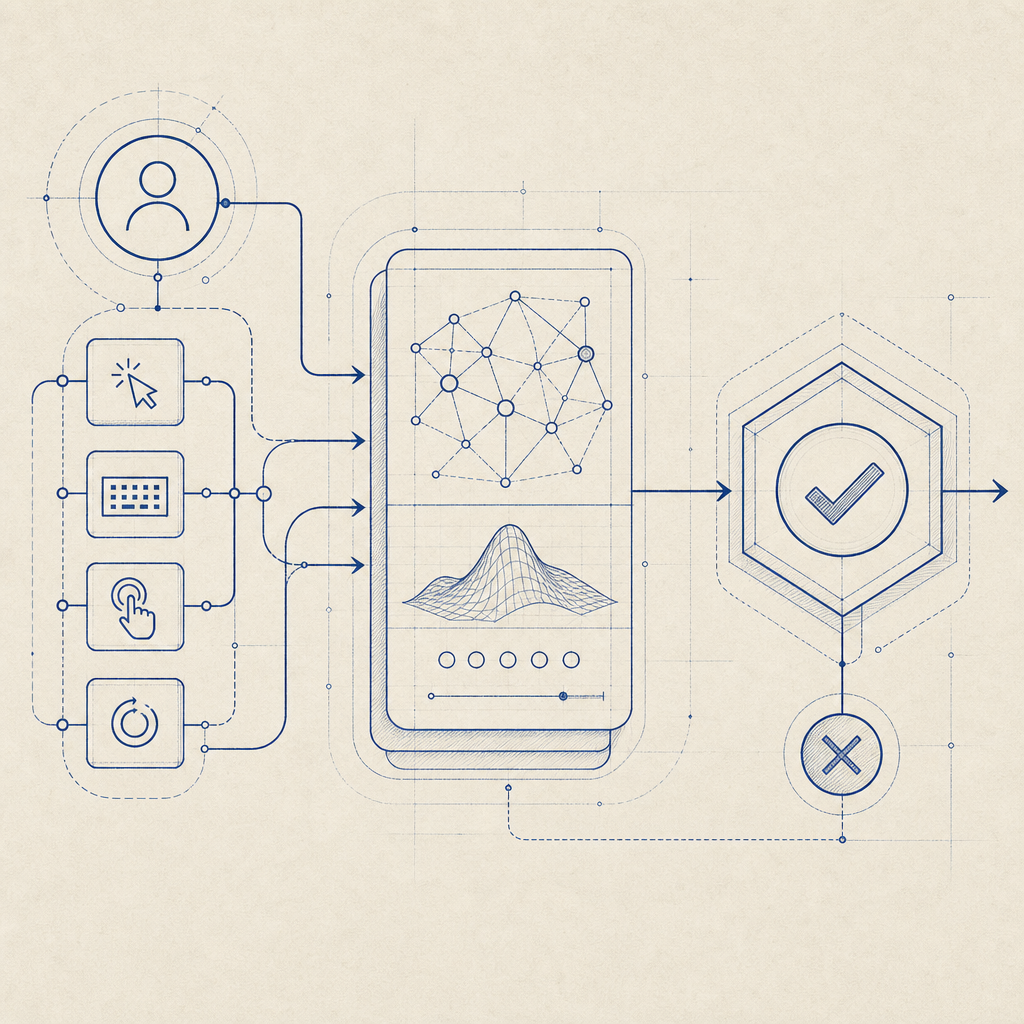
What people usually mean by “captcha costume”
The phrase usually comes up in one of two ways.
First, some teams use it casually to describe the user interface of a CAPTCHA: the checkbox, image grid, or challenge prompt. Second, it appears in conversations about bot evasion, where a “costume” implies a disguise that makes automation look human. From a defender’s perspective, those are different problems.
A CAPTCHA costume should be designed for three goals:
Communicate legitimacy quickly
Users should understand that the challenge is part of the site’s security flow, not a suspicious pop-up.Collect useful verification signals
The visible challenge is only one part of the system. Risk signals, timing, token validation, and server-side checks matter more than the appearance itself.Avoid unnecessary friction
A challenge that is too hard can suppress signups, checkout completion, and form submissions.
If you’re evaluating products, focus less on how “smart” the costume looks and more on what happens after the interaction. Does the client generate a pass token? Can the server validate it reliably? Can you tune the flow by risk level or endpoint? That is where the real security work happens.
Why the visible layer still matters
The user-facing layer affects behavior, and behavior affects security outcomes. A good CAPTCHA costume can reduce abandonment, lower support tickets, and make it clear that the site is serious about abuse prevention. A confusing one creates the opposite effect: users refresh repeatedly, abandon forms, or assume the page is broken.
There is also a trust dimension. A familiar pattern often feels safer than an unexpected one. That is why products like reCAPTCHA, hCaptcha, and Cloudflare Turnstile have converged on recognizable challenge patterns, even though the underlying mechanics differ. The challenge UI is only one part of the experience; the implementation details determine how much abuse you actually stop.
A useful way to think about it is this:
| Layer | What users see | What defenders care about |
|---|---|---|
| Costume / UI | Checkbox, puzzle, silent check, or challenge screen | Completion rate, accessibility, user confidence |
| Client signals | Loader, timing, interaction events | Bot heuristics, script integrity, friction controls |
| Server validation | Token exchange and risk decision | Tamper resistance, auditability, replay protection |
With CaptchaLa, the client side and server side are designed to fit together cleanly. That matters because the visible costume should never be the only thing protecting you.

Choosing a captcha costume without overcomplicating things
Not every site needs the same presentation. A public blog comment form, a password reset page, and a high-volume signup endpoint do not carry the same risk. The costume should reflect the endpoint’s abuse profile, not a generic security aesthetic.
Here are a few practical considerations:
1) Match friction to risk
Low-risk interactions can use lighter challenge styles or even invisible checks when the underlying signals are strong. Higher-risk actions may need a more explicit challenge, especially if you see credential stuffing, scraping, or automated form abuse.
2) Plan for accessibility and localization
CAPTCHA is not just about stopping bots. It also has to work for real people across devices and languages. CaptchaLa supports 8 UI languages and native SDKs for Web (JS/Vue/React), iOS, Android, Flutter, and Electron, which helps teams keep the costume consistent across platforms without inventing separate flows.
3) Keep the challenge portable
If your frontend changes frequently, the costume should not be tightly coupled to one framework or one page template. A well-designed loader and token flow lets you place the challenge where it makes sense without rewriting your app architecture.
4) Prefer server-verifiable outcomes
A visible challenge that cannot be validated cleanly on the server is mostly theater. For example, a standard validation flow can look like this:
1. Render the challenge in the client
2. User completes interaction
3. Client receives pass_token
4. Server sends POST request to validation endpoint
5. Server checks token, client IP, and app credentials
6. Allow, block, or step up the request
For CaptchaLa, validation is handled with POST https://apiv1.captcha.la/v1/validate using {pass_token, client_ip} plus X-App-Key and X-App-Secret. That separation keeps the costume simple while the decision logic stays on your backend.
Implementation details that matter more than the costume
The costume is only as useful as the system behind it. When teams compare CAPTCHA vendors, they often focus on the visible widget first, but the more important questions are about integration, token flow, and operational fit.
A few concrete details to look for:
Loader stability
The client asset should be lightweight and predictable. CaptchaLa’s loader is available athttps://cdn.captcha-cdn.net/captchala-loader.js, which is straightforward to include across web apps.Server-side challenge issuance
Some flows need a server token before the client can render or proceed. CaptchaLa supportsPOST https://apiv1.captcha.la/v1/server/challenge/issue, which helps when you want tighter control over when a challenge is created.SDK coverage across environments
Native support is useful when your product spans web and mobile. CaptchaLa offers SDKs for Web, iOS, Android, Flutter, and Electron, plus server libraries likecaptchala-phpandcaptchala-go.Versioned package availability
It helps when installation is explicit. Current package examples include Mavenla.captcha:captchala:1.0.2, CocoaPodsCaptchala 1.0.2, and pub.devcaptchala 1.3.2.Data handling
Ask what data is used for verification. First-party data only is a sensible baseline for privacy-conscious deployments, especially when you operate in regulated environments or want a simpler data story.
If you are deciding between reCAPTCHA, hCaptcha, Cloudflare Turnstile, or another provider, the real comparison should include server integration, token validation, accessibility, and how much operational visibility you get when abuse patterns change.
A practical mental model for defenders
A good captcha costume should be thought of as a controlled checkpoint, not a decorative obstacle. The challenge should be visible enough to reassure humans and opaque enough to frustrate automation, but the real security decision should happen behind the scenes.
For teams that want to modernize their flow without overbuilding, a simple mental model works well:
- Expose the lightest possible UI that still fits the risk
- Collect only the signals you need
- Validate on the server every time
- Step up friction only when behavior looks suspicious
- Measure completion rates and abuse outcomes together
That last point matters. If your challenge blocks bots but also reduces legitimate conversions, the costume is costing you more than it protects. If it is invisible but ineffective, it is just decoration. The sweet spot is a flow that people barely notice unless they are abusing it.
For implementation details, see the docs. If you want to understand plan sizing for different traffic levels, the pricing page gives a clear starting point.
Where to go next: if you’re refining your CAPTCHA costume or replacing a brittle flow, start with the docs or review pricing to map the right protection level to your traffic.