
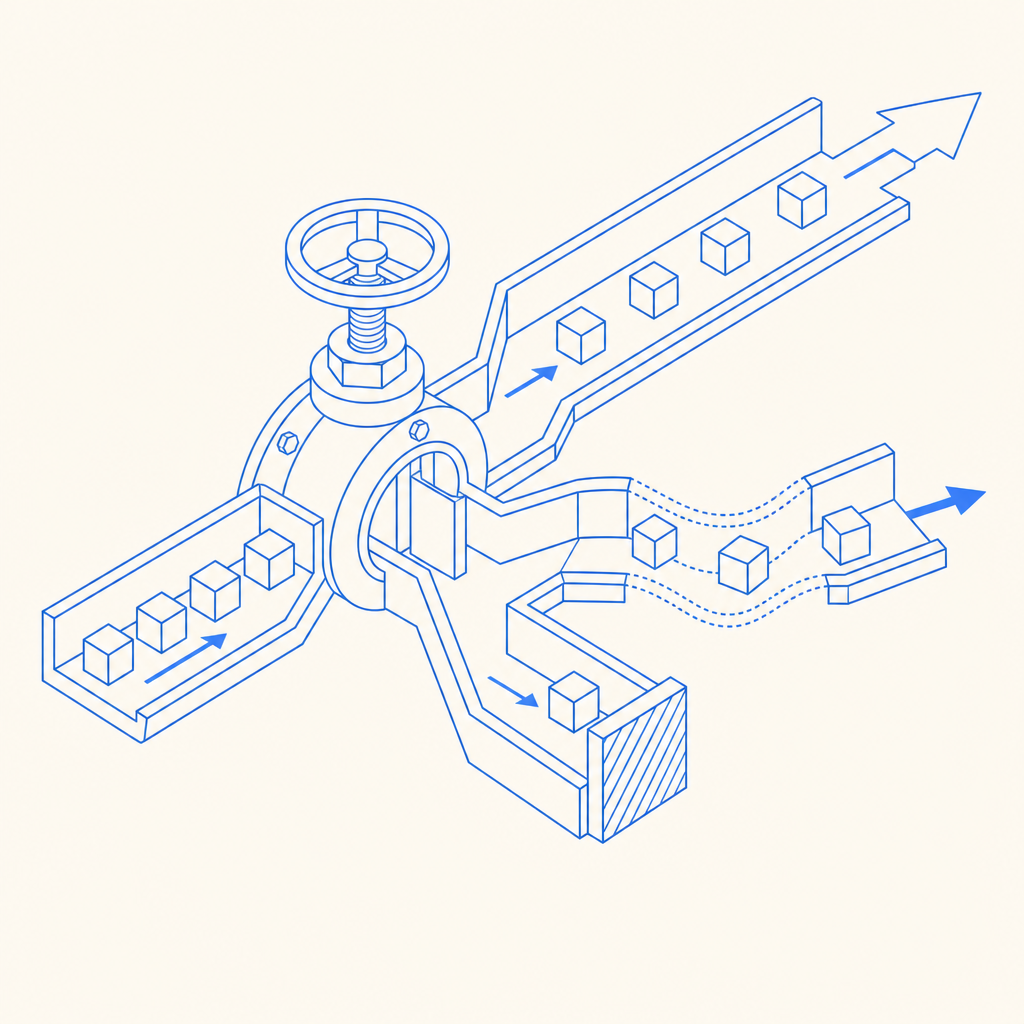
An anti bot spigot is the control point that decides how much automation your application will let through, when, and at what cost. In practical terms, it is the combination of signals, challenge checks, rate controls, and server-side validation that prevents scripted abuse from turning one endpoint into a firehose.
For defenders, the goal is not to block all automation. It is to distinguish legitimate users, trusted clients, and risky traffic without creating a frustrating experience. That means treating the spigot as a policy layer: some requests pass cleanly, some get challenged, and some get denied or slowed down.
What an anti bot spigot actually does
The term sounds mechanical because the idea is mechanical: a spigot regulates flow. A bot-defense spigot does the same for request traffic. Instead of letting every submission hit your backend equally, it uses layered checks to make abuse expensive and unreliable.
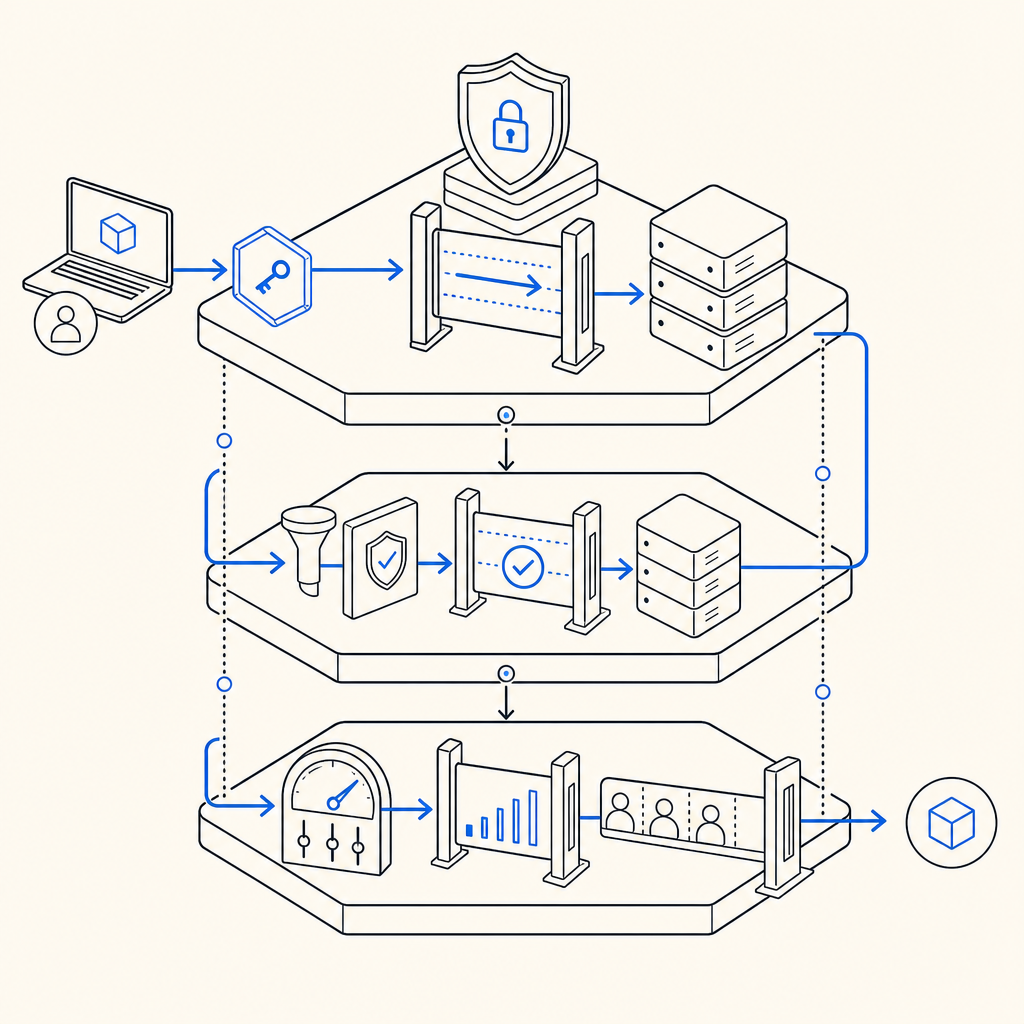
A good implementation usually combines:
- Client-side friction: lightweight challenge widgets or token generation before a sensitive action.
- Server-side verification: confirm that the token was issued recently and corresponds to the request being made.
- Risk-aware routing: allow low-risk traffic to proceed, and step up checks for suspicious traffic.
- Operational feedback: watch challenge pass rates, retries, and abuse spikes so you can tune thresholds.
That framing matters because anti-bot systems fail when they are treated like a yes/no gate only. Real traffic is messier. A checkout flow, signup form, password reset, and API submission all have different risk profiles. The “spigot” should be adjustable per route, not a single global switch.
Building the control points: where to place friction
The strongest defenses usually sit at the edges of your workflow, not deep inside business logic. If you wait until after a resource is already expensive to allocate, you have already paid the bot tax.
A useful way to think about placement is:
1) Before the action
Use a challenge or token check before the user can submit a sensitive form. This is ideal for signup, login, password reset, contact forms, and coupon redemption. At this stage, your goal is to filter obvious automation early.
2) At submission time
Validate the token on the server and bind it to the request metadata you already trust, such as the client IP when appropriate. A typical validation pattern is:
POST https://apiv1.captcha.la/v1/validate
Headers:
  X-App-Key: your_app_key
  X-App-Secret: your_app_secret
Body:
  {
    "pass_token": "token_from_client",
    "client_ip": "203.0.113.42"
  }
This is the point where the spigot becomes authoritative. If the validation fails, the request should stop before expensive downstream work begins.
3) During abuse spikes
Bots often adapt to static defenses. Add throttling and temporary step-up challenges for bursts, repeated failures, or patterns that look scripted. That lets you keep service available for normal users while absorbing hostile traffic.
A defender-focused rule set might look like this:
- If a request has a fresh valid token, allow it.
- If the token is missing but the route is low risk, allow with logging.
- If the route is sensitive, require a challenge.
- If failures repeat from the same source, slow down or block temporarily.
- If activity exceeds normal bounds, increase friction for that route only.
The important part is that the spigot is contextual. A payment confirmation page should not share the same policy as a newsletter signup, and neither should behave the same as an authenticated API endpoint.
How CaptchaLa fits into the spigot model
A practical anti bot spigot needs both front-end integration and server verification, which is where a product like CaptchaLa is useful for teams that want a straightforward implementation path. It supports 8 UI languages and native SDKs for Web (JS, Vue, React), iOS, Android, Flutter, and Electron, so the same policy can be applied across common client types.
For server-side validation, CaptchaLa provides SDKs and endpoints that fit into a normal backend workflow rather than forcing you to redesign your stack. If you are using PHP or Go, there are server SDKs available (captchala-php, captchala-go). For mobile apps, the native packages are available through familiar distribution channels: Maven la.captcha:captchala:1.0.2, CocoaPods Captchala 1.0.2, and pub.dev captchala 1.3.2.
You can also keep the flow simple:
- Client obtains a challenge or pass token.
- Backend receives the token with the request.
- Backend calls validation.
- Backend allows or denies based on the result.
For teams that want to issue server-side challenge tokens, CaptchaLa also exposes POST https://apiv1.captcha.la/v1/server/challenge/issue. That is handy when you want your server to initiate a challenge flow instead of relying only on client-triggered behavior.
A few objective comparisons help frame the choice:
| Product | Typical fit | Notes |
|---|---|---|
| reCAPTCHA | Broad web use | Familiar to many teams; often used as a default option |
| hCaptcha | Privacy-sensitive deployments | Common alternative when teams want different vendor tradeoffs |
| Cloudflare Turnstile | Cloudflare-centric setups | Works well when already on Cloudflare’s edge stack |
| CaptchaLa | App and API flows across web/mobile | Useful when you want SDK coverage plus first-party data only |
The right choice depends on your stack, latency budget, and compliance needs. Some teams prefer the familiarity of reCAPTCHA. Others choose hCaptcha or Turnstile for deployment or privacy reasons. What matters is that the spigot’s validation path is reliable, explainable, and easy to monitor.
Design for abuse without punishing real users
A common mistake is to make the anti-bot layer so strict that it becomes a user-experience problem. That happens when teams optimize for blocking rather than for flow control.
A better approach is to make the policy adaptive:
- Use route-specific thresholds instead of one global rule.
- Log validation outcomes so false positives are visible.
- Prefer short-lived tokens to reduce replay risk.
- Align friction with risk; signup can tolerate more friction than page views.
- Keep the client and server versions in sync so challenge handling is predictable.
CaptchaLa’s docs are helpful here if you need the exact request/response shape or integration details for a specific platform: docs. If you are estimating usage across a product launch or a seasonal traffic spike, the pricing page can help you size the plan around realistic request volumes: pricing.
One more operational note: CaptchaLa states that it uses first-party data only. For teams balancing fraud prevention with privacy commitments, that is worth factoring into vendor evaluation alongside latency and SDK coverage.
A simple implementation checklist
- Pick the routes that actually need protection.
- Add the client-side challenge only where it improves trust.
- Validate server-side for every protected request.
- Bind validation to request context where appropriate.
- Monitor pass/fail rates by route, region, and device type.
- Adjust friction only after observing real traffic patterns.
That checklist sounds basic, but it is often what separates a stable control layer from a brittle one. The anti bot spigot should feel invisible to legitimate users and expensive to abuse.
Choosing the right level of friction
The best anti bot spigot is not the one that stops the most requests. It is the one that stops the right requests with the least collateral damage. That usually means combining lightweight client checks, strict server validation, and route-aware escalation.
If you are starting from scratch, begin with your highest-risk actions first: account creation, login, password reset, and any endpoint that creates economic value. Then expand to lower-risk areas only if the data says you need it. In many products, a small number of endpoints account for most abuse.
Where to go next: review the integration options in the docs or compare plans on the pricing page to match your traffic profile.