
A captcha code example shows how to integrate and validate a challenge that distinguishes human users from bots. At its core, captcha systems require users to complete tasks that are easy for humans but hard for automated scripts. This blog post walks through practical code snippets and key concepts to implement captcha effectively. We’ll cover everything from frontend integration to backend validation, comparing popular solutions and highlighting CaptchaLa’s approach.
What Is a Captcha Code Example?
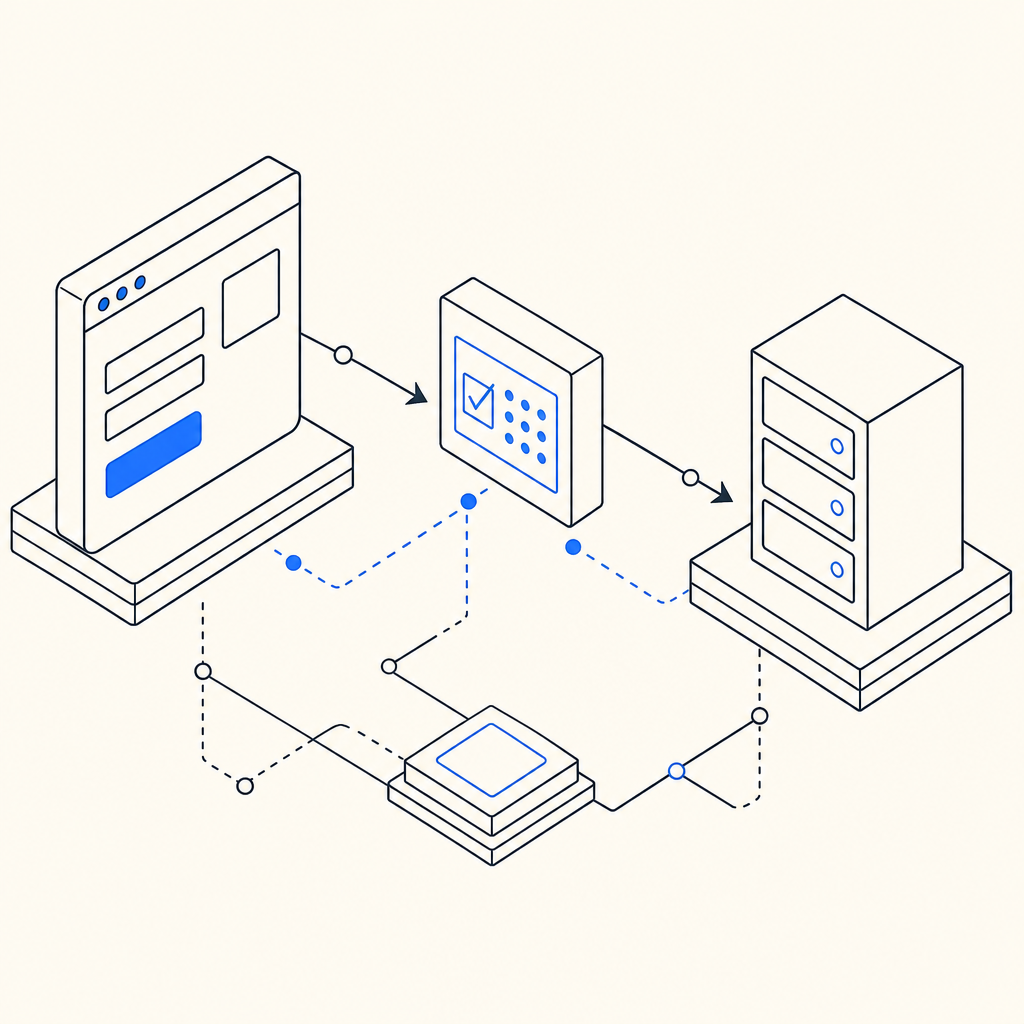
A captcha code example is a sample implementation that illustrates how to embed and verify captchas within your application. Typically, it involves:
- Displaying a captcha widget or challenge on the frontend for user interaction.
- Submitting the user's response along with context data to a backend endpoint.
- Verifying the response server-side against the captcha provider’s API.
- Taking appropriate action based on the verification result (e.g., allow login, block bot).
Such examples help developers understand the flow and necessary API calls to integrate bot defense seamlessly.
Basic Captcha Integration Workflow
Here’s a common sequence of steps illustrated in many captcha code examples:
- Load captcha library/widget on the client side
- Render the captcha challenge when the user reaches a suspicious action (form, login, signup, etc.)
- Collect captcha token after user completes the challenge
- Send the token to your backend along with user input
- Backend calls captcha provider’s validation API with the token
- Decision: if verification succeeds, proceed; else block or prompt retry
Example: Frontend Integration (JavaScript snippet)
// Load CaptchaLa loader script from CDN
// <script src="https://cdn.captcha-cdn.net/captchala-loader.js"></script>

// Initialize and show the captcha widget
const captchaWidget = new CaptchaLa.Widget({
  siteKey: "your-site-key",
  containerId: "captcha-container", // DIV where captcha appears
  language: "en"
});

captchaWidget.render();

// On form submit, retrieve the captcha token
document.getElementById("myForm").addEventListener("submit", async (e) => {
  e.preventDefault();
  const passToken = await captchaWidget.getPassToken(); // Obtain token after challenge completion

  // Then send form data along with passToken to backend for validation
  fetch("/verify-captcha", {
    method: "POST",
    headers: {"Content-Type": "application/json"},
    body: JSON.stringify({pass_token: passToken, formData: {/* user inputs */}})
  }).then(res => res.json())
    .then(data => {
      if(data.success) {
        // Proceed with form submission or sensitive action
      } else {
        alert("Captcha validation failed, please try again.");
      }
    });
});
Backend Validation (Node.js example)
const fetch = require("node-fetch");

async function validateCaptcha(passToken, clientIp) {
  const response = await fetch("https://apiv1.captcha.la/v1/validate", {
    method: "POST",
    headers: {
      "Content-Type": "application/json",
      "X-App-Key": "your-app-key",
      "X-App-Secret": "your-app-secret"
    },
    body: JSON.stringify({ pass_token: passToken, client_ip: clientIp })
  });

  const result = await response.json();
  return result.success;
}
Comparing Popular Captcha Providers with Code Examples
Many developers choose between CaptchaLa, Google’s reCAPTCHA, hCaptcha, and Cloudflare Turnstile. Each has unique traits, ease of integration, and pricing tiers.
| Feature | CaptchaLa | reCAPTCHA v3 | hCaptcha | Cloudflare Turnstile |
|---|---|---|---|---|
| API Style | Token-based POST validation | Token-based POST validation | Token-based POST validation | Token-based POST validation |
| SDKs | JS, Vue, React, iOS, Android, Flutter, Electron | JS SDK only | JS SDK only | JS SDK only |
| Open-source client SDKs | Yes | No | Yes | No |
| Privacy Focus | First-party data only | Data shared with Google | Data shared with hCaptcha | Privacy-conscious |
| Pricing | Free tier + scaled plans | Free, Enterprise paid | Free + paid plans | Free tier |
| UI Languages | 8 | Multiple | Multiple | Multiple |
| Native app SDKs | Yes | Limited | Limited | Limited |
Developers often appreciate that CaptchaLa offers native SDKs across many platforms combined with simple token validation, making the integration consistent irrespective of app architecture. This reduces potential complexity shown in many captcha code examples from other providers.
Technical Specifics: Implementing CaptchaLa with Maven & Server SDKs
3-step integration with CaptchaLa
Include CaptchaLa SDK
For Java backend (Maven):xml<dependency> <groupId>la.captcha</groupId> <artifactId>captchala</artifactId> <version>1.0.2</version> </dependency>Issue Challenge Token
Use server SDK to get a challenge token issued for frontend:javaCaptchaLaClient client = new CaptchaLaClient("your-app-key", "your-app-secret"); String serverToken = client.issueServerChallenge();Validate User Response
On form submission, validate with backend call:javaboolean isValid = client.validate(passToken, clientIp); if (isValid) { // proceed } else { // block or retry }
This token-based flow simplifies state management and reduces friction across multiple devices or apps.
Tips for Choosing the Right Captcha Code Example for Your Project
Match SDK capabilities to your platform: Choose one offering native mobile SDKs if you have apps across iOS, Android, or Flutter to reduce integration headaches. CaptchaLa supports all those with native SDKs.
Consider privacy and data policies: CaptchaLa emphasizes first-party data, which may align better with privacy-sensitive projects compared to others sharing data with third parties.
Look for simplicity in validation APIs: Simple POST endpoints with clear JSON responses make backend integration less error-prone.
Check UI language availability: If your site is multilingual, ensure the captcha supports the languages your users speak.
Evaluate pricing against expected volume: CaptchaLa offers a free tier of 1000 validations per month and scalable tiers for Pro (50K - 200K) and Business (1M), which may be more cost-effective for growing applications.
Conclusion
A captcha code example serves as a foundational reference to build effective bot defense in your application. Whether you opt for CaptchaLa, reCAPTCHA, hCaptcha, or Cloudflare Turnstile, understanding the token issuance and validation flow is key to smooth integration. CaptchaLa stands out for extensive SDK support and straightforward API calls, making it developer-friendly across web and mobile platforms.
To see more detailed implementation tips and SDK guides, check out the CaptchaLa docs. Ready to try it out? Visit CaptchaLa pricing to find a plan that fits your project’s scale.
Where to go next: explore CaptchaLa’s server-side and client SDK examples and secure your app against automated abuse with minimal hassle.