
A captcha check is a security mechanism used to determine whether the user interacting with a website or app is a human or an automated bot. This process helps protect online services from spam, fraud, and abuse by preventing automated scripts from performing actions like fake signups, credential stuffing, or scraping content. In essence, a captcha check is a gatekeeper that challenges suspicious or all users under certain criteria, verifying their humanity before granting access.
Understanding how captcha checks work and which solutions fit your needs is key to balancing usability and robust bot defense.
How a CAPTCHA Check Works
At its core, a captcha check presents challenges that are easy for humans to solve but difficult for machines. The classic example is distorted text recognition, but modern captchas also include image selection tasks, behavioral analysis, or invisible token validation.
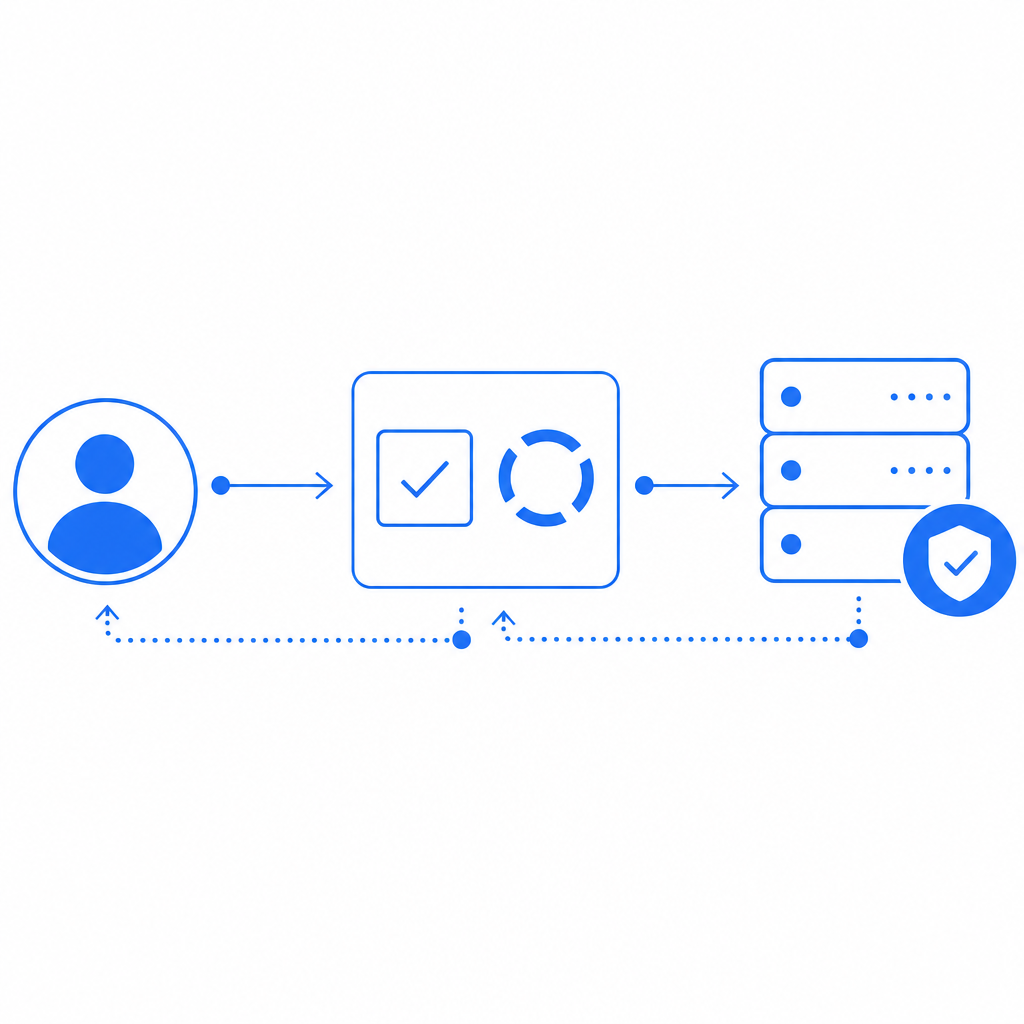
Typically, the flow looks like this:
- User interaction: The user accesses a page with a captcha widget or embedded check.
- Challenge generation: The system generates a challenge based on risk factors or always present (e.g., a checkbox or puzzle).
- User response: The user solves the challenge or is validated via background behavioral signals.
- Verification: The user’s response token is sent to the backend (often Google’s reCAPTCHA or other providers) for validation.
- Access granted: If validated as human, access continues; otherwise, access is blocked or limited.
Since most bot attacks try to mimic typical user patterns, captcha checks also incorporate adaptive intelligence and risk analysis to reduce friction without compromising security.
Popular CAPTCHA Check Solutions Compared
There are several well-known captcha providers, each with different approaches and trade-offs. Here’s a comparison of CaptchaLa with a few competitors:
| Feature | CaptchaLa | reCAPTCHA (Google) | hCaptcha | Cloudflare Turnstile |
|---|---|---|---|---|
| Verification Method | Token-based validation | Token + risk analysis | Token + crowdsourced data | Invisible + token-based |
| UI Languages | 8 native UI languages | Limited languages | Multiple languages | Few languages |
| SDKs / Integrations | JS, Vue, React, iOS, Android, Flutter, Electron | JS + mobile SDKs | JS + mobile SDKs | JS |
| Pricing Model | Free tier + usage tiers | Free, data collected | Paid tiers, privacy-focused | Free |
| Data Privacy | First-party data only | Google collects data | Privacy-oriented | Cloudflare data involved |
| Bot Detection Flexibility | Customizable policies | Risk-based scoring | Adjustable difficulty | Mostly invisible challenges |
| Developer Experience | Clear API, Server SDKs | Widely documented | Good documentation | Simple integration |
CaptchaLa stands out by offering broad native SDK support across multiple platforms, first-party data use to minimize privacy concerns, and flexible server-side APIs for integrating captcha check validation smoothly.
Implementing a CAPTCHA Check with CaptchaLa
Integrating a captcha check should not complicate your development workflow. CaptchaLa provides straightforward SDKs and APIs designed for different environments:
Client-side Integration
For a website using React, you can load the captcha widget simply:
// Load CaptchaLa widget
import CaptchaLa from 'captchala-react';

function MyForm() {
  const onSuccess = (passToken) => {
    // send token to backend for verification
    fetch('/api/verify-captcha', {
      method: 'POST',
      headers: {'Content-Type': 'application/json'},
      body: JSON.stringify({ pass_token: passToken })
    });
  };

  return (
    <CaptchaLa
      siteKey="your-site-key"
      onSuccess={onSuccess}
      theme="light"
      language="en"
    />
  );
}
Server-side Validation
After the client submits the captcha response token, your backend validates it using CaptchaLa’s API:
// PHP example server-side validation
$passToken = $_POST['pass_token'];
$clientIp = $_SERVER['REMOTE_ADDR'];

$response = file_get_contents('https://apiv1.captcha.la/v1/validate', false, stream_context_create([
  'http' => [
    'method'  => 'POST',
    'header'  => "Content-Type: application/json\r\nX-App-Key: YOUR_APP_KEY\r\nX-App-Secret: YOUR_APP_SECRET\r\n",
    'content' => json_encode(['pass_token' => $passToken, 'client_ip' => $clientIp]),
  ],
]));

$result = json_decode($response, true);
if ($result && $result['success']) {
  // Proceed with form submission
} else {
  // Deny access or ask for retry
}
Technical Highlights
- Post-validation URL:
https://apiv1.captcha.la/v1/validate - Supports 8 UI languages for global reach
- Native SDKs for Web frameworks and mobile platforms
- Free tier with 1,000 monthly checks, scaling up to millions at business tiers
This clear structure reduces integration friction and allows you to balance user experience with effective bot protection.
When to Use CAPTCHA Checks and Best Practices
Though captcha checks are effective, overusing them or deploying them improperly can frustrate users or degrade conversion rates. Here are some best practices to consider:
- Use risk-based triggers: Deploy captcha checks based on suspicious behavior signals—not for every user interaction.
- Choose challenges wisely: Opt for invisible or simple challenges first to reduce user friction.
- Localize UI languages: Leverage multi-language support to provide understandable challenges worldwide.
- Monitor and adapt: Continuously review failed attempts, suspicious activity, and user feedback to tune challenge difficulty.
- Respect user privacy: Use providers and configurations aligned with your data policies.
Tools like CaptchaLa provide granular control to optimize captcha usage and avoid unnecessary obstacles for genuine users.

Comparing CaptchaLa to Alternatives: When to Choose What
- CaptchaLa is ideal if you want broad platform support, first-party data handling, and multi-language UI capabilities with a flexible API structure.
- reCAPTCHA offers extensive machine learning risk analysis and is free but sends behavioral data to Google, which might concern privacy-conscious projects.
- hCaptcha emphasizes privacy and monetization—helpful if you want a paid captcha source with strong anti-bot features.
- Cloudflare Turnstile offers fully invisible challenges but works best within Cloudflare’s ecosystem.
Evaluate your priorities—privacy, cost, platform compatibility, and user experience—to select a captcha check solution fit for your specific context.
Choosing the right captcha check is vital for keeping your website secure without alienating legitimate users. For developers seeking a transparent, flexible, and privacy-minded solution, CaptchaLa provides robust SDKs and APIs to get you started quickly. Explore the docs for integration guides or review detailed pricing to find the tier that fits your needs.