
A captcha challenge is a verification step that helps you tell real users from automated traffic before abuse reaches your forms, login pages, checkout, or APIs. It typically asks a browser or app to prove it is behaving like a legitimate client, then returns a pass token your backend can validate.
That simple idea hides a lot of practical engineering. A good challenge should be fast, accessible, hard to automate at scale, and easy to integrate into your server-side checks. It should also fit the risk of the page it protects: a password reset form needs a different level of friction than a newsletter signup.
What a captcha challenge actually does
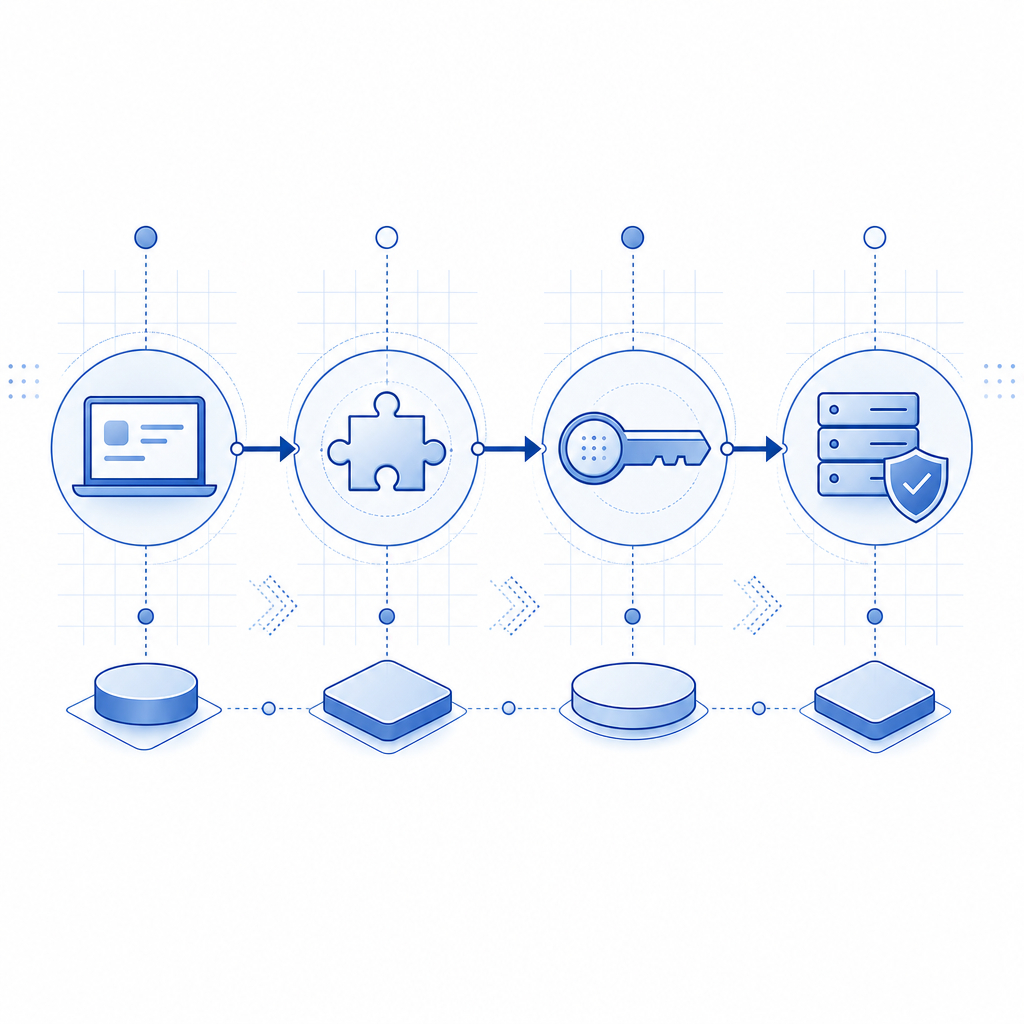
At a high level, a captcha challenge sits between a user action and the protected resource. Instead of letting every request go straight through, your app can ask for a lightweight proof step when traffic looks risky or the action is sensitive.
A typical flow looks like this:
- The client loads a challenge widget or SDK.
- The user completes the challenge, or the system verifies the client with minimal friction.
- The client receives a short-lived
pass_token. - Your backend sends that token to a validation endpoint along with contextual data such as
client_ip. - The server decides whether to allow the action.
That server-side step matters. If you only check on the client, attackers can often skip, tamper with, or replay the result. A real captcha challenge should end with a backend verification call. With CaptchaLa, that validation happens through POST https://apiv1.captcha.la/v1/validate using pass_token, client_ip, and your X-App-Key plus X-App-Secret.
For most teams, the value is not just blocking bots. It is also reducing:
- credential stuffing on login pages
- fake signups and disposable account spam
- automated checkout abuse
- scraping on high-value pages
- noisy API calls that waste infrastructure
The best challenge is the one that catches abuse without making legitimate users feel like they’re being interrogated.
Different challenge styles, and when each one fits
Not every captcha challenge is the same. Some are visual, some are behavioral, and some are almost invisible until risk rises. The right choice depends on your traffic, platform, and tolerance for friction.
| Approach | User friction | Strengths | Tradeoffs |
|---|---|---|---|
| Classic image/text challenge | Medium to high | Familiar, explicit verification | Can frustrate users, especially on mobile |
| Score-based friction | Low | Smooth for low-risk traffic | Needs good tuning and server-side policy |
| Managed challenge / proof step | Low to medium | Good balance for many web apps | May need clear fallback handling |
| Turnstile-style invisible check | Very low | Minimal interruption | May not fit every risk model |
| Integrated bot defense with custom policies | Variable | Flexible across pages and devices | Requires more implementation planning |
Popular products like reCAPTCHA, hCaptcha, and Cloudflare Turnstile all solve the same underlying problem, but they differ in UX, privacy posture, control surface, and integration style. The “right” one is usually the one that best matches your app’s risk level and engineering constraints, not the one with the most familiar name.
If you’re evaluating a provider, look at:
- how tokens are issued and validated
- whether the SDKs cover your platforms
- how much server logic you can customize
- whether the product supports your localization needs
- what data is collected and whether it is first-party only
CaptchaLa, for example, supports 8 UI languages and native SDKs for Web (JS, Vue, React), iOS, Android, Flutter, and Electron, which makes it easier to keep the same challenge experience across product surfaces.
How to implement a captcha challenge without hurting conversions
A challenge should feel like a safety net, not a roadblock. The implementation details determine whether it protects the business or just annoys users.
1) Trigger the challenge selectively
Do not challenge every request. Start with:
- signup
- login
- password reset
- checkout
- sensitive comment or post creation
- high-volume API endpoints
Then add risk-based logic. For example, challenge only when:
- requests come from a suspicious IP range
- request velocity exceeds a threshold
- the account is new
- the action is unusually expensive
- a device has repeated failures
2) Keep the client thin
Your frontend should collect the challenge result, not make trust decisions. A minimal pattern is enough:
// English comments only
async function submitProtectedForm(formData) {
  // Get pass token from the captcha challenge widget
  const passToken = await window.captchala.getPassToken();

  // Send both form data and pass token to your backend
  const response = await fetch('/api/submit', {
    method: 'POST',
    headers: {
      'Content-Type': 'application/json'
    },
    body: JSON.stringify({
      formData,
      pass_token: passToken
    })
  });

  return response.json();
}
3) Validate on the server every time
Your server should verify the token before it processes the action. CaptchaLa provides a server token flow via POST https://apiv1.captcha.la/v1/server/challenge/issue for server-orchestrated challenge issuance, and validation through the /v1/validate endpoint.
If you already have backend services in PHP or Go, there are server SDKs available as captchala-php and captchala-go. For mobile or cross-platform apps, the SDK coverage includes Maven la.captcha:captchala:1.0.2, CocoaPods Captchala 1.0.2, and pub.dev captchala 1.3.2.
4) Measure outcomes, not just solves
Track:
- challenge start rate
- completion rate
- validation failure rate
- abandonment after challenge
- conversion rate for challenged traffic
- bot-related incidents before and after deployment
If completions are low, the challenge may be too hard, too slow, or triggered too often. If abuse still gets through, your risk rules may be too soft.
A practical deployment checklist
A successful captcha challenge rollout is usually a policy project as much as a technical one. Here is a straightforward checklist that keeps the implementation sane:
- Define the protected actions.
- Pick your trigger conditions and thresholds.
- Decide where the client will request the challenge.
- Store the pass token only long enough to submit it.
- Validate server-side using your app key and secret.
- Return a clear fallback if validation fails.
- Log challenge outcomes with enough detail for tuning.
- Review false positives after launch and adjust gradually.
A few extra notes help avoid common mistakes:
- Keep token lifetimes short.
- Do not treat client-side success as final authorization.
- Tie challenge results to the relevant action, not just the session.
- Prefer first-party data only when your vendor supports it, especially if you have privacy constraints or regulated traffic.
If you are choosing a provider from scratch, it can help to compare implementation effort against platform coverage and validation model. CaptchaLa is one option, and its documentation at docs shows the validation flow, SDK setup, and server integration details in one place.
When a challenge is the right tool, and when it is not
A captcha challenge is useful when you need a small amount of friction to protect a high-value action. It is less useful when the real problem is account abuse, stolen credentials, or application-layer fraud that needs broader controls.
Use a challenge when:
- the action is user-facing and low latency matters
- abuse is automated but not highly sophisticated
- you need an immediate control you can deploy incrementally
Use additional controls when:
- attackers reuse valid credentials
- you see coordinated device or IP rotation
- abuse comes from human-assisted workflows
- you need reputation scoring, rate limits, and behavioral analysis together
In practice, most mature defenses combine a captcha challenge with rate limiting, anomaly detection, email verification, and device or session signals. The challenge is one layer, not the whole wall.
Where to go next: if you want to see how the pieces fit together, start with the docs or review the pricing tiers to estimate fit for your traffic volume.