
A captcha card is a compact verification screen that asks a visitor to prove they’re human before a sensitive action continues. Instead of scattering challenges across a flow, you present one focused card at the exact moment you need extra trust: signups, logins, checkout, password resets, or suspicious traffic spikes. Done well, it feels like a small checkpoint rather than a detour.
That “card” can be visual, inline, modal, or embedded in a step-based flow. The important part is not the shape; it’s the job. A captcha card reduces automation risk without forcing every user through the same heavy challenge. For product teams, that means better conversion control and clearer signaling about when a request needs verification. For defenders, it means a cleaner place to enforce policy.

What a captcha card actually does
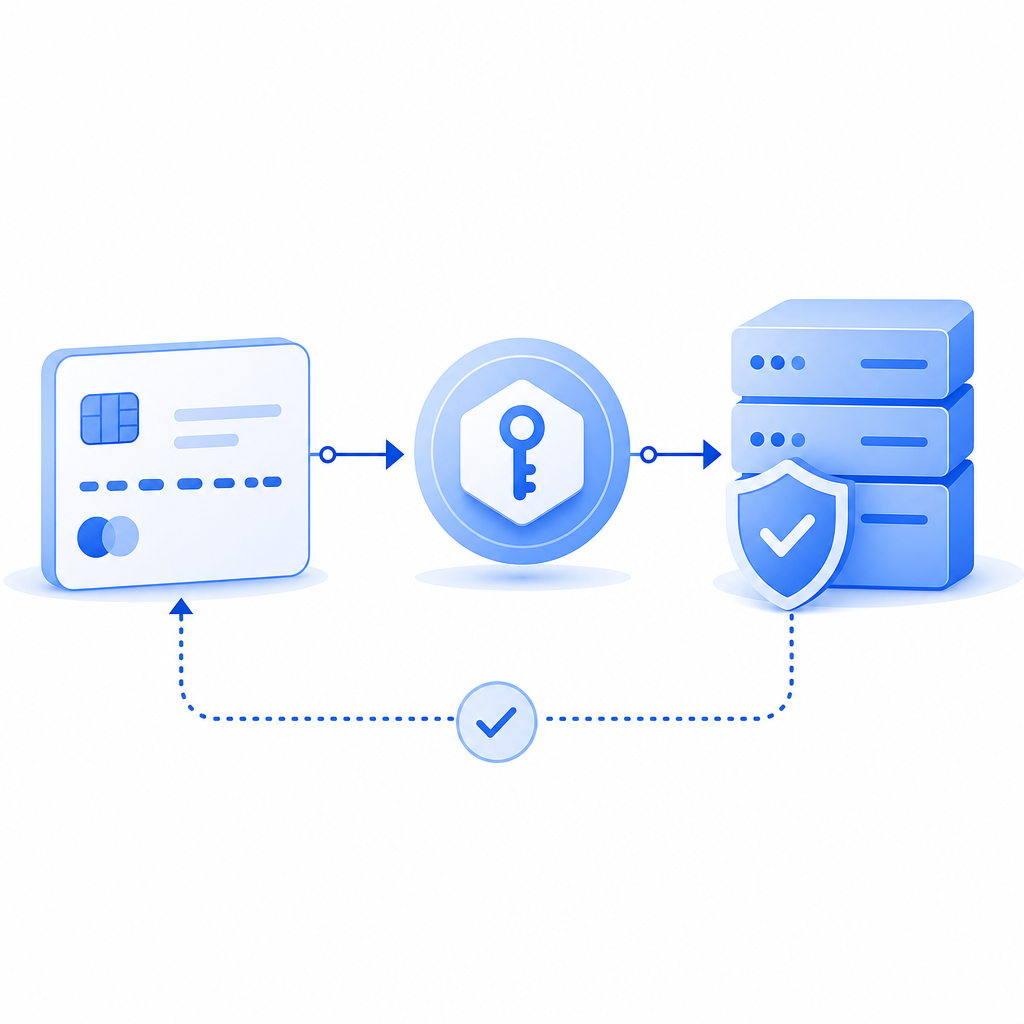
At a high level, a captcha card sits between user intent and server action. The browser or app renders the card, the user completes the challenge, and the system returns a pass token your backend validates. If the token checks out, the action continues. If not, you can block, slow down, or ask for another step.
This pattern is useful because it separates three concerns:
- Presentation: the card UI shown to the user
- Decisioning: whether the request is suspicious enough to require verification
- Validation: the server-side check that confirms the token is legitimate
That separation matters. You don’t want the browser alone to decide trust, and you don’t want your API to guess based on visuals alone. A captcha card is most effective when the client and server each do one job clearly.
Here’s the rough flow in plain language:
1. User starts an action
2. Your app decides a challenge is needed
3. The captcha card appears
4. User completes verification
5. Your backend validates the token
6. The original action is allowed or denied
When teams say “captcha card,” they’re often referring to the visible step in that chain. But the real security comes from the full request-validation lifecycle, not just the card itself.
When a captcha card makes sense
Not every page needs a challenge. If you add verification too early, you create friction. If you add it too late, bots may already have done damage. The sweet spot is usually a risk-based trigger.
Common use cases include:
- Account creation from suspicious IP ranges
- Login attempts after repeated failures
- Password reset requests
- Checkout or promo-code abuse
- Comment or form spam
- API endpoints with anomalous request patterns
A captcha card is especially helpful when you need to preserve the normal path for most users while adding extra checks only for higher-risk interactions. That’s why modern bot defense systems often combine device signals, rate limits, heuristics, and a user-facing verification step.
A simple way to think about the tradeoffs:
| Option | User friction | Server control | Good for |
|---|---|---|---|
| Invisible checks only | Low | Medium | Low-risk traffic, background scoring |
| Modal captcha card | Medium | High | Sensitive actions, suspicious sessions |
| Hard block | None for legit users, high for attackers | High | Clearly abusive traffic |
| Step-up auth | Medium to high | High | Account recovery, financial actions |
The main question is not “Should I use a captcha card?” but “Where does a visible challenge improve trust without hurting legitimate completion too much?”
If you’re designing the experience, keep the card narrow in scope. Ask for verification at the moment of highest risk, not at the beginning of every journey. That usually leads to better completion rates and cleaner analytics.
How the verification flow works behind the scenes
A well-built captcha card is only useful if the backend can verify the result reliably. The standard pattern is: challenge issued by the service, token returned to your app, token validated server-side, request allowed or denied.
With CaptchaLa, the client side can use the loader at https://cdn.captcha-cdn.net/captchala-loader.js, and your backend validates the pass token with a POST to:
https://apiv1.captcha.la/v1/validate
The request body includes:
pass_tokenclient_ip
And it’s authenticated with:
X-App-KeyX-App-Secret
That means your server remains the source of truth. The browser can present the captcha card, but your app decides whether the token is acceptable.
A typical server-side validation sketch looks like this:
// English comments only
async function validateCaptcha(passToken, clientIp) {
  const response = await fetch("https://apiv1.captcha.la/v1/validate", {
    method: "POST",
    headers: {
      "Content-Type": "application/json",
      "X-App-Key": process.env.CAPTCHA_APP_KEY,
      "X-App-Secret": process.env.CAPTCHA_APP_SECRET,
    },
    body: JSON.stringify({
      pass_token: passToken,
      client_ip: clientIp,
    }),
  });

  return await response.json();
}
For challenge issuance, there’s also a server-token endpoint:
POST https://apiv1.captcha.la/v1/server/challenge/issue
That can be useful when you want your backend to control when a challenge should be generated, rather than relying entirely on client-side timing.
CaptchaLa also supports 8 UI languages and native SDKs for Web (JS, Vue, React), iOS, Android, Flutter, and Electron. On the backend side, server SDKs are available for captchala-php and captchala-go. If your stack is mixed, that helps keep the verification logic consistent across platforms.
How it compares to other CAPTCHA approaches
Teams often reach for reCAPTCHA, hCaptcha, or Cloudflare Turnstile first because they’re familiar and widely deployed. A captcha card can fit into the same broad category, but the implementation details and product goals differ.
Here’s an objective way to compare the general experience:
- reCAPTCHA: familiar to many users and developers, with strong ecosystem recognition
- hCaptcha: often chosen for its privacy posture and anti-abuse focus
- Cloudflare Turnstile: designed to reduce user friction, especially for sites already using Cloudflare
- CaptchaLa: emphasizes a first-party data model and a flexible captcha card flow with server-side validation
Some teams care most about a fully branded card experience. Others care most about invisible challenge rates, or about aligning with their existing edge stack. The right choice depends on where you want the challenge to appear, how much friction you can tolerate, and how much control you need over validation.
If you’re evaluating options, look at these criteria:
- How easy is it to integrate into your current frontend framework?
- Can you validate tokens cleanly on the server?
- Does it support step-up verification only when needed?
- Can you localize the UI for your audience?
- Does the pricing scale with your traffic pattern?
That last point matters more than many teams expect. Captcha volume can spike during launches, fraud waves, and seasonal traffic. CaptchaLa’s published tiers include a Free plan at 1,000 verifications per month, Pro plans in the 50K–200K range, and Business at 1M. If you’re planning a rollout, it’s worth checking pricing before you lock in the integration.
Designing a captcha card that users tolerate
The best captcha card is the one users barely notice as a hurdle because it appears at the right time and explains itself quickly. A few practical guidelines help:
Keep the copy short
Users should know why they’re seeing the card. A sentence like “We need to confirm this is a real person before continuing” is better than generic warnings.
Match the risk to the challenge
Don’t show the same verification level for every request. A low-risk newsletter signup and a high-risk payment action should not feel identical.
Preserve state
If the user completes a captcha card and returns to a form, don’t make them re-enter everything. Token verification should fit into the existing workflow, not interrupt it.
Log what matters
Record the decision path: challenge shown, token validated, request allowed, request denied. This is invaluable for fraud analysis and UX tuning.
Localize thoughtfully
If your audience is global, a multilingual card reduces confusion. Support for multiple UI languages is not just a nice-to-have; it directly affects completion rates.
When you’re implementing the backend side, the docs are usually the fastest way to align client rendering, token validation, and challenge issuance. If you need integration specifics, the docs are the right starting point.
A practical rule of thumb
Use a captcha card when the cost of one extra human step is lower than the cost of the abuse you’re trying to stop. That sounds obvious, but it’s the cleanest way to decide.
A lot of product teams discover that the card is not just a security control; it’s a policy boundary. It lets you say, “This action is allowed, but only after we verify it.” That’s more flexible than a blanket block and more transparent than silent scoring alone.
Where to go next: if you’re planning a rollout, start with the docs for integration details, or review pricing to match your traffic and verification volume.