
Anti bot proof of work is a server-side or client-side challenge that asks a browser or device to spend some measurable effort before it can continue. The idea is simple: make automated abuse more expensive while keeping the cost low enough that legitimate users barely notice. That works well for certain threats, especially high-volume credential stuffing, form spam, and scraping bursts, but it is not a universal answer. If you use it carefully, proof of work can be one layer in a broader bot-defense stack; if you rely on it alone, you will eventually hit usability, accessibility, and performance tradeoffs.
The key question is not “does proof of work stop bots?” but “what kind of bot pressure are you trying to shape?” For low-friction, high-scale abuse, proof of work can add real cost. For sophisticated attackers with distributed compute, it becomes a speed bump rather than a wall. That’s why modern anti-bot systems usually combine challenge signals, rate limits, risk scoring, and token validation instead of depending on a single puzzle.
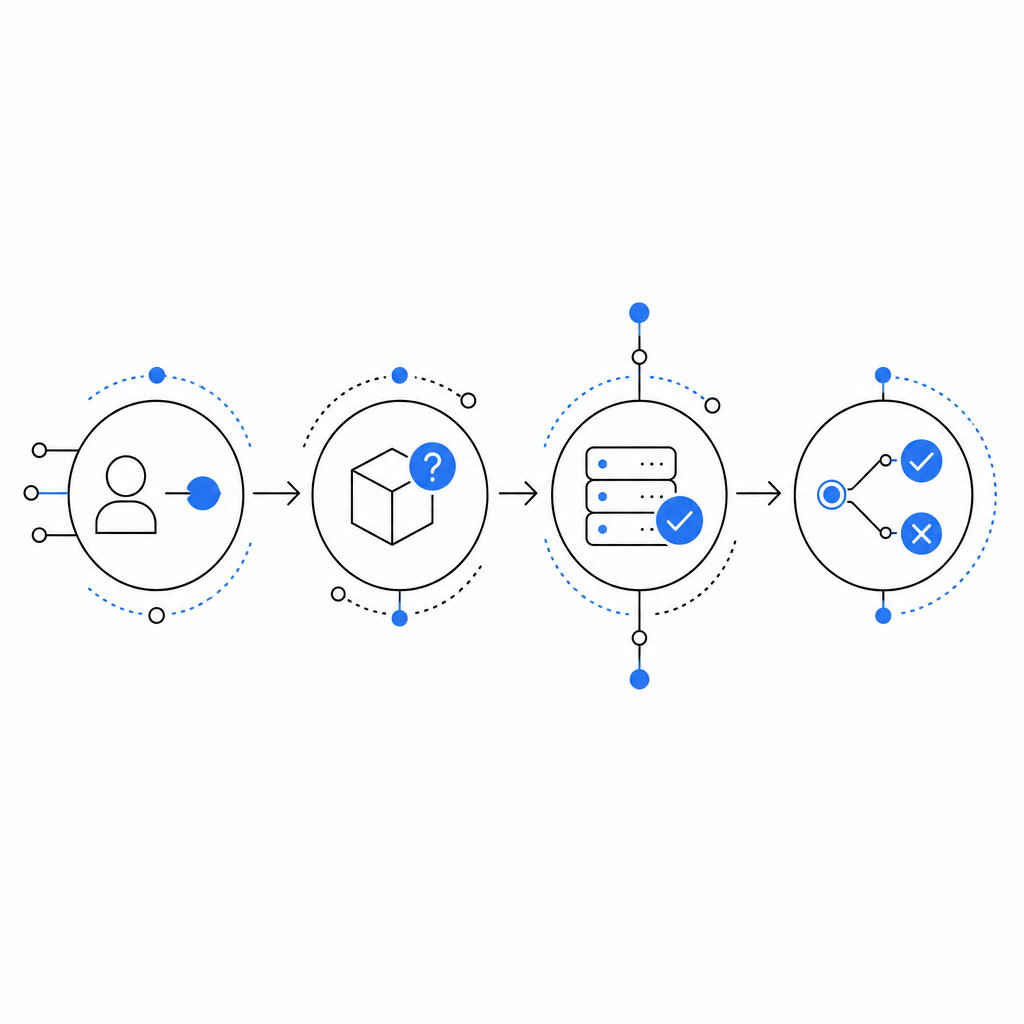
What anti bot proof of work actually does
At a technical level, proof of work asks a client to compute something that is easy to verify but somewhat costly to produce. A server issues a challenge, the client performs a bounded amount of computation, and the server checks whether the response matches the challenge conditions. The point is not cryptographic secrecy; it’s cost asymmetry.
A defender usually cares about three properties:
- Verifiability: the server can confirm the result quickly.
- Bounded effort: the challenge should take a predictable amount of time on normal devices.
- Adjustability: you can raise or lower difficulty based on traffic conditions.
That said, proof of work is not automatically user-friendly. On fast devices it may feel invisible, but on older phones, battery-constrained laptops, or assistive environments, it can introduce delay. It can also be unfair in regions with weaker hardware or slower connections. If you’re designing for real customers, those tradeoffs matter.
A useful way to think about proof of work is as a cost-shifting mechanism. It doesn’t prove a visitor is human; it proves the visitor was willing and able to spend resources. That distinction matters because many legitimate workflows can fail the same test as automation when the environment is constrained.
Where it fits in a bot-defense stack
Proof of work is strongest when it is used as a selective friction layer, not as a gate for every interaction. The best use cases are usually abuse-prone actions where a small amount of friction is acceptable:
- account creation
- password reset attempts
- login bursts from unusual IP ranges
- form submissions with historically high spam rates
- scraping-sensitive endpoints with predictable patterns
For lower-risk pages, a lightweight token or passive signal may be enough. For high-value actions, proof of work alone is rarely sufficient because a determined attacker can distribute the workload across many devices or use enough infrastructure to keep up.
Here is a practical comparison:
| Approach | What it proves | User friction | Abuse resistance | Common fit |
|---|---|---|---|---|
| Proof of work | Client spent compute | Medium | Medium | Rate-sensitive endpoints |
| reCAPTCHA | Risk signal + challenge | Low to medium | Medium to high | General web forms |
| hCaptcha | Puzzle + risk signal | Medium | Medium | Form protection |
| Cloudflare Turnstile | Frictionless verification | Low | Medium to high | Broad web traffic filtering |
| Token validation + server checks | Issued token is valid | Low | High when combined | Production APIs |
The important pattern is layering. A proof-of-work step can slow down commodity bots, while server-side validation and risk checks decide whether the request should be accepted. In practice, many teams end up with a mix of passive detection and active challenge logic.
CaptchaLa follows that layered approach as well: it provides browser and mobile SDKs, server validation, and challenge issuance so you can choose where friction belongs instead of forcing every user through the same path. If you want the integration details, the docs cover the request flow and supported SDKs.
How to implement it without making the experience painful
A reasonable implementation keeps the challenge short, selective, and measurable. The goal is not to “beat bots” with maximum difficulty. The goal is to create enough cost that abuse becomes uneconomical.
Here’s a defensible implementation checklist:
Trigger only on risk
- Use reputation, rate limits, velocity, and session history.
- Avoid challenging every request by default.
Keep verification server-side
- The client should never be trusted on its own.
- Issue a short-lived token, then validate it on the backend.
Tie the token to the request context
- Bind the challenge to an action, endpoint, or session where possible.
- Include client IP where it improves abuse detection and your privacy policy allows it.
Expire fast
- Short TTLs reduce replay value.
- A challenge that lives too long becomes reusable.
Measure failure modes
- Track solve rate, abandon rate, latency added, and false positives.
- Revisit the thresholds if legitimate users stall.
A simple server-side validation flow might look like this:
// Client completes challenge and receives pass_token.
// Backend receives request from client.
// Backend sends pass_token and client_ip to validation endpoint.
// Backend trusts result only if validation succeeds.

// Example validation request shape:
// POST https://apiv1.captcha.la/v1/validate
// Headers: X-App-Key, X-App-Secret
// Body: { pass_token, client_ip }
If you need a server-issued challenge token rather than a browser-generated one, CaptchaLa also supports challenge issuance from the backend via POST https://apiv1.captcha.la/v1/server/challenge/issue. That is helpful when you want tighter control over when challenges are minted.
For teams building in multiple stacks, the available SDKs are practical: Web (JS, Vue, React), iOS, Android, Flutter, and Electron on the client side; captchala-php and captchala-go on the server side. There are also package options such as Maven la.captcha:captchala:1.0.2, CocoaPods Captchala 1.0.2, and pub.dev captchala 1.3.2.
The tradeoffs most teams underestimate
Proof of work looks elegant on paper because it converts bot traffic into compute cost. In production, the costs are more distributed.
First, it can shift burden onto users who can least afford it. Mobile devices, low-power machines, and constrained networks may all feel the delay more sharply than your internal test environment suggests.
Second, it can be gamed economically. A distributed attacker does not need to win every challenge; they only need enough throughput to make abuse profitable. If your endpoint is worth monetizing, added compute alone may not be enough.
Third, it can complicate accessibility and support. Anything that adds delay or repeated retries to core flows like sign-in, checkout, or verification needs careful UX handling. If a legitimate user can’t complete the challenge, security has turned into abandonment.
That is why many security teams compare proof of work with alternatives like reCAPTCHA, hCaptcha, and Cloudflare Turnstile rather than treating them as direct replacements. Each option occupies a different point on the friction-versus-signal spectrum. reCAPTCHA and hCaptcha often rely on more explicit interaction or risk scoring, while Turnstile aims for lower friction. Proof of work is attractive when you want a deterministic cost model, but it is usually strongest when paired with telemetry and server-side checks.
CaptchaLa’s free tier, Pro plans, and Business tier make that kind of staged rollout easier to test against real traffic patterns, especially if you want to start small and expand later. You can compare the current tiers on pricing.

A practical decision rule
If you are deciding whether to use anti bot proof of work, ask three questions:
- Does the target endpoint tolerate a small delay?
- Is the abuse pattern high-volume enough that added compute will change attacker economics?
- Can you validate the result server-side and revoke it quickly?
If the answer is yes to all three, proof of work may be a sensible component of your defense. If the endpoint is sensitive, user-facing, or latency-critical, you will usually want a lower-friction mechanism or a hybrid approach.
A good rule of thumb is this: use proof of work to raise the floor for automation, then use token validation, rate limits, and behavioral checks to decide what happens next. That keeps the system adaptive instead of brittle. It also lets you tune friction as traffic changes, rather than making a permanent choice that users feel every day.
Where to go next: if you want to explore implementation details, start with the docs or review the pricing page to see which tier matches your traffic.