
If you need an anti bot plugin for Minecraft, the short answer is: use one that verifies real players before they can consume server resources, and pair it with rate limiting, IP reputation checks, and clean server-side validation. A good setup reduces join floods, alt-account spam, chat abuse, and login pressure without making legitimate players jump through painful hoops.
Minecraft servers are especially vulnerable because bots often behave like normal users at the network layer for the first few seconds. They can hammer your queue, trigger plugin events, and inflate backend load long before any moderation tool notices. That means your protection needs to work at the edge of the connection, not just after a player has already entered the world.
For many server owners, the practical question is not “can I block bots?” but “how do I block them without wrecking the player experience?” The answer usually combines a lightweight challenge flow with server-side verification. Services like CaptchaLa fit into that pattern by letting you validate a pass token on your backend rather than trusting the client blindly.

What an anti bot plugin for Minecraft should actually do
A solid anti bot plugin should protect the server before bot traffic becomes gameplay traffic. That sounds obvious, but a lot of plugins only react after a flood has already started. In practice, you want a plugin or service that can:
- Detect suspicious join patterns, such as bursts from the same ASN, subnet, or unusually fast reconnect loops.
- Present a challenge only when risk is elevated, so legitimate players are not interrupted every time they join.
- Verify a server-issued or client-issued token on the backend before granting access, queue placement, or lobby entry.
- Preserve logs and signals for moderation, rate limits, and incident review.
- Support your stack cleanly, whether that means Java-based server plugins, a proxy layer, or a separate auth service.
The key distinction is between blocking and proving. Blocking alone can create false positives. Proving identity through a short validation step is safer because you can accept or reject based on a token that your server verifies directly.
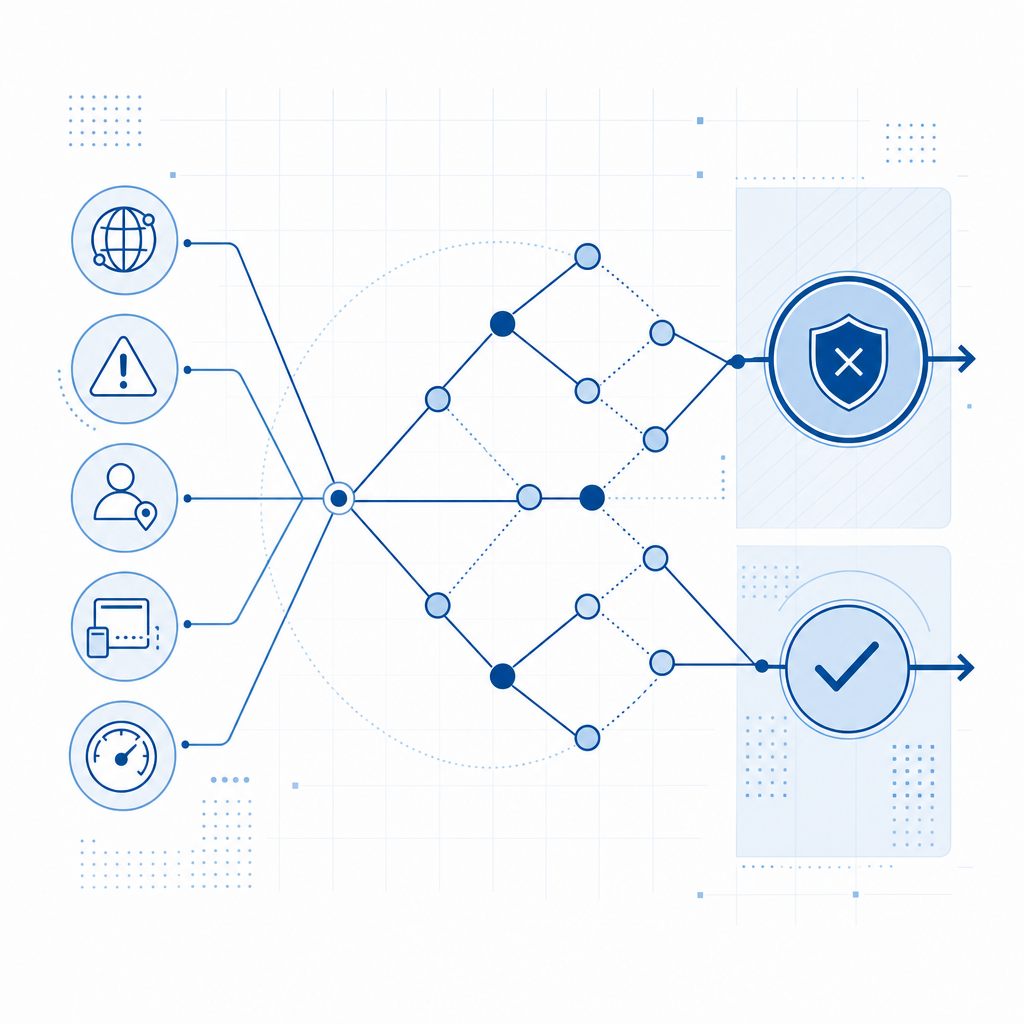
Here’s a simple defender-side sequence:
1. Player connects to the Minecraft server
2. Plugin detects normal or suspicious entry pattern
3. Server requests a challenge token if needed
4. Player completes the challenge on the client side
5. Plugin sends pass_token and client_ip to the validation API
6. API returns success or failure
7. Server grants access only after successful validation
That pattern keeps the sensitive decision on your side of the connection. It also makes it easier to adapt the policy later, such as challenging only from high-risk regions, during attack windows, or when your player count spikes abnormally.
How this compares to common bot-defense tools
Minecraft admins often already know the names reCAPTCHA, hCaptcha, and Cloudflare Turnstile from web projects. Those tools are useful, but the server-admin context changes the requirements. You are not protecting a form submission; you are protecting a game session, a join queue, or an auth gateway.
| Tool | Good for | Typical fit for Minecraft |
|---|---|---|
| reCAPTCHA | Broad web abuse prevention | Possible, but often more web-centric than game-centric |
| hCaptcha | Human verification with configurable challenges | Useful if you already use it elsewhere |
| Cloudflare Turnstile | Low-friction verification at the edge | Helpful for web portals and login pages |
| CaptchaLa | First-party validation flow for app and server integrations | Good fit when your game server wants direct backend verification |
The important thing is not brand preference; it is integration fit. If your Minecraft stack already includes a website, launcher, or auth portal, you may use one tool for the web layer and another for the in-game join path. If you want one service to cover both, you’ll care about SDK support, validation endpoints, and how cleanly tokens can be checked server-side.
CaptchaLa is designed around that sort of backend control. It supports native SDKs for Web (JS, Vue, React), iOS, Android, Flutter, and Electron, plus server SDKs like captchala-php and captchala-go. For a Minecraft ecosystem that includes a companion website, launcher, or account panel, that flexibility matters more than a flashy challenge page.
A practical deployment model for Minecraft servers
If you are running a public Minecraft server, your anti-bot approach should be layered. One plugin is rarely enough by itself. A more realistic deployment looks like this:
1. Challenge only when risk is high
Do not force every player through the same hurdle if your server is usually quiet. Instead, trigger a verification step when you detect:
- connection bursts above a threshold,
- repeated failed logins,
- suspicious geolocation patterns,
- empty-session joins that never progress to gameplay.
2. Validate on the server
Never treat a client-side “success” as final. Use a backend call to confirm the token. CaptchaLa’s validate endpoint is:
POST https://apiv1.captcha.la/v1/validate
with a body containing:
{
  "pass_token": "token-from-client",
  "client_ip": "203.0.113.10"
}
and authentication via X-App-Key and X-App-Secret.
That structure is useful because it lets your server make the final decision. If you want to issue a server token for a controlled challenge flow, there is also:
POST https://apiv1.captcha.la/v1/server/challenge/issue
3. Keep the client experience lightweight
Players should not feel like they are filling out paperwork to enter a hobby server. A good flow is quick, contextual, and invisible most of the time. That is where modern challenge UX can help. CaptchaLa includes 8 UI languages, which matters if your player base is international and you want fewer support headaches.
4. Make it observable
Log challenge rates, validation failures, and join latency. A small amount of telemetry will tell you whether your policy is catching abuse or frustrating normal traffic. If a surge starts, you want to know whether your plugin is blocking bots, slowing them down, or simply shifting the attack.
Here is a compact policy example in pseudocode:
// English comments only
function shouldChallenge(player) {
  // Challenge only when signals stack up
  if (recentJoinsFromIp(player.ip) > 5) return true;
  if (failedLoginAttempts(player.ip) > 3) return true;
  if (isHighRiskRegion(player.ip)) return true;
  return false;
}

async function verifyJoin(player, passToken) {
  // Send token and client IP to the backend
  const result = await validateToken(passToken, player.ip);
  return result.success === true;
}
Choosing the right fit for your stack
The best anti bot plugin Minecraft admins deploy is often not a single plugin at all, but a stack that combines proxy rules, token verification, and sensible thresholds. Your choice depends on how your server is organized:
- If you run a simple survival server, start with join-rate throttling and a small challenge layer.
- If you operate a network with hubs, lobbies, and minigame queues, validate at the proxy or auth stage.
- If you have a launcher, website, or account system, reuse the same verification layer across all of them.
From an operations perspective, cost also matters. You do not want to overbuild for a community server that sees only occasional bursts, and you do not want to underbuild for a public network that gets targeted regularly. CaptchaLa’s published tiers include a Free tier at 1,000 validations per month, Pro at 50K-200K, and Business at 1M, which makes it easier to match spend to traffic.
The other practical consideration is data handling. For game infrastructure, first-party data only is a meaningful design choice because it reduces how much unrelated user data you have to route through third-party systems. That is a better fit for many server operators who want simple, auditable security controls.
If you are evaluating whether to build this in-house or use a service, the decision usually comes down to maintenance. In-house anti-bot logic starts simple and then becomes a constant tuning project. A managed verification layer reduces the amount of custom glue code you have to maintain across server updates, proxy changes, and launcher revisions.
Where to go next
If you want to add stronger bot protection to a Minecraft server without making real players suffer, start with the docs and map the verification flow to your join or auth plugin. You can also review CaptchaLa docs for integration details and pricing for traffic-based planning.