
Anti bot plates are a lightweight, layered way to stop automated abuse before it reaches your forms, login pages, ticketing flows, or API endpoints. Put simply: they’re the defensive controls you place at the edge of an interaction to separate normal users from scripted traffic with as little friction as possible.
The term can sound a bit odd, but the idea is practical. Think of anti bot plates as stacked checkpoints: client-side signals, challenge issuance, server-side validation, and policy decisions. The goal is not to “win” against every bot forever; it’s to make abuse expensive, noisy, and unreliable while keeping real users moving.
What anti bot plates are, really
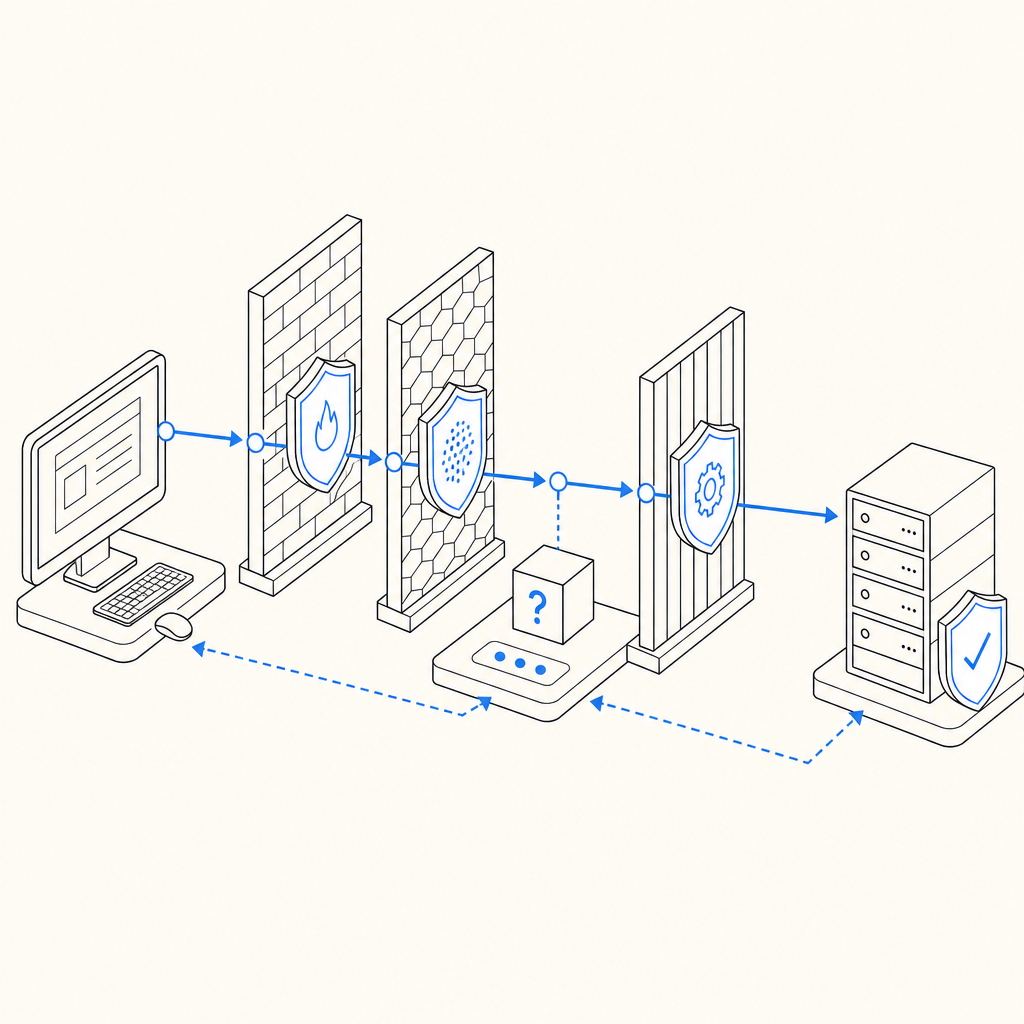
At a technical level, anti bot plates are not one single product feature. They’re a design pattern for bot defense. A “plate” is one layer of control:
- Detection plate — gather signals such as browser behavior, request patterns, device context, and session continuity.
- Challenge plate — issue a task or token only when risk crosses a threshold.
- Validation plate — verify the result server-side before allowing the action.
- Policy plate — decide what happens next: allow, step up, rate-limit, log, or block.
That layering matters because bots adapt. If you rely on one signal, attackers eventually learn to mimic it. If you combine client and server checks, they have to defeat multiple controls at once. This is why modern bot-defense setups usually mix passive detection with active verification rather than leaning on a single challenge.
Anti bot plates also help with user experience. The best flows only ask for extra friction when there’s a reason. A low-risk user might never see a challenge, while a suspicious session gets one additional step. That balance is more useful than a blanket “all users solve a puzzle” approach.
How they work in a real application
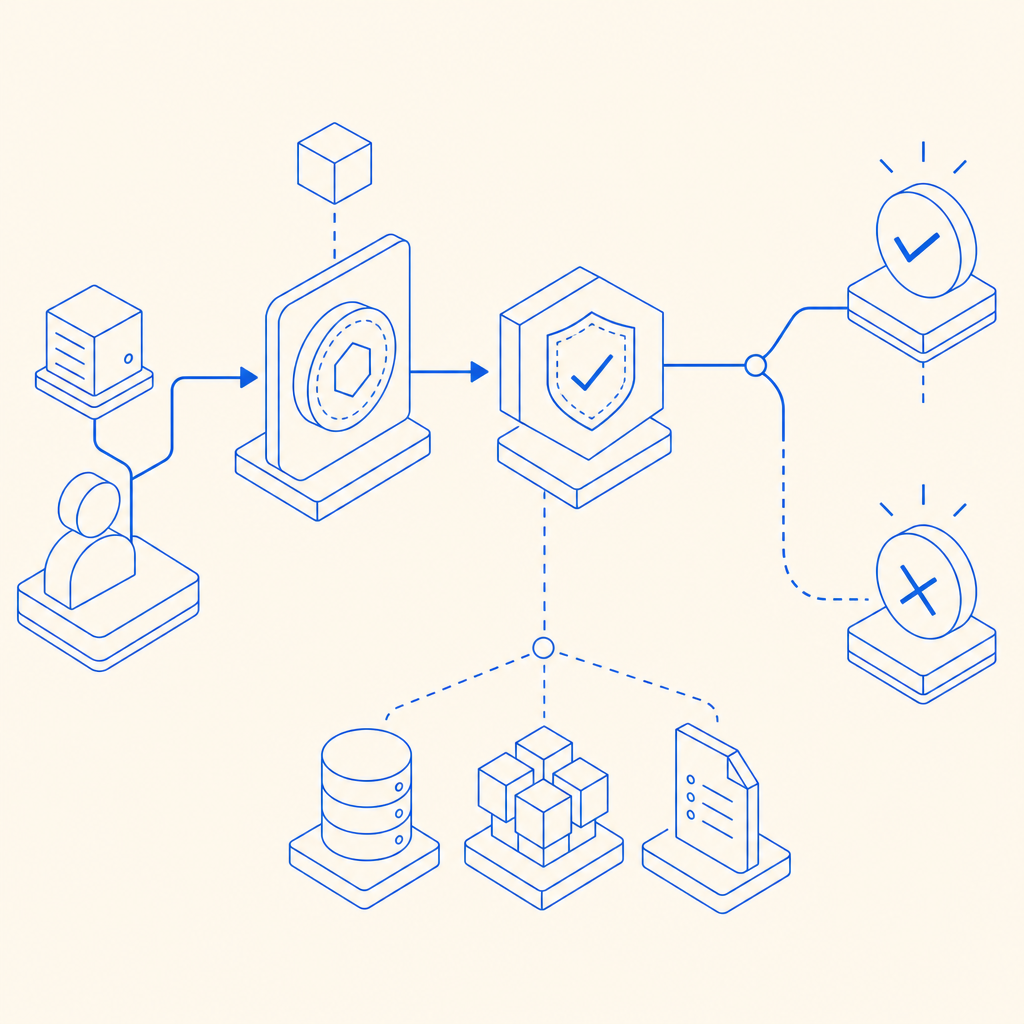
A practical implementation usually looks like this:
- The page loads a client script.
- The script observes basic interaction signals and prepares a token.
- When the user submits a protected action, the app receives a pass token.
- The backend validates that token against the verification endpoint.
- The backend uses the validation result plus its own context to allow or reject the request.
If you’re using CaptchaLa, the client loader is served from https://cdn.captcha-cdn.net/captchala-loader.js, and server validation happens with a POST to https://apiv1.captcha.la/v1/validate using {pass_token, client_ip} plus X-App-Key and X-App-Secret. There’s also a server-token flow via POST https://apiv1.captcha.la/v1/server/challenge/issue, which is useful when your backend needs to initiate challenge logic itself.
A minimal server-side validation example might look like this:
// English comments only
// Pseudocode for server-side validation
async function validateCaptcha(passToken, clientIp) {
  const response = await fetch("https://apiv1.captcha.la/v1/validate", {
    method: "POST",
    headers: {
      "Content-Type": "application/json",
      "X-App-Key": process.env.CAPTCHALA_APP_KEY,
      "X-App-Secret": process.env.CAPTCHALA_APP_SECRET
    },
    body: JSON.stringify({
      pass_token: passToken,
      client_ip: clientIp
    })
  });

  return await response.json();
}
The important part is where validation happens: on your server, not in the browser. The browser can collect signals and pass a token, but the backend should make the final trust decision.
Anti bot plates compared with common CAPTCHA options
Different teams reach for different tools depending on their risk, traffic volume, and UX goals. Here’s an objective comparison of common options:
| Option | Strengths | Trade-offs | Best fit |
|---|---|---|---|
| reCAPTCHA | Familiar, widely recognized, easy to start with | Can add user friction; privacy and branding preferences vary | General web forms and simple risk reduction |
| hCaptcha | Strong abuse focus, flexible integrations | May still introduce friction; challenge style can vary | Security-conscious sites and anti-abuse workflows |
| Cloudflare Turnstile | Low-friction experience, simple deployment in Cloudflare-centric stacks | Works best when your architecture aligns with Cloudflare’s ecosystem | Sites prioritizing frictionless verification |
| Anti bot plates as a pattern | Flexible, layered, adaptable to app-specific risk | Requires some design effort and backend discipline | Products with mixed-risk actions and custom policies |
This is not about picking a “winner.” It’s about matching controls to your risk profile. For example, a login page might tolerate one challenge per suspicious session, while a checkout flow may need stricter server-side checks and rate policies. A public contact form may only need light friction plus logging.
CaptchaLa fits into this pattern by offering both client and server components across common platforms. It supports 8 UI languages and native SDKs for Web (JS/Vue/React), iOS, Android, Flutter, and Electron, plus server SDKs like captchala-php and captchala-go. For mobile and cross-platform products, that matters because the same anti-bot logic can be applied consistently without rewriting the whole flow.
Where the defender should focus
The most effective anti bot plates are designed around attacker cost and false-positive control. If you’re defending an app, focus on these areas:
Protect high-value actions first
Start with signups, password resets, promo claims, ticket drops, scraping-sensitive endpoints, and payment-adjacent forms. Don’t spread the system thin across every page.Use server-side verification every time
A token that isn’t checked on the backend is just decoration. Validation should be tied to the request context, especiallyclient_ipand the exact action being protected.Keep challenge issuance conditional
Not every request deserves a challenge. Use risk signals like burst frequency, impossible navigation timing, repeated failures, or suspicious automation patterns.Log forensics, not just failures
Store enough data to understand why a request was challenged or blocked. That makes tuning easier and helps you distinguish abuse from legitimate edge cases.Design for accessibility and fallback
Some users will be on constrained devices, VPNs, corporate networks, or assistive technologies. A good system should have a sensible fallback path.
Here’s a simple implementation mindset:
- Client gathers a pass token.
- Backend validates the token.
- Risk engine combines validation with business rules.
- The app decides allow, step-up, or block.
- Security logs capture the outcome for later review.
That sequence is more durable than trying to guess bot behavior from one browser hint.
Deployment notes: languages, SDKs, and pricing fit
If you’re evaluating a platform for anti bot plates, fit matters as much as detection logic. Teams often need SDK coverage across web, mobile, and server environments, plus documentation that makes the validation flow clear.
CaptchaLa’s current setup is built for that kind of deployment. On the client side, there are native SDKs for Web, iOS, Android, Flutter, and Electron. On the backend, there are server SDKs for PHP and Go, which can simplify integration if those are already part of your stack. The docs at docs are useful when you need to confirm token flow, validation parameters, or language-specific setup.
Pricing also affects architecture decisions. A free tier can be enough for prototypes or low-volume apps, while higher-traffic products need predictable scaling. CaptchaLa lists a free tier at 1000/month, Pro at 50K-200K, and Business at 1M, which makes it easier to match protection to traffic without overengineering too early. If you want to compare plans, pricing is the quickest place to start.
A small but important detail: CaptchaLa is designed around first-party data only. For teams that are careful about privacy boundaries, that can simplify the conversation with legal, compliance, and product stakeholders.
Practical guidance for choosing your setup
If you’re deciding whether anti bot plates are enough for your product, ask three questions:
What is the protected action worth?
A newsletter signup and a coupon redemption do not deserve the same control level.How much friction can users tolerate?
If your audience is mobile-heavy or time-sensitive, low-friction verification matters more.Where do you want the enforcement logic to live?
The best place for the final decision is your backend, where you can combine bot signals with account state, rate limits, and business logic.
A good rule of thumb: start with the least intrusive layer that can meaningfully reduce abuse, then add stricter controls only where the data justifies it. That keeps the system maintainable and avoids punishing legitimate users for a threat model you haven’t actually observed.
Anti bot plates are less about a single widget and more about a disciplined approach to trust. When they’re implemented well, they’re almost invisible to normal users and disproportionately annoying to automation.
Where to go next: if you’re planning an integration, start with the docs or review pricing to match your traffic and rollout plan.