
If you’re evaluating anti bot open source options, the short answer is: they can work very well for control and transparency, but they usually trade away some combination of maintenance time, tuning effort, and abuse-response speed. For teams with strong engineering resources and a narrow threat model, open source can be a solid starting point. For products that need dependable bot defense across sign-up, login, checkout, and API abuse, many teams end up blending open source components with a managed challenge and validation layer.
The real question is not whether open source is “good” or “bad”; it’s which parts of bot defense you want to own. Token validation, fingerprinting, rate limiting, device attestation, and challenge delivery all have different operational costs. If you pick the wrong layer to self-manage, you can create brittle defenses that look simple on a diagram and become expensive in production.

What anti bot open source usually covers
Most anti bot open source projects fall into one of three buckets:
Challenge generators
They create puzzles, interactions, or proof-of-work checks. These are often simple to integrate, but they can become predictable if not updated frequently.Traffic filters and heuristics
These focus on request patterns, IP reputation, headers, session behavior, or velocity. They’re useful, but attackers can adapt quickly once rules become visible.Bot management helpers
Libraries may help with fingerprinting, risk scoring, or telemetry collection. These are building blocks, not complete defenses.
A common misunderstanding is that open source automatically means more secure. Transparency helps, but security depends on implementation quality, ongoing tuning, and how quickly you can respond when abuse changes. That’s especially true when attackers test registration forms, promo flows, password reset endpoints, or public APIs at scale.
For many teams, the strongest use of anti bot open source is as a component inside a layered system rather than as the entire system. That layer might handle edge filtering or local risk checks, while a separate service validates challenge responses and ties them to server-side policy.
Where open source helps, and where it creates friction
Open source can be a good fit when you need:
- Full source visibility for compliance or internal review
- Self-hosting requirements
- Custom rules tailored to a specific workflow
- Tight integration with an existing security stack
But the friction tends to show up in predictable places:
1) Ongoing maintenance
Bot traffic changes constantly. Challenge logic, device signals, and rate limits need periodic updates. If your team is already busy shipping product work, “we’ll maintain it later” often becomes “we’re still maintaining it six months later.”
2) Client coverage
A practical anti bot system needs to work across web and mobile surfaces. If your product spans browser, iOS, Android, Flutter, or Electron, integration breadth matters. A defense that works well on the website but not in the app can leave a very obvious gap.
3) Validation design
The server side matters as much as the client side. A challenge response should be validated with a clear, auditable API and tied to the request context. If that validation is fuzzy, the whole stack becomes easier to replay or misconfigure.
4) User experience
The best defenses reduce friction for real users. If every suspicious request gets a heavy puzzle, your conversion rate pays the price. If every response is too soft, automation slips through.
A practical pattern is to keep the user-facing flow lightweight and push more certainty into server-side verification and adaptive policy. That is one reason managed systems are often evaluated after open source prototypes: not because open source failed, but because production demands are stricter than prototype demands.
Comparing common options
Here is a straightforward comparison of open source approaches versus widely used managed services:
| Option | Strengths | Tradeoffs |
|---|---|---|
| Open source bot defense | Full control, self-hosting, customizable rules | Maintenance burden, uneven UX, slower adaptation |
| reCAPTCHA | Familiar, widely recognized, easy to add | Google dependency, UX variability, limited control |
| hCaptcha | Good enterprise controls, privacy-conscious positioning | Extra integration decisions, challenge tuning |
| Cloudflare Turnstile | Low-friction experience, convenient for Cloudflare users | Best fit is often tied to Cloudflare stack |
| Managed CAPTCHA API | Faster rollout, server validation, ongoing updates | Less code ownership than self-built systems |
None of these is universally “right.” The best choice depends on your product surface, compliance constraints, and how much abuse pressure you face.
If your team wants to avoid building everything from scratch, a managed option like CaptchaLa can sit in the middle: still giving you control over validation and implementation details, while reducing the amount of challenge logic you have to maintain internally. The platform supports 8 UI languages and native SDKs for Web, iOS, Android, Flutter, and Electron, which matters when your app is not just a single browser form.
What to evaluate before you commit
Before you adopt any anti bot stack, open source or managed, check these points carefully:
Threat model coverage
Identify the abuse types you actually see: credential stuffing, fake signups, scalping, scraping, coupon abuse, or API automation. Different threats require different signals.Validation path
Make sure the server can verify a token or response reliably. CaptchaLa, for example, validates server-side with a POST request tohttps://apiv1.captcha.la/v1/validateusingX-App-KeyandX-App-Secret, plus fields likepass_tokenandclient_ip.Deployment surfaces
Confirm support for web and native apps. CaptchaLa’s SDK coverage includes Web (JS/Vue/React), iOS, Android, Flutter, and Electron, plus server SDKs forcaptchala-phpandcaptchala-go.Integration cost
Measure how long it takes to add a challenge widget, wire up validation, and handle failures cleanly. The smallest demo often hides the real cost: retries, localization, accessibility, and logging.Operational ownership
Decide who updates challenge rules, monitors fraud spikes, and reviews false positives. If nobody owns those tasks, the system degrades.
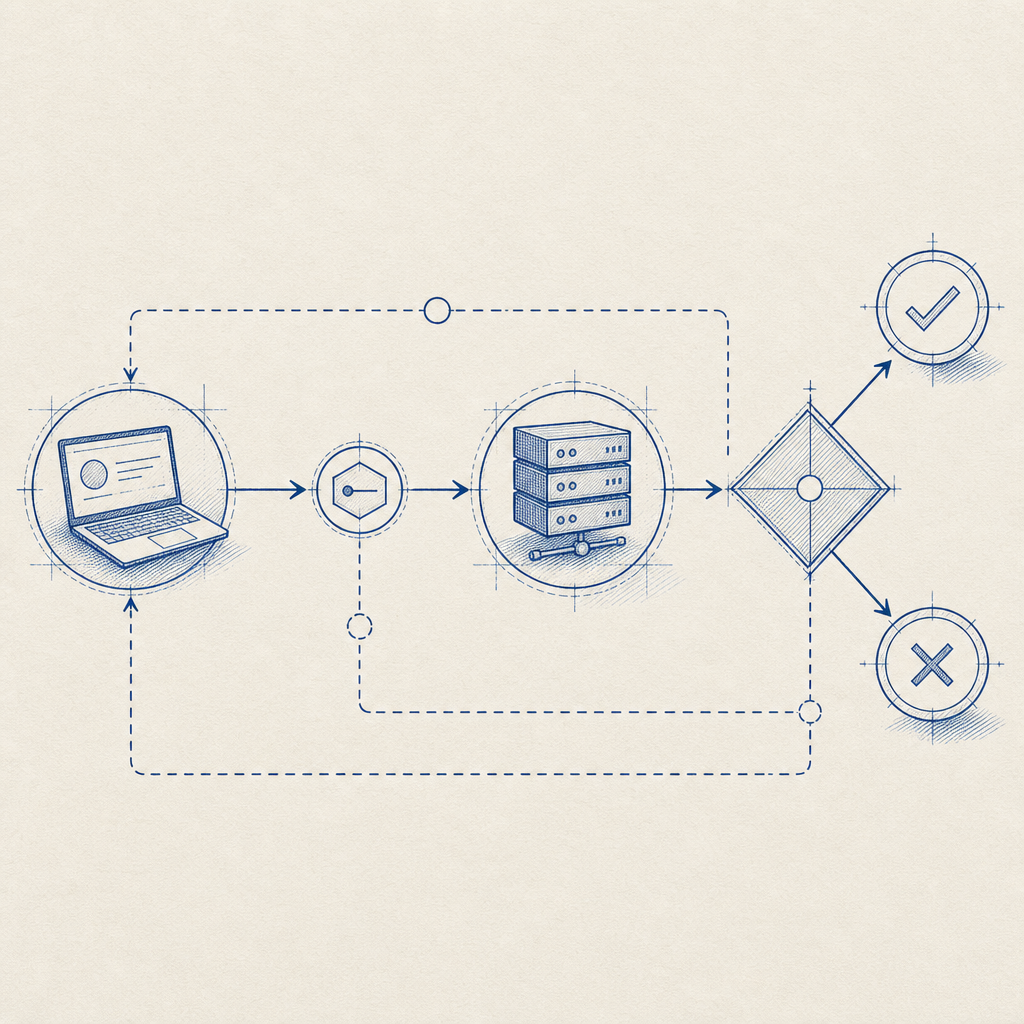
A simple implementation flow often looks like this:
1. Render the challenge on the client
2. Receive the pass token after success
3. Send pass_token and client_ip to your backend
4. Backend calls the validation endpoint
5. Allow, rate-limit, or step-up based on the result
That’s intentionally plain, because good bot defense should be understandable by the people who have to maintain it at 2 a.m.
A pragmatic architecture for real products
For many teams, the most durable setup is layered:
- Edge controls for rate limiting and obvious abuse
- Challenge layer for uncertain traffic
- Server validation for trust decisions
- Telemetry for tuning thresholds over time
This architecture lets you keep the fast path fast and only challenge users when signals warrant it. It also helps avoid over-blocking, which is a common failure mode in rigid defenses.
CaptchaLa’s model fits this pattern well when you want a first-party-data-only approach and a clear validation workflow. The loader is delivered from https://cdn.captcha-cdn.net/captchala-loader.js, and server-side challenge issuance is available via POST https://apiv1.captcha.la/v1/server/challenge/issue. That structure is useful when you want the frontend to stay thin and the backend to make the final decision.
Pricing also matters when you’re comparing options for a real rollout. A free tier of 1,000 monthly requests can support trials or low-volume endpoints, while Pro and Business ranges are designed for higher-volume traffic. That kind of packaging is often easier to evaluate than committing to a fully self-built system before you know your abuse profile.
When open source is enough
Open source may be enough if:
- Your traffic volume is modest
- Abuse patterns are narrow and stable
- You have security engineers who can maintain rules
- Self-hosting is a hard requirement
When managed support becomes worth it
A managed layer becomes attractive when:
- You need faster rollout across multiple apps
- You want less maintenance overhead
- You need consistent behavior across web and mobile
- You want validation and challenge delivery handled in a more standardized way
That doesn’t make open source obsolete. It just means the most practical stack may combine both: open source for custom controls, managed CAPTCHA for challenge delivery and validation. docs are the quickest place to see how those pieces fit together in practice.
Where to go next
If you’re deciding between anti bot open source and a managed CAPTCHA layer, start by mapping your actual abuse paths and your integration surfaces. Then test a small, production-like flow before you commit to a full rollout. If you want to compare implementation details or pricing tiers, take a look at pricing and the docs.