
An anti bot mobile SDK helps your app tell real users apart from automated traffic, abuse scripts, and device-farm activity without forcing every interaction through a painful challenge. The goal is not to “stop all bots” with one trick; it is to add signals, issue tokens, and validate risk server-side so you can block abuse with less friction for legitimate users.
That matters because mobile abuse usually looks different from classic web scraping. You may see account creation bursts, credential stuffing, promo abuse, fake referrals, or device emulators that behave just enough like real phones to slip past simple checks. A good SDK gives you client-side instrumentation plus a server validation path, so the app can stay responsive while your backend makes the final decision.
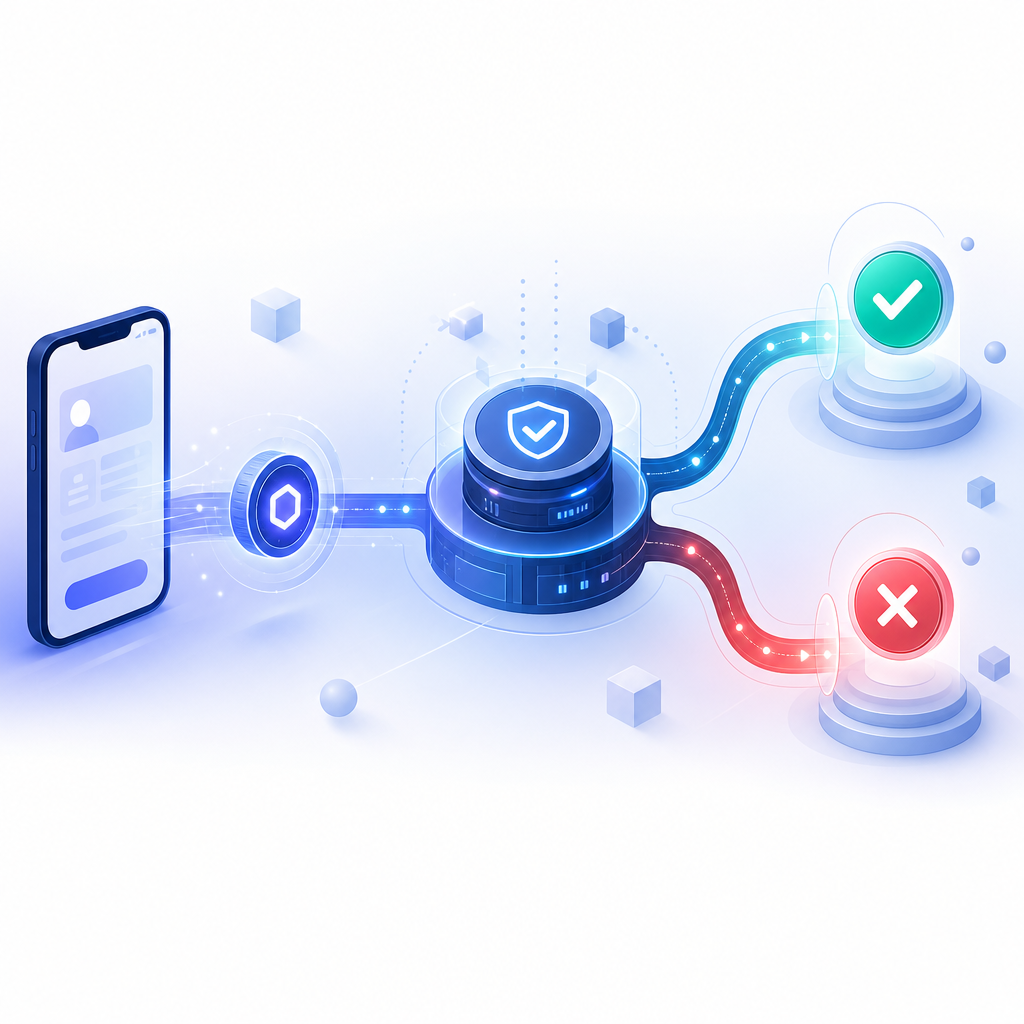
What an anti bot mobile SDK actually does
At a high level, the SDK collects lightweight signals from the app, packages them into a signed or opaque token, and sends that token to your server for verification. Your backend then combines that result with your own business rules: account age, IP reputation, velocity, device consistency, and action sensitivity.
That split is important. Client-side code is only part of the story. If you rely on a local “yes/no” answer inside the app, you are giving attackers something to reverse-engineer. A stronger pattern is:
- The app requests a challenge or attestation token.
- The SDK completes the client-side step and returns a
pass_token. - Your backend validates that token with your secret key.
- You decide whether to allow, step up, rate-limit, or block.
This is the same broad pattern used by many bot-defense systems, whether you are evaluating reCAPTCHA, hCaptcha, Cloudflare Turnstile, or a mobile-first SDK. The difference is in how much native support, server tooling, and friction control you get.
A practical SDK should also support multiple platforms without forcing you into separate implementations for each stack. CaptchaLa, for example, supports native SDKs for Web (JS/Vue/React), iOS, Android, Flutter, and Electron, with UI in 8 languages. For mobile teams, that means you can keep a fairly consistent risk flow across iOS, Android, and cross-platform apps.
What to evaluate before you choose one
If you are comparing options, start with operational details rather than marketing language. Here is a simple comparison of common considerations:
| Criterion | What to look for | Why it matters |
|---|---|---|
| Native support | iOS, Android, Flutter, Electron, and web frameworks | Reduces glue code and edge cases |
| Validation model | Server-side token validation with secrets | Prevents client-side spoofing |
| Deployment flexibility | Challenge issuance plus verify endpoint | Lets you tune step-up flows |
| UX control | Multiple UI languages, configurable friction | Helps conversion and accessibility |
| Ecosystem fit | Server SDKs and clear docs | Speeds backend integration |
| Data policy | First-party data only, clear retention posture | Reduces privacy and compliance risk |
Integration details that save time later
The best SDKs are boring in the right places. You want a predictable install path, stable versioning, and a backend API that is explicit about what it expects. CaptchaLa publishes practical package coordinates and endpoints that are easy to pin and audit:
- Maven:
la.captcha:captchala:1.0.2 - CocoaPods:
Captchala 1.0.2 - pub.dev:
captchala 1.3.2 - Server SDKs:
captchala-php,captchala-go
On the backend, the verification flow is direct:
- Validate token:
POST https://apiv1.captcha.la/v1/validate - Expected body:
{ pass_token, client_ip } - Headers:
X-App-KeyandX-App-Secret
There is also a server-token issuance endpoint for challenge workflows:
POST https://apiv1.captcha.la/v1/server/challenge/issue
That separation is useful when you want to issue challenges only for suspicious traffic, not for every single action. It also lets you build more nuanced policies around registration, login, checkout, or referral abuse.
Example of a safe server-side validation flow
// English comments only
async function verifyBotDefense(passToken, clientIp) {
  const response = await fetch("https://apiv1.captcha.la/v1/validate", {
    method: "POST",
    headers: {
      "Content-Type": "application/json",
      "X-App-Key": process.env.CAPTCHALA_APP_KEY,
      "X-App-Secret": process.env.CAPTCHALA_APP_SECRET
    },
    body: JSON.stringify({
      pass_token: passToken,
      client_ip: clientIp
    })
  });

  if (!response.ok) {
    return { allowed: false, reason: "validation_error" };
  }

  const result = await response.json();

  // Use your own risk rules here
  if (result.pass !== true) {
    return { allowed: false, reason: "failed_challenge" };
  }

  return { allowed: true };
}
The important part is not the exact code shape; it is the trust boundary. The app may collect and forward the token, but the server makes the final call. That is how you keep your defense meaningful even when the client is inspected, emulated, or modified.
Mobile-specific design choices that matter
Mobile apps have a few constraints that web teams sometimes underestimate. Network conditions vary. Background transitions happen. WebViews behave differently from native views. App store review can also be sensitive to challenge flows that feel too aggressive or too opaque.
A good anti bot mobile SDK should make these decisions easier:
- Keep the challenge lightweight enough to avoid hurting completion rates.
- Support step-up only when the action is risky.
- Return deterministic validation results so your backend can reason clearly.
- Work cleanly across app upgrades and SDK version pinning.
- Respect user privacy by avoiding unnecessary third-party tracking.
If you are already running a web bot layer, consider whether your mobile app should share policy logic with it. You do not need identical challenges, but you do want consistent risk semantics. For example, a registration endpoint can treat a failed token as a hard stop, while a checkout flow may trigger a secondary verification step instead of an immediate block.
This is where a provider’s docs matter as much as its SDK. The docs should tell you how tokens are issued, how long they remain valid, and how to structure backend checks. If that information is vague, integration will be slower and your security team will have more questions than answers.
CaptchaLa’s pricing may also be relevant when you are planning rollout phases. A free tier can be enough for a prototype or low-volume app, while higher tiers make sense once your traffic and abuse patterns grow. The key is to start with something you can measure, then tune based on real attack and conversion data.

How to roll it out without hurting UX
The safest rollout is incremental. Do not flip every sensitive action into a hard challenge on day one. Instead, instrument, measure, and tighten gradually.
A useful rollout plan looks like this:
Instrument first
- Add the SDK to a single high-value flow, such as signup or password reset.
- Confirm token delivery, latency, and failure modes on real devices.
Validate server-side
- Route tokens to your backend and confirm you can verify them using your app key and secret.
- Log pass/fail rates separately from normal app errors.
Start with step-up
- If the token fails, ask for an additional verification step rather than blocking every time.
- Compare conversion impact across segments.
Tighten on abuse hotspots
- Move from soft enforcement to hard enforcement where the abuse signal is strong.
- Use IP rate limits, device fingerprints, and velocity checks alongside token validation.
Review edge cases
- Watch for older app versions, flaky networks, and locale-specific issues.
- Confirm that your challenge flow still works in all supported UI languages.
One reason teams like mobile-first bot defense is that it can reduce false positives when compared with blunt controls. reCAPTCHA, hCaptcha, and Cloudflare Turnstile each have their place, especially on web properties, but your mobile architecture may benefit from native SDK support and a cleaner server-validation contract. That is especially true if you need a consistent defense story across iOS, Android, Flutter, Electron, and web.
A simple decision framework
If you are choosing an anti bot mobile SDK today, ask these questions:
- Can I validate on my own server, not just in the client?
- Does it support the platforms and frameworks I ship?
- Are the endpoints and token fields explicit?
- Can I keep abuse signals first-party only?
- Will it let me tune friction by action type?
- Do I have clear documentation and operational support?
If the answer is yes across most of those, you are probably looking at a solid fit. If not, you may be buying a challenge widget instead of a bot-defense layer.
Where to go next: review the integration guide in the docs or check the pricing page to see which tier fits your traffic and rollout plan.