
Anti bot kick refers to the practice of detecting and blocking automated bots from accessing websites, effectively "kicking" them out before they can cause harm. This strategy is crucial for maintaining site integrity, preventing fraudulent activities, and safeguarding user data. By deploying robust anti bot kick solutions, websites can differentiate between human users and malicious bots to protect resources and improve performance.
What Is Anti Bot Kick and Why Does It Matter?
Websites face constant threats from automated bots that scrape data, inflate traffic metrics, conduct credential stuffing, and execute denial-of-service attacks. Anti bot kick methods aim to identify these bots early in the access process and exclude them from reaching core services.
Unlike passive detection, anti bot kick actively denies entry to suspicious visitors, reducing server load and lowering the risk of abuse. This proactive action maintains a healthier environment for genuine users, decreasing false positives and improving overall user experience.
Tactical Approaches to Anti Bot Kick
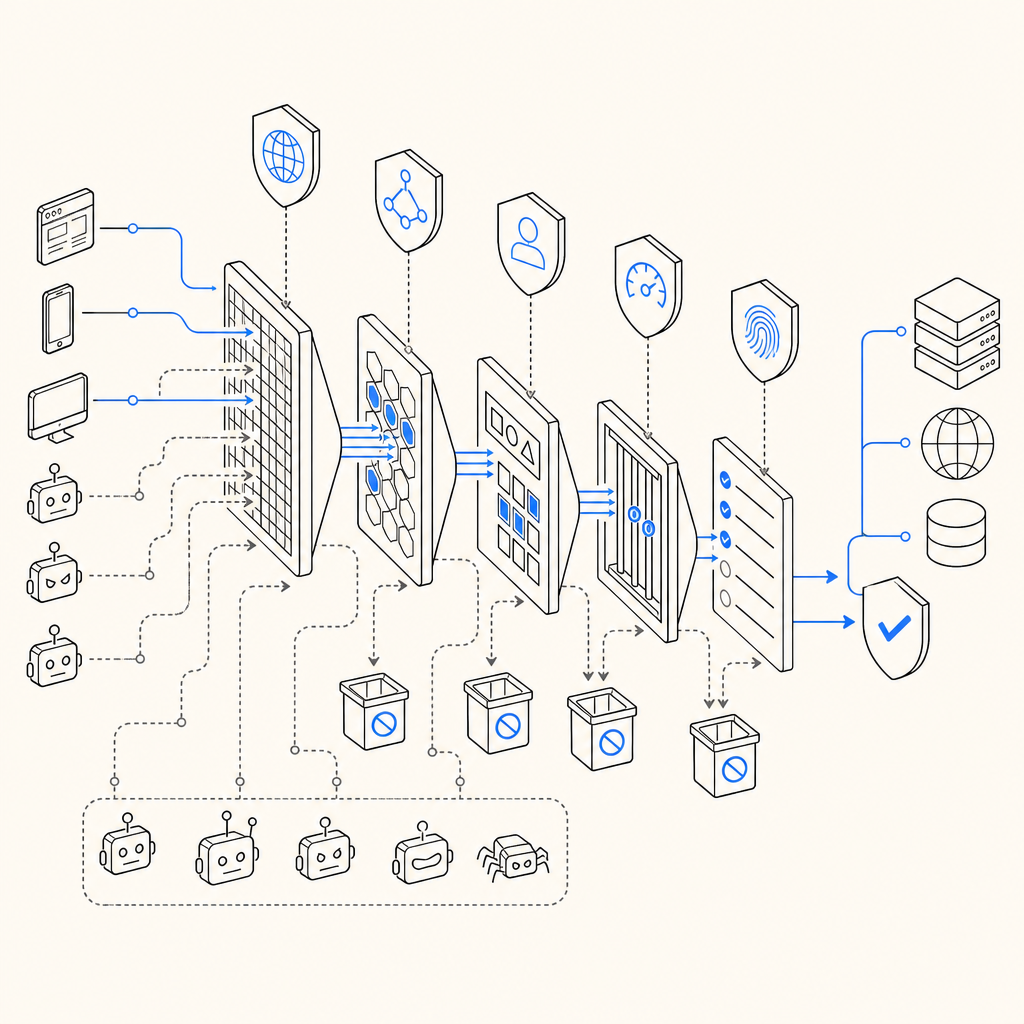
Multiple techniques exist to implement anti bot kick functionality, often combining for maximum effectiveness:
1. Challenge-Response Tests (CAPTCHAs)
Requiring users to prove they are human—through image recognition, text puzzles, or interactive challenges—is a classic anti bot kick method. Providers like CaptchaLa, Google reCAPTCHA, and hCaptcha offer diverse CAPTCHA types tailored to various risk profiles.
2. Behavioral Analysis
Continuous monitoring of user behavior—such as mouse movements, typing patterns, and browsing speed—helps determine whether traffic is automated or human. Suspicious patterns trigger blocking or additional challenges.
3. IP Reputation and Rate Limiting
IP addresses known for malicious activity or exhibiting unusual request volumes are flagged and blocked. Rate limiting ensures bots cannot overwhelm servers or scrape content excessively.
4. Device and Network Fingerprinting
Collecting data about the client’s device configuration and network environment allows systems to identify anomalies indicative of bots.
Comparing Anti Bot Kick Solutions
Here’s a comparison highlighting popular services and how they handle anti bot kick:
| Feature | CaptchaLa | Google reCAPTCHA | hCaptcha | Cloudflare Turnstile |
|---|---|---|---|---|
| Challenge Types | Image, Interactive, Invisible | Image/text puzzles, Invisible | Image puzzles, Invisible | Invisible, minimal user friction |
| Supported SDKs & Platforms | Web (JS, React, Vue), iOS, Android, Flutter, Electron | Web, iOS, Android | Web, Mobile | Web, Mobile |
| Open Source or Proprietary | Proprietary, with transparent docs | Proprietary | Proprietary with privacy focus | Proprietary |
| Pricing Model | Free tier up to 1000/month; Pro & Business plans | Free with premium enterprise plans | Usage-based fees | Included in Cloudflare plans |
| Data Privacy | First-party data only, compliance focused | Shares data with Google services | Privacy-first stance | Integrates with Cloudflare data |
While reCAPTCHA is a mature and widely used solution, CaptchaLa’s offerings emphasize SDK flexibility across many platforms and first-party data handling to enhance privacy without sacrificing bot defense quality.
Implementing Anti Bot Kick with CaptchaLa
CaptchaLa simplifies integrating anti bot kick through a variety of tools and SDKs designed for modern apps:
Client-Side SDKs:
JavaScript SDKs for React, Vue, and vanilla JS provide easy embedding of CAPTCHA challenges. Native SDKs for iOS, Android, Flutter, and Electron ensure mobile and desktop apps are covered.Server-Side Validation:
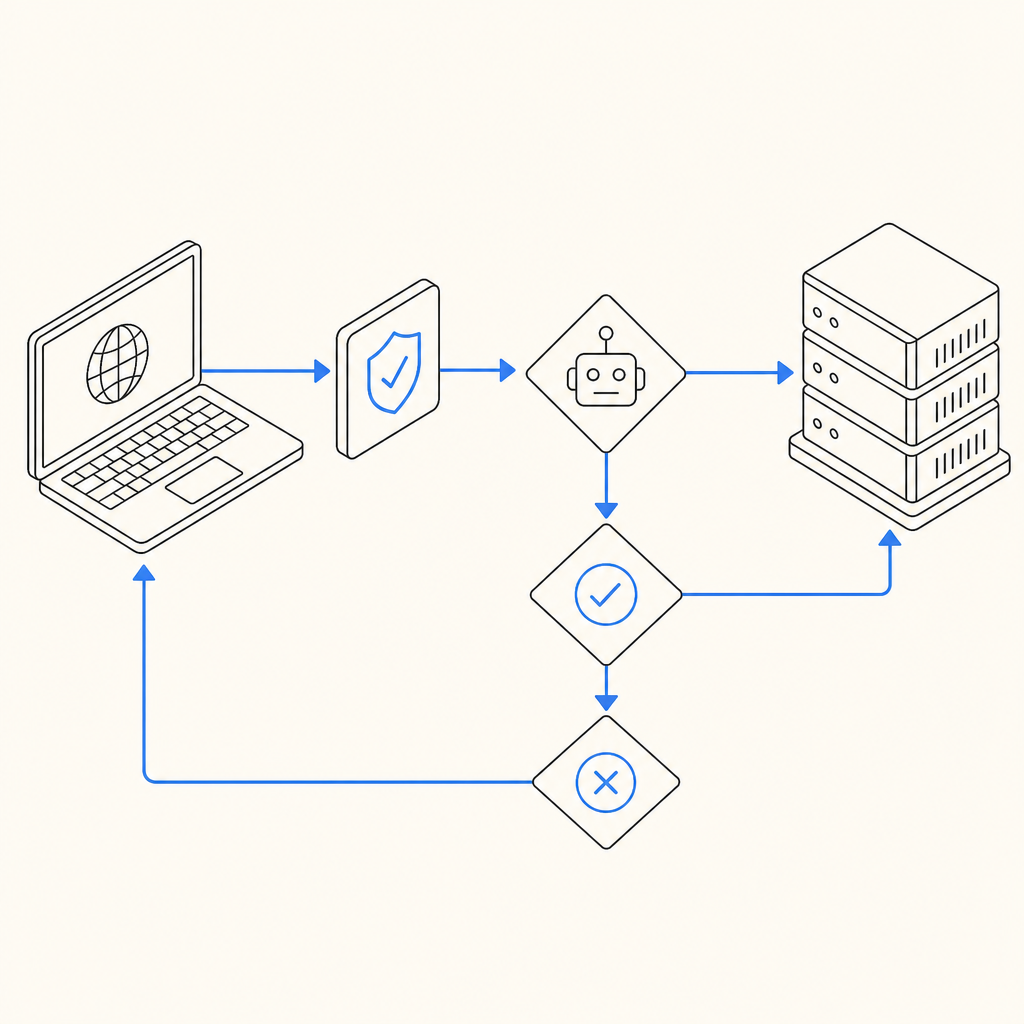
Use the POST endpointhttps://apiv1.captcha.la/v1/validateto verify user tokens, sending parameters likepass_tokenandclient_ip. Secure API keys (X-App-KeyandX-App-Secret) authorize requests.Token Issuance:
Generate server challenge tokens withPOST https://apiv1.captcha.la/v1/server/challenge/issueto create dynamic challenges based on context.Loader Script:
The loader hosted athttps://cdn.captcha-cdn.net/captchala-loader.jshandles injecting CAPTCHA elements seamlessly.
Here is a basic JavaScript example showing how to trigger a CaptchaLa challenge and validate on the server:
// Client side: Load the CaptchaLa widget
loadCaptchaLa({
  siteKey: 'your-site-key',
  onSuccess: (token) => {
    // Send token to your server for validation
    fetch('/validate-captcha', {
      method: 'POST',
      headers: {'Content-Type': 'application/json'},
      body: JSON.stringify({ pass_token: token, client_ip: userIp })
    }).then(res => res.json())
      .then(data => {
        if(data.success) {
          // proceed with user flow
        } else {
          // reject user or challenge again
        }
      });
  }
});
Adopting anti bot kick measures like these helps servers reject automated threats early without hindering legitimate users.
Balancing Security and User Experience
One of the biggest challenges with anti bot kick implementations is preventing undue friction for genuine users. Overly aggressive blocking or complicated challenges can frustrate users and reduce conversions.
CaptchaLa provides multiple UI languages (eight supported) and configurable challenge difficulty to tune the balance appropriately. Invisible CAPTCHA options and behavioral analysis further reduce visible challenges unless high risk is detected.
Conclusion
Anti bot kick strategies are essential guardrails for websites to keep automation threats at bay while enhancing user trust. Solutions like CaptchaLa provide flexible SDKs and strong validation endpoints that help developers embed bot defenses efficiently across platforms.
Whether you are comparing common providers or building your next-gen bot defense system, understanding the core techniques and trade-offs behind anti bot kick ensures better protection without compromising user experience.
For more details on CaptchaLa’s implementation options, visit the docs or explore tiered plans on the pricing page.
Where to go next: Assess your current bot defense posture and experiment with integrating CaptchaLa’s anti bot kick features to better safeguard your web ecosystem.