
Anti bot js is the JavaScript layer that helps your site tell real users from automated traffic before abuse turns into fraud, scraping, account takeover, or form spam. Done well, it stays lightweight, invisible for most visitors, and complementary to server-side checks rather than pretending JavaScript alone can solve bot detection.
The key idea is simple: use the browser to collect a trusted pass token or challenge result, then verify that result on your backend before allowing the action. That gives you a practical balance of friction, privacy, and control. A good implementation should also degrade gracefully when scripts are blocked, because any client-side defense is only one part of a larger bot-defense strategy.
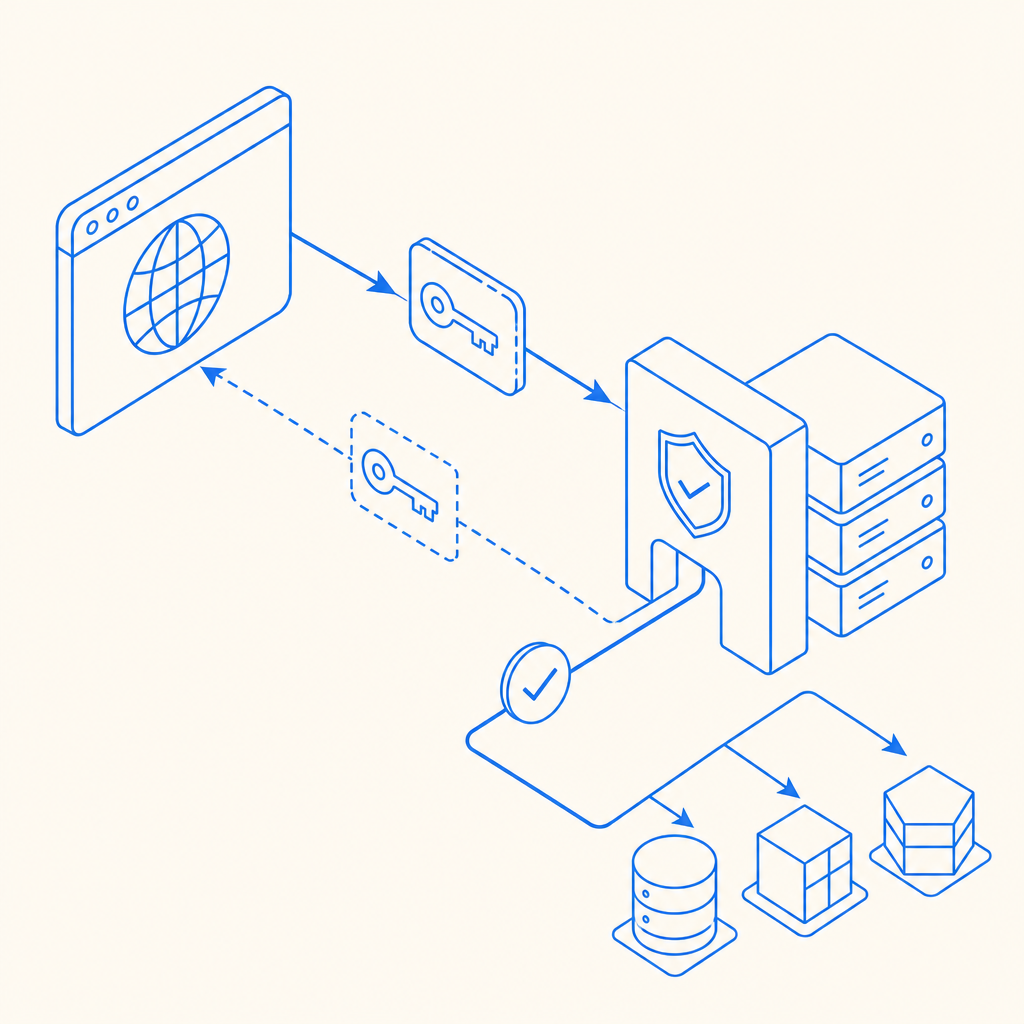
What anti bot js actually does
At a technical level, anti bot js usually sits between the user’s browser and your protected action. It can initialize a loader, render a challenge when needed, and produce a signed token that your backend validates. If the token is valid and fresh, you let the request through. If not, you challenge, slow down, or reject.
That means anti bot js is less about “catching bots in JavaScript” and more about creating a trustworthy browser-side signal. The strongest implementations combine several signals:
- Session integrity: Is the browser session consistent over time?
- Challenge outcome: Did the client complete a friction step successfully?
- Token freshness: Was the proof created recently enough to matter?
- Server-side verification: Does your backend confirm the token with its secret key?
- Risk-based policy: Do you treat login, signup, checkout, and search the same? Usually not.
This distinction matters because many teams overestimate what the browser can prove on its own. JavaScript can help, but it should feed a server decision, not replace one.
How to evaluate an anti bot js stack
If you’re choosing or building an anti bot js approach, compare it on more than “does it stop bots?” A useful evaluation framework looks like this:
| Capability | Why it matters | What to look for |
|---|---|---|
| Token-based validation | Prevents client spoofing | Backend verification endpoint with secret-based auth |
| Low-friction UX | Reduces drop-off | Invisible or adaptive challenges for most users |
| Framework support | Speeds integration | Native JS plus Vue/React support |
| Platform coverage | Keeps parity across apps | iOS, Android, Flutter, Electron, web |
| Localization | Improves completion rates | Multiple UI languages |
| Privacy posture | Reduces compliance risk | First-party data only, minimal collection |
| Deployment control | Lets you tune risk | Configurable challenge issuance and validation |
Some teams compare reCAPTCHA, hCaptcha, and Cloudflare Turnstile when they first look at this space. Objectively, each can fit different needs. reCAPTCHA is familiar and widely integrated. hCaptcha is often chosen for its business model and privacy posture. Cloudflare Turnstile focuses on a low-friction experience for many users. The right choice depends on your traffic mix, compliance requirements, and how much control you want over verification logic.
For product teams that want a more application-centric workflow, CaptchaLa offers browser and mobile SDKs plus backend validation endpoints. It supports Web JS, Vue, React, iOS, Android, Flutter, and Electron, with eight UI languages and server SDKs like captchala-php and captchala-go. If you need to wire it into an existing auth or signup flow, the docs are the fastest way to see the exact request and response patterns: docs.
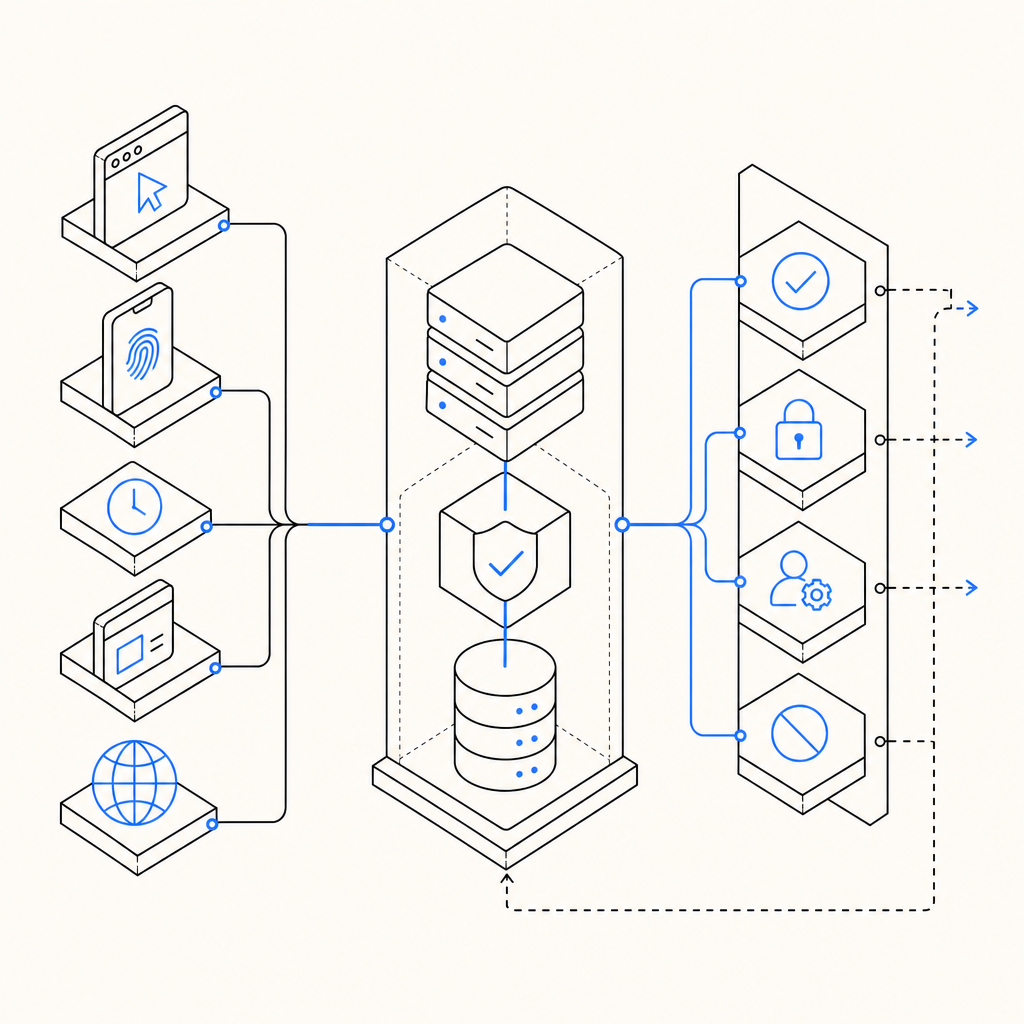
A practical integration pattern
A solid anti bot js integration should split responsibility cleanly:
- Client side: load the library, request a challenge if needed, obtain a
pass_token. - Transport: send the token with the protected form or API request.
- Server side: verify the token before processing the action.
- Policy layer: decide whether to allow, step up, or deny based on risk.
For CaptchaLa, the typical backend verification is a POST to:
https://apiv1.captcha.la/v1/validate
with a body like:
{
  "pass_token": "token-from-browser",
  "client_ip": "203.0.113.10"
}
and headers including X-App-Key and X-App-Secret.
A minimal flow often looks like this:
// Load the client library
// Request a challenge token from the browser
// Send the token to your server with the protected form
// Verify the token on the server before accepting the action
If your flow needs challenge issuance from your backend first, CaptchaLa also exposes a server-token endpoint:
POST https://apiv1.captcha.la/v1/server/challenge/issue
That’s useful when you want tighter control over when a browser challenge is created, such as after a suspicious login attempt or before a high-value action.
Implementation details that reduce pain
A few technical habits make anti bot js much easier to maintain:
Verify every sensitive action server-side
Do not trust a client flag likeisHuman=true. Treat it as advisory at most.Bind tokens to context where possible
Include the client IP or session context in your validation logic if your risk model supports it.Set token expiration windows carefully
Short-lived proof is generally more useful than a long-lived token that can be replayed.Keep the loader predictable
CaptchaLa’s loader is hosted athttps://cdn.captcha-cdn.net/captchala-loader.js, which makes integration straightforward without adding a lot of custom bootstrapping.Use first-party data only where possible
This keeps your implementation simpler from a privacy and governance standpoint.
If you want to see how the pieces fit together in a real integration, the CaptchaLa docs show the supported SDKs, validation patterns, and platform-specific setup steps.
Common mistakes teams make
Anti bot js fails most often because teams ask it to do too much, or they place it too late in the flow. Common mistakes include:
- Only checking on the client: bots can often mimic client behavior well enough to bypass superficial checks.
- Challenging every request: this creates unnecessary friction and can hurt conversions.
- Ignoring mobile and desktop parity: if your web flow is protected but your app flow is not, abuse just shifts.
- Using one policy for all routes: login, password reset, checkout, and contact forms should not share the same threshold.
- Not measuring false positives: if legitimate users are blocked, your defense is costing more than it saves.
A better approach is to rank routes by abuse sensitivity and business impact. For example:
- Highest sensitivity: login, reset password, wallet actions, account creation.
- Medium sensitivity: checkout, coupon redemption, lead forms.
- Lower sensitivity: newsletter signup, search, feedback forms.
Then tune your anti bot js policy accordingly. Step-up challenges make sense on high-risk routes; passive checks may be enough on lower-risk ones.
Pricing also matters when you scale. CaptchaLa’s plans are designed around usage bands such as Free tier at 1,000 monthly requests, Pro at 50K–200K, and Business at 1M. If you’re piloting a new defense, it helps to start small and measure before rolling out broadly: pricing.
Where anti bot js fits in the bigger defense stack
Anti bot js is strongest when it’s one layer in a defense stack, not the whole stack. Pair it with rate limiting, device/session heuristics, IP reputation, abuse monitoring, and backend business rules. That way, even if a bot adapts to one signal, it still has to get past others.
For many teams, the best architecture looks like this:
- Browser challenge or pass token
- Server validation
- Route-specific risk scoring
- Rate limits and anomaly detection
- Audit logs for investigation
This layered approach is also easier to evolve. You can change challenge sensitivity without rewriting your entire auth system. You can also localize the user experience, which matters more than it first appears. CaptchaLa includes eight UI languages, which can lower friction in multilingual products and reduce support tickets from confused users.
If you’re building anti bot js into a web app, start with one protected route, validate token handling thoroughly, and only then expand to the rest of the product. Small, measurable rollout beats broad, fragile enforcement every time.
Where to go next: review the integration steps in the docs or compare usage tiers on the pricing page.