
Anti bot hosting means designing your hosting stack so it can detect, slow down, or block automated traffic before that traffic consumes resources, scrapes content, abuses forms, or skews analytics. If you run a site or app with public endpoints, the practical goal is not to “stop all bots” — it’s to make hostile automation expensive while keeping legitimate users fast.
That usually starts with a layered setup: edge filtering, rate limits, challenge pages, server-side validation, and careful observability. A good anti-bot posture doesn’t depend on one signal alone. It combines request patterns, session state, client attestation, and backend checks so an attacker can’t simply replay a token or spoof a header and move on.
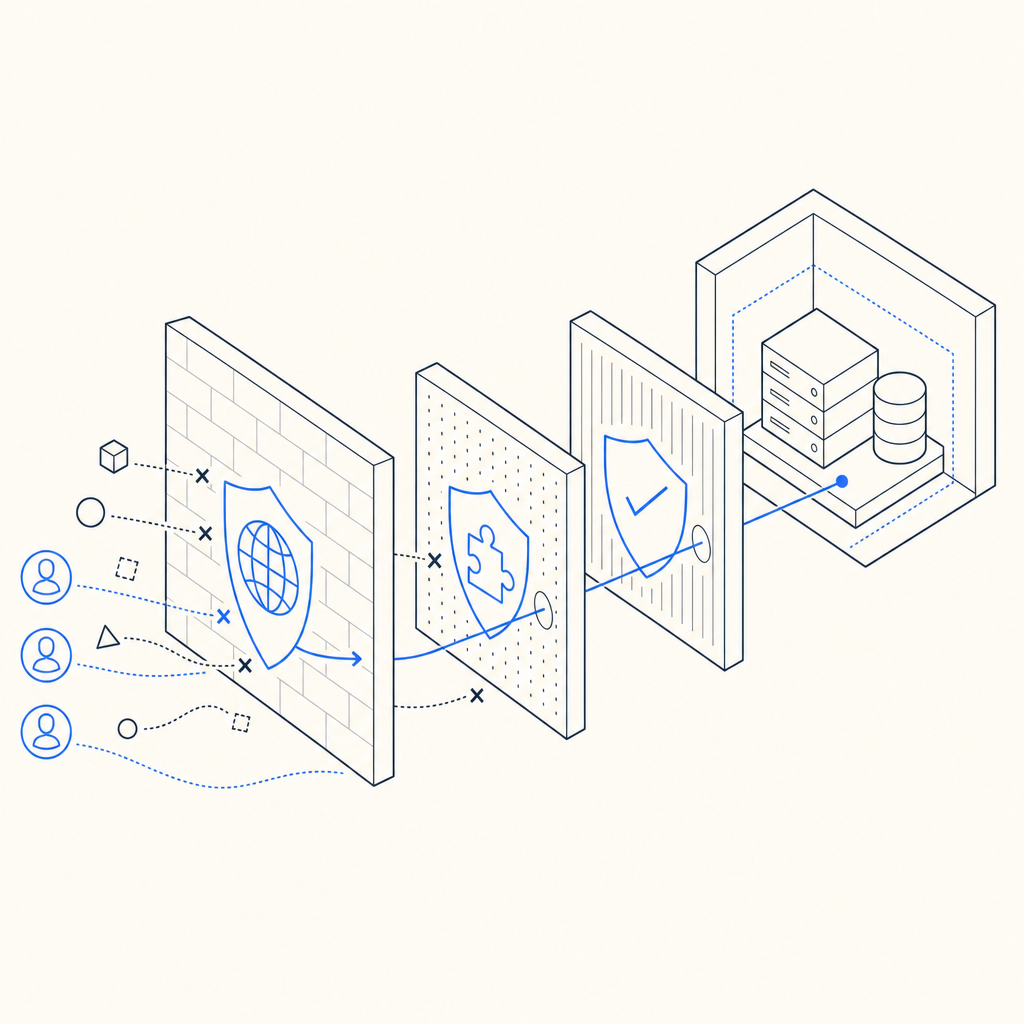
What anti bot hosting actually covers
The phrase gets used loosely, but there are three distinct layers involved:
- Hosting controls — CDN rules, WAF policies, rate limits, geo rules, and origin shielding.
- Challenge systems — CAPTCHA or invisible challenge flows that separate likely humans from automated clients.
- Application validation — server-side checks that confirm a challenge was passed and that the request context matches expectations.
If you only add a front-end widget, you get a speed bump. If you only block IPs, you can end up punishing shared networks and mobile users. Anti bot hosting works best when the hosting layer and the application layer cooperate.
A simple rule of thumb:
- Use edge controls to reduce junk traffic early.
- Use challenge logic when behavior looks suspicious.
- Use server validation to prevent token reuse or client-side tampering.
That last piece matters a lot. Bot operators often target weak validation paths, so the pass/fail decision should happen on your backend, not just in the browser.
A practical architecture for defending public endpoints
A clean setup for anti bot hosting usually looks like this:
Traffic arrives at the edge
- CDN or reverse proxy absorbs volumetric noise.
- Apply request limits per IP, ASN, route, or session.
- Cache static assets aggressively so origin is protected.
Risky routes trigger a challenge
- Common targets: signup, login, password reset, checkout, contact forms, comment submission, and search.
- For lower-friction flows, invisible or low-interaction challenge modes are often enough.
- For higher-risk routes, a visible challenge can be appropriate.
The browser returns a pass token
- The client receives a token only after solving or passing the challenge.
- Your app submits that token with request context such as client IP.
Your server validates the token
- The backend calls the validation endpoint.
- It checks that the token is authentic, unused, and appropriate for the request.
Here’s the key point: when you validate on the server, the browser never gets to decide whether a request is trusted. That reduces replay risk and makes automation harder to scale.
Example validation flow:
Client loads page
  -> challenge rendered
  -> user passes challenge
  -> pass_token generated
Client submits form
  -> backend receives pass_token + client_ip
  -> backend validates with anti-bot service
  -> origin accepts or rejects request
For CaptchaLa, validation is done with a backend POST request to:
POST https://apiv1.captcha.la/v1/validate
with a body like:
{
  "pass_token": "token-from-client",
  "client_ip": "203.0.113.10"
}
and authentication headers:
X-App-KeyX-App-Secret
That pattern is important because it keeps the trust decision on your server. If you’re evaluating a service for anti bot hosting, that’s one of the first things to check.
How it compares with common CAPTCHA and challenge options
Most teams narrow the field to a few familiar names: reCAPTCHA, hCaptcha, Cloudflare Turnstile, and newer bot-defense platforms. They solve related problems, but the tradeoffs differ.
| Option | Typical strength | Typical tradeoff | Good fit |
|---|---|---|---|
| reCAPTCHA | Mature ecosystem, widely recognized | Can add user friction and depends on Google ecosystem | Legacy integrations, broad compatibility |
| hCaptcha | Strong abuse resistance, flexible challenge model | May require tuning for user experience | Sites that want more explicit challenge control |
| Cloudflare Turnstile | Low-friction user experience | Best fit when you already use Cloudflare heavily | Cloudflare-centric stacks |
| CaptchaLa | Developer-focused validation and multi-platform SDKs | Requires your app to wire validation correctly | Teams wanting a compact, first-party-data approach |
The best choice depends on your traffic profile and operational constraints, not just brand familiarity.
A few things to compare before you commit:
- Friction level: How often do real users need to interact?
- SDK coverage: Can you support web, mobile, and desktop?
- Validation model: Is the verification server-side and auditable?
- Localization: Does the UI work for your audience?
- Data handling: Does the vendor rely on first-party data only or broader tracking?
CaptchaLa, for example, supports 8 UI languages and native SDKs for Web (JS, Vue, React), iOS, Android, Flutter, and Electron. It also provides server SDKs like captchala-php and captchala-go, which helps when your stack spans frontend and backend services. The loader is served from https://cdn.captcha-cdn.net/captchala-loader.js, and the docs live at docs.
Implementation details that matter more than people expect
The hardest part of anti bot hosting is usually not the challenge itself — it’s integration discipline. Small mistakes create big gaps.
1) Bind the challenge to the request
Don’t accept a token without context. Validate with:
- the token
- the client IP
- the route or action being protected
- a short expiry window
This limits token theft and replay.
2) Protect the most abused endpoints first
You don’t need to challenge everything. Start with endpoints that are costly or attack-prone:
- account creation
- login
- password reset
- promo code submission
- checkout
- search endpoints with expensive queries
- public APIs exposed to anonymous clients
3) Log both challenge and validation outcomes
Track:
- challenge render count
- solve/pass rate
- validation success/failure
- IPs with repeated failures
- time between challenge and submission
These metrics tell you whether you’re stopping automation or merely adding latency.
4) Keep server-side secrets off the client
The validation secret should never be embedded in browser code. Use backend calls only. If your front end can independently “approve” a request, the system is too easy to bypass.
5) Plan for multiple application surfaces
If your app has web, iOS, Android, Flutter, and Electron clients, choose a provider that can support consistent policy across them. Otherwise, attackers just move to the weakest surface.
Here’s a compact pseudo-implementation for a backend route:
<?php
// English comments only
// Receive token from the client
$passToken = $_POST['pass_token'] ?? '';
$clientIp = $_SERVER['REMOTE_ADDR'] ?? '';

// Send token to validation endpoint
$response = validateCaptchaToken($passToken, $clientIp);

// Accept only if validation succeeds
if (!$response['success']) {
    http_response_code(403);
    exit('Blocked');
}

// Continue with the protected action
processSignup();
Choosing the right level of defense
There is no single “correct” anti bot hosting setup. The right configuration depends on the cost of abuse and the tolerance for friction.
A useful way to decide:
- If the route is low-value and public, start with rate limiting and lightweight challenges.
- If the route has direct financial impact, add stricter validation and tighter session rules.
- If abuse is coming from distributed sources, rely less on IP reputation alone and more on request behavior and backend validation.
- If you have global users, make sure the challenge is readable and localized.
CaptchaLa’s published tiers are also straightforward to map to traffic shape: a free tier at 1000/month, Pro for 50K–200K, and Business at 1M. That makes it easier to pilot on one route before expanding to the rest of the stack. If you want to inspect the plan structure, pricing is the natural place to start.
For teams already running a CDN and WAF, a challenge layer fills the gap between “suspicious” and “blocked.” That’s often the sweet spot: you keep legitimate traffic moving while forcing automation to spend more time and compute per request.
Final take
Anti bot hosting is not a single product category so much as a security posture: protect the edge, challenge the risky actions, and validate server-side. If you build it that way, you reduce abuse without turning your application into a maze for real users.
Where to go next: review the implementation details in the docs or compare plans on pricing to see what fits your traffic shape.