
If you’re looking to protect your website or application from bots but want to avoid upfront costs, getting a captcha API key free is a great starting point. Many CAPTCHA providers offer free tiers that let you integrate bot-defense mechanisms at no initial charge, allowing you to test and implement protections without immediate financial commitment. This article explains how you can get a captcha API key free, what limitations to expect, and compares options including CaptchaLa, reCAPTCHA, hCaptcha, and Cloudflare Turnstile.
What Does a Captcha API Key Do?
A captcha API key is essentially a credential that authorizes your application to use a CAPTCHA service’s validation system. When your user solves a CAPTCHA challenge, the client-side widget interacts with the provider’s API using this key. The API key also allows the service to track usage, prevent abuse, and ensure that responses come from your authorized application.
Without an API key, you cannot verify that the user is legitimate or perform server-side validation to stop automated bot traffic. This key is usually paired with a secret or token used on the backend for validation calls.
How to Get a Captcha API Key Free
Most CAPTCHA providers offer free API keys as part of their freemium plans. Here are straightforward steps you can follow to get started with a free API key:
Sign Up for an Account
Visit the CAPTCHA service website and create a user account. This will allow you to generate API credentials.Register Your Site or Application
Specify the domains or app bundle IDs where you will use the CAPTCHA. This whitelisting is essential for security.Generate Your API Key (and Secret)
Once registered, the dashboard will provide you a site key (public) and secret key (private) to use in your app.Integrate Using SDKs or API Calls
Use the API key with the provider’s frontend widget or native SDKs to embed CAPTCHA challenges.Test with Free Quotas
Utilize the free monthly request limits to evaluate effectiveness before scaling.
Free Quotas to Consider
| Provider | Free Quota Details | Key Features |
|---|---|---|
| CaptchaLa | 1000 API validations/month | 8 UI languages, SDKs for Web/iOS/Android |
| Google reCAPTCHA | Unlimited usage, but risk of quota throttling | Widely adopted, privacy concerns |
| hCaptcha | Free for most usage, no strict limits | Privacy-first, rewards site owners |
| Cloudflare Turnstile | Free without registration | No keys needed, serverless integration |
The exact quota and feature set vary, but having a free API key lets you test basic CAPTCHA integration reliably.

Comparing CaptchaLa and Other Popular Providers
CaptchaLa
CaptchaLa offers a free tier with 1000 validations per month, making it suitable for small projects or initial testing. It supports native SDKs across multiple platforms, including web frameworks like React and Vue, mobile environments such as Android and iOS, and Flutter for cross-platform applications. Validation is done via secure POST calls to their API endpoint, ensuring reliable bot detection.
Google reCAPTCHA
Google reCAPTCHA is ubiquitous, offering free usage but it technically does not enforce a hard limit—though excessive traffic might trigger throttling or blocks. It uses invisible challenges and scores to identify bots, but some users have privacy concerns since it collects data across Google services.
hCaptcha
hCaptcha is a privacy-friendly alternative where site operators can earn micro-payments by serving CAPTCHAs to users. It also offers generous free usage and supports traditional challenge types as well as invisible CAPTCHAs.
Cloudflare Turnstile
Unlike others, Cloudflare Turnstile does not require an API key and is free. It’s focused on quick user validation without CAPTCHA challenges where possible. However, it requires Cloudflare proxying and integration within their ecosystem.
| Feature | CaptchaLa | reCAPTCHA | hCaptcha | Cloudflare Turnstile |
|---|---|---|---|---|
| Free API Key | Yes (1000/mo) | Yes | Yes | No key needed |
| SDK Support | Web, Mobile & Desktop | Web only | Web only | Web only |
| Privacy Focus | First-party data only | Google data sharing | Privacy-centric | Privacy-focused |
| Usage Limits | Clear tiered quotas | Unspecified limits | Flexible | Unlimited |
Integrating a Free Captcha API Key With CaptchaLa
Below is a simplified example of how to integrate CaptchaLa with your web project using JavaScript and the free API key:
// Load the CaptchaLa widget script
const loaderScript = document.createElement('script');
loaderScript.src = "https://cdn.captcha-cdn.net/captchala-loader.js";
document.head.appendChild(loaderScript);

// After loading, initialize the widget with your site key
loaderScript.onload = () => {
  CaptchaLa.render({
    siteKey: "your-free-api-key-here",
    container: "#captcha-container",
    onSuccess: (token) => {
      // Send token and client IP to your backend for validation
      fetch('https://apiv1.captcha.la/v1/validate', {
        method: 'POST',
        headers: {
          'Content-Type': 'application/json',
          'X-App-Key': 'your-app-key',
          'X-App-Secret': 'your-app-secret',
        },
        body: JSON.stringify({
          pass_token: token,
          client_ip: 'user-ip-address',
        }),
      })
      .then(res => res.json())
      .then(data => {
        if(data.success) {
          console.log('User verified!');
        } else {
          console.log('Captcha failed verification');
        }
      });
    }
  });
};
Integration guides, including backend SDKs for PHP and Go, are documented in detail in the CaptchaLa docs.
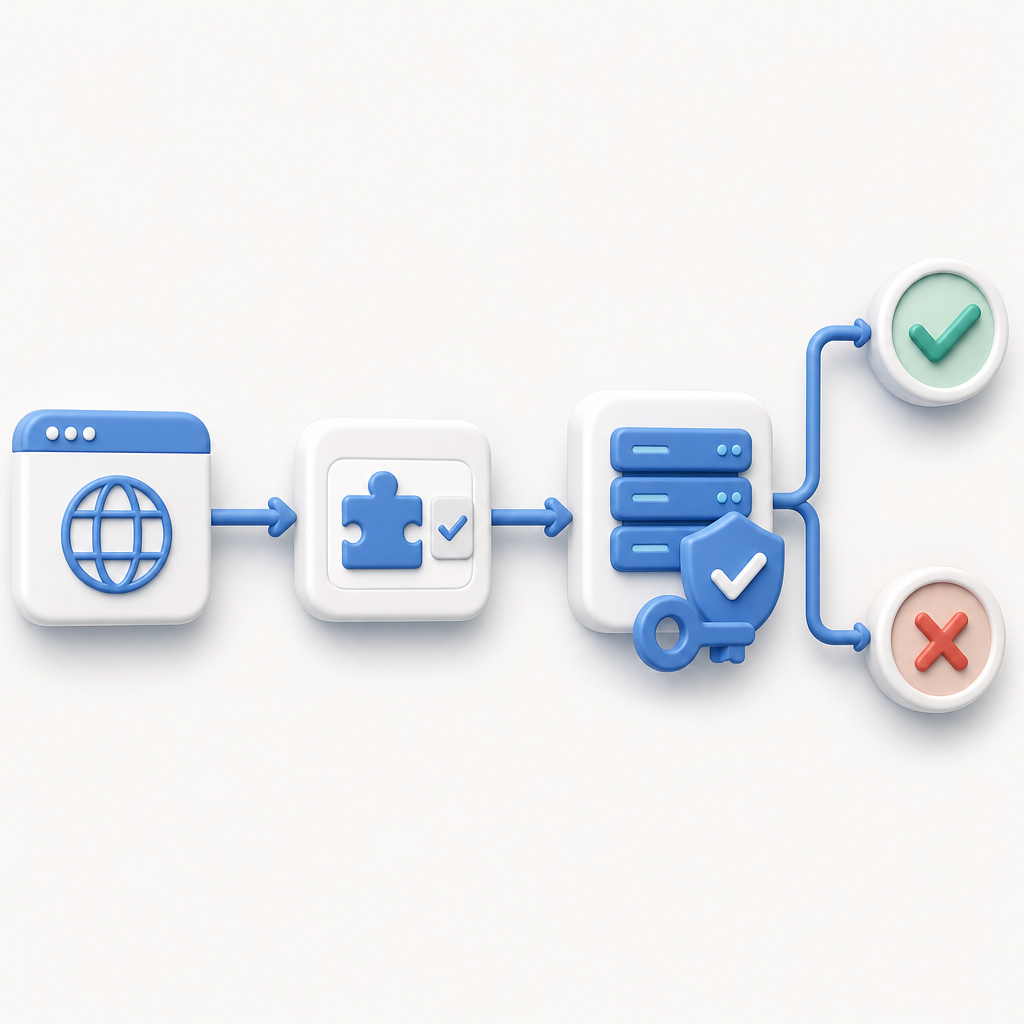
Things to Keep in Mind When Using Free Captcha API Keys
- Quota Limits: Free tiers often come with monthly validation limits, so plan your traffic accordingly. Consider upgrading as you grow.
- Security: Keep your secret keys secure on the server side and do not expose them publicly.
- Privacy: Review each provider’s data policies to ensure alignment with your users’ privacy expectations.
- Ease of Use: Some providers offer richer SDKs or more languages; choose one that fits your tech stack and localization needs.
- Fallbacks: Implement good error handling in case CAPTCHA validations fail or quota limits are reached.
Conclusion
Obtaining a captcha API key free is straightforward and lets you add bot-defense without upfront cost. CaptchaLa offers a solid free tier with broad platform SDKs and transparent quotas. Meanwhile, options like Google reCAPTCHA, hCaptcha, and Cloudflare Turnstile provide alternatives balancing ease, privacy, and usage terms. Whatever you choose, leveraging an API key unlocks the ability to verify human users reliably, essential for safeguarding your forms, login pages, and online interactions.
If you’re ready to start, exploring how to integrate a free CaptchaLa API key into your app is a good next step. Check CaptchaLa’s pricing and docs for details on limits and SDK usage so you can protect your users from automated threats with minimal friction.