
A captcha API key is a pair of credentials that authenticates your website or application with a CAPTCHA provider’s service. Within bot defense solutions, this key enables your app to request CAPTCHA challenges and verify user responses securely. Without this API key, your site cannot interact with the CAPTCHA provider’s platform to protect forms, logins, or other sensitive touchpoints from automated abuse.
Here, we explain where to get a captcha API key, why it’s essential, and how to use it effectively — comparing popular providers including CaptchaLa, reCAPTCHA, hCaptcha, and Cloudflare Turnstile along the way.
What Is a Captcha API Key and Why Do You Need It?
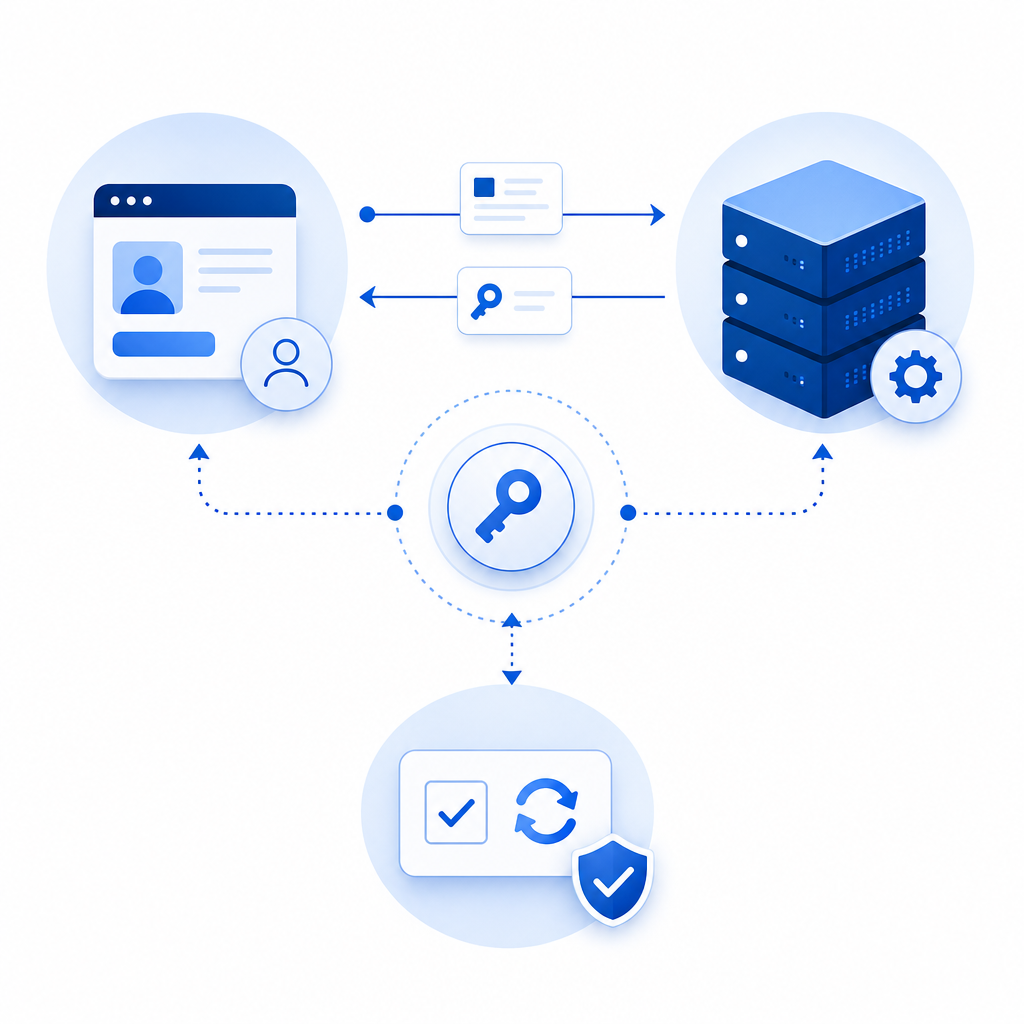
A captcha API key is essentially a unique identifier plus secret used in API requests between your application and a CAPTCHA service. It confirms your site’s identity and authorizes the delivery and verification of CAPTCHAs. This is crucial because:
- It ensures only authorized clients can request challenges, preventing abuse of the CAPTCHA provider.
- It ties CAPTCHA traffic and usage to your account for reporting and quota management.
- It keeps verification secure by pairing with a secret key during server-side validation calls.
API keys typically come in two parts:
- Public Key (Site Key) – Embedded in your frontend code to load CAPTCHA widgets or SDKs.
- Secret Key – Used exclusively on your backend to verify user responses by calling the provider’s validation endpoints.
How to Obtain a Captcha API Key
The exact process varies slightly by provider but usually follows these steps:
- Sign up for an account on the CAPTCHA provider’s platform.
- Register your website or app domain – This links the key to authorized usage domains.
- Create a new CAPTCHA site key pair – You’ll get a public key and secret key.
- Configure settings such as allowed domains, security level, or languages.
- Integrate the keys into your frontend and backend code as instructed.
Example: Getting a CaptchaLa API Key
- Visit the CaptchaLa dashboard.
- Sign up and create a new app project.
- The dashboard will generate your X-App-Key (public) and X-App-Secret (private) credentials.
- Keep the secret key secure; only use it in server-side API calls.
- Use the keys with CaptchaLa SDKs (JS, iOS, Android, Flutter, etc.) or server SDKs (
captchala-php,captchala-go) to implement and validate.
Providers like Google’s reCAPTCHA or hCaptcha offer similar registration steps but differ in UI and some feature sets.
Using a Captcha API Key: Integration and Validation
Integration involves two main parts:
1. Frontend: Load and Render the CAPTCHA
You embed the public/site key in your frontend. For example, with CaptchaLa’s JavaScript loader:
<script src="https://cdn.captcha-cdn.net/captchala-loader.js"></script>
<div id="captcha-container"></div>
<script>
  // Initialize CaptchaLa widget with your public X-App-Key
  CaptchaLa.render('captcha-container', { appKey: 'YOUR_PUBLIC_X_APP_KEY' });
</script>
This code loads the CAPTCHA challenge and handles user interactions.
2. Backend: Verify User Responses Safely
When users complete the CAPTCHA, your frontend sends a token (pass_token) to your backend. The backend then calls the CAPTCHA provider’s validate API with the secret key to verify:
// Example PHP code using CaptchaLa validation
$response = file_get_contents('https://apiv1.captcha.la/v1/validate', false, stream_context_create([
  'http' => [
    'method' => 'POST',
    'header' => "Content-Type: application/json\r\nX-App-Key: YOUR_KEY\r\nX-App-Secret: YOUR_SECRET\r\n",
    'content' => json_encode([
      'pass_token' => $_POST['pass_token'],
      'client_ip' => $_SERVER['REMOTE_ADDR']
    ])
  ]
]));

$result = json_decode($response, true);
if ($result['success']) {
  // Validation passed - proceed with form submission or login
} else {
  // Handle failed CAPTCHA verification
}
This step is essential for reliable bot detection.
Comparing Popular CAPTCHA Providers’ API Key Features
| Provider | API Key Management | SDK Support | Validation Endpoint URL | Free Tier Limits | Notes |
|---|---|---|---|---|---|
| CaptchaLa | Dashboard with keys | JS, Vue, React, iOS, Android, Flutter, Electron; server SDKs | POST https://apiv1.captcha.la/v1/validate | 1000/mo free, scalable paid tiers | First-party data focus; multi-language UIs |
| Google reCAPTCHA | Google Cloud Console | JS SDK; limited mobile native | POST https://www.google.com/recaptcha/api/siteverify | High free usage | Widely used; strong brand recognition |
| hCaptcha | Web portal dashboard | JS SDK; mobile SDKs | POST https://hcaptcha.com/siteverify | Free tier + flexible paid plans | Privacy centric; supports enterprise |
| Cloudflare Turnstile | Cloudflare dashboard | Lightweight JS widget; API | POST via Cloudflare API | Free for Cloudflare users | No user friction claim |
Each provider uses an API key system but differs in implementation, usage limits, and ecosystem. CaptchaLa offers native SDKs across multiple platforms and straightforward API calls with clear security headers.

Best Practices for Managing Captcha API Keys
- Keep your secret keys confidential. Never expose them in client-side code or public repositories.
- Restrict API key usage by domain or IP to prevent misuse.
- Rotate keys if you suspect compromise or if your provider allows scheduled key renewal.
- Monitor usage via your CAPTCHA provider's dashboard to detect anomalies.
- Use server SDKs for backend validation—avoid calling CAPTCHA APIs directly from frontend.
Your CAPTCHA integration is only as strong as the security of your API keys.
Summary
A captcha API key is fundamental to enabling CAPTCHA-based bot defenses. It serves as the authentication mechanism to request challenges and validate user responses securely. Whether using CaptchaLa or other services like reCAPTCHA or hCaptcha, understanding how to obtain, use, and protect your API keys is essential for effective bot protection.
The key steps involve registering your site, integrating the public and secret keys on frontend and backend respectively, and using secure validation endpoints. CaptchaLa’s multi-platform SDKs and simple API interface provide a flexible option, with a generous free tier and transparent pricing.
For the technical details of integration and examples of API requests, check out the CaptchaLa docs. To compare pricing plans and select the best fit for your traffic needs, visit CaptchaLa pricing.
Start safeguarding your applications by obtaining your captcha API key today, and put a reliable barrier in place against automated abuse and spam.