
An anti bot extension is a tool integrated with websites or apps designed to detect and block malicious automated traffic—also known as bots. These extensions prevent fraud, spam, credential stuffing, and other forms of abuse by verifying visitors are real humans rather than scripts or automated programs. By filtering out unwanted bot traffic, anti bot extensions help maintain site performance, protect user data, and reduce operational risks.
How Anti Bot Extensions Work
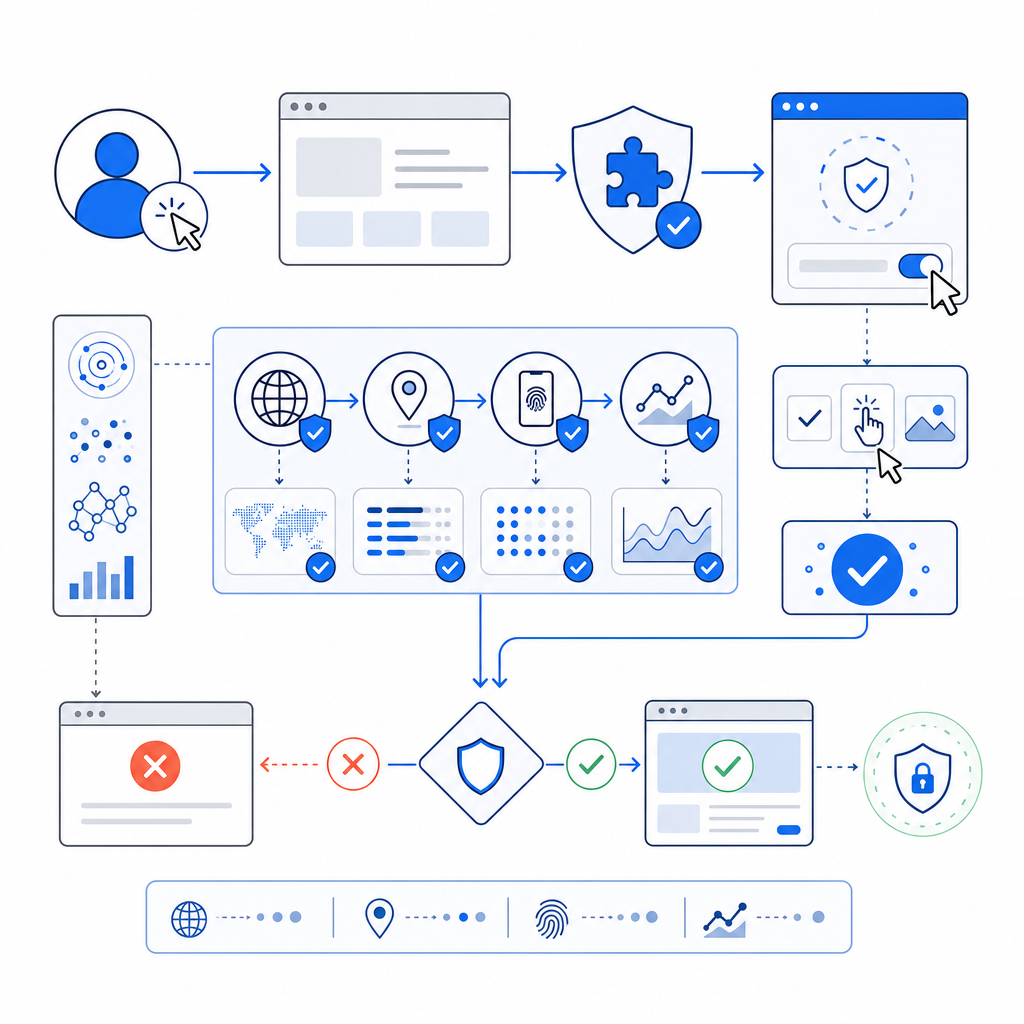
At their core, anti bot extensions analyze visitor behavior, interaction patterns, and request attributes to differentiate humans from bots. This can involve:
- Triggering challenges like CAPTCHAs when suspicious activity is detected
- Monitoring mouse movements, click timing, and form input patterns
- Using JavaScript challenges or browser fingerprinting techniques
- Validating tokens issued from prior checks to confirm legitimacy
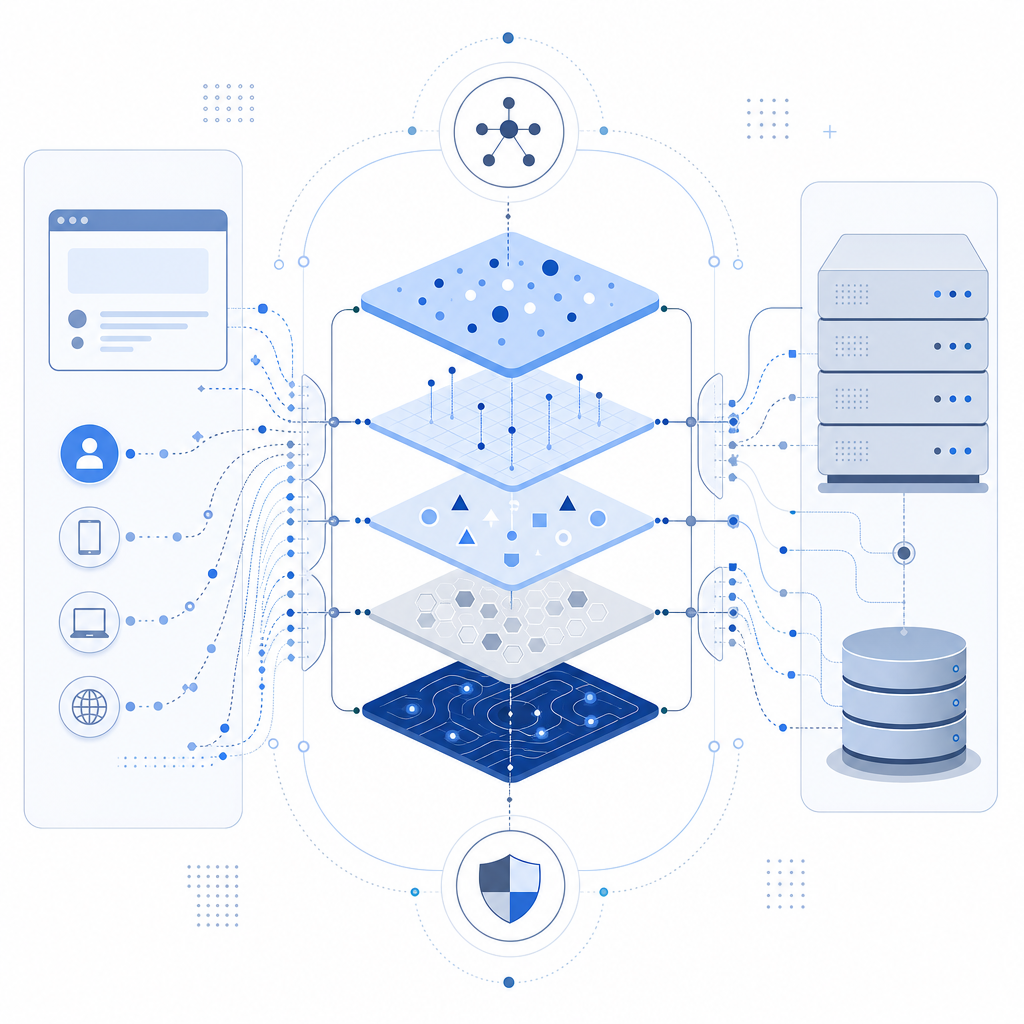
Some extensions operate entirely on the client side, while others use server-side validation as part of their detection flow. Many modern anti bot solutions provide SDKs or code snippets to embed directly into both frontend and backend systems, minimizing development effort.
CaptchaLa offers such comprehensive SDKs that support web frameworks including React, Vue, as well as mobile platforms like iOS, Android, and Flutter. This multi-platform approach ensures consistent bot defense regardless of where your users interact with your services.
Comparing Popular Anti Bot Extensions
To understand what to expect from an anti bot extension, here’s a brief comparison of widely used options:
| Feature | reCAPTCHA | hCaptcha | Cloudflare Turnstile | CaptchaLa |
|---|---|---|---|---|
| Challenge Types | Image, audio, checkbox | Similar to reCAPTCHA | Invisible, challenge-free | Customizable challenges |
| Native SDKs | JavaScript, Android, iOS | JavaScript SDK | JS + Cloudflare network integration | Web, iOS, Android, Flutter, Electron SDKs & server SDKs |
| Privacy Compliance | Google data handling | GDPR-focused | Data minimal, privacy-first | First-party data only |
| Pricing | Free with quota limits | Paid & free tiers | Included with Cloudflare plans | Free tier 1000/mo; scalable plans see pricing |
| Bot Detection Approach | Behavioral risk analysis | Behavioral + challenge | Risk-based, transparent | Token validation + behavior + challenge |
Each extension caters to different priorities—from ease of use, privacy, to cost-effectiveness. CaptchaLa emphasizes transparent token validation and multi-platform integration suited for businesses wanting control over bot detection with minimal user friction.
Technical Aspects of Anti Bot Integration
Integrating an anti bot extension typically involves several technical steps and considerations:
Client SDK Installation:
Add the relevant SDK or JavaScript loader to frontend code. For CaptchaLa, this includes loading the script fromhttps://cdn.captcha-cdn.net/captchala-loader.js.Issuing Challenges or Tokens:
Using server SDKs or APIs, issue challenges or tokens to users. CaptchaLa provides API endpoints like:POST https://apiv1.captcha.la/v1/server/challenge/issue- Challenge issuance can be dynamic based on detected risk scores.
Client Verification and Response:
After users complete challenges, the client sends back apass_tokenwhich the server validates via:POST https://apiv1.captcha.la/v1/validateincluding{pass_token, client_ip}headersX-App-KeyandX-App-Secret.
Handling Validation Outcomes:
Based on the validation result, allow legitimate users to proceed and block or present further challenges to suspicious traffic.
// Example pseudocode for server-side token validation
const validateCaptcha = async (passToken, clientIp) => {
  const response = await fetch("https://apiv1.captcha.la/v1/validate", {
    method: "POST",
    headers: {
      "X-App-Key": process.env.APP_KEY,
      "X-App-Secret": process.env.APP_SECRET,
      "Content-Type": "application/json"
    },
    body: JSON.stringify({ pass_token: passToken, client_ip: clientIp }),
  });
  const result = await response.json();
  return result.success; // true if human verified
};
By design, anti bot extensions like CaptchaLa strive to minimize impact on user experience while maintaining robust validation. Choosing the right integration method depends on your traffic volume, user base, and required security level.
Advantages of Using an Anti Bot Extension
Implementing an effective anti bot extension brings multiple operational benefits:
- Reduced Fraud & Abuse: Blocks automated password guessing, spam, fake account creation, scraping, and DDoS attacks.
- Improved User Experience: Modern solutions avoid intrusive challenges unless suspicious behavior is detected, creating seamless user flows.
- Scalability: Cloud-based services adapt to fluctuating traffic spikes and evolving bot threats without infrastructure overhead.
- Data Privacy: Leading extensions including CaptchaLa ensure first-party data usage, minimizing third-party data exposure.
- Multi-Platform Compatibility: Extending protection beyond traditional websites to mobile apps and desktop environments.
While Google’s reCAPTCHA remains widely used, some prefer solutions like CaptchaLa or Cloudflare Turnstile due to customization, privacy, or vendor independence.
Key Factors to Consider When Choosing an Anti Bot Extension
Before committing to an anti bot extension, evaluate these critical criteria:
Compatibility & SDK Support:
Does it support your tech stack—web frameworks, mobile platforms, backend languages?Privacy & Data Handling:
Understand how user data is processed and stored. Extensions using first-party data exclusively provide greater control.Customization & UX Control:
Can you customize challenge difficulty, language support (e.g., CaptchaLa supports 8 UI languages), and integration workflows?Traffic Limits & Pricing:
Analyze free tier limits against your monthly traffic and consider scalability and cost predictability.Accuracy & False Positives:
How effectively does it distinguish bots from legitimate users without blocking or inconveniencing customers?API & Documentation Quality:
Well-documented API and SDKs reduce implementation time and ongoing maintenance overhead.
For instance, CaptchaLa’s detailed docs provide clear guides on implementing verification flows along with flexible SDKs in popular programming environments like PHP, Go, Java (Maven), and CocoaPods for iOS.
With bot threats constantly evolving, choosing an anti bot extension that fits your technical requirements and privacy standards is essential. Whether you prioritize seamless UX, multi-platform coverage, or transparent token validation flows, options like CaptchaLa provide robust and adaptable bot defense capabilities.
To explore how CaptchaLa can suit your needs, or to learn more about different pricing tiers from free to high-volume business plans, visit their pricing page. For developers ready to get started, the comprehensive documentation is an excellent resource.
Strengthen your website’s resilience against automated abuse by selecting the right anti bot extension today.