
A captcha API is a programmatic interface that allows websites and apps to integrate CAPTCHAs—those challenge-response tests designed to distinguish humans from bots—directly into their user flows. The underlying purpose of a captcha API is to provide a line of defense against automated abuse, spam, and fraudulent activity by verifying that a real person is interacting with your site or service.
By leveraging a captcha API, developers can embed dynamic bot-detection challenges that adapt to context, measure user behavior, and validate responses in a way that deters automated scripts from abusing forms, registrations, login pages, or any interactive elements. Whether it's a simple puzzle, image selection, or invisible risk analysis, the captcha API acts as the gatekeeper behind the scenes to keep your platform safe and user-friendly.
How Does a Captcha API Work?
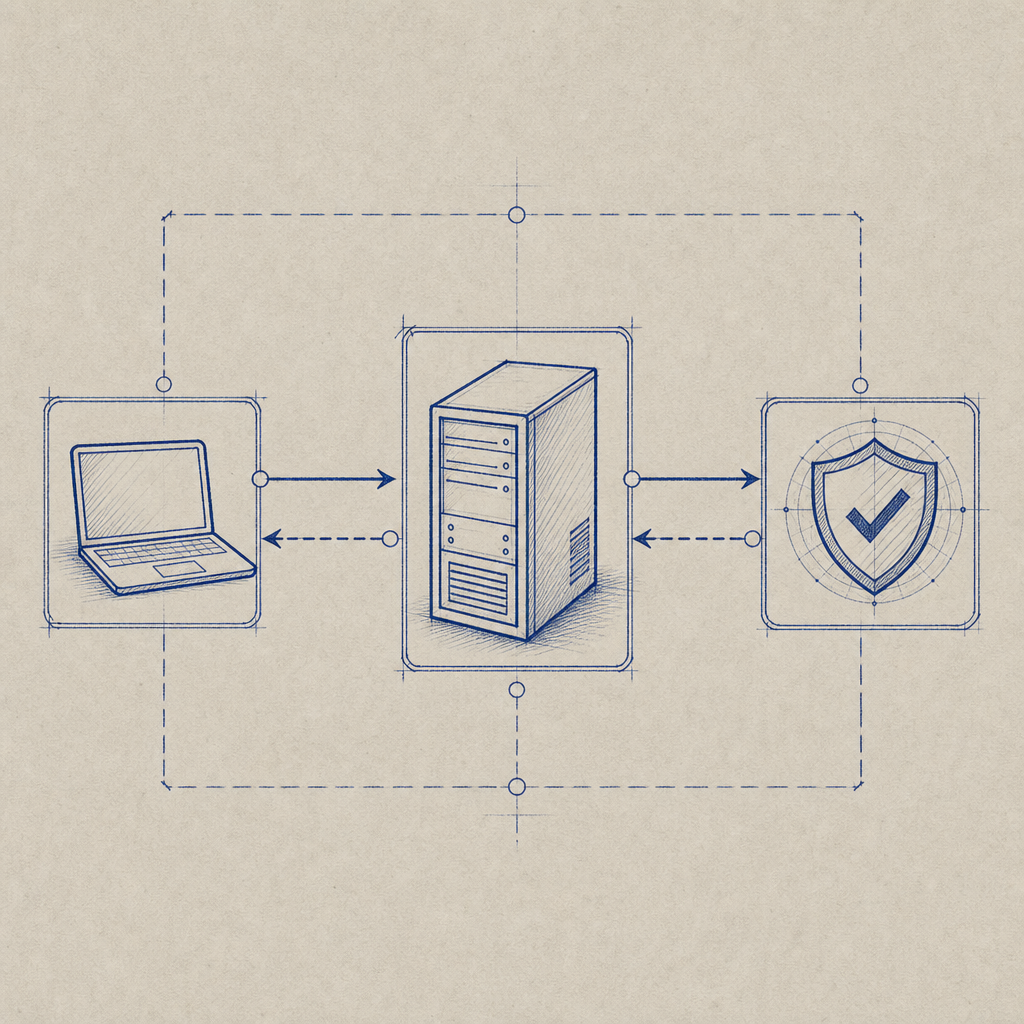
At its core, a captcha API facilitates communication between your website frontend and a bot-defense backend system. Here’s the general flow:
- Challenge Request: Your client (browser or app) requests a CAPTCHA challenge token from the captcha API server.
- User Interaction: The user completes the challenge on the frontend, usually embedded directly into your form or web page.
- Token Submission: Once solved, the client sends the challenge response token alongside the form data to your backend.
- Validation: Your backend then calls the captcha API's validation endpoint to verify the token’s legitimacy.
- Decision: Based on the validation result, your server accepts or rejects the form submission.
This interaction loop enables real-time bot filtering without requiring your infrastructure to analyze traffic patterns or user behavior manually. Most modern captcha APIs, including CaptchaLa, offer SDKs and libraries to simplify integration across multiple platforms—web, mobile, and desktop.
Server APIs and SDKs
CaptchaLa provides native SDKs for popular server languages like PHP and Go, as well as client SDKs in JavaScript (Vue, React), iOS, Android, Flutter, and Electron. This flexibility lets developers embed CAPTCHA challenges where users naturally interact while automating backend verification. CaptchaLa’s validation endpoint is a simple POST request to:
https://apiv1.captcha.la/v1/validateWith parameters like pass_token and client_ip, combined with secure headers (X-App-Key and X-App-Secret), this API ensures both security and ease of use.
Comparing Popular Captcha APIs
There are several CAPTCHA APIs widely used on the web, each with strengths worth noting:
| Feature | CaptchaLa | Google reCAPTCHA | hCaptcha | Cloudflare Turnstile |
|---|---|---|---|---|
| Free Usage | 1000/mo free tier | Unlimited free tier | Free with paid plans | Free |
| UI Languages | 8 native UI languages | Limited languages | Multiple languages | English only |
| SDK Support | Web, iOS, Android, Flutter, Electron | Web-centric | Web, Mobile support | Web only |
| Privacy Focus | First-party data only | Google user tracking involved | Privacy-focused | Privacy-focused |
| Challenge Types | Customizable puzzle & behavior | Image recognition puzzles | Image puzzles, quizzes | Invisible, frictionless |
| Pricing Levels | Pro 50K-200K, Business 1M requests | Free paid tiers (Enterprise) | Paid tiers based on usage | Free without rough limits |
Unlike many competitors tied to large ecosystems, CaptchaLa emphasizes privacy by avoiding third-party tracking. Its first-party data model appeals to sites with strict compliance or customer trust needs. The broad SDK support also lets developers leverage a unified API across many platforms.
Technical Details: Integrating CaptchaLa’s API
When integrating a captcha API like CaptchaLa, here are essential technical considerations and steps:
Load the CaptchaLa Widget
Add the CAPTCHA loader script to your frontend:html<script src="https://cdn.captcha-cdn.net/captchala-loader.js"></script>Then initialize the widget in your form container.
Request a Server Challenge Token
On the backend, request a token for the challenge to provide to your frontend:httpPOST https://apiv1.captcha.la/v1/server/challenge/issue Headers: X-App-Key, X-App-SecretValidate the User’s Response
After form submission, send the user's response token and IP for verification:httpPOST https://apiv1.captcha.la/v1/validate Body: { pass_token: "user-response-token", client_ip: "user-ip" } Headers: X-App-Key, X-App-SecretHandle Verification Result
Your API returns a JSON response indicating success or failure for bot verification. Use this to decide whether to accept the form data.
Using native SDKs streamlines many of these steps with well-abstracted methods, reducing boilerplate significantly.
Security Best Practices
- Always keep your
X-App-Secretconfidential and on the server-side. - Validate tokens server-side rather than trusting client-side responses alone.
- Implement rate limiting to prevent brute-force bypass attempts.
- Monitor CAPTCHA failure rates as abnormal increases may indicate attack attempts.
Why Choose a Dedicated Captcha API?
While some smaller sites might rely on simpler honeypots or manual moderation, a captcha API offers scalable, automated fraud prevention. Benefits include:
- Reduced Fake Signups and Spam: Stopping bots before they infiltrate your user database.
- Better User Experience: Modern CAPTCHA APIs minimize friction by offering invisible or low-friction challenges.
- Multi-platform Support: APIs like CaptchaLa’s support web apps as well as native iOS/Android and desktop apps.
- Customization and Language Support: Tailor UI and challenges to your audience.
- Privacy and Compliance: Control over how user data is handled.
Competitors such as reCAPTCHA have broad adoption but introduce Google tracking, a concern for privacy-minded businesses. Alternatives like hCaptcha also provide good privacy but can have higher costs at scale. CaptchaLa strikes a balance with multilingual UIs, extensive SDK support, and transparent pricing plans available on their pricing page.

Wrapping Up
A captcha API is a fundamental tool for modern web security, acting as a critical filter between human users and automated attackers. Choosing the right API depends on your needs for scale, privacy, user experience, and platform support. CaptchaLa offers a comprehensive, developer-friendly option with support for multiple UI languages and SDKs across popular platforms, making integration straightforward.
If you want to explore how to protect your website or app with scalable bot defense, reviewing the CaptchaLa docs and understanding available SDKs would be an excellent next step.
Where to go next? Check out CaptchaLa’s pricing plans and developer documentation to find the best fit for your project’s captcha API needs.