
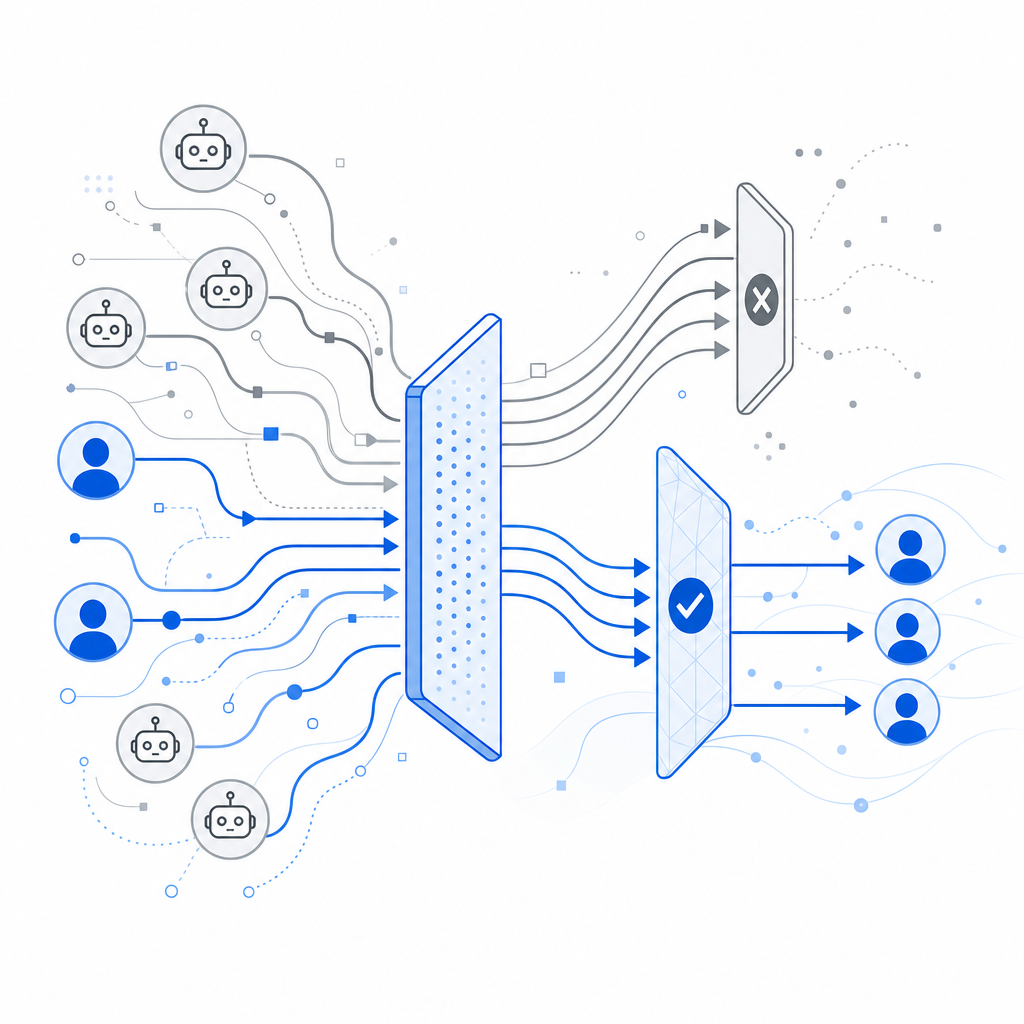
An anti bot detection tool identifies and blocks automated traffic, helping websites prevent fraud, spam, and abuse. Unlike simple CAPTCHA challenges that rely solely on user interaction, these tools combine behavioral analysis, risk scoring, and adaptive challenges to distinguish real users from malicious bots accurately and efficiently.
Understanding how these tools work and what features to consider can help website owners pick the right solution for their security and user experience needs.
What Is an Anti Bot Detection Tool?
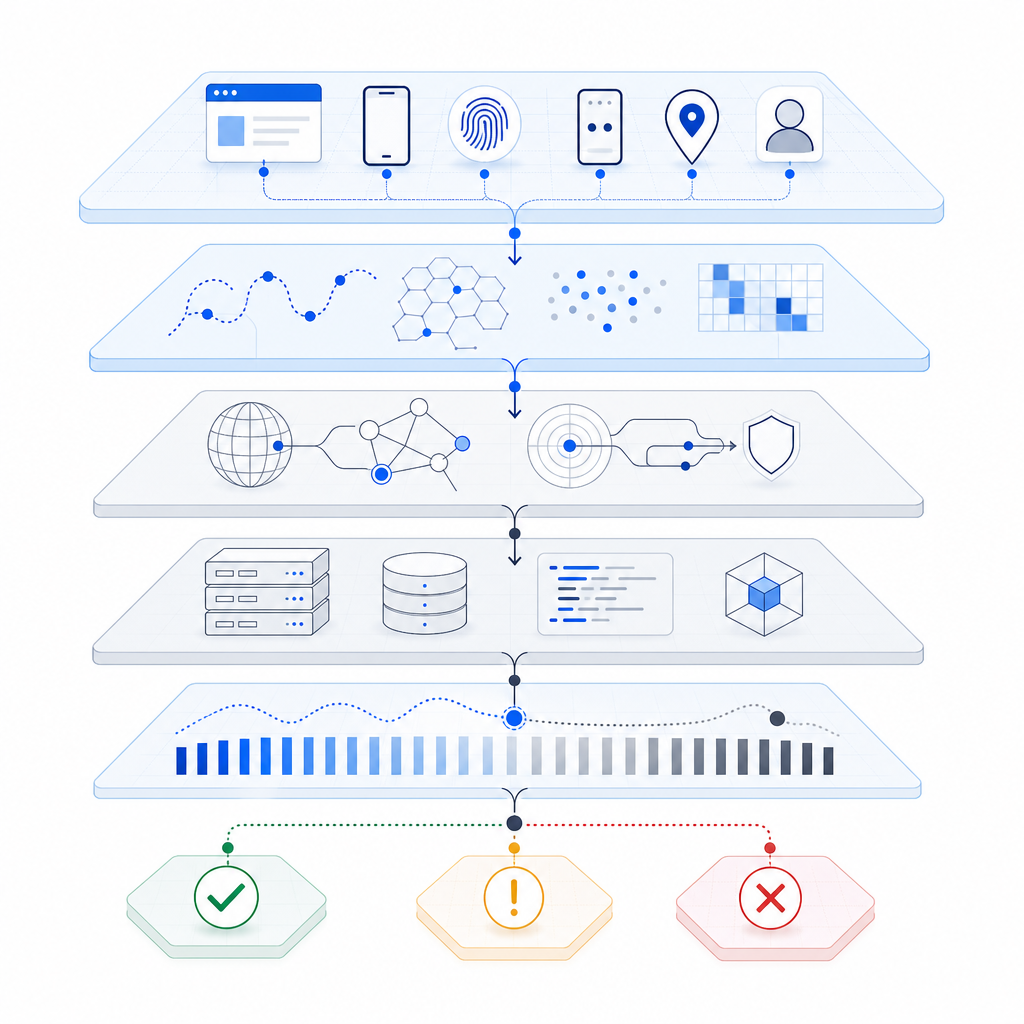
At its core, an anti bot detection tool is software or a service that protects websites and applications from unwanted automated access. Bots can scrape content, brute-force login credentials, execute fake sign-ups, or launch denial-of-service attacks. The tools use multiple signals—mouse movements, keystrokes, IP reputation, device fingerprints, and interaction timing—to assess whether the visitor is human or a bot.
Unlike legacy CAPTCHAs that rely heavily on user challenges (identifying images, solving puzzles), modern anti bot tools blend passive detection with active challenges only when risk is high. This approach balances security and user convenience.
How Does Anti Bot Detection Work?
Most anti bot detection tools integrate into your website code and backend to monitor visitors in real time. Here’s a typical workflow:
Data Collection: The client-side script loads when a visitor reaches your site. It gathers browser and device signals without disrupting the user experience.
Behavioral Analysis: The tool analyzes mouse movement patterns, typing speed, scrolling, and other interactions to detect anomalies commonly associated with bots.
Risk Scoring: Based on heuristic and machine learning models, the visitor is assigned a risk score indicating the likelihood of being a bot.
Challenge or Allow: Visitors with low risk scores pass through seamlessly. Ones with moderate or high risk might see a CAPTCHA or other verification challenge.
Server Validation: When a challenge is solved, the server verifies the response before granting access or performing sensitive actions.
Technical Specifics of Effective Tools
An effective anti bot detection tool will have:
- Multi-platform SDKs: For easy integration with web frameworks (JS, React, Vue), mobile platforms (iOS, Android, Flutter), and desktop (Electron).
- Server-side verification endpoints: To validate user tokens securely, like CaptchaLa’s POST validate API.
- Adaptive Challenges: Responsive interfaces that adjust difficulty based on risk level.
- Language Support: UI availability in multiple languages to serve a global audience.
Comparing Popular Anti Bot Detection Tools
Choosing the right tool depends on your needs—ease of integration, customization, pricing, user experience, and privacy. Here’s a comparison of three well-known services plus CaptchaLa:
| Feature | CaptchaLa | Google reCAPTCHA | hCaptcha | Cloudflare Turnstile |
|---|---|---|---|---|
| UI Languages | 8 | Multiple | Multiple | Multiple |
| SDK Support | Web (JS, Vue, React), iOS, Android, Flutter, Electron | Web, Mobile SDKs | Web, Mobile SDKs | Web |
| Server SDKs | PHP, Go | No official SDKs | No official SDKs | No official SDKs |
| Pricing | Free tier + scalable paid plans | Free | Free + paid | Free (with Cloudflare service) |
| Data Handling | First-party data only | Uses Google servers | Uses external servers | Cloudflare infrastructure |
| User Experience | Seamless with adaptive challenges | Effective but sometimes intrusive | Customizable, privacy-focused | Minimal user friction |
CaptchaLa emphasizes first-party data usage and broad SDK support which is advantageous for organizations wanting more control over their security data and integration flexibility.
Integrating an Anti Bot Detection Tool with Your Site
To get started with CaptchaLa, you simply add their loader script to your website:
// Load CaptchaLa JS SDK
<script src="https://cdn.captcha-cdn.net/captchala-loader.js"></script>

// Example initialization (using React)
import React from 'react';
import { CaptchaLa } from 'captchala-react';

function App() {
  return (
    <CaptchaLa
      siteKey="your-site-key"
      onVerify={(token) => {
        // Send token to server for verification
        fetch('/api/verify-captcha', {
          method: 'POST',
          headers: { 'Content-Type': 'application/json' },
          body: JSON.stringify({ pass_token: token }),
        });
      }}
    />
  );
}
On the server, use the provided API endpoint to validate the user's response securely:
// Example PHP server-side validation with CaptchaLa SDK
$client = new CaptchaLa\Client('your_app_key', 'your_app_secret');
$response = $client->validate($_POST['pass_token'], $_SERVER['REMOTE_ADDR']);

if ($response->success) {
    // Proceed with sensitive operation
} else {
    // Reject the request as bot-like
}
CaptchLa also offers native SDKs for Go, PHP, and others to simplify backend validation.
Benefits Beyond Blocking Bots
Anti bot detection tools also improve overall user experience by:
- Reducing friction: Minimizing unnecessary challenges keeps legitimate users engaged.
- Enhancing analytics: Bot filtering ensures cleaner traffic data.
- Maintaining compliance: Tools that respect user privacy and data locality can help with regulations like GDPR.
- Protecting revenue: Preventing fake account signups or scraping preserves ad spend and subscription integrity.
While CAPTCHA challenges remain a core fallback, the shift toward risk-based detection and adaptive challenges allows websites to stay secure without frustrating users constantly.
Conclusion
An anti bot detection tool is essential for protecting your website from automated threats without compromising genuine user experiences. When selecting one, consider SDK flexibility, server validation security, UI adaptability, and privacy approaches. CaptchaLa provides comprehensive multi-platform support and a transparent pricing model ideal for businesses handling their own first-party data.
Explore CaptchaLa pricing and detailed docs to see how you can add efficient, scalable anti bot protection to your environment.
Where to go next? Check out CaptchaLa’s plans and integration guides to evaluate how this tool fits your security needs.