
An anti bot detection extension should help you identify automated traffic without disrupting real users, and it should do that in a way that is measurable, privacy-aware, and easy to integrate. If you are evaluating one for your site or app, the right question is not “can it stop bots?” but “can it separate automation from humans while preserving conversion, accessibility, and trust?”
That distinction matters because modern bots are not just “bad IPs” anymore. They can rotate fingerprints, mimic browsers, and move through forms like a person. A useful extension focuses on signals you can verify: challenge responses, server-side validation, session context, and rate patterns. That is why good bot defense usually looks more like a layered system than a single checkbox.
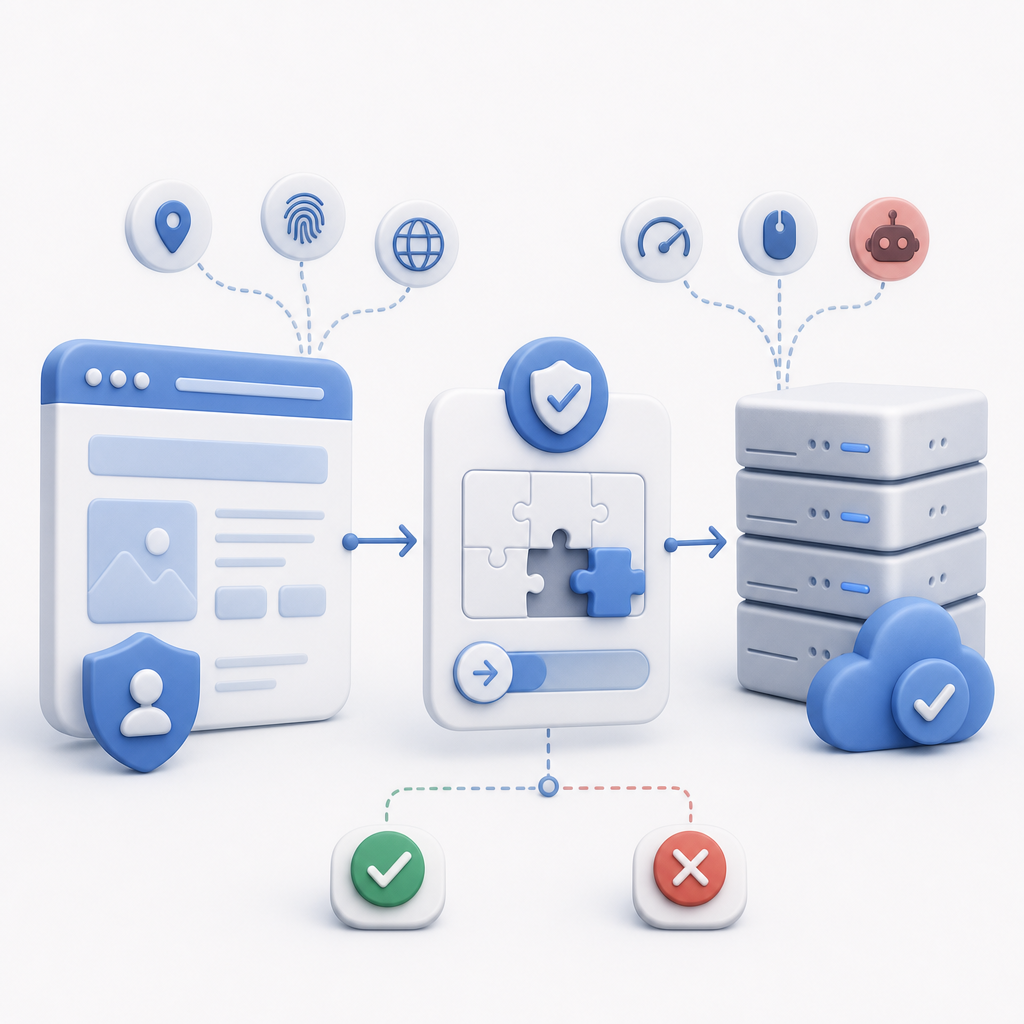
What an anti bot detection extension actually does
At its core, an anti bot detection extension adds a decision point before sensitive actions such as sign-up, login, checkout, ticket release, or form submission. Instead of assuming every visitor is legitimate, it inserts a lightweight challenge or token exchange that your backend can verify.
A practical extension should do four things well:
- Distinguish real interaction from automation
- It should collect challenge outcomes and behavioral signals that are hard for scripts to fake consistently.
- Validate on the server
- Client-side checks alone are easy to tamper with. Server verification is where the trust decision should happen.
- Minimize user friction
- Good bot defense does not turn every request into a puzzle. It should adapt when the risk is low.
- Support your stack
- Your frontend, mobile app, and backend should all be able to participate without custom glue code for every platform.
For CaptchaLa, that means support for Web (JS, Vue, React), iOS, Android, Flutter, and Electron, plus server SDKs for captchala-php and captchala-go. It also means the product should be usable in different locales; CaptchaLa provides 8 UI languages, which matters more than it sounds when you operate globally.
If you are building or evaluating an anti bot detection extension, ask whether it is a front-end widget, a backend verification service, or both. The strongest implementations are usually both.
Client-side signals are useful, but not enough
Browser-side detection can improve your first line of defense, but it should never be your only line. Client-side code can be observed, replayed, or bypassed if your architecture trusts it too much. The better pattern is: client collects proof, server validates proof.
Here is a simple defensive flow:
# Client-side flow
1. User loads page and the loader initializes.
2. Extension renders challenge or gathers proof.
3. Client receives a pass token.
4. App submits pass token with the protected request.

# Server-side flow
1. Receive pass token and client IP.
2. Send validation request to the bot-defense API.
3. Verify the response using your app credentials.
4. Allow, step up, or block based on the verdict.
For CaptchaLa, validation happens through a POST request to:
https://apiv1.captcha.la/v1/validate
The body includes:
pass_tokenclient_ip
And the request uses:
X-App-KeyX-App-Secret
That structure is useful because it keeps the trust decision on your server, where you can combine the validation result with your own session rules, account history, rate limits, and abuse heuristics. A token that validates once should not automatically grant universal trust forever.
A related point: if your anti bot detection extension needs to work at login or payment time, make sure it can be wired into server-side policy, not just UI state. That is where many implementations get weak. They display a challenge, but the backend accepts requests without checking the proof. Once that happens, the extension is just decoration.
How it compares with common CAPTCHA and bot-defense options
When people say “anti bot detection extension,” they often mean a CAPTCHA-style layer. That is fine, but the tradeoffs differ across providers. reCAPTCHA, hCaptcha, and Cloudflare Turnstile all solve real problems, yet they fit different operating models.
| Option | Typical strength | Typical tradeoff | Good fit |
|---|---|---|---|
| reCAPTCHA | Broad recognition, mature ecosystem | Can feel intrusive depending on mode and risk | General web forms, Google-aligned stacks |
| hCaptcha | Flexible challenge model | May add friction in some flows | Monetized or protected public forms |
| Cloudflare Turnstile | Low-friction user experience | Often paired with Cloudflare-centric setups | Sites already using Cloudflare infrastructure |
| CaptchaLa | Server-verifiable bot defense with native SDK coverage | Requires you to wire validation into your backend | Web, mobile, and app flows that need first-party control |
This is not about which one is “better” in the abstract. It is about fit. If your operation is heavily tied to a specific edge platform, Turnstile may be a natural choice. If you want a more app-centric flow with explicit validation control and broad SDK coverage, a product like CaptchaLa can be easier to embed into a mixed stack.
Another practical factor is data handling. CaptchaLa is designed around first-party data only, which is helpful if you want to keep the validation model closer to your own application context rather than building around third-party behavioral profiles. For teams with strict privacy, compliance, or procurement requirements, that can simplify reviews.
Implementation details that matter more than the widget
The visible challenge is only part of the story. The rest is operational detail, and that detail determines whether your bot defense holds up under real traffic.
A few specifics worth checking:
- Loader delivery
- If your extension depends on a frontend loader, ensure it is lightweight and served reliably. CaptchaLa’s loader is available at
https://cdn.captcha-cdn.net/captchala-loader.js.
- If your extension depends on a frontend loader, ensure it is lightweight and served reliably. CaptchaLa’s loader is available at
- Server-token issuance
- For server-initiated flows, CaptchaLa provides a POST endpoint for challenge issuance at
https://apiv1.captcha.la/v1/server/challenge/issue.
- For server-initiated flows, CaptchaLa provides a POST endpoint for challenge issuance at
- SDK availability
- Native and framework SDKs reduce custom integration mistakes. CaptchaLa supports Web, iOS, Android, Flutter, and Electron.
- Package management
- Concrete artifacts make rollout easier:
- Maven:
la.captcha:captchala:1.0.2 - CocoaPods:
Captchala 1.0.2 - pub.dev:
captchala 1.3.2
- Maven:
- Concrete artifacts make rollout easier:
- Server verification
- Keep validation server-side and treat the pass token as a short-lived assertion, not a permanent identity.
- Rate and abuse policy
- Combine validation with application rules, such as per-account throttles, IP reputation, and device/session limits.
Here is a simple way to think about the architecture:
- The extension collects proof.
- Your backend verifies proof.
- Your app combines proof with local abuse signals.
- The action is allowed, challenged again, or denied.
That model scales better than checking only for JavaScript execution or only for fingerprinting anomalies. It also gives you a cleaner audit trail when your security team asks why a request was rejected.
Choosing the right setup for your app
The right anti bot detection extension depends on what you are protecting. A newsletter form is not a checkout flow. A password reset page is not a UGC comment thread. The stricter the action, the more you should lean on server-verifiable proof and contextual policy.
If you are just starting, a simple rollout path is:
- Protect one sensitive endpoint first, not the entire site.
- Measure friction: completion rate, abandonment, false positives, and challenge frequency.
- Add server-side validation before expanding.
- Apply step-up checks only where risk is higher.
- Revisit thresholds after observing real attack patterns.
For many teams, the first implementation is the hardest because it reveals where the application has weak boundaries. That is actually useful. A bot-defense layer should make those boundaries explicit.
If you want to explore the implementation details directly, CaptchaLa has documentation that covers integration and verification patterns in more depth. The docs are the best place to check request formats, while pricing is useful if you are estimating volume against your expected traffic.
Where to go next: read the docs for integration details, or compare plans on the pricing page to match your traffic volume.