
If you’re looking for captcha alternatives for mobile apps, the short answer is: replace “hard puzzles everywhere” with a layered defense that combines risk checks, device-aware challenges, server-side validation, and user flows that only trigger friction when something looks off. For most apps, the goal is not to eliminate verification; it’s to make it invisible for legitimate users and meaningful for abusive traffic.
That matters because mobile apps have different constraints than web pages. You often have limited screen space, intermittent connectivity, native navigation, and a stronger need to preserve session continuity. A good alternative should fit the platform, respect UX, and still give your backend a trustworthy signal before you let a signup, login, referral, OTP request, or checkout through.
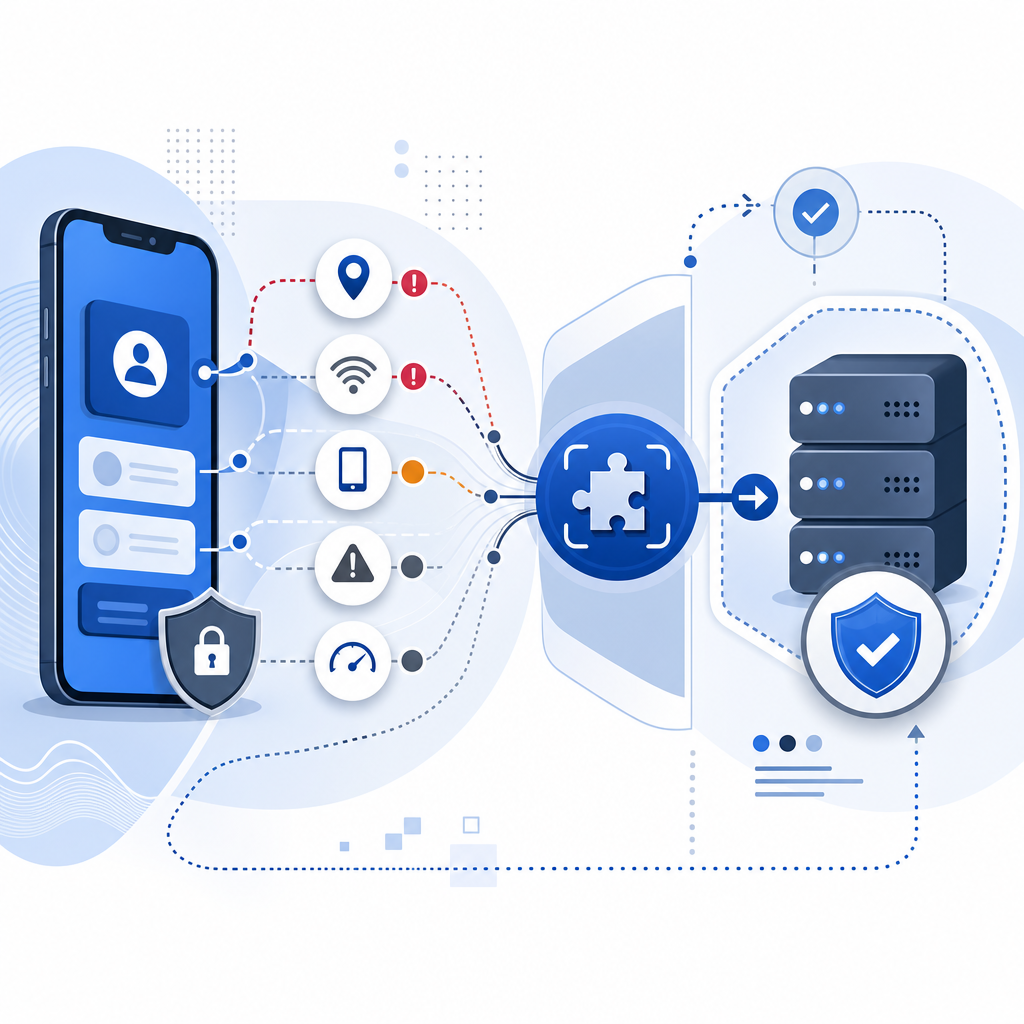
What “captcha alternatives” really means on mobile
A lot of teams use the phrase “captcha alternatives” to mean “anything less annoying than a puzzle.” On mobile, that usually translates to one of four patterns:
Invisible or low-friction checks
Device and session signals are checked in the background. Most users never see a challenge.Risk-based step-up verification
A challenge only appears when behavior looks suspicious: rapid retries, automation-like timing, mismatched client data, or abnormal velocity.Native, app-friendly challenge flows
Instead of forcing a web widget into a mobile view, you use SDKs that work in iOS, Android, Flutter, Electron, or web views cleanly.Server-verified tokens
The app gets a token, then your backend validates it before trusting the action. This is the part that matters most if you want real bot defense rather than a cosmetic UI check.
For mobile apps, the best alternative is usually not a single “captcha replacement.” It’s a system: collect the minimum needed client signal, issue a token only when appropriate, and validate server-side before granting access.
A practical comparison of common options
Here’s a simple way to think about the usual choices:
| Option | Mobile UX | Integration style | Server trust | Notes |
|---|---|---|---|---|
| reCAPTCHA | Medium | Web-centric, can be awkward in native flows | Good | Familiar, but can feel bolted on in mobile apps |
| hCaptcha | Medium | Web and app use cases available | Good | Often chosen for privacy or control reasons |
| Cloudflare Turnstile | Low friction | Web-first, lightweight | Good | Useful when your app already leans on Cloudflare patterns |
| Native risk checks + token validation | Lowest visible friction | Requires SDK + backend integration | Strong | Best when you want mobile-native control |
| Simple rate limiting only | Invisible | Backend-only | Limited | Helpful, but not enough alone against coordinated abuse |
The point isn’t that one tool wins everywhere. It’s that mobile apps benefit from a combination of low-friction client signals and strict server checks. That gives you room to keep the experience smooth while still stopping abuse at the point that matters: the backend.
If you’re evaluating a service like CaptchaLa, look for mobile SDK coverage, clear validation endpoints, and first-party data handling that fits your compliance posture. Those details matter more than any marketing label.
What a mobile-first implementation should include
A solid mobile bot-defense setup usually has these pieces:
1) A client challenge flow that matches the app
Your app should request a challenge only when needed. For example, a login attempt from a normal user may pass silently, while repeated OTP requests or suspicious signup velocity triggers a challenge screen or a background attestation step.
2) A token passed from app to backend
The app should never “decide” it’s safe on its own. It should receive a pass token and send it to your server, which verifies the token before continuing the action.
3) Server-side validation with request context
Validation should include the token plus contextual fields like client IP, and it should happen on your server using authenticated API credentials. That way the client can’t self-approve.
4) SDK support that fits your stack
For mobile apps, SDK fit is a huge part of the decision. CaptchaLa, for example, supports native SDKs for Web (JS, Vue, React), iOS, Android, Flutter, and Electron, plus server SDKs such as captchala-php and captchala-go. It also offers 8 UI languages, which is useful if your app serves multiple regions.
Here’s a simplified server-side validation flow:
// English comments only
async function verifyChallenge(passToken, clientIp) {
  const response = await fetch("https://apiv1.captcha.la/v1/validate", {
    method: "POST",
    headers: {
      "Content-Type": "application/json",
      "X-App-Key": process.env.CAPTCHALA_APP_KEY,
      "X-App-Secret": process.env.CAPTCHALA_APP_SECRET
    },
    body: JSON.stringify({
      pass_token: passToken,
      client_ip: clientIp
    })
  });

  if (!response.ok) {
    throw new Error("Validation failed");
  }

  return await response.json();
}
That pattern is simple on purpose: the app collects the token, your server validates it, and only then does the protected action continue.

How to choose between reCAPTCHA, hCaptcha, Turnstile, and mobile-native options
There is no universal winner, but there are clear tradeoffs.
reCAPTCHA
reCAPTCHA is widely recognized and works well for many web flows, but mobile apps can inherit some web-view awkwardness if the integration isn’t carefully designed. It’s still a reasonable option when your app already mirrors a web workflow and your team wants familiarity.
hCaptcha
hCaptcha is often evaluated by teams that want a different privacy and control posture. It can be a solid choice for abuse prevention, especially when you want a familiar challenge model with broad ecosystem support.
Cloudflare Turnstile
Turnstile is attractive for low-friction web scenarios. If your app’s stack already depends on Cloudflare, it can be a natural fit. For native mobile apps, though, you still need to think carefully about UX and token passing.
Mobile-native alternatives
If you’re building a first-party mobile experience, native SDKs and server-side validation often give you the cleanest result. You can align challenge timing with your product logic and avoid forcing a desktop-style interaction into a small screen. CaptchaLa’s model is designed around that kind of integration, with a loader available at https://cdn.captcha-cdn.net/captchala-loader.js for web flows and platform SDKs for app flows.
A useful rule: if a flow is security-sensitive and user-visible only rarely, prefer step-up verification. If a flow is high-volume and automation-prone, prefer invisible checks plus strict backend validation. If you can’t trust the client, never let the client be the final authority.
Deployment details that save teams time
A lot of integration pain comes from small details, not the main idea. These are the things worth checking early:
Where the challenge lives
Keep the challenge logic as close to the frontend flow as possible, but keep the final trust decision on the backend.How token expiry works
Make sure tokens are short-lived and single-use where appropriate. That reduces replay value.What gets sent to validation
Capture only the first-party data you actually need. If your policy or product requires first-party data only, build around that from the start.How mobile network failures behave
Offline or flaky connections should fail safely. If the token cannot be validated, deny the protected action and explain the next step clearly.Which flows are protected
Start with signup, login, password reset, referral abuse, and OTP abuse. Don’t slap verification on every tap; reserve it for sensitive or abused actions.
For deployment and API specifics, the docs are the place to confirm request formats, SDK setup, and token lifecycle behavior. If you’re planning traffic growth, it also helps to sanity-check the pricing tiers against your monthly validation volume before rollout.
Conclusion: the best alternative is a trust flow, not a widget swap
The strongest captcha alternatives for mobile apps are the ones that reduce friction for real users while still giving your backend a reliable way to stop abuse. That usually means native SDKs, server-side validation, and step-up challenges only when risk warrants it. Compared with one-size-fits-all puzzle widgets, this approach feels much better on mobile and tends to scale more cleanly across signup, login, and transactional flows.
If you’re mapping out an implementation, start with your most abused endpoint, add a token-based validation step, and measure how often legitimate users actually see friction. From there, you can decide whether you need a web-first tool like reCAPTCHA, hCaptcha, or Turnstile, or a more mobile-native setup.
Where to go next: review the docs for integration details or check pricing if you want to compare volume tiers before rollout.