
If you’re asking about anti bot Cloudflare, the short answer is: Cloudflare can reduce bot traffic at the edge, but it does not replace application-level verification when you need stronger control over suspicious signups, logins, forms, or high-value actions. The right approach is usually layered: use Cloudflare to filter obvious abuse early, then verify the remaining requests with your own server-side checks.
That distinction matters because “bot defense” is not one product category. Some tools focus on network filtering, some on challenge presentation, and some on transaction-level proof that a real client completed a step. Cloudflare Turnstile, reCAPTCHA, hCaptcha, and independent CAPTCHA services all sit in that ecosystem, but they solve slightly different problems.
What Cloudflare does well, and where it stops
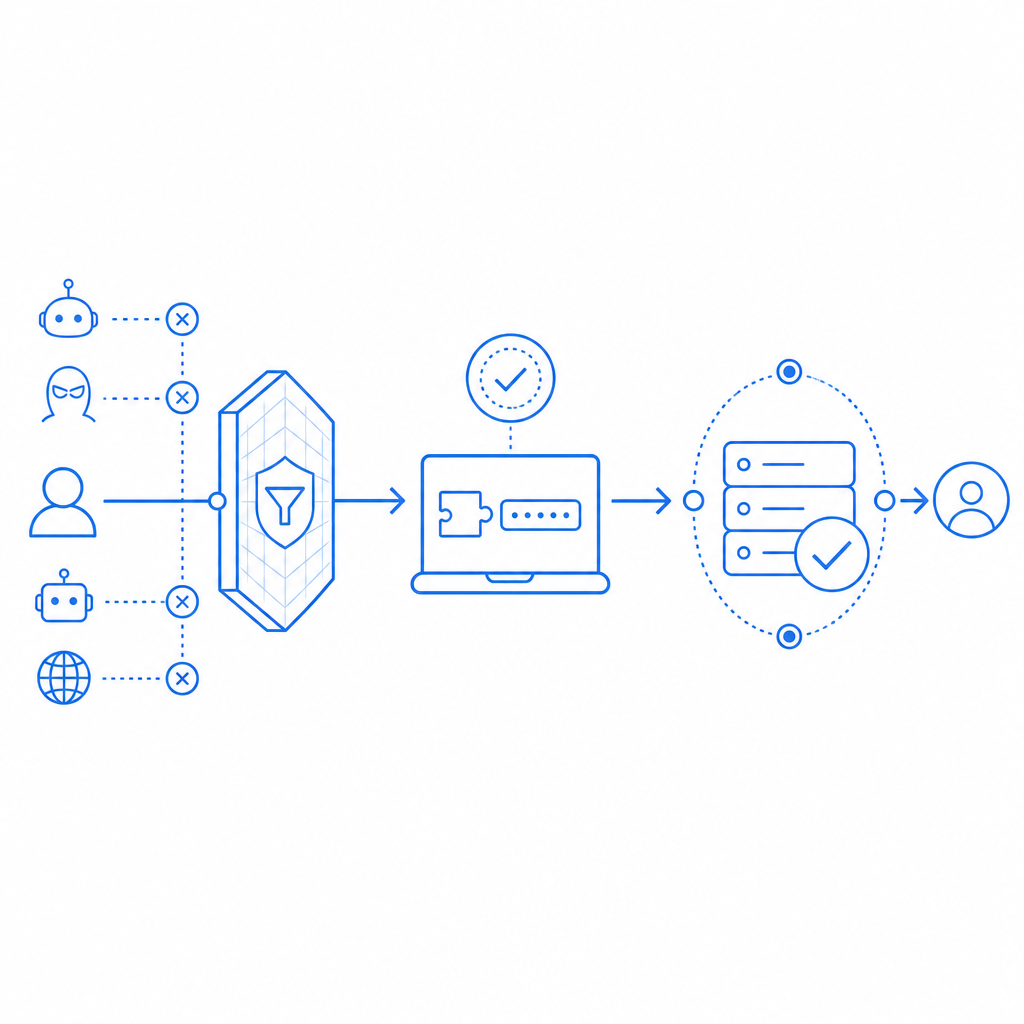
Cloudflare is strong at edge enforcement. If you already use Cloudflare for DNS, CDN, WAF, rate limiting, or bot management, you can stop a lot of junk before it reaches your origin. That is useful for reducing load, absorbing spikes, and blocking patterns that are clearly automated.
But edge filtering has a limit: it decides based on traffic patterns, IP reputation, request behavior, and challenge outcomes. It does not automatically know whether a specific form submission, password reset, or account creation is trustworthy for your application. If you need to distinguish between “this request passed a browser check” and “this action should be accepted by my backend,” you need a second layer.
That’s why many teams pair Cloudflare with a CAPTCHA or client proof mechanism. The edge can handle broad abuse. Your app can make the final decision.
Practical rule of thumb
Use Cloudflare for:
- Blocking obvious bad traffic at the edge
- Rate limiting repeated attempts
- Challenging suspicious sessions before they hit your app
- Reducing origin load and shielding infrastructure
Add app-level verification when you need:
- A server-side confirmation that the user completed a challenge
- Different rules per action, such as signup vs. checkout
- A reliable token tied to a specific interaction
- A clear audit trail for security-sensitive events
Comparing Cloudflare Turnstile, reCAPTCHA, hCaptcha, and app-level CAPTCHA
If your goal is anti bot Cloudflare protection, Turnstile is often the first comparison point because it integrates naturally into Cloudflare-centric stacks. Still, it helps to compare the broader options objectively.
| Option | Primary layer | Strengths | Tradeoffs | Best fit |
|---|---|---|---|---|
| Cloudflare Turnstile | Edge + client challenge | Low-friction, Cloudflare-native integration | Mostly centered on Cloudflare’s ecosystem | Sites already standardized on Cloudflare |
| reCAPTCHA | Client challenge + Google verification | Widely recognized, mature verification flow | Can feel heavier, more familiar to abuse scripts | General web forms and legacy integrations |
| hCaptcha | Client challenge + verification | Good flexibility, popular alternative | Can introduce more user friction depending on settings | Security-focused forms and alternative to Google |
| App-level CAPTCHA like CaptchaLa | Client challenge + your backend validation | Fine-grained control, server-side verification, first-party data only | You manage integration and policy choices | Signups, auth flows, sensitive transactions |
A key difference is where the trust decision happens. If the decision lives mostly at the edge, your application may still want a secondary proof. If the decision happens in your backend, you can enforce your own thresholds, log policy decisions, and adapt per endpoint.
For example, a signup page may deserve a different challenge policy than a newsletter form. A password reset may need stricter verification than a contact form. That is where an app-level service is useful.
A defender’s view of the verification flow
The safest implementation pattern is simple: the browser solves a challenge, your server validates the resulting token, and only then do you accept the request. That gives you control over what counts as a valid interaction.
CaptchaLa follows that model. It provides native SDKs for Web (JS/Vue/React), iOS, Android, Flutter, and Electron, plus server SDKs like captchala-php and captchala-go. It also supports 8 UI languages, which helps if your product serves an international audience.
A typical backend flow looks like this:
1. Client completes challenge
2. Client sends pass_token with the form or API request
3. Server calls validation endpoint
4. Server accepts or rejects the action
And the validation request itself is straightforward:
POST https://apiv1.captcha.la/v1/validate
Headers:
  X-App-Key: your_app_key
  X-App-Secret: your_app_secret
Body:
  {
    "pass_token": "token_from_client",
    "client_ip": "203.0.113.10"
  }
That structure matters because it keeps the decision on your side of the stack. You are not just checking whether something “looked human enough” at the edge; you are verifying the token before you trust the request.
Where app-level CAPTCHA fits in a Cloudflare setup
A good anti bot Cloudflare setup is not either/or. It’s usually “Cloudflare plus something that your application can verify.”
Here is a practical way to think about it:
Cloudflare blocks broad abuse
- rate limiting
- WAF rules
- bot scoring
- challenge pages for suspicious sessions
Your app verifies sensitive actions
- registration
- login
- password reset
- invite redemption
- checkout
- API actions that create cost or risk
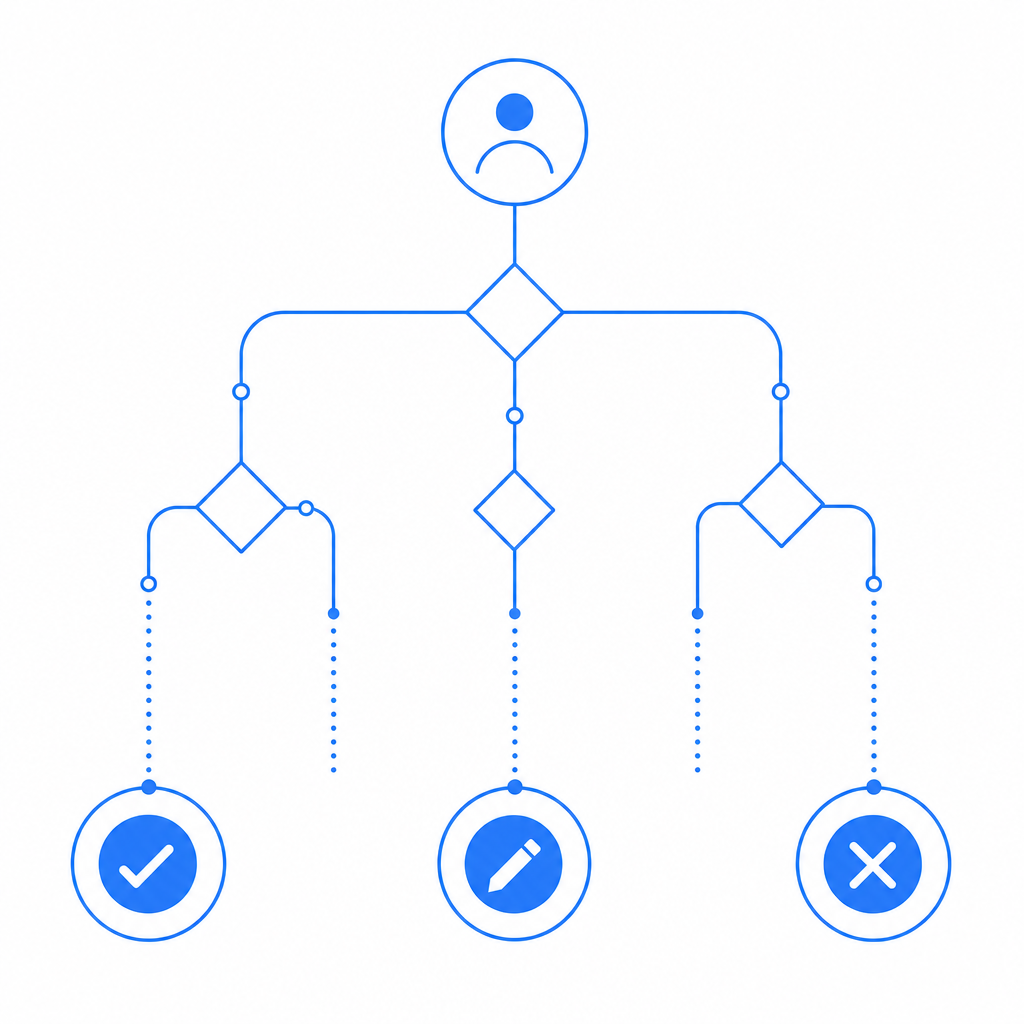
Your backend decides what to do with the token
- accept and continue
- log the event
- require a second check
- deny and mark the session as risky
This layered setup is especially useful if you have multiple clients, multiple geographies, or mixed traffic patterns. Cloudflare protects the perimeter. Your application protects the business logic.
CaptchaLa is built for that second layer, and its pricing is easy to map to traffic tiers: Free at 1000/month, Pro for 50K–200K, and Business at 1M. If you want to evaluate whether a first-party verification layer fits your architecture, the docs are the most direct place to start.
Implementation details that matter in real projects
Small implementation choices make a big difference in bot defense. If you’re adding verification behind Cloudflare, pay attention to these details:
1) Send the token with the request that matters
Do not validate the token in isolation and then reuse the result for unrelated actions. A challenge for “signup” should not silently authorize “change email” unless your policy explicitly allows it.
2) Pass the client IP when your backend has it
Passing client_ip during validation helps the server evaluate the request in context. If your app sits behind proxies or a CDN, make sure your real client IP handling is correct before you rely on it.
3) Keep secrets server-side only
Use your app key and app secret on the backend only. The client should receive only what it needs to render the challenge and obtain a pass token.
4) Match your challenge level to the action
A login form and a public contact form do not need the same friction. Over-challenging low-risk requests can hurt conversion; under-challenging sensitive requests can increase abuse.
5) Review your error paths
If token validation fails, fail closed for sensitive actions. For lower-risk flows, you might allow a retry or fallback path, but that should be an explicit business decision.
If you want a concrete reference implementation, CaptchaLa includes the pieces you need for client rendering and server validation, and the SDKs cover common web and mobile stacks without forcing you into a single frontend framework.
Choosing the right balance
For many teams, the real question is not “Should we use Cloudflare?” It is “What should Cloudflare decide, and what should our app decide?”
If your abuse problem is mostly volumetric, Cloudflare may be enough to start. If the problem includes fake registrations, scripted form abuse, or credential-stuffing-adjacent behavior, you usually want application-level verification as well. That is where a first-party CAPTCHA layer can help you keep control of the trust decision without depending entirely on a third-party scoring model.
A few patterns tend to work well:
- Cloudflare for traffic shaping and perimeter defense
- CAPTCHA for client proof on sensitive user actions
- Server-side validation for final acceptance
- Logging and monitoring for tuning over time
That approach is more work than dropping in a widget and hoping for the best, but it gives you a cleaner security model and a better audit trail. It also avoids treating every user interaction like it has the same risk profile.
If you’re comparing options or planning a migration, the pricing page is a quick way to estimate fit by volume, and the docs show how the validation flow works end to end.
Where to go next: if you want to add a server-verifiable CAPTCHA layer alongside Cloudflare, start with the docs or review pricing to see which tier matches your traffic.