
An anti bot checkpoint is a controlled verification step placed between a user action and the next trusted action, used to distinguish legitimate traffic from automation before abuse can continue. In practice, it’s a decision point: let the request proceed, ask for proof of humanness, or block it entirely. That makes it useful for login protection, account creation, checkout, scraping defense, and any workflow where bots create cost, fraud, or noise.
The important part is that a checkpoint should feel proportionate. You do not want to interrupt every visitor just because a few sessions look suspicious. You want a checkpoint that activates when risk rises, using signals like request patterns, device consistency, velocity, or repeated failures. Done well, it protects the application without turning the whole site into a maze.
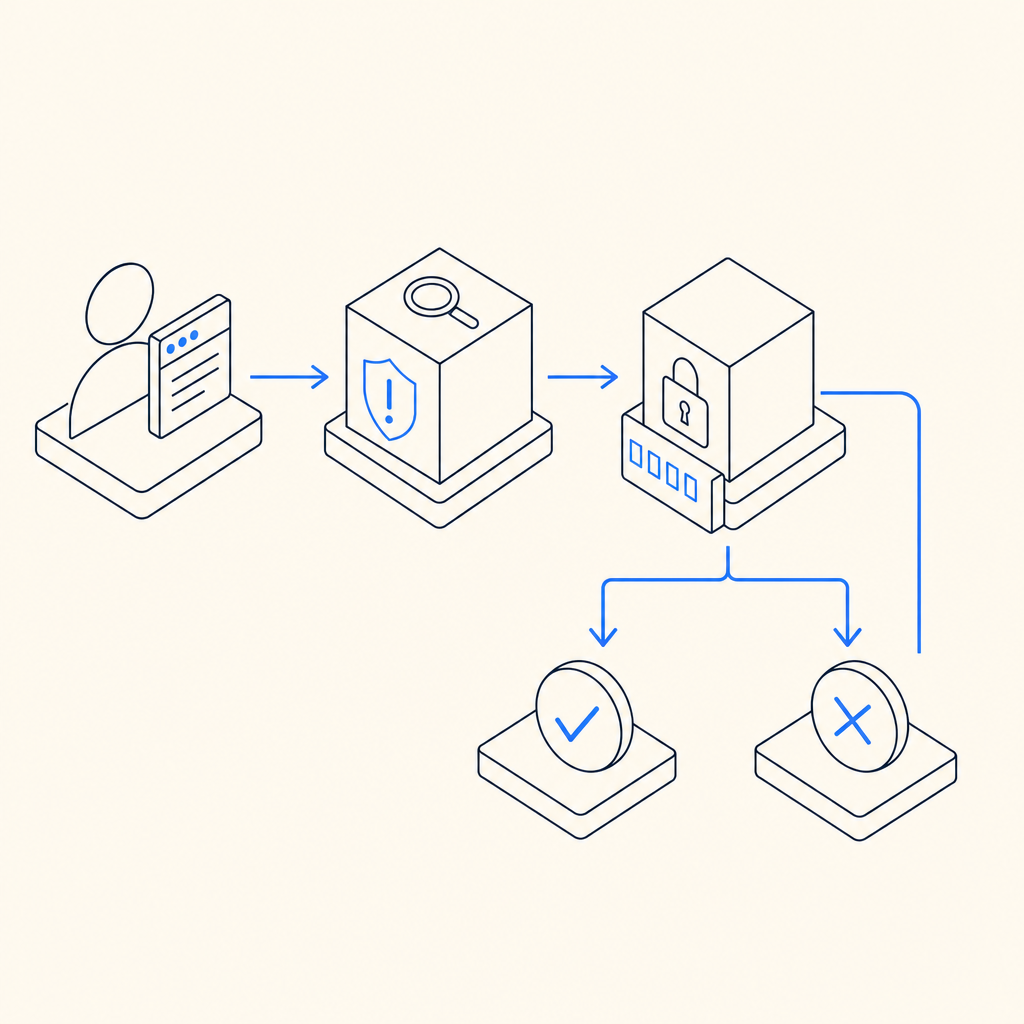
What an anti bot checkpoint actually does
An anti bot checkpoint is not just a CAPTCHA box. It is the policy layer around a verification event.
A useful checkpoint usually sits at one of three layers:
- Pre-action gating: before a sensitive action, such as account creation or password reset.
- Step-up verification: when behavior becomes suspicious, such as too many attempts from one IP range.
- Post-signal enforcement: after backend analysis indicates likely automation, the next request gets challenged.
The checkpoint can be lightweight, invisible, or interactive. The key is that it creates a trustworthy “yes/no” answer the server can use. That answer should be short-lived, tied to the current client context, and validated server-side rather than trusted only in the browser.
That server-side validation is where many teams get the implementation wrong. If a widget only changes the UI but the backend still accepts unverified requests, bots can simply skip the front end. A real checkpoint closes that gap.
Common outcomes
An anti bot checkpoint typically returns one of these outcomes:
- Pass: the user appears legitimate, so the request continues.
- Challenge: the user must complete verification.
- Deny: the request is too risky to continue.
- Escalate: route the session to additional checks, such as email verification or rate limiting.
Where checkpoints fit in the abuse-defense stack
A checkpoint works best as part of a layered control system, not as a standalone gate. Think of it as one tool among rate limits, device checks, IP reputation, authentication rules, and backend anomaly detection.
Here’s a practical comparison:
| Control | Best for | Strength | Tradeoff |
|---|---|---|---|
| Rate limiting | Burst control | Simple and cheap | Can hurt shared networks |
| IP reputation | Known bad networks | Fast to apply | Weak against fresh proxies |
| Anti bot checkpoint | Human vs automation | Strong step-up decision | Adds friction when triggered |
| MFA | Account takeover defense | Very strong for auth | More user friction |
| WAF rules | Broad edge filtering | Good for volumetric abuse | Harder to tune for nuance |
The checkpoint becomes especially useful when the signal is ambiguous. For example, a signup page might see a spike from residential IPs that do not look obviously malicious. A rate limit alone may not be enough, but a checkpoint can ask for proof only when the request pattern crosses your threshold.
For teams building with CaptchaLa, the checkpoint model is designed to stay close to the application flow and use first-party data only, which helps reduce unnecessary dependence on third-party context. If you want to read deeper implementation notes, the docs are the best place to start.
What to look for in a checkpoint implementation
Not all verification systems are equal. If you are choosing or evaluating one, focus on the server flow, client integration, and operational tuning.
1) Server-side validation must be mandatory
The client can collect a token, but the server must decide whether it is valid. A typical validation request includes the pass token and the client IP, authenticated with app credentials.
Example validation flow:
# Send the token to your backend first.
# Then validate it server-side before accepting the action.
POST https://apiv1.captcha.la/v1/validate
Headers:
  X-App-Key: your_app_key
  X-App-Secret: your_app_secret
Body:
  {
    "pass_token": "token_from_client",
    "client_ip": "203.0.113.42"
  }
That pattern matters because it prevents a user from replaying or fabricating a client-side success state. For most anti bot checkpoint designs, the server should be the source of truth.
2) The client integration should be flexible
You should be able to drop the checkpoint into web and native apps without rewriting your product. CaptchaLa supports Web via JavaScript, Vue, and React, plus iOS, Android, Flutter, and Electron. It also offers UI in 8 languages, which can matter if your checkpoint is user-visible.
For mobile and cross-platform teams, the SDK packaging also matters. Current package names include:
- Maven:
la.captcha:captchala:1.0.2 - CocoaPods:
Captchala 1.0.2 - pub.dev:
captchala 1.3.2
And if your backend is written in PHP or Go, the server SDKs captchala-php and captchala-go can reduce integration friction.
3) Your policies should adapt to context
A checkpoint is more effective when it is triggered by policy rather than used everywhere. Good policies often consider:
- signup vs login vs checkout
- request velocity per account, IP, or device
- failure history in the current session
- geo mismatch or impossible travel patterns
- unusual browser or device consistency signals
This lets you reserve the strongest friction for the riskiest paths. A common mistake is making the same challenge appear for every action. That usually teaches legitimate users to dislike the product while doing little extra work against determined automation.
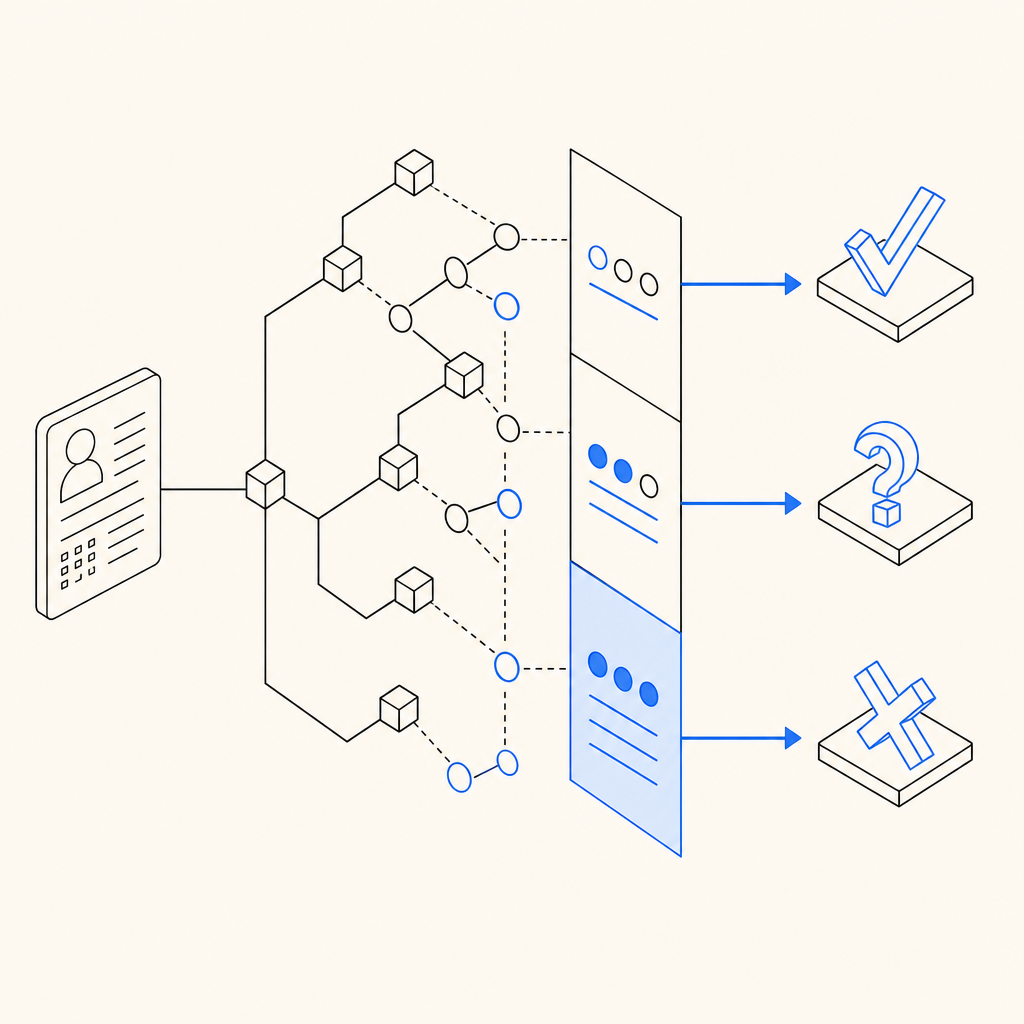
How major providers differ conceptually
Teams often compare reCAPTCHA, hCaptcha, Cloudflare Turnstile, and other checkpoint systems. The right choice depends on your goals, architecture, and privacy posture.
A neutral way to think about them:
- reCAPTCHA: widely recognized, often used for broad site protection, but can add user friction depending on the mode and risk score.
- hCaptcha: commonly chosen by teams that want an alternative verification model and are comfortable with its challenge style.
- Cloudflare Turnstile: often positioned as low-friction and edge-friendly, especially for sites already using Cloudflare services.
The real decision is less about branding and more about operational fit:
- How much friction can your users tolerate?
- Do you need visible challenges or invisible step-up checks?
- Can you validate reliably on the backend?
- Do you need SDK coverage across web and mobile?
- Are you comfortable with the privacy and data-flow model?
If you need a checkpoint that works across product surfaces and can be validated with a simple API call, a system like CaptchaLa may be a better fit than a widget-first approach. If you are comparing plans or throughput needs, the pricing page gives the practical tiers: Free at 1000/month, Pro at 50K-200K, and Business at 1M.
A practical deployment pattern
If you are implementing an anti bot checkpoint, a simple rollout path is usually safest:
Start on one sensitive endpoint
Common choices are signup, password reset, or coupon redemption.Trigger only on risk
Combine IP velocity, repeated failures, and suspicious session behavior.Validate on the server
Call your verification endpoint before the action is accepted.Log outcomes
Track pass, challenge, and deny rates so you can tune thresholds.Review false positives weekly
If legitimate users are getting slowed down, reduce friction or narrow the trigger.Extend to adjacent abuse paths
After the first endpoint is stable, roll out to other high-value flows.
That sequence helps you learn from real traffic instead of guessing. It also keeps the checkpoint from becoming a blunt instrument.
What good looks like after deployment
A well-tuned checkpoint should create a few clear effects:
- fewer fake signups or credential-stuffing attempts
- lower abuse-related infrastructure costs
- cleaner analytics, because bot noise is reduced
- minimal added friction for normal users
- understandable logs for security and product teams
The signal to watch is not just blocked traffic. It is whether the checkpoint improves the health of the workflow it protects. If conversion holds steady while abuse drops, the policy is probably doing its job. If conversions fall sharply, the friction may be too aggressive or mis-targeted.
For teams needing a quick place to start, the combination of client SDKs, server validation, and deployable documentation can shorten the path from evaluation to production. That is where docs and the SDK references tend to be most useful.
Where to go next: if you are planning a rollout, review the docs for integration details, or check pricing to match your traffic volume with the right tier.