
An anti bot check is a control that helps you tell legitimate users apart from automated traffic before a bot can abuse your forms, logins, signups, or APIs. The goal is not to make every visitor prove they are human in a painful way; it is to add just enough verification to stop scripted abuse while keeping the real user experience fast and quiet.
The best anti bot checks are usually layered. They combine behavior signals, client-side challenges, and server-side validation so the decision is based on evidence, not guesswork. That is why teams often evaluate solutions like reCAPTCHA, hCaptcha, Cloudflare Turnstile, or a custom approach alongside their own risk rules. The right choice depends on your traffic patterns, privacy needs, and how much friction you can tolerate.
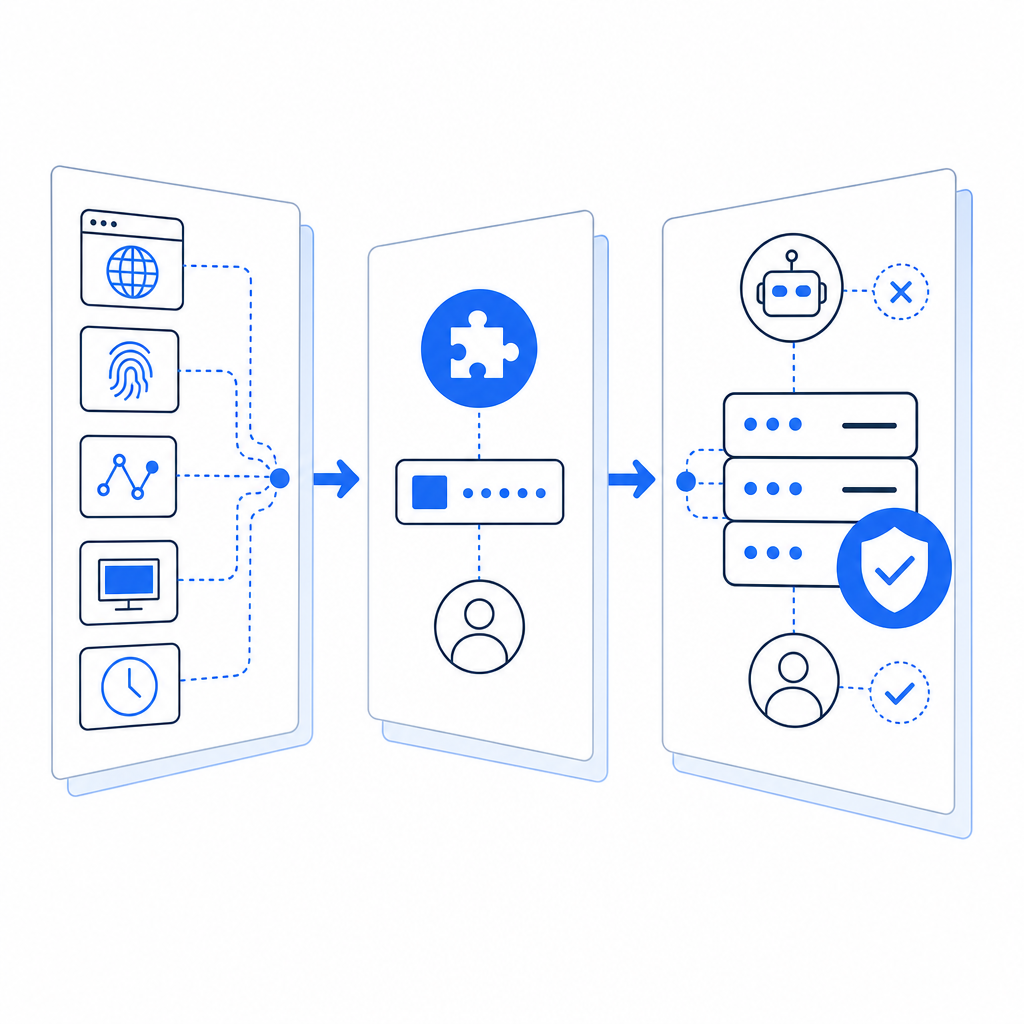
What an anti bot check actually does
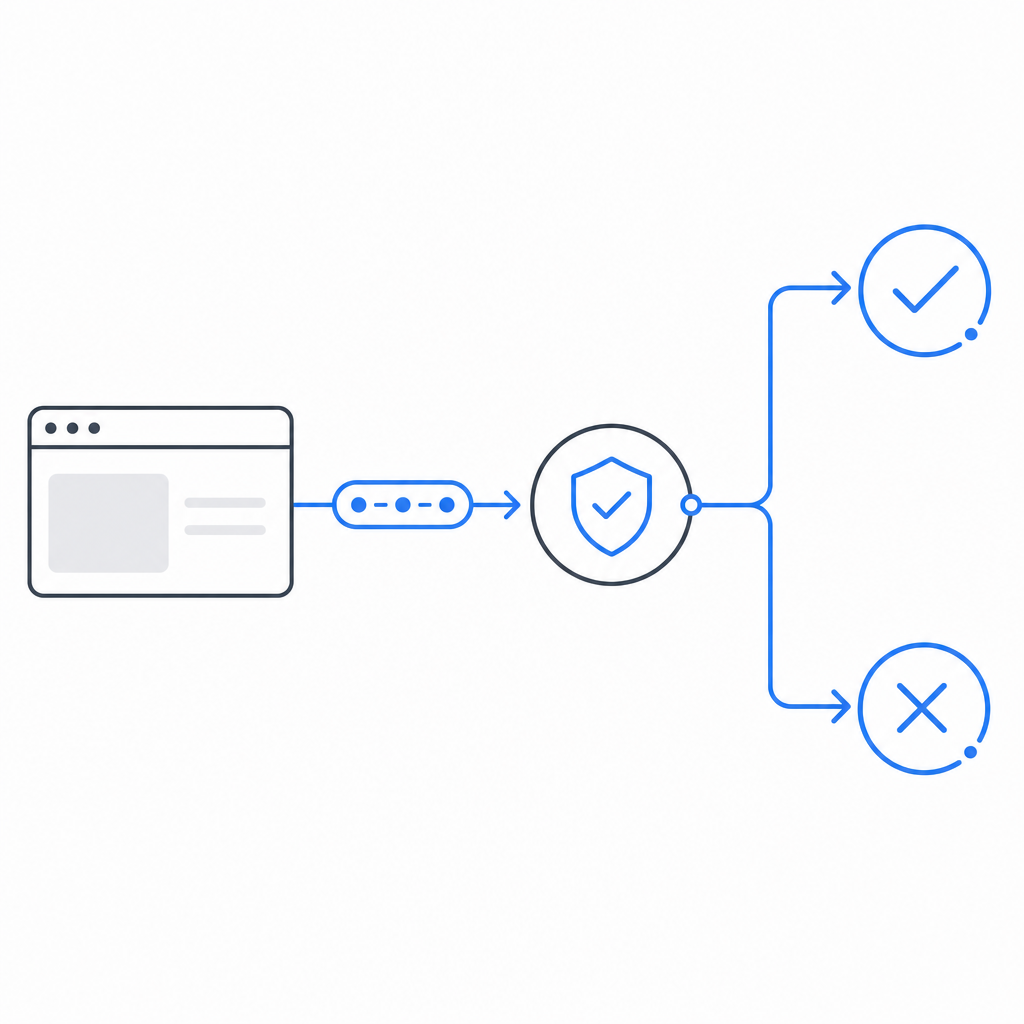
At a technical level, an anti bot check answers one question: “Should this request proceed, or should we ask for more proof?” That proof might be a challenge token, a behavioral score, a rate-limit decision, or a server-side verification result.
A solid implementation usually does three things:
Detects abnormal patterns
Examples include impossible submission rates, repeated failed logins, or many account creations from the same network range.Issues a challenge or proof token
This can be invisible in the common case, or visible only when risk is elevated.Validates on the server
Client-side checks alone are not enough. The server should verify the token, bind it to the request context, and reject replayed or tampered submissions.
The key idea is to make automation expensive without making normal usage annoying. If you design the check well, most legitimate users never think about it at all.
Where to place the check in your flow
The best placement depends on what you are protecting. A login form, password reset, checkout page, and public API do not need the same treatment.
Common placement patterns
- Before form submission: useful for signup, contact, and checkout abuse
- At login after a failed attempt threshold: reduces account-takeover noise
- Before sending an OTP or reset link: cuts down on resource abuse
- At the edge of an API: blocks scripted bursts before they hit application logic
- During suspicious sessions only: keeps low-risk users moving smoothly
A practical rule: verify at the point where abuse becomes expensive. If a request can trigger email delivery, SMS costs, database writes, or inventory locks, it deserves scrutiny.
What to validate server-side
Your backend should not trust a browser just because it rendered a widget. A robust server check typically confirms:
- the token exists
- the token has not expired
- the token was issued for your site or app
- the IP or session context is consistent where appropriate
- the token has not already been used
- the risk outcome matches your policy
With CaptchaLa, server validation is designed for this pattern: your backend sends the pass_token and client_ip to POST https://apiv1.captcha.la/v1/validate with X-App-Key and X-App-Secret. That makes the decision a server-side event, not just a browser-side hint.
Comparing common anti bot check approaches
Different tools solve different problems. Here is a simple comparison for planning purposes.
| Approach | User friction | Server trust | Privacy posture | Good for |
|---|---|---|---|---|
| reCAPTCHA | Low to medium | Strong when validated correctly | Depends on deployment and policy | Generic web forms, large-scale abuse control |
| hCaptcha | Low to medium | Strong when validated correctly | Often chosen for privacy-sensitive setups | Forms, login protection, challenge-based flows |
| Cloudflare Turnstile | Low | Strong when integrated properly | Designed for lower-friction verification | Sites already using Cloudflare or wanting invisible checks |
| Custom rules only | None to low | Varies | Depends on data collection | Simple rate limits, internal tools, early-stage projects |
| Layered solution | Low on average | Strong | Can be tuned to collect first-party data only | Production apps with mixed-risk traffic |
A few notes on that table:
- reCAPTCHA is widely known and easy to recognize, which can be helpful, but it is not always the lowest-friction option for every audience.
- hCaptcha is often considered when teams want a different privacy and ecosystem tradeoff.
- Cloudflare Turnstile is attractive for invisible verification in Cloudflare-centered stacks.
- Custom rules alone are useful, but by themselves they often miss sophisticated automation.
The right answer is usually not “pick one forever.” Many teams start with a lightweight check, then add stronger verification only when risk rises.
Implementation details that matter more than the widget
A good anti bot check is as much about system design as it is about the visible challenge. The following details have a large effect on results.
1. Keep tokens short-lived
If a token lives too long, it can be replayed. Short lifetimes reduce abuse windows and make automation harder.
2. Bind verification to context
Where it makes sense, connect the token to:
- the current session
- the IP address
- the action being performed
- the form or endpoint name
That way, a token obtained for a benign page cannot be reused elsewhere.
3. Fail closed on sensitive actions
For account creation, password resets, and payment-related flows, do not silently accept missing verification. If the check cannot be completed, it is usually safer to stop and ask again.
4. Log outcomes, not secrets
Record validation status, timestamp, route, and reason codes. Avoid storing anything that would let an attacker replay the proof.
5. Add adaptive thresholds
Not every user needs the same treatment. For example, you might challenge only when:
- the same IP submits many requests in a short window
- a session has unusual navigation speed
- form fields are filled unrealistically fast
- a device fingerprint changes mid-flow
Here is a small example of the kind of backend logic teams often use:
# Pseudocode: server-side validation flow
def handle_signup(request):
    token = request.form.get("pass_token")
    client_ip = request.headers.get("X-Forwarded-For", request.remote_addr)

    if not token:
        return reject("missing verification")

    result = validate_with_captcha_service(
        url="https://apiv1.captcha.la/v1/validate",
        headers={
            "X-App-Key": APP_KEY,
            "X-App-Secret": APP_SECRET,
        },
        body={
            "pass_token": token,
            "client_ip": client_ip,
        },
    )

    if not result["ok"]:
        return reject("verification failed")

    return continue_signup()
That pattern is simple, but the discipline around it matters: do the check server-side, keep secrets off the client, and make the acceptance rule explicit.
Choosing a solution without overcomplicating the stack
If you are evaluating whether to build or buy, start with your traffic shape and operational load.
A few practical questions help:
- Are you protecting a simple form or a high-value workflow?
- Do you need invisible verification most of the time?
- How much do you want to manage tuning, logging, and SDK support?
- Do you need mobile or desktop app coverage as well as web?
- Are you trying to keep data collection limited to first-party data only?
For teams that need multi-platform support, CaptchaLa can fit into web, mobile, and desktop stacks with native SDKs for Web, iOS, Android, Flutter, and Electron. It also supports 8 UI languages, which helps when your audience is not English-only. On the backend, the server SDKs captchala-php and captchala-go can make integration more straightforward, and the loader script is available at https://cdn.captcha-cdn.net/captchala-loader.js.
If you are planning rollout cost, the published tiers are easy to map to growth: free covers 1,000 checks per month, Pro covers 50K-200K, and Business supports 1M. That kind of structure helps when you want to start small and scale the same integration later.
Where teams often get stuck is not the widget itself, but the validation path, analytics, and policy decisions around when to challenge. That is why the docs matter as much as the product surface. If you want the integration specifics, the docs are the natural next stop.
A strong anti bot check should feel almost invisible to real users and very visible to automation. If you are planning one now, check the integration details, compare your risk thresholds, and decide how much friction your product can actually afford. For pricing and plan fit, see pricing.