
An anti bot challenge is a controlled verification step that helps you distinguish real users from automated traffic before abuse reaches your forms, login flows, checkout, or APIs. Done well, it blocks obvious automation, raises the cost of large-scale abuse, and preserves the experience for legitimate users.
The key is to treat it as one layer in a broader defense strategy, not a magic wall. The right challenge should be easy for humans, hard to automate at scale, and flexible enough to fit your risk level, device mix, and privacy requirements.
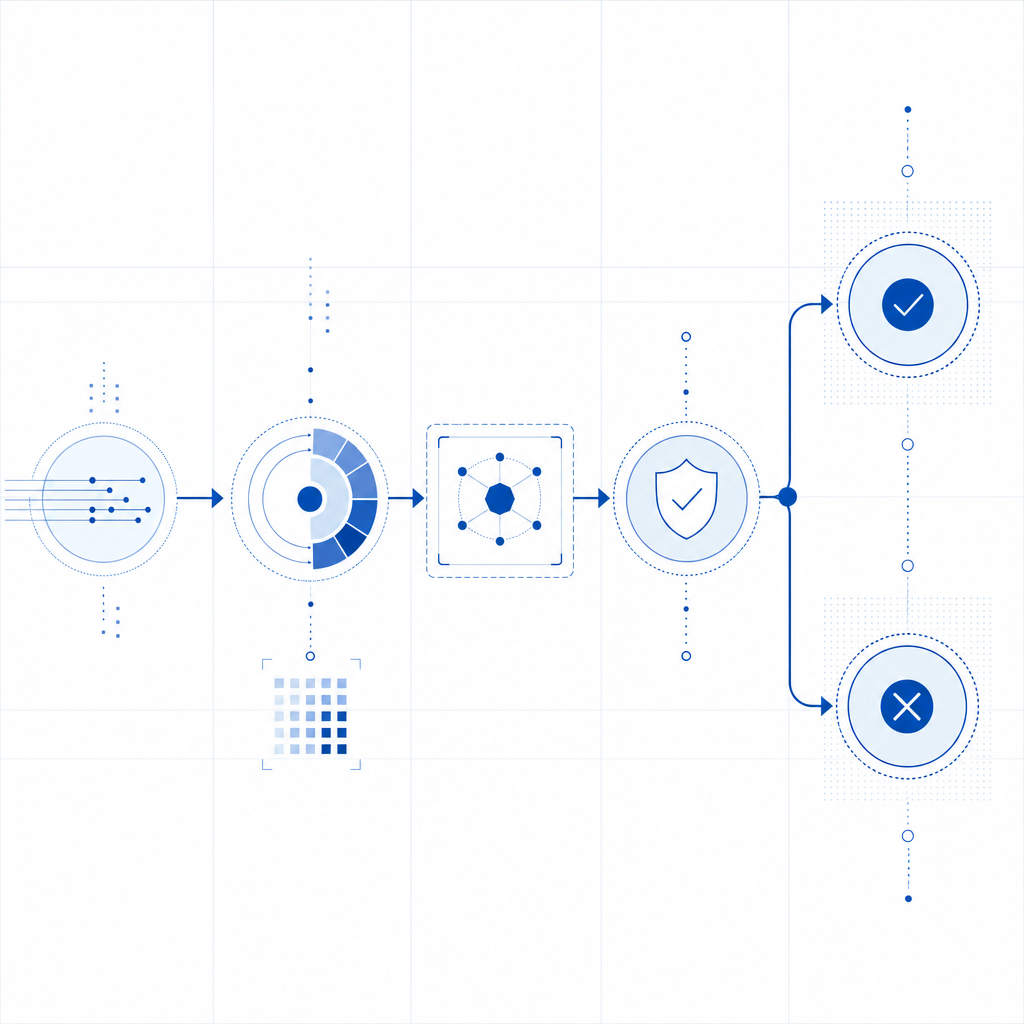
What an anti bot challenge actually does
At a technical level, an anti bot challenge sits between a user action and the backend action you want to protect. The challenge can be visual, invisible, interactive, or token-based, but the goal is the same: create an additional proof that the request is more likely to be human-generated than machine-generated.
For most teams, the practical value shows up in a few places:
Signup and login protection
Stops credential stuffing, mass account creation, and script-driven signups.Checkout and promo abuse defense
Reduces coupon fraud, inventory hoarding, and card-testing automation.API and workflow gating
Adds friction only when a request looks suspicious or exceeds normal patterns.Spam and scraping control
Makes bulk form submissions and content harvesting more expensive.
A useful mental model is: challenge first, verify second, then allow the transaction. The frontend gathers the proof, and the backend validates it before honoring the request.
Here’s a simple decision flow:
// English comments only
// 1. User submits form or request
// 2. Client obtains a pass token from the challenge widget
// 3. Backend receives the token with the request
// 4. Backend validates token with the CAPTCHA service
// 5. If valid, allow the action; otherwise reject or step up
The details matter. A challenge that is too aggressive frustrates users and harms conversion. One that is too weak becomes a checkbox that scripts can farm. The best implementations adapt to context, such as risk signals, endpoint sensitivity, and traffic patterns.
How common solutions compare
Teams usually evaluate a few familiar names: reCAPTCHA, hCaptcha, Cloudflare Turnstile, and newer platforms like CaptchaLa. They all aim to reduce automated abuse, but they differ in deployment style, privacy posture, and developer ergonomics.
| Solution | Typical approach | Strengths | Tradeoffs |
|---|---|---|---|
| reCAPTCHA | Risk-based challenge and scoring | Very familiar, broad adoption | Can feel opaque; UX and privacy concerns vary by setup |
| hCaptcha | Challenge-based verification | Good control and monetization options in some cases | Can be more visible to users |
| Cloudflare Turnstile | Friction-light verification | Often low user friction | Best fit depends on your Cloudflare usage and stack |
| CaptchaLa | Token-based verification with SDKs and server validation | Broad SDK coverage, first-party data only, straightforward validation | Requires integrating the validation step like any other verification layer |
When comparing options, ask these questions:
- How much friction does the user see on success?
- Can you verify tokens on your own server?
- Does the solution fit web, mobile, and desktop app flows?
- What data is collected, and who controls it?
- Can you tune the challenge by risk or endpoint?
For teams that need multi-platform support, CaptchaLa provides native SDKs for Web (JS, Vue, React), iOS, Android, Flutter, and Electron, plus server SDKs for PHP and Go. That matters if your product spans browser, mobile app, and desktop app surfaces and you want one consistent verification model.
What a solid deployment looks like
A challenge is only as useful as its integration. The frontend should obtain a pass token, and the backend should verify that token before trusting the request. The integration pattern is straightforward, but a few implementation details make a big difference.
Frontend and backend responsibilities
Render the loader or widget on the client
For CaptchaLa, the loader is available athttps://cdn.captcha-cdn.net/captchala-loader.js.Collect the pass token after successful challenge completion
The client sends that token with the protected request.Send the token to your backend
Include any context you need, such as the user’s IP address when appropriate.Validate on the server
CaptchaLa validates viaPOST https://apiv1.captcha.la/v1/validatewith a body containing{pass_token, client_ip}and authentication headersX-App-Key + X-App-Secret.Act on the response
Allow, reject, or escalate based on the validation result and your internal risk rules.
If you prefer server-side token issuance for certain flows, CaptchaLa also supports POST https://apiv1.captcha.la/v1/server/challenge/issue. That can be useful when your backend wants more control over when and how a challenge starts.
A practical implementation pattern looks like this:
// English comments only
// Example flow for a protected checkout action
// Client loads challenge script
// User completes challenge
// Client sends pass_token to backend
// Backend validates pass_token with captcha service
// Backend proceeds only after successful validation
You can also think about the challenge as an access gate with dynamic thresholds. For low-risk pages, keep friction minimal. For sensitive endpoints, require a stronger signal or more frequent verification. The right balance depends on your traffic and abuse profile, not on a universal rule.
Operational considerations that matter more than the widget
Most anti-bot projects fail for operational reasons, not cryptographic ones. Teams pick a widget, drop it into the page, and then forget to monitor what happens next.
A better rollout includes these specifics:
- Measure baseline conversion before and after rollout
- Log validation outcomes by endpoint
- Segment traffic by country, ASN, user agent, and session pattern
- Review false positives quickly
- Add step-up verification only where needed
- Keep your client and server secrets separate
- Rotate keys according to your internal security policy
It also helps to align the challenge with your privacy model. CaptchaLa states a first-party data approach, which is relevant for teams that want tighter control over data handling. If that is important to your organization, it belongs in the evaluation process alongside UX and integration effort.
Pricing often influences architecture decisions too. A free tier is useful for staging or early production, but high-volume applications should test the economics at realistic traffic levels. CaptchaLa’s tiers include Free at 1,000 requests per month, Pro at 50K–200K, and Business at 1M, so it’s easy to map usage to expected load before rollout. You can compare current plan details at pricing.
If you’re implementing this in a real app, the docs are worth reading before you wire in the frontend and validation path: docs.

Choosing the right challenge for your use case
The “best” anti bot challenge is the one that fits your specific threat, product, and users. A consumer signup form, a public API endpoint, and a mobile wallet flow do not need the same configuration.
A simple way to decide:
If your abuse is mostly low-effort spam:
Use a low-friction challenge with strong backend validation.If your abuse is credential stuffing or scraping:
Add session-aware logic, velocity checks, and endpoint-specific rules.If you need web plus mobile support:
Favor SDK coverage that matches your product surfaces.If privacy is a major concern:
Review data collection, retention, and ownership carefully.If your team wants a unified integration path:
Choose a system with clear client and server responsibilities.
The biggest mistake is assuming every visitor deserves the same treatment. Humans on a first visit, trusted signed-in users, and obvious automation all deserve different handling. That is where a good anti bot challenge shines: it gives you a precise control point rather than a blunt block.
Where to go next: if you want to evaluate the integration path or compare plans, start with docs and pricing.