
If you need an anti bot browser npm solution, the right answer is usually: use a client-side challenge to separate real users from automated traffic, then validate it server-side before you trust the request. For most web apps, that means adding a small browser loader, collecting a pass token, and verifying it on your backend with a secret key. The goal is not to block every script on earth; it’s to reduce abuse without turning your login or signup flow into a puzzle box for humans.
That pattern matters because “bot defense” can mean a lot of things. Some teams need signup protection, others need checkout abuse control, and some just want to slow down credential stuffing. A browser npm package is attractive because it fits naturally into modern JavaScript apps, especially React, Vue, and plain web projects. But the package alone is only half the story. You also need server validation, sensible rate limits, and a plan for false positives.
What an anti bot browser npm package should actually do
A good browser-side package should do one thing well: collect a signal that your backend can verify. That signal should be hard to fake at scale, easy to integrate, and light enough not to annoy real users.
When evaluating options, focus on the implementation details rather than the marketing:
Token-based verification
- The browser receives a pass token after challenge completion.
- Your server validates that token before trusting the action.
- Tokens should be short-lived and bound to the session or request context where possible.
Low-friction UX
- Real users should pass with minimal interruption.
- Mobile support matters just as much as desktop support.
- Localization helps when your audience is global.
Backend-first security
- Never treat client-side success as sufficient.
- Always validate from the server using a secret.
- Record outcomes for audit and tuning.
Modern framework fit
- Look for Web SDK support plus framework-friendly wrappers.
- If your app includes native shells, mobile clients, or hybrid apps, broader SDK coverage saves time.
Operational transparency
- Clear docs, sensible error codes, and predictable rate behavior matter.
- You want to understand failures without reverse engineering the library.
If you’re comparing tools like reCAPTCHA, hCaptcha, or Cloudflare Turnstile, the decision often comes down to integration style, privacy posture, user experience, and how much control you want over the challenge flow. Some teams prefer a very familiar drop-in widget; others want a cleaner API and tighter control over their own risk decisions. That’s why it helps to think in terms of architecture, not brand names.
How the browser-to-server flow should work
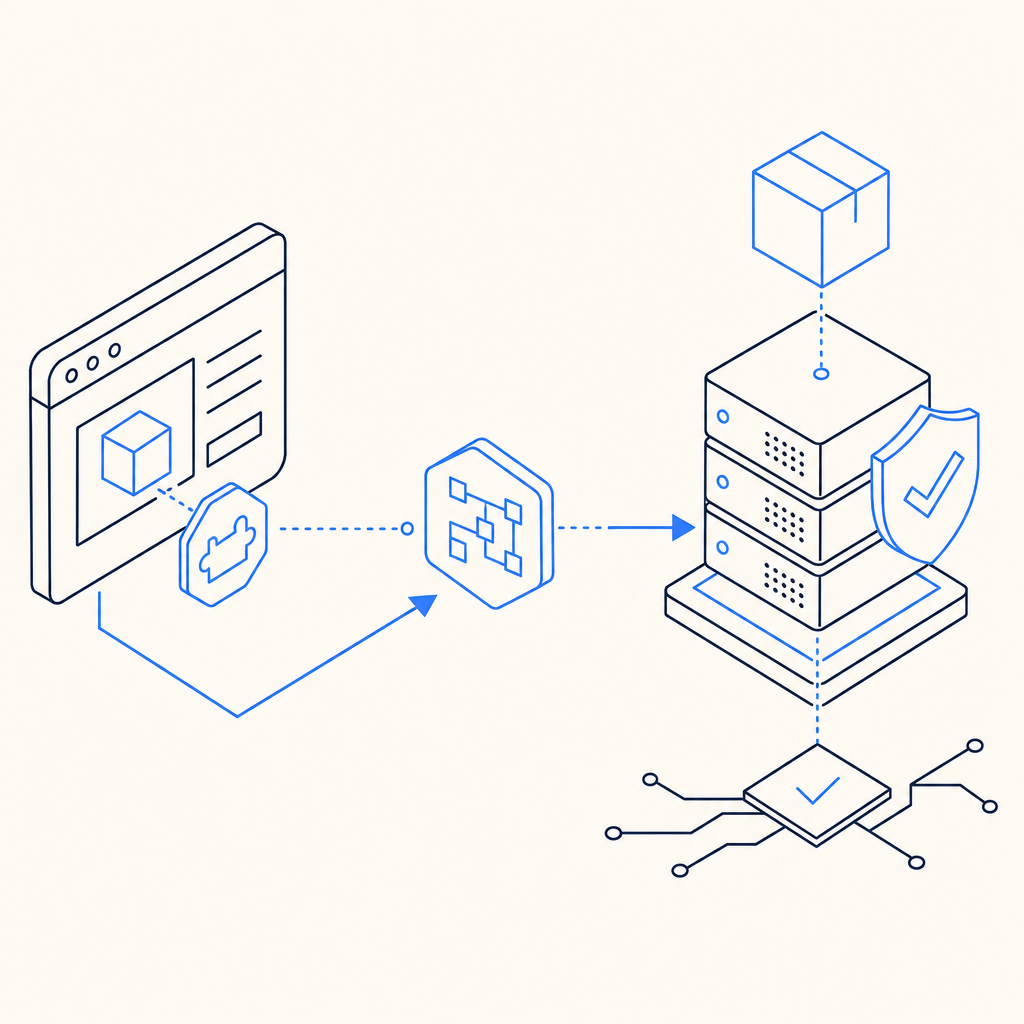
The cleanest pattern is simple: the browser gets a challenge, the user completes it, and your backend validates the resulting pass token before processing the request.
Here’s the basic sequence:
- Load the client script from your provider’s CDN.
- Render the challenge in your form or route.
- Receive a pass token on success.
- Send that token to your backend with the request.
- Validate the token server-side using your app credentials.
- Only then create the account, submit the form, or continue the transaction.
For example, a typical verification request might look like this:
// Example: server-side validation flow
// 1) Receive the pass token from the browser
// 2) Send it to the validation endpoint
// 3) Check the response before allowing the action

async function validateCaptcha(passToken, clientIp) {
  const res = await fetch('https://apiv1.captcha.la/v1/validate', {
    method: 'POST',
    headers: {
      'Content-Type': 'application/json',
      'X-App-Key': process.env.CAPTCHALA_APP_KEY,
      'X-App-Secret': process.env.CAPTCHALA_APP_SECRET
    },
    body: JSON.stringify({
      pass_token: passToken,
      client_ip: clientIp
    })
  });

  if (!res.ok) {
    throw new Error('Captcha validation failed');
  }

  return await res.json();
}
That pattern is deliberately boring, and that’s a good thing. Security middleware should be predictable. If your application stack is JavaScript-heavy, browser SDKs and npm-friendly packaging keep implementation overhead low. CaptchaLa’s web SDKs support JS, Vue, and React, and the platform also covers iOS, Android, Flutter, and Electron for teams that need a broader client footprint. The loader is delivered from https://cdn.captcha-cdn.net/captchala-loader.js, which keeps the client integration straightforward.
Comparing common anti-bot options
It helps to compare providers by integration and control, not by hype. Here’s a practical view:
| Option | Browser integration | Server validation | Privacy / control | Notes |
|---|---|---|---|---|
| reCAPTCHA | Easy | Yes | Moderate | Familiar to many teams; can be effective, but UX and policy tradeoffs vary |
| hCaptcha | Easy | Yes | Moderate to high | Often chosen for privacy-oriented setups; similar widget-based integration |
| Cloudflare Turnstile | Easy | Yes | High | Lightweight experience; good for teams already in Cloudflare’s ecosystem |
| CaptchaLa | Easy | Yes | High | Includes web and native SDKs, plus server SDKs for PHP and Go |
A few practical differences matter more than the table suggests:
- SDK breadth: If you need one system across web, mobile, and desktop apps, fewer moving parts is better.
- Localization: CaptchaLa supports 8 UI languages, which helps when your audience is distributed across regions.
- Server libraries: A browser package is useful, but backend support matters equally. CaptchaLa includes server SDKs for
captchala-phpandcaptchala-go. - Billing shape: Free and paid tiers should map to real traffic patterns. CaptchaLa’s public tiers include Free at 1,000 monthly requests, Pro at 50K–200K, and Business at 1M, which is a helpful spread for early-stage and growing products.
- Data handling: First-party data only is a meaningful requirement for teams that want tighter control over user data paths.
If you are already using npm-based tooling, the browser side should feel native to your app. But don’t over-optimize the client package at the expense of the server checks. The validation endpoint is where your trust decision happens.
Practical integration tips for real apps
The biggest implementation mistake is to wire the challenge into a form and stop there. That can improve friction a bit, but it doesn’t give you a trustworthy security boundary unless your backend verifies every sensitive action.
A few habits help:
Validate on the server for every protected action
- Signups
- Login attempts after suspicious behavior
- Password reset requests
- Checkout or promo abuse
- Account recovery flows
Tie validation to context
- Include client IP where appropriate
- Track session identifiers
- Log the route and action type
- Watch for repeated failures from the same source
Use layered defense
- Bot challenge
- Rate limiting
- IP reputation
- Device or session heuristics
- Alerting on spikes
Keep the UI simple
- Trigger the challenge only when needed
- Avoid forcing it on low-risk actions
- Localize labels and error states
Treat failures as signals
- A failed validation is not always malicious
- Network timeouts happen
- Retry logic should be careful and bounded
If you’re using CaptchaLa, the docs at docs are the best place to map the browser flow to your backend validator, and the pricing page at pricing is useful for matching request volume to a plan. You can also start at CaptchaLa if you want the overview first, then drill into implementation details.
A good anti-bot setup is measured, not theatrical
The strongest anti-bot browser npm implementation is usually the one your users barely notice and your backend can explain. That means a thin client integration, a clear server validation step, and a risk strategy that combines bot detection with ordinary application controls. It also means choosing a provider whose SDKs fit your stack rather than forcing your stack to fit the provider.
For many teams, that’s enough to reduce sign-up abuse, form spam, and automated retries without making the product feel hostile. And because the browser package is only one piece of the system, you can keep improving the rest of your defenses over time without rewriting the user flow.

Where to go next: read the implementation details in the docs or check request volume against pricing to see which tier fits your traffic.