
An anti bot blocker is a security tool or system designed to detect and block malicious automated traffic—bots—that can harm websites by scraping content, spamming forms, performing credential stuffing, or launching denial-of-service attacks. Unlike simple IP blocking or rate limiting, anti bot blockers use a combination of behavioral analysis, challenge-response tests, and risk scoring to differentiate between legitimate users and bots, stopping malicious scripts while allowing humans to access the site normally.
How Anti Bot Blockers Work: An Overview
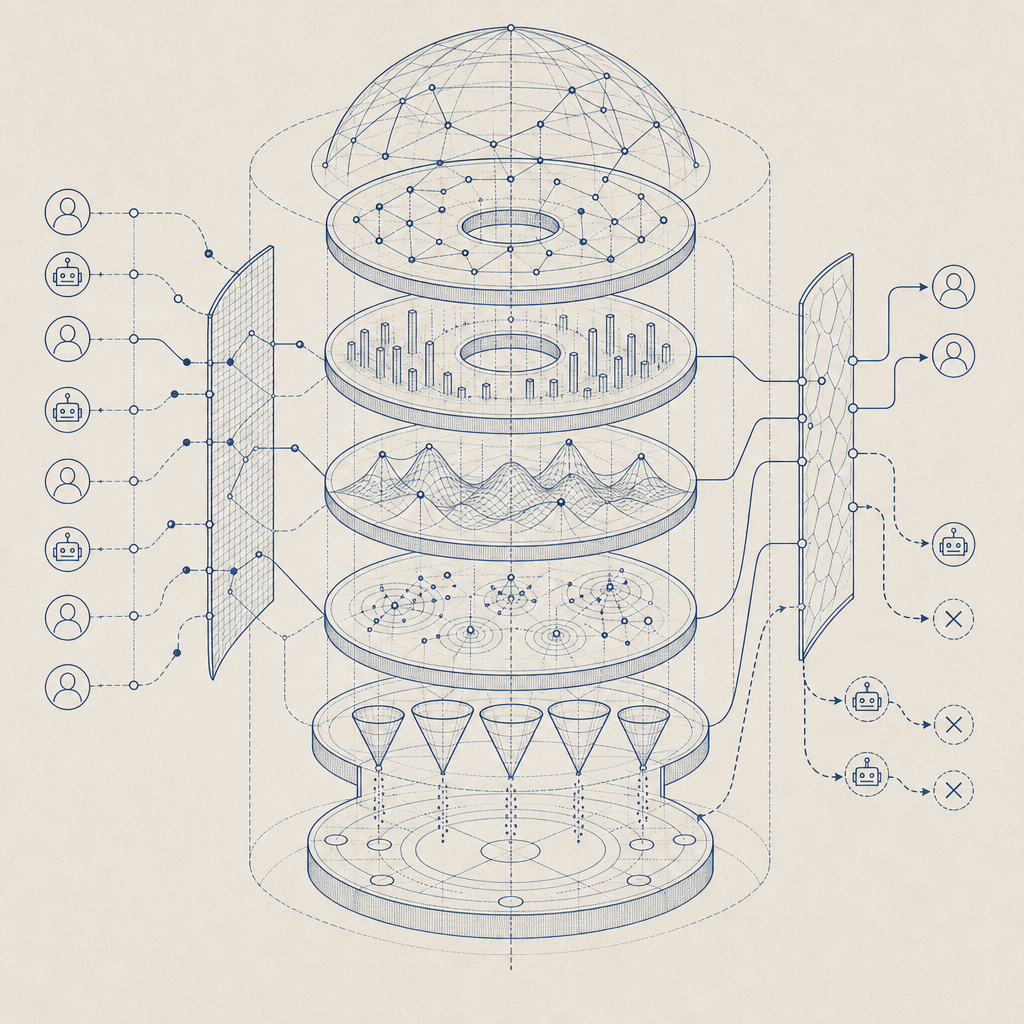
At the core, an anti bot blocker focuses on identifying patterns and indicators typical of automation rather than human interaction. The detection techniques fall into several categories:
- Challenge-Response Mechanisms: Presenting visitors with puzzles or challenges (CAPTCHAs) that are easy for humans but hard for bots to solve.
- Behavioral Analysis: Monitoring mouse movement, typing speed, and navigation behavior to look for unnatural patterns.
- Fingerprinting & Device Recognition: Using browser and device metadata to identify suspicious clients or repeat offenders.
- Rate Limiting & IP Reputation: Restricting the number of requests from suspicious IPs or those appearing on known blacklists.
These layers work together to increase accuracy and minimize false positives, ensuring genuine users don’t get blocked unnecessarily.
Common Types of Challenges
The best-known challenge mechanism is the traditional CAPTCHA, which may require users to identify objects in images or type distorted text. Newer approaches favor invisible or frictionless CAPTCHAs that run risk assessments silently in the background, such as Cloudflare Turnstile or Google's reCAPTCHA v3. However, most providers still offer explicit challenges when risk scores exceed a threshold.
Comparing Popular Anti Bot Blockers
Below is a comparison table of common anti bot services based on detection approach, integration ease, and customization:
| Feature | reCAPTCHA | hCaptcha | Cloudflare Turnstile | CaptchaLa |
|---|---|---|---|---|
| Challenge Type | Image/text challenges | Image/text challenges | Invisible, no challenge | Image + Text + Invisible |
| Risk-based scoring | Yes | Yes | Yes | Yes |
| SDK Support | Web (JS) only | Web + Mobile | Web only | Web + iOS, Android, Flutter, Electron, Server SDKs |
| Pricing Model | Free with Google data | Paid, privacy-focused | Free | Free tier, Pro, Business pricing, first-party data only |
| Language Support | Limited | Moderate | Moderate | 8 UI languages |
| Ease of Integration | Easy | Moderate | Very easy | Easy with extensive SDKs |
Each provider has strengths; for instance, reCAPTCHA is ubiquitous but depends on Google data, which some sites prefer to avoid. CaptchaLa focuses on privacy, supports multiple platforms with native SDKs, and offers flexible deployment for diverse tech stacks.
Technical Specifics of Implementing an Anti Bot Blocker
To efficiently deploy an anti bot blocker like CaptchaLa, consider these technical steps:
- Choose Your Integration Platform: Decide whether you need Web (JS, Vue, React), Mobile (iOS, Android, Flutter), desktop (Electron), or backend verification (PHP, Go).
- Add the Client-Side Loader: Include CaptchaLa’s loader script (
https://cdn.captcha-cdn.net/captchala-loader.js) to show challenges or run invisible checks. - Issue Server Tokens: Before presenting challenges, request a challenge token from the server endpoint (
POST https://apiv1.captcha.la/v1/server/challenge/issue). - Validate User Responses: On form submissions or suspicious actions, POST
pass_tokenandclient_iptohttps://apiv1.captcha.la/v1/validatewith appropriate authentication headers (X-App-Key,X-App-Secret). - Monitor & Adjust: Track success rates and fallback challenges to optimize user experience and bot detection thresholds.
A simple validation call example in pseudocode:
// After user completes CAPTCHA, pass_token is received

fetch('https://apiv1.captcha.la/v1/validate', {
  method: 'POST',
  headers: {
    'Content-Type': 'application/json',
    'X-App-Key': 'your-app-key',
    'X-App-Secret': 'your-app-secret'
  },
  body: JSON.stringify({
    pass_token: userPassedToken,
    client_ip: userIpAddress
  })
})
.then(response => response.json())
.then(data => {
  if (data.success) {
    // Proceed with form submission
  } else {
    // Reject as bot or show alternative challenge
  }
});
Balancing Security and Usability
One of the main challenges with anti bot blockers is preventing inconvenience to legitimate users. Overly aggressive blocking or difficult puzzles can increase bounce rates, frustrate customers, or reduce conversions. Solutions like CaptchaLa aim to minimize friction by:
- Offering invisible challenges for low-risk sessions
- Providing multilingual UI support (8 languages) to improve accessibility
- Enabling flexible configurations so site owners can tailor challenge frequency and types based on traffic patterns
Regularly reviewing logs and feedback helps adjust sensitivity for the best tradeoff.

Why Choose CaptchaLa?
CaptchaLa is designed as an independent SaaS solution focusing on transparency, privacy, and broad platform support. Unlike some larger providers that rely heavily on third-party data, CaptchaLa processes first-party data only, respecting user privacy while delivering robust bot detection. Its multi-SDK environment (Web + Mobile + Desktop + Server) allows seamless integration regardless of your tech stack.
For those interested, CaptchaLa’s documentation explains all technical details, and the pricing plans cater from small-scale projects with a 1000 monthly free quota up to business scale with millions of validations.
If you’re looking to enhance your website’s defense against bots while keeping genuine users happy, exploring anti bot blockers like CaptchaLa is a practical step. For more details on setup and pricing, visit CaptchaLa.