
An anti bot blade checkpoint is a friction step placed between a visitor and a sensitive action so the system can decide whether the request looks human, automated, or risky. If you’re seeing one on your site, it usually means your bot controls are working, but the challenge flow may be too visible, too strict, or not well tuned for the traffic mix.
The key is to treat the checkpoint as a decision point, not just a gate. Good bot defense balances three things: keeping abusive automation out, minimizing false positives, and preserving a clean experience for legitimate users. That balance is where a lot of teams get stuck.
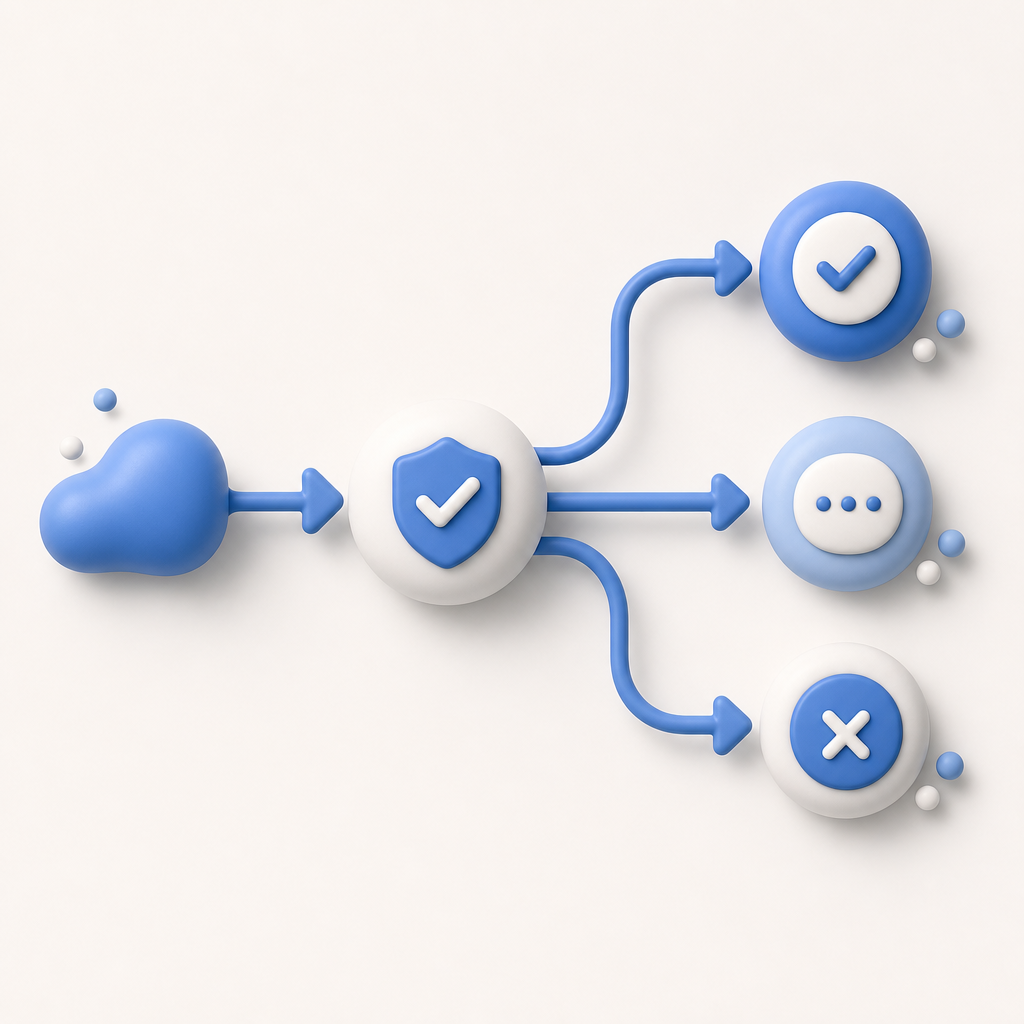
What an anti bot blade checkpoint does
A checkpoint sits in front of high-value routes such as login, account creation, checkout, password reset, ticketing, or API write actions. Instead of trusting every request equally, it evaluates signals and then chooses one of a few outcomes:
- Allow the request through.
- Ask for a challenge.
- Block or slow the request.
- Escalate to a stronger verification step.
From a defender’s perspective, this is useful because not all traffic deserves the same treatment. A known mobile app on a stable device, a logged-in customer, and a burst of new signups from one subnet should not all get the same response. The “blade” metaphor is really about precision: a narrow checkpoint catches risk without cutting into normal usage.
There are usually two layers involved:
- Client-side presentation: the challenge or token exchange shown to the browser or app.
- Server-side validation: the trust decision your backend makes before executing the protected action.
If either side is weak, the checkpoint can become noisy, annoying, or easy to mis-handle.
What typically triggers it
A checkpoint is usually triggered by signals, not by a single rule. The most common triggers include unusual request velocity, mismatched device behavior, suspicious IP reputation, automation-like browser patterns, and repeated failures on sensitive endpoints. For example, a sudden spike of signup attempts from a small IP range may be enough to move traffic into a challenge path.
Here’s a practical breakdown of common conditions:
| Signal category | Example pattern | Typical response |
|---|---|---|
| Rate | 20 requests in 10 seconds to a write endpoint | Challenge or throttle |
| Reputation | Shared datacenter IPs with bad history | Step-up verification |
| Behavior | Missing mouse/gesture timing on web flow | Risk scoring |
| Consistency | IP region and session locale conflict | Challenge |
| Abuse pattern | Repeated password reset attempts | Block or cool-down |
The tricky part is that any one signal can be benign. A corporate VPN, a traveling customer, or a browser extension can look “odd” without being malicious. That’s why rigid allow/deny rules often create false positives.

How to reduce friction without weakening protection
The best way to think about a checkpoint is “adaptive proof,” not “one-size-fits-all challenge.” Strong protection can still feel light if you tune it to context.
A practical tuning sequence looks like this:
Start with the protected action, not the whole site. Focus on endpoints where abuse hurts the most: signup, login, password reset, checkout, coupon redemption, scraping-prone content, or form submission.
Set different thresholds by route. A read-only page can tolerate more ambiguous traffic than a payment action. Likewise, a password reset should be stricter than a newsletter signup.
Prefer step-up checks over hard blocks. If a request is uncertain, challenge it first. Reserve blocking for repeated abuse or clearly automated abuse.
Validate server-side every time. Client-side signals are helpful, but the backend must make the final decision. For CaptchaLa, that means validating the pass token with your app key and secret after the challenge completes:
bash# English comments only # Send the pass token and client IP to your backend validator POST https://apiv1.captcha.la/v1/validate { "pass_token": "token_from_client", "client_ip": "203.0.113.42" } # Include X-App-Key and X-App-Secret in headersMonitor false positives by segment. Watch which devices, geographies, and routes get challenged most often. False positives often cluster in a few traffic segments, which makes them easier to tune.
Keep the challenge path short. Every extra step increases abandonment. A checkpoint should be fast enough that real users barely notice it.
If you’re comparing providers, the important question is not only “who has a challenge?” but “who makes validation and integration straightforward?” reCAPTCHA, hCaptcha, and Cloudflare Turnstile each solve parts of the problem well, but teams still need to decide how much control they want over presentation, risk rules, and backend validation. Some teams prefer a very lightweight browser flow; others want a more explicit challenge lifecycle with server-issued tokens and strict validation.
CaptchaLa is useful here because it supports a wide range of client environments and keeps the server decision explicit. That matters when you want consistent policy across web and mobile rather than separate ad hoc defenses.
Implementation details that matter more than the checkbox
A checkpoint often fails not because the security idea is wrong, but because the implementation is incomplete. The most common mistakes are trusting the client alone, placing the checkpoint too late in the flow, and forgetting to account for mobile and embedded clients.
Integration basics
CaptchaLa supports 8 UI languages and native SDKs for Web (JS, Vue, React), iOS, Android, Flutter, and Electron. On the backend, there are server SDKs for PHP and Go, which helps when you want the same validation logic across services. The platform also exposes a loader at https://cdn.captcha-cdn.net/captchala-loader.js, plus server-token issuance for challenge flows at POST https://apiv1.captcha.la/v1/server/challenge/issue.
For teams building on common package ecosystems, the published artifacts are straightforward:
- Maven:
la.captcha:captchala:1.0.2 - CocoaPods:
Captchala 1.0.2 - pub.dev:
captchala 1.3.2
That kind of packaging is useful because bot defense tends to touch multiple surfaces: browser, native app, and backend. If those pieces drift apart, users experience inconsistent behavior and engineers lose confidence in the checkpoint.
A clean server-side validation pattern
A simple backend flow usually looks like this:
- Frontend loads the challenge script.
- User completes the challenge.
- Frontend receives a pass token.
- Backend receives the token and client IP.
- Backend calls the validate endpoint.
- Backend proceeds only if validation succeeds.
In pseudocode:
if request.is_sensitive_route:
    token = request.body.pass_token
    ip = request.client_ip

    result = validate_token(token, ip, app_key, app_secret)

    if result == "ok":
        continue_request()
    else:
        deny_or_step_up()
That pattern keeps trust anchored on the server. It also makes it easier to log, audit, and adjust policy later. If you ever need to review a spike in blocked traffic, a clean validation pipeline is a lot easier to reason about than a scattered collection of frontend checks.
Choosing the right checkpoint strategy
The right strategy depends on your traffic profile.
If your site mostly sees low-volume abuse, a lightweight challenge on suspicious routes may be enough. If you operate a high-value workflow, you may want a more explicit server-issued token model and tighter route-specific policy. If you have mobile apps, the decision gets more important, because browser-only assumptions often break down fast.
CaptchaLa offers a free tier at 1,000 validations per month, with Pro plans in the 50K–200K range and a Business tier around 1M. That makes it practical to start with a narrow rollout, measure challenge rates, and expand only where needed. It also uses first-party data only, which is helpful when privacy and data minimization matter to your compliance story.
If you’re still deciding whether an anti bot blade checkpoint should be visible to users or mostly invisible, the rule of thumb is simple: make it visible only when necessary, and make the server the source of truth every time.
Where to go next: read the docs for integration details, or review pricing if you want to map the checkpoint to a specific traffic volume.