
CAPTCHAs are critical tools for distinguishing human users from bots, but traditional implementations often present accessibility challenges. Fortunately, there are several CAPTCHA accessibility alternatives designed to reduce friction for users with diverse abilities—without sacrificing security. Understanding these options helps developers implement bot defense measures that are truly inclusive.
Why CAPTCHA Accessibility Alternatives Matter
Standard visual CAPTCHAs, like distorted text or complex image selections, pose barriers for users who are blind, have low vision, or suffer from cognitive or motor impairments. Audio CAPTCHAs provide some relief but are not universally effective or easy to use, especially for people with hearing challenges or in noisy environments. Because accessibility is essential for compliance with legal frameworks (such as the ADA or WCAG guidelines), companies must consider CAPTCHA alternatives that serve all users equitably.
At the same time, any alternative must still prevent automated abuse effectively. Many top providers—including Google’s reCAPTCHA, hCaptcha, and Cloudflare Turnstile—offer approaches combining user-friendly flows with security. CaptchaLa also embraces accessibility by offering a variety of implementations and SDK support with user experience in mind.
Common CAPTCHA Accessibility Alternatives
1. Invisible or Non-interactive CAPTCHAs
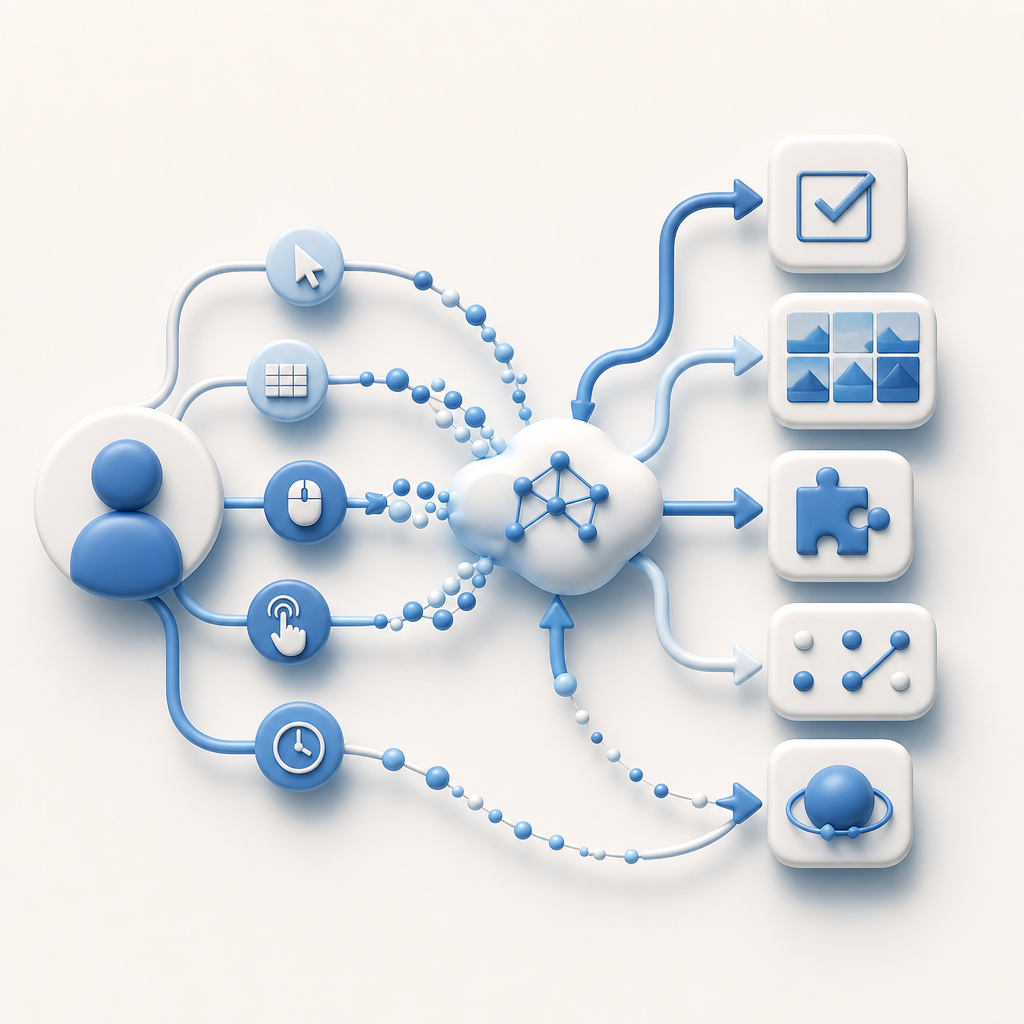
Invisible CAPTCHAs run behind the scenes to detect human behaviors by analyzing mouse movements, keystrokes, and browsing patterns without interrupting the user flow. These are favorable for accessibility since they require no special input or visual challenge.
- Examples: Google’s reCAPTCHA v3, Cloudflare Turnstile
- Pros: Seamless experience, no user action required
- Cons: Potential false positives or false negatives depending on traffic patterns
2. Logical or Behavioral Challenges
Rather than relying on distorted images or text, some CAPTCHAs ask users to solve simple logic puzzles, answer questions, or interact in natural ways, such as selecting items with a consistent theme.
- Pros: Can be tailored for accessibility and language support
- Cons: May require localization and design attention to ensure clarity
3. Honeypot Fields
A honeypot involves adding hidden form fields invisible to users but detectable by bots that auto-fill every input.
- Pros: Transparent to users, no accessibility impact
- Cons: Alone, not sufficient to fully prevent sophisticated bots
4. Time-based or Interaction Analysis
Measuring the time spent filling forms or recognizing natural user interaction patterns distinguishes humans from automated scripts.
- Pros: No user interaction needed, no impact on accessibility
- Cons: Must be carefully calibrated to avoid blocking slow or assistive technology users
Technical Comparison of Popular CAPTCHA Approaches
| Feature | reCAPTCHA v2/v3 | hCaptcha | Cloudflare Turnstile | CaptchaLa |
|---|---|---|---|---|
| Accessibility Support | Audio, invisible options | Audio, image challenges | Invisible by default | Native SDKs, multi-language UI |
| User Challenge Type | Image select, audio, invisible | Image select, invisible | Invisible, no challenge | Flexible: interactive & invisible |
| Platform SDKs | Web, mobile | Web, mobile | Web only | Web, iOS, Android, Flutter, Electron |
| Data Privacy | Google’s ecosystem-dependent | Third party | Cloudflare infrastructure | First-party data only, GDPR-friendly |
| Pricing Model | Free | Paid tiers | Included with Cloudflare services | Free tier + scalable paid plans |
Each solution offers trade-offs between accessibility, privacy, and ease of integration. For example, invisible CAPTCHAs score well on accessibility but can rely heavily on proprietary risk analysis, while honeypots add zero friction but are easily bypassed alone.
Implementing CAPTCHA Accessibility Alternatives with CaptchaLa
CaptchaLa supports multiple user interfaces and platform SDKs, helping teams balance accessibility with bot defense. Key features that support accessible alternatives include:
- Multi-language UI: Supports 8 languages natively, making localized accessibility easier
- Native SDKs: For web (JS/Vue/React), iOS, Android, Flutter, and Electron, enabling close-to-native experiences that assist screen readers and native accessibility tools
- Invisible Mode: Allows you to run background challenges with minimal user disruption
- Server-Side Validation: Secure token validation via API to confirm human behavior without exposing complex challenges to the end user
Here's an example snippet for invoking CaptchaLa's challenge loader on a webpage:
// Load the CaptchaLa challenge on page load
window.onload = function () {
  CaptchaLa.init({
    siteKey: 'your-site-key',          // Replace with your actual site key
    containerId: 'captcha-container',  // The div where CAPTCHA appears
    mode: 'invisible',                 // Invisible mode to minimize user friction
    onSuccess: function(token) {
      console.log('Validation token:', token);
      // Proceed with form submission or further server validation
    }
  });
};
This demonstrates how you can embed accessible CAPTCHA alternatives while keeping integration straightforward.
Best Practices When Choosing Accessibility-Focused CAPTCHA Solutions
When selecting or designing CAPTCHA accessibility alternatives, consider these key technical aspects:
- Support for Assistive Technologies: Ensure compatibility with screen readers, keyboard-only navigation, and voice control.
- Multi-language & Localization: Challenge content should be understandable in your users’ languages and cultural contexts.
- Minimal User Disruption: Invisible or passive techniques reduce cognitive load and friction.
- Robust Bot Detection: Security should not be sacrificed for accessibility; use layered defenses.
- Compliance with Standards: Follow WCAG 2.1 guidelines and legal accessibility requirements.
Mixing multiple strategies—such as honeypots plus invisible behavioral challenges—can improve bot detection without burdening users.

Conclusion
Accessibility alternatives to traditional CAPTCHA challenges are vital for creating inclusive, user-friendly security solutions. Invisible CAPTCHAs, behavioral analysis, honeypots, and multi-language SDK support offer viable ways to protect your site while welcoming all users, including those with disabilities. Tools like CaptchaLa provide flexible integrations and accessible options to keep your defenses strong and compliant.
Where to go next? Explore detailed implementation guides and API references in the CaptchaLa docs, or review scalable plan options tailored to your bot defense needs on the CaptchaLa pricing page.