
When building React applications, protecting forms and user interactions from bots is crucial. The best CAPTCHA for React combines robust bot detection, minimal user friction, easy integration, and reliable performance. React developers need a solution that fits naturally into their component-driven architecture without sacrificing user experience or scalability. In this article, we'll explore how to evaluate CAPTCHA options for React apps and why CaptchaLa offers a compelling choice alongside popular alternatives like reCAPTCHA, hCaptcha, and Cloudflare Turnstile.
What Makes a CAPTCHA Ideal for React?
From a developer standpoint, a CAPTCHA solution should:
- Provide official or well-supported React SDK/component for seamless integration.
- Support common React patterns like hooks, async validation, and controlled inputs.
- Offer customization to suit your app’s UX and styling needs.
- Work efficiently without adding heavy scripts or delays.
- Deliver strong bot-detection capabilities without annoying legitimate users.
Security teams want adaptive challenges that evolve as threats do, while product owners want minimal impact on conversion rates. With React's component-based system, the CAPTCHA should behave like a native React widget, not just a vanilla JS embed wrapped awkwardly.
Comparing Popular CAPTCHA Solutions for React
Below is a comparison of key CAPTCHA providers relevant for React developers:
| Feature | CaptchaLa | reCAPTCHA v3/v2 | hCaptcha | Cloudflare Turnstile |
|---|---|---|---|---|
| Official React SDK | Yes | Yes (via third-party libs) | Yes | Yes |
| Challenge Types | Invisible, image, puzzles | Invisible, checkbox, v3 | Checkbox, invisible | Invisible |
| Languages Supported | 8 UI languages | Multiple | Multiple | Multiple |
| Native React Hooks Support | Yes | Partial | Partial | Yes |
| Ease of Customization | High (theming & config) | Moderate | Moderate | Limited |
| Privacy and Data Handling | First-party data only | Google-owned (data shared) | Third-party data collection | Cloudflare network data |
| Pricing | Free to 1M+ requests/month tiers | Free tier, paid enterprise | Free & paid plans | Free |
| Server SDKs | PHP, Go | Various community SDKs | Official SDKs | Limited |
CaptchaLa stands out with a native React SDK and client+server SDK consistency, supporting strong privacy by design with first-party data only. It appeals to developers seeking full control without relying on big platform dependencies.
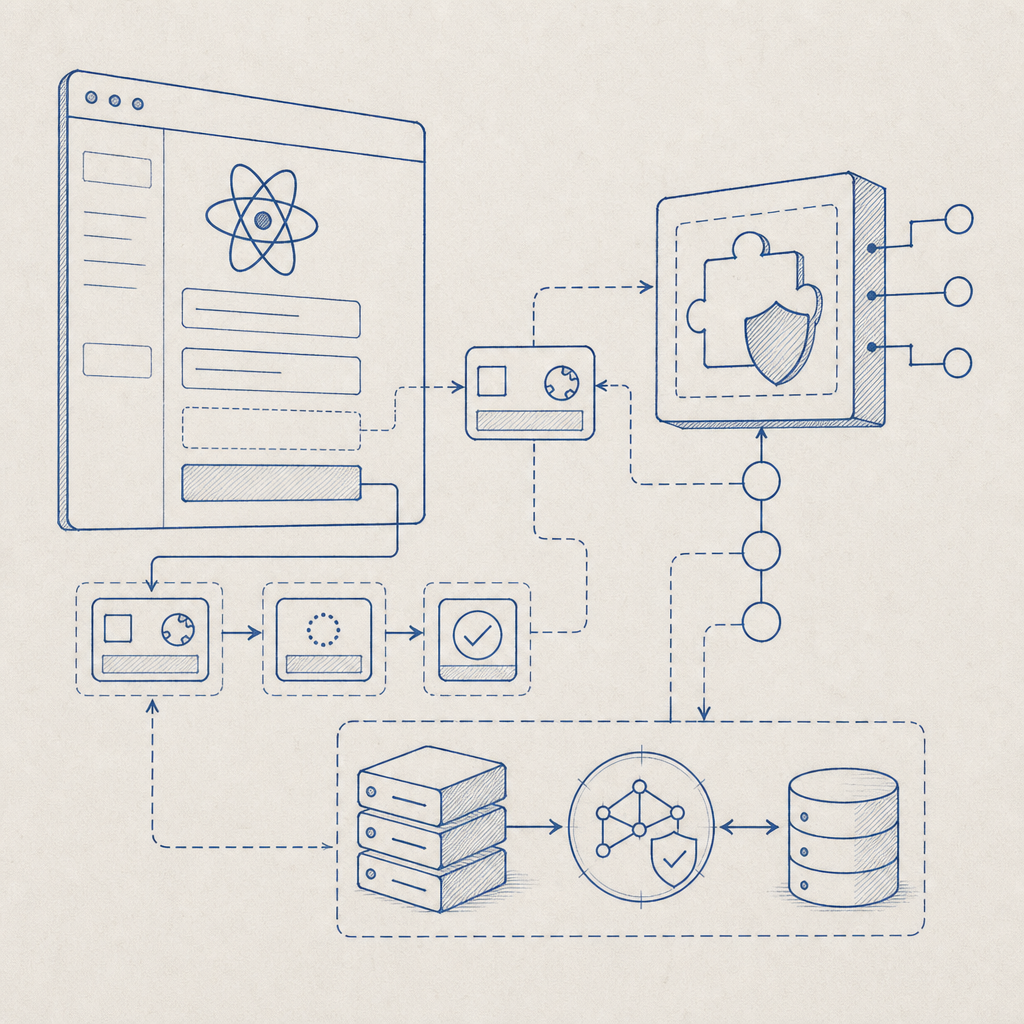
How to Integrate CaptchaLa into a React Project
Setting up CaptchaLa in React is straightforward. Using the official React SDK, you can add CAPTCHA components that handle challenges invisibly or visibly:
import React, { useState } from "react";
import { CaptchaLaWidget } from "captchala-react-sdk";

function SignupForm() {
  const [token, setToken] = useState(null);

  const onCaptchaSuccess = (passToken) => {
    setToken(passToken);
    // Proceed with form submit validation on server
  };

  return (
    <form onSubmit={handleSubmit}>
      {/* Form fields */}

      <CaptchaLaWidget
        siteKey="your-site-key"
        onSuccess={onCaptchaSuccess}
        language="en"
        theme="light"
      />

      <button type="submit" disabled={!token}>
        Submit
      </button>
    </form>
  );
}
On your backend, validate the CAPTCHA token by posting to CaptchaLa’s validation API endpoint with your secret keys:
POST https://apiv1.captcha.la/v1/validate
Headers:
  X-App-Key: your-app-key
  X-App-Secret: your-app-secret
Body:
{
  "pass_token": "<token-from-client>",
  "client_ip": "<user-ip>"
}
This two-step approach (client challenge + server validation) ensures reliable bot detection and reduces false positives.
Balancing User Experience and Security
CAPTCHA solutions often involve a trade-off—challenge complexity vs. user friction. Here are practical factors to consider when choosing your React CAPTCHA:
Invisible or User-triggered? Invisible CAPTCHAs like CaptchaLa’s invisible mode or reCAPTCHA v3 act behind the scenes for most users, only challenging suspicious traffic. This minimizes disruptions.
Accessibility Options: Ensure your CAPTCHA supports screen readers and keyboard-only navigation, especially if your audience includes users with disabilities.
Localization: Multi-language support helps deliver localized challenge prompts, improving user comfort, especially for global apps. CaptchaLa supports 8 UI languages natively.
Load Performance: Heavy third-party scripts can slow your app. CaptchaLa’s lightweight CDN loader optimizes script weight and caching for React SPAs.
Customization: Styling controls allow CAPTCHA widgets to maintain brand consistency. CaptchaLa provides configurable themes and UI options that blend with your React components.
Comparing Bot-Defense Effectiveness
Effectiveness comes down to how each CAPTCHA platform adapts to new threats:
- reCAPTCHA uses advanced risk analysis, but Google’s backend data collection can be a privacy concern.
- hCaptcha offers strong anti-bot mechanisms and data monetization options for site owners.
- Cloudflare Turnstile benefits from Cloudflare’s network protections but has fewer customization options.
- CaptchaLa focuses on first-party data, developer-friendly SDKs, and a flexible challenge system designed to detect bots without fuss.
Depending on your threat model and privacy preferences, your “best” React CAPTCHA may differ, but CaptchaLa offers a robust middle ground if you want developer control and user-friendly security.

Conclusion
The best CAPTCHA for React depends on your app’s needs around integration ease, user impact, customization, privacy, and backend validation support. CaptchaLa provides a modern React SDK, multiple challenge modes, strong API validation, and privacy-first practices that make it a solid choice to consider alongside familiar names like reCAPTCHA, hCaptcha, and Cloudflare Turnstile.
If you want to test implementing CAPTCHAs with a straightforward React SDK, explore CaptchaLa’s docs. You can start with a generous free plan, and scale up as needed—details are on the pricing page. Building secure, user-friendly React apps is easier when your CAPTCHA can keep up without getting in the way.
Happy coding and stay bot-free!