
An anti alt bot system is a defense layer that blocks or slows down fake-account abuse before it can distort signups, trials, referrals, polls, or any workflow where one person is tempted to act like many. If you need the short answer: it works by combining client challenges, server-side validation, and risk signals so one actor can’t cheaply create many “alternate” identities.
Alt abuse is frustrating because it rarely looks dramatic at first. One extra signup here, a referral loop there, a little ballot stuffing, a few trial accounts reused across devices. By the time the pattern is obvious, the damage is often already baked in. Good defenses focus on friction where abuse happens, not on punishing every visitor.
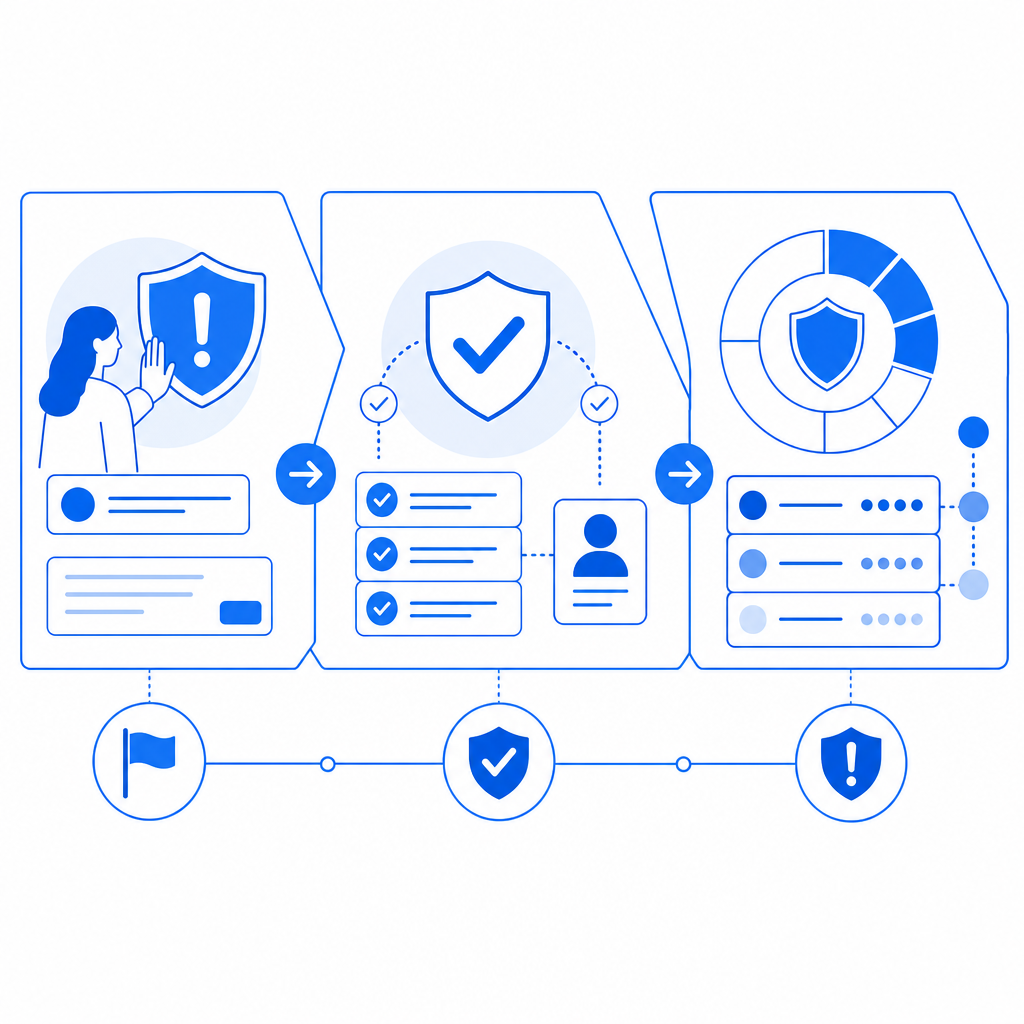
What “alt bot” abuse looks like in practice
“Alt” is short for alternate account. An alt bot is anything automating the creation or use of alternate identities to game a system. That can be a human with scripts, a botnet, a headless browser farm, or a hybrid setup where a person supervises automation.
Common targets include:
- Signup forms with free credits or welcome bonuses.
- Referral programs that pay for “new” users.
- Vote or poll systems that assume one browser equals one person.
- Comment threads and communities where repeat abuse spreads quickly.
- Trial flows in SaaS products, especially when the same actor keeps returning with fresh accounts.
The technical challenge is that legitimate users and abusive users often share the same surface behavior. They all load pages, click buttons, and submit forms. So an anti alt bot defense has to go beyond one signal. It usually combines:
- Challenge integrity: did the client actually execute expected code?
- Session continuity: does this browser/device behave like a real, persistent session?
- Server verification: did the token come from your own backend, not just the browser?
- Rate and pattern analysis: are signups, IPs, and device characteristics clustering unnaturally?
When those signals agree, you can allow access. When they diverge, you can step up friction, challenge again, or block.
How an anti alt bot stack works
The most practical way to think about anti alt bot defense is as a chain, not a single check. Client-side challenge alone is not enough. Server-side validation alone is not enough. You want both.
A typical flow looks like this:
- The page loads a lightweight challenge script.
- The user completes whatever verification is appropriate for the risk level.
- The client receives a pass token.
- Your backend validates that token with your secret.
- Your application decides whether to allow the action, step up verification, or deny it.
That split matters because browser-side signals are easy to fake if they are treated as the final authority. Server-side validation gives you a trustworthy decision point.
For teams implementing this kind of flow, CaptchaLa provides the pieces needed to keep the integration compact: native SDKs for Web, iOS, Android, Flutter, and Electron; server SDKs for PHP and Go; and an API that can be wired into your existing auth or signup pipeline. If you want to inspect implementation details, the docs are the best place to start.
# Typical anti-alt-bot verification flow
1. Load challenge on the client
2. User completes challenge
3. Client receives pass_token
4. Backend POSTs token to validation endpoint
5. Backend allows or blocks the action
# English comments only
The key distinction is that your frontend can collect and present the challenge, but your backend should make the final trust decision.
Comparing common bot-defense approaches
Different tools solve different parts of the problem. Here’s a practical comparison.
| Approach | Strengths | Limits | Best use case |
|---|---|---|---|
| reCAPTCHA | Familiar, widely recognized | Can add friction, user experience varies | General public-facing forms |
| hCaptcha | Good challenge options, common in abuse-prone areas | Still depends on client-side interaction | Signups, contact forms, content submissions |
| Cloudflare Turnstile | Low-friction for many users, simple deployment | Best when you already use Cloudflare heavily | Low-friction verification at the edge |
| Custom anti alt bot logic | Tuned to your exact abuse patterns | Higher engineering effort, maintenance overhead | High-value workflows, bespoke fraud patterns |
| CaptchaLa | Client challenge + server validation, multiple SDKs, first-party data only | You still need to choose policy thresholds | Teams wanting integrated verification across web and apps |
This isn’t a “one size fits all” decision. If your problem is generic contact-form spam, a lightweight challenge may be enough. If your problem is referral abuse or repeated trial farming, you’ll want stronger server-side checks and a policy that can adapt to repeat patterns.
CaptchaLa is designed around that middle ground: enough structure to defend real workflows, without forcing you into a giant migration or a single-channel deployment. It also supports 8 UI languages, which helps when your user base is international and you don’t want security language to become another source of friction.
Implementation details that actually matter
If you’re building anti alt bot protection, the details below are where most teams win or lose.
1) Validate on the server, every time
Your backend should verify the pass token directly against the validation endpoint, using your app credentials. CaptchaLa’s validation API is:
POST https://apiv1.captcha.la/v1/validate- Body:
{pass_token, client_ip} - Headers:
X-App-KeyandX-App-Secret
That means the browser never gets the secret, which is exactly what you want. If the token is missing, expired, duplicated, or otherwise invalid, your server can reject the request before it reaches the sensitive part of your workflow.
2) Bind the challenge to the action
A token should not be treated as a generic “user is fine forever” pass. Tie it to a specific event: signup, password reset, referral claim, or ticket submission. That way, a valid token for one action cannot be reused as a blanket authorization for everything else.
3) Use step-up friction for suspicious cases
Not every suspicious session should be blocked outright. Sometimes the right response is:
- ask for an additional check,
- delay the action,
- require email verification,
- or queue the request for review.
That approach reduces false positives, especially if you serve shared IPs, mobile networks, or accessibility-heavy user groups.
4) Watch for repeated identities, not just repeated IPs
Alt abuse often rotates IPs. Focus on clusters of behavior:
- identical signup timing,
- repeated device fingerprints,
- identical referral paths,
- same payment instrument or email pattern,
- or bursts from newly created accounts.
The more of these you track, the harder it is for a single actor to blend in.
5) Decide what “first-party” means for your product
Some teams are comfortable with broad third-party telemetry. Others want stricter privacy boundaries. CaptchaLa uses first-party data only, which can simplify policy conversations when legal, privacy, or compliance teams are involved.
A sensible rollout plan
If you’re adding anti alt bot protection to an existing product, start with the highest-value endpoints first. You do not need to lock down every form on day one.
- Protect signup and invitation flows.
- Add token validation to trial starts or coupon claims.
- Extend the same pattern to referrals, voting, and UGC submissions.
- Log denial reasons and review false positives weekly.
- Tighten policy only after you understand real user behavior.
For web apps, the loader is lightweight and served from: https://cdn.captcha-cdn.net/captchala-loader.js
If you’re shipping mobile or desktop clients, use the native SDKs instead of trying to force a web-only workaround. CaptchaLa supports Web JS/Vue/React, iOS, Android, Flutter, and Electron, which makes it easier to keep one anti-abuse policy across platforms rather than fragmenting your rules.
For server-side integrations, the SDKs captchala-php and captchala-go are available, which is useful when your auth stack already lives in one of those ecosystems. If you need to issue a server token as part of your flow, the endpoint is:
POST https://apiv1.captcha.la/v1/server/challenge/issue
That gives you a clean way to trigger server-coordinated verification when the risk level justifies it.
Choosing the right level of friction
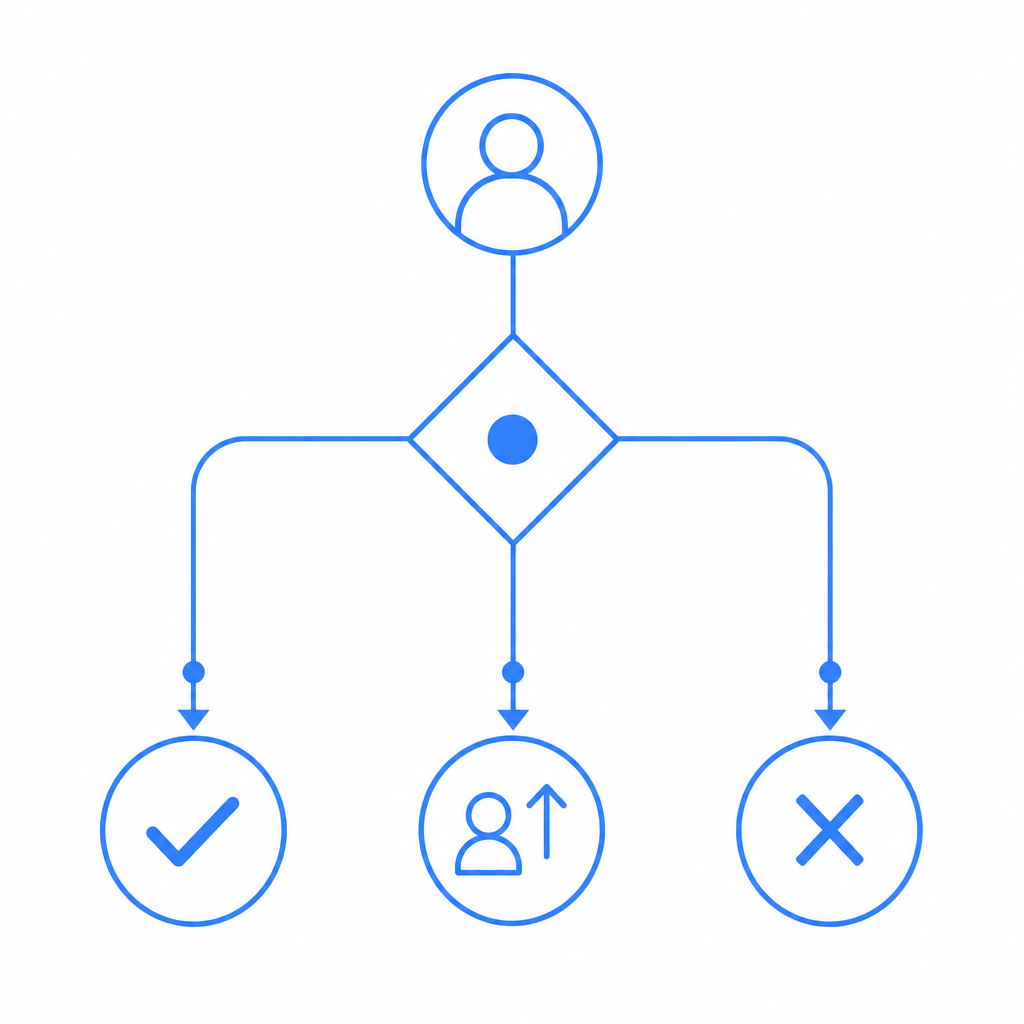
The mistake many teams make is assuming bot defense must be painful to work. It shouldn’t. A good anti alt bot system is invisible for most genuine users and strict only where abuse is likely.
A useful policy mindset is:
- Low risk: allow with minimal friction.
- Medium risk: challenge once, then verify server-side.
- High risk: block, queue, or require additional proof.
Pricing should map to volume and exposure, not just feature count. CaptchaLa’s tiers are straightforward: free tier up to 1,000 validations/month, Pro for 50K–200K, and Business at 1M. That makes it easier to start with a real production signal instead of guessing at capacity.
If you’re evaluating options against reCAPTCHA, hCaptcha, or Cloudflare Turnstile, the real question is not which brand name is familiar. It’s which system fits your risk model, your app architecture, and your tolerance for false positives. The right answer is often the one you can validate on the server, tune over time, and extend across web and native clients without reworking your entire stack.
Where to go next: read the docs for integration details, or check pricing if you want to estimate volume for your signup or trial flow.